IntelliJ IDEA is an IDE that aims to give Java and Kotlin developers everything they need out of the box, including a smart code editor, built-in developer tools, framework support, database support, web development support, and much more.
$19.90
per month
Postman
Score 8.7 out of 10
N/A
Postman, headquartered in San Francisco, offers their flagship API development and management free to small teams and independent developers. Higher tiers (Postman Pro and Postman Enterprise) support API management, as well as team collaboration, extended support and other advanced features.
$0
SwaggerHub
Score 8.0 out of 10
N/A
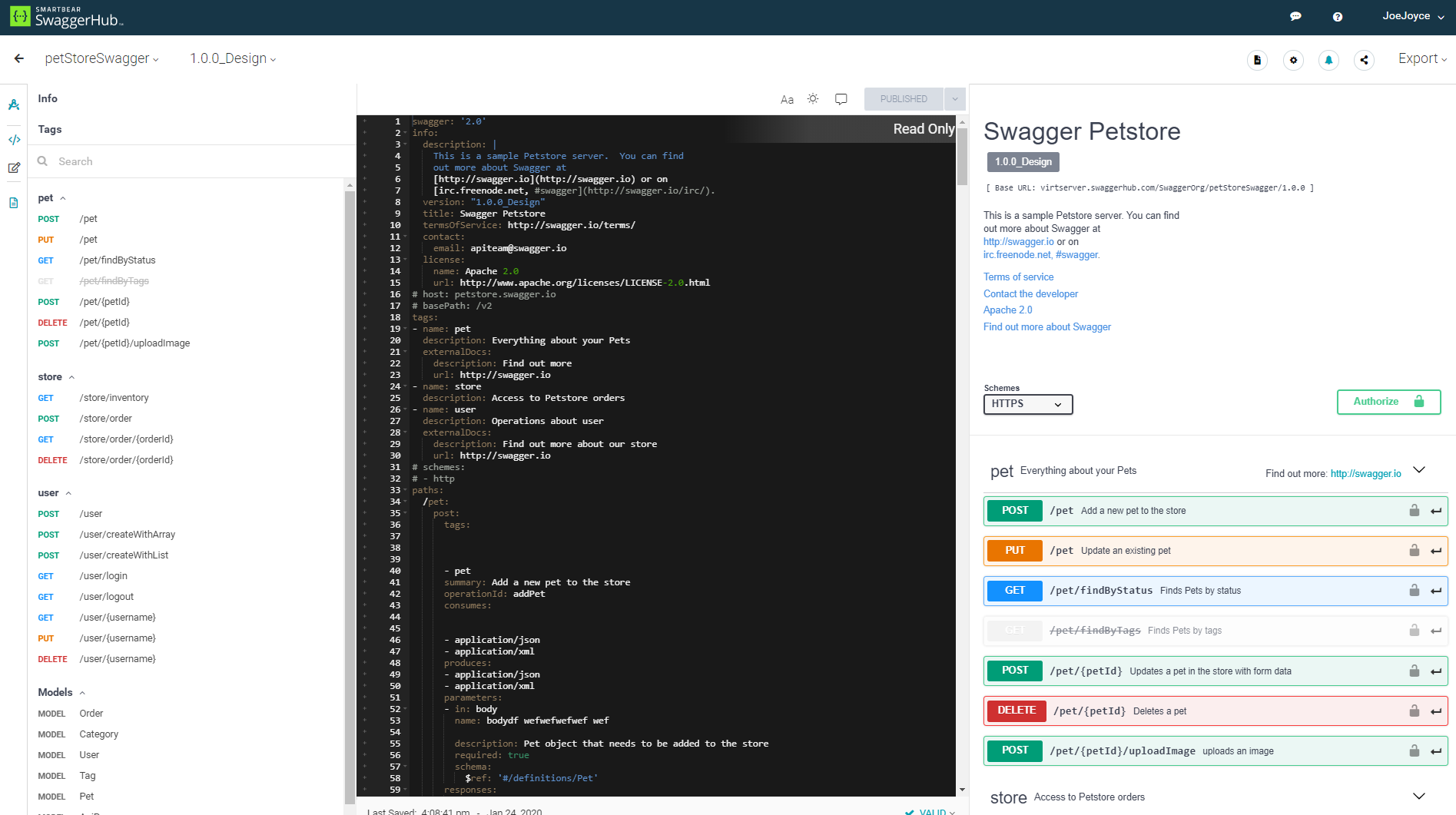
SwaggerHub is a platform for API design and documentation with OpenAPI. Whether it’s push generating an API’s design and code to source control hosts, deploying the API to API Management platforms, or triggering a Jenkins build, SwaggerHub boasts a host of integrations. Faster, Standardized API Design Design APIs in an editor that is built for efficiency without any loss in design…
$75
per month per user
Pricing
IntelliJ IDEA
Postman
SwaggerHub
Editions & Modules
For Individual Use (Monthly billing)
$19.90
per month
For Organizations (Monthly billing)
$71.90
per month
For Individual Use (Yearly billing)
$199
per year
For Organizations (Yearly billing)
$719
per year
Postman Free Plan
$0.00 US Dollars
Postman Basic Plan
$12 US Dollars
per month per user
Postman Professional Plan
$29 US Dollars
per month per user
Postman Enterprise Plan
$99 US Dollars
per month per user
Team 3 - Annual
$75
per month per user
Team 3 - Monthly
$90
per month per user
Team 5 - Annual
$125
per month per user
Team 5 - Monthly
$150
per month per user
Team 10 - Annual
$250
per month per user
Team 10 - Monthly
$300
per month per user
Offerings
Pricing Offerings
IntelliJ IDEA
Postman
SwaggerHub
Free Trial
Yes
No
Yes
Free/Freemium Version
Yes
Yes
Yes
Premium Consulting/Integration Services
No
No
No
Entry-level Setup Fee
No setup fee
No setup fee
No setup fee
Additional Details
All Products Pack (For Individual Use) – $299 /1st year, $ 239 /2nd year and $ 179 /3d year onwards
All Products Pack (For Organizations) – $979 / year
1. Postman Free plan: Start designing, developing, and testing APIs at no cost for teams of up to three people.
2. Postman Basic plan: Collaborate with your team to design, develop, and test APIs faster; $12/month per user, billed annually
3. Postman Professional plan: Centrally manage the entire API workflow; $29/month per user, billed annually
4. Postman Enterprise plan: Securely manage, organize, and accelerate API-first development at scale; $99/month per user, billed annually
In summary, IntelliJ is more polished and feature-rich out of the box, especially for Java development. Eclipse is extensible but can be rougher around the edges. IntelliJ costs money for advanced features, while Eclipse is free. IntelliJ offers many developers a better …
I have used Eclipse also in the past. But it is slow compared to IntelliJ, it does not offer as many features as IntelliJ offers, and the integrations with third-party tools is not great. But they are open-source and they don't charge anything whereas IntelliJ charges $500 per …
Postman is a great out-of-the-box tool for API testing. SwaggerHub is also good but requires a bit more configuration to integrate with the API you're going to test (if the API isn't set up for it, you probably won't get much out of SwaggerHub).
Postman has the ability for an end to end development of API. Others apps available don't have this ability. They lack in one or more cases. But Postman here is developed itself by an IT engineer working in Banglore, the IT city of india. He understands the issues faced by the …
Postman is a lot more affordable and maintainable than its competitors. Also, it is easy to use and deployment takes less amount of time. So, we selected Postman as it best fits our requirements.
Swagger functionality is a subset of what Postman can do. Although Swagger is better to keep track of your API documentation, Postman is much better at everything else. Basically, Postman is the jack of all trades. On top of documenting your APIs, you could test your API …
SwaggerHub is the best for what it can do in terms of API management and monitoring, compared to Postman, which is more like tools for everything (testing, monitoring, mock request, etc.). If you are overwhelmed with the number of API endpoints that you have and are finding it …
The only other product we looked at was Postman. But we liked the SwaggerHub UI & the integrations it has with the AWS API gateway. Though Postman has some other great features like the ability to write test cases & execute them, SwaggerUI was more convenient to document & …
We liked the SwaggerHub UI & the integrations it has with the several cloud API gateways. Though Postman has some other great features like the ability to write test cases & execute them, SwaggerUI was more convenient to document & share them.
This is a superb tool if your project involves a lot of backend development, especially in Java/Spring Boot and Kotlin. The support for the front end is great as well, but some developers may prefer to use the GitHub copilot add-on. I especially love using the GitHub copilot add-on. It may be less appropriate if your project requires heavy use of HotSwaps for backend debugging, as sometimes the support for that can be limited.
Postman is good for organising your API credentials, vendor settings, environments etc. It's also a good way of getting stared with APIs as you get to use a GUI which can help you understand what we mean by a 'body' or 'bearer token'. I think people generally gravitate towards GUI tools for getting started in a new technology area.
ReadyAPI and SwaggerHub are a match made in heaven. Being able to so easily import the API directly into ReadyAPI and then being able to generate a test suite from the API is my favorite part of these softwares. We have rather large services so building out the API can take some time
Unit testing: Fully integrated into IntelliJ IDEA. Your unit tests will run smoothly and efficiently, with excellent debugging tools for when things get tricky.
Spring integration: Our Spring project using Maven works flawlessly in IntelliJ IDEA. I know firsthand that Apache is also easily and readily supported too. The integration is seamless and very easy to set up using IntelliJ IDEA's set up wizard when importing new projects.
Customization: IntelliJ IDEA comes out of the box with a bunch of handy shortcuts, as well as text prediction, syntax error detection, and other tools to help keep your code clean. But even better is that it allows for total customization of shortcuts you can easily create to suit your needs.
It has opened a door for me to explore more out of it, as it is associated with so many APIs that I never felt any difficulty in finding the right API template, which are well organized and easily available.
It is very secure to use and provides great services which are user-friendly.
Due to this software I have got rid of the excessive emails and the slack channels, Now I am using my own private API and even it give me an option to produce my personal Postman’s API Builder from its Private API Network and this features has shared my excessive workload.
VS Code is maturing and has a Scala plugin now. The overall experience with VS Code - for web development at least - is very snappy/fast. IntelliJ feels a bit sluggish in comparison. If that Scala plugin for VS Code is deemed mature enough - we may not bother renewing and resort to the Community Edition if we need it.
There is always room for improvement, but I haven't met any IDE that I liked more so far. Even if it did not fit a use case right out of the box, there is always a way to configure how it works to do just that.
1. Friendly user friendly - when I started using Postman, I was a beginner to the API world, and it gave me a friendly view to begin its usage 2. Postman offers many features, including API testing, monitoring, documentation, and mock servers 3. Environment variables simplify testing across multiple environments (dev, prod) without repetitive configuration.
Customer support is really good in the case of IntelliJ. If you are paying for this product then, the company makes sure that you will get all the services adequately. Regular update patches are provided to improve the IDE. An online bug report makes it easier for the developers to find the solution as fast as possible. The large online community also helps to find the various solutions to the issues.
There is a lot of in-depth documentation for Postman available online, including detailed guides with screenshots and videos. They provide example APIs for new users to explore while learning how to use the tool. Generally, bugs in the client are quickly addressed through frequent free updates. Community and professional support options are available - most of the time, the free/community level support is adequate
This installs just like any other application - its pretty straight forward. Perhaps licensing could be more challenging - but if you use the cloud licensing they offer its as simple as having engineers login to the application and it just works.
Eclipse is just so old, like a dinosaur, compared to IntelliJ. There are still formats that Eclipse supports better, especially old and/or propriety ones. Still, most of the modern software development needs can be done on IntelliJ, & in a much better way, some of them are not even supported on Eclipse.
Previous to using Postman, I would either use browser tools directly, or write an in-house tool to send requests. Postman eliminates that need while providing a much better experience and more features. At the base level, Postman is as simple as typing in the address as you would in a browser. Authentication can be provided simply as well.
The only other product we looked at was Postman. But we liked the SwaggerHub UI & the integrations it has with the AWS API gateway. Though Postman has some other great features like the ability to write test cases & execute them, SwaggerUI was more convenient to document & share them.
Postman is free (although there's a paid tier that offers more features) so using it for testing APIs comes with little to no risk (besides learning curve).
The learning curve is a little steep for non-developer users, but developers should find it easy to pick up and use right out of the box, so to speak.