WebStorm vs. Nimbalyst

Overview
ProductRatingMost Used ByProduct SummaryStarting Price
WebStorm
Score 9.5 out of 10
N/A
WebStorm is an integrated development environment (IDE) by JetBrains. Designed for JavaScript and TypeScript development, WebStorm also aims to make it easy to tackle the most challenging tasks. Whether resolving Git merge conflicts or renaming a symbol across multiple files, it takes just a few clicks.
$0
per year
Nimbalyst
Score 0.0 out of 10
Small Businesses (1-50 employees)
Nimbalyst is a local, visual workspace for building with Claude Code and Codex. Nimbalyst provides a session and task manager and visual editors for markdown, mockups, diagrams, drawings, csv, mcp, data-models, code, sessions, and tasks. Nimbalyst enables builders (developers, product managers, designers, and others) working with agents to achieve: Higher bandwidth: a visual workspace to collaborate with agents on sessions, files, and…
$0
per user
Pricing
WebStormNimbalyst
Editions & Modules
Individual Non-Commercial
$0
per year
Individual
$6.90
per month
Bussiness
$15.90
per month per user
Individual
$69
per year
Business
$159
per year per user
Nimbalyst Teams
$30
per month per user
Offerings
Pricing Offerings
WebStormNimbalyst
Free Trial
YesNo
Free/Freemium Version
YesYes
Premium Consulting/Integration Services
NoNo
Entry-level Setup FeeNo setup feeNo setup fee
Additional Details
More Pricing Information
Community Pulse
WebStormNimbalyst
Best Alternatives
WebStormNimbalyst
Small Businesses
PyCharm
PyCharm
Score 9.2 out of 10
PyCharm
PyCharm
Score 9.2 out of 10
Medium-sized Companies
PyCharm
PyCharm
Score 9.2 out of 10
PyCharm
PyCharm
Score 9.2 out of 10
Enterprises
PyCharm
PyCharm
Score 9.2 out of 10
PyCharm
PyCharm
Score 9.2 out of 10
All AlternativesView all alternativesView all alternatives
User Ratings
WebStormNimbalyst
Likelihood to Recommend
9.3
(31 ratings)
-
(0 ratings)
Likelihood to Renew
10.0
(1 ratings)
-
(0 ratings)
Usability
9.0
(4 ratings)
-
(0 ratings)
Support Rating
9.4
(8 ratings)
-
(0 ratings)
Implementation Rating
10.0
(1 ratings)
-
(0 ratings)
User Testimonials
WebStormNimbalyst
Likelihood to Recommend
JetBrains
Groups that use a [variety] of development environments (.net, python, web), Jebrain's products and Webstorm, in particular, are a great choice for productivity. If your developers are accustom to another IDE it might be better for all to sync on the same one. I wouldn't take the cost aspect as a consideration. A productive developer is far more important.
Read full review
Nimbalyst
No answers on this topic
Pros
JetBrains
  • Includes a built in spell checker to eliminate time wasted searching for small mistakes.
  • Provides a drop down menu of options complete with keyboard shortcuts that allow for streamlined programming.
  • Identifies when variables are named differently, allowing for cohesive work without the scrolling.
Read full review
Nimbalyst
No answers on this topic
Cons
JetBrains
  • The popup file search sometimes frustrates me. It caps the number of results, and sometimes it isn't clear that it simply stopped looking. I also used to have trouble finding string occurrences that I knew were in my project, but I think they've made improvements in this area recently.
  • Being a AAA IDE, WebStorm can be a memory hog. If I don't kill it every few days, it can get really slow. I would love to see performance improvements.
  • Speaking of performance, WebStorm can take a long time to launch. I'd like to see improvements in launch times.
Read full review
Nimbalyst
No answers on this topic
Likelihood to Renew
JetBrains
It's an irreplaceable part of my toolkit and isn't that expensive per year.
Read full review
Nimbalyst
No answers on this topic
Usability
JetBrains
Great in debugging, testing, developing and maintaining softwares in a number of languages. Great support for many languages and their syntaxes. Great support of many third party extensions and plugins like GIT and html plugins. The RAM usage of WebStorm however could be really improved, it literally takes almost all of the RAM of my machine with 16GB RAM
Read full review
Nimbalyst
No answers on this topic
Support Rating
JetBrains
I gave this rating because I have never needed their customer support, which is the highest level of support I suppose. When a product works just fine out of the box and everything you may need is well documented, it's a paradise for the customer. But I've seen some questions asked on their portal, and I've seen thorough answers given to the questions and the willingness to support the customer with follow-ups and everything else.
Read full review
Nimbalyst
No answers on this topic
Implementation Rating
JetBrains
Highly recommend the JetBrains Toolbox, it remembers your recent projects and launches from the task bar.
Read full review
Nimbalyst
No answers on this topic
Alternatives Considered
JetBrains
I think WebStorm is way ahead of open-source editors. Please don't get me wrong, I love open-source. But the other free editors have a lot of configuration which blocks my whole coding experience. Take "Atom" for example. I used it for about 3 months, but in that time I had to update the plugins hundreds of time, and for every little thing (e.g. linter) I had to download a community plugin, and with each plugin atom would get a little slow. Take "Eclipse" for another example, which is very suited for Java, but not so suited for JavaScript. Sublime was good, but WebStorm comes with many exciting features that I did not find in sublime/notepad.
Read full review
Nimbalyst
No answers on this topic
Return on Investment
JetBrains
  • Saves lot of time when we are finding the text or files.
  • Easy to work with for support projects.
  • Nice code completion feature.
  • It's all in one solution for both front end, back end and database solution to work with.
  • Initial learning curve is required to use the workbench.
  • Documentation can be improved better probably adding videos, would be helpful for visual person.
Read full review
Nimbalyst
No answers on this topic
ScreenShots

WebStorm Screenshots

Screenshot of Code CompletionScreenshot of JavaScript DebuggingScreenshot of Quick DocumentationScreenshot of Version Control IntegrationScreenshot of the Out-of-the-box Experience

Nimbalyst Screenshots

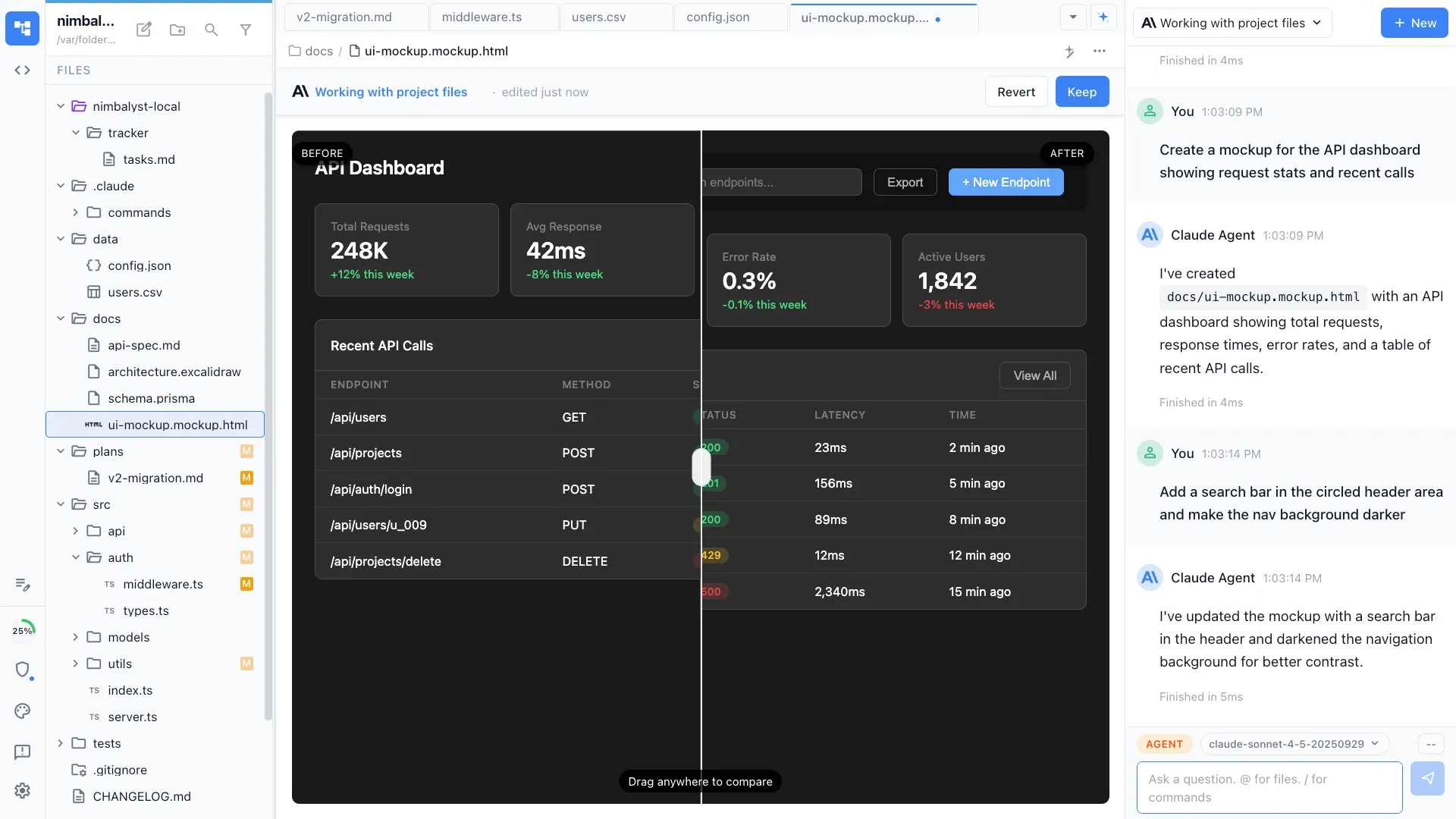
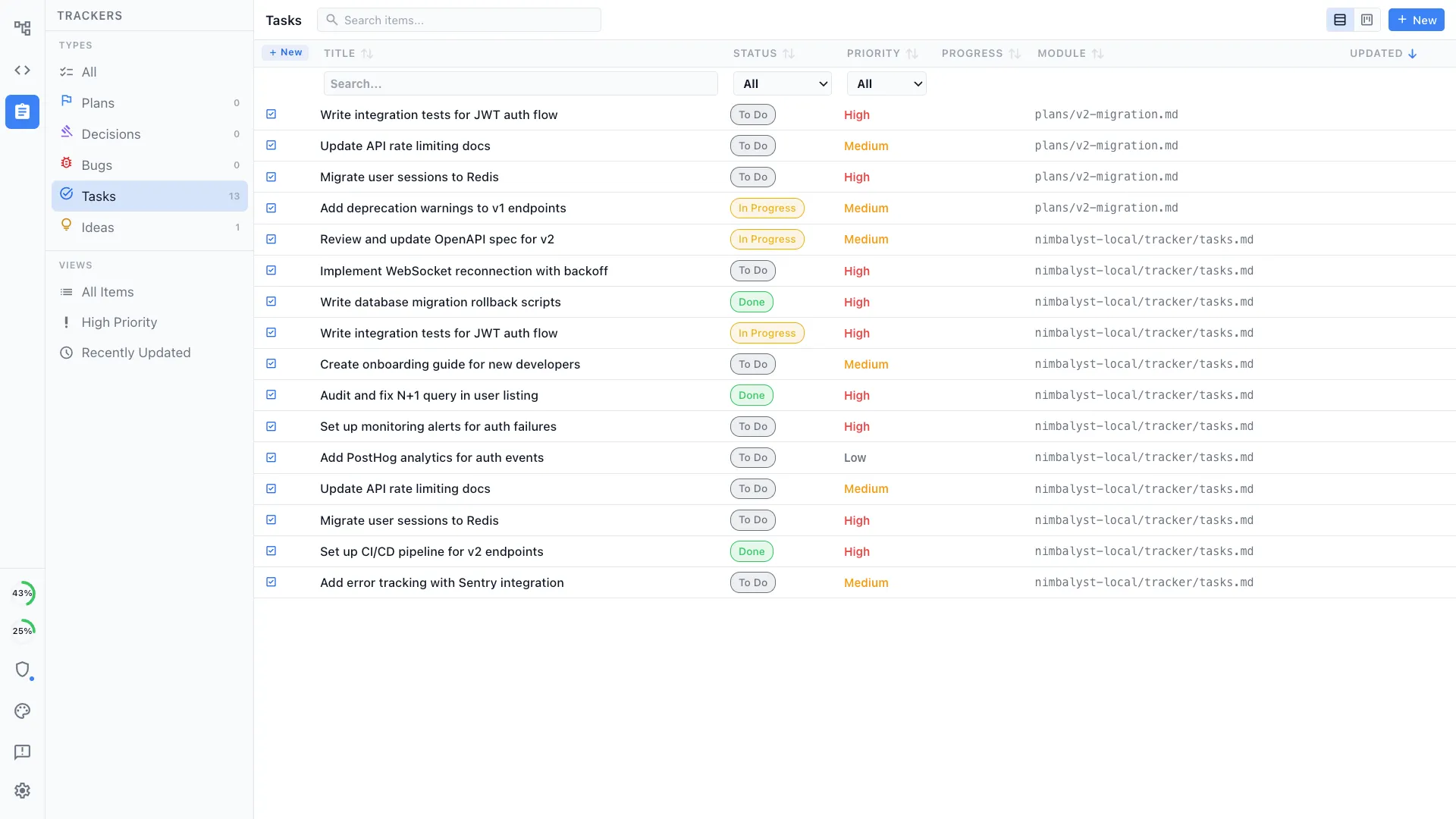
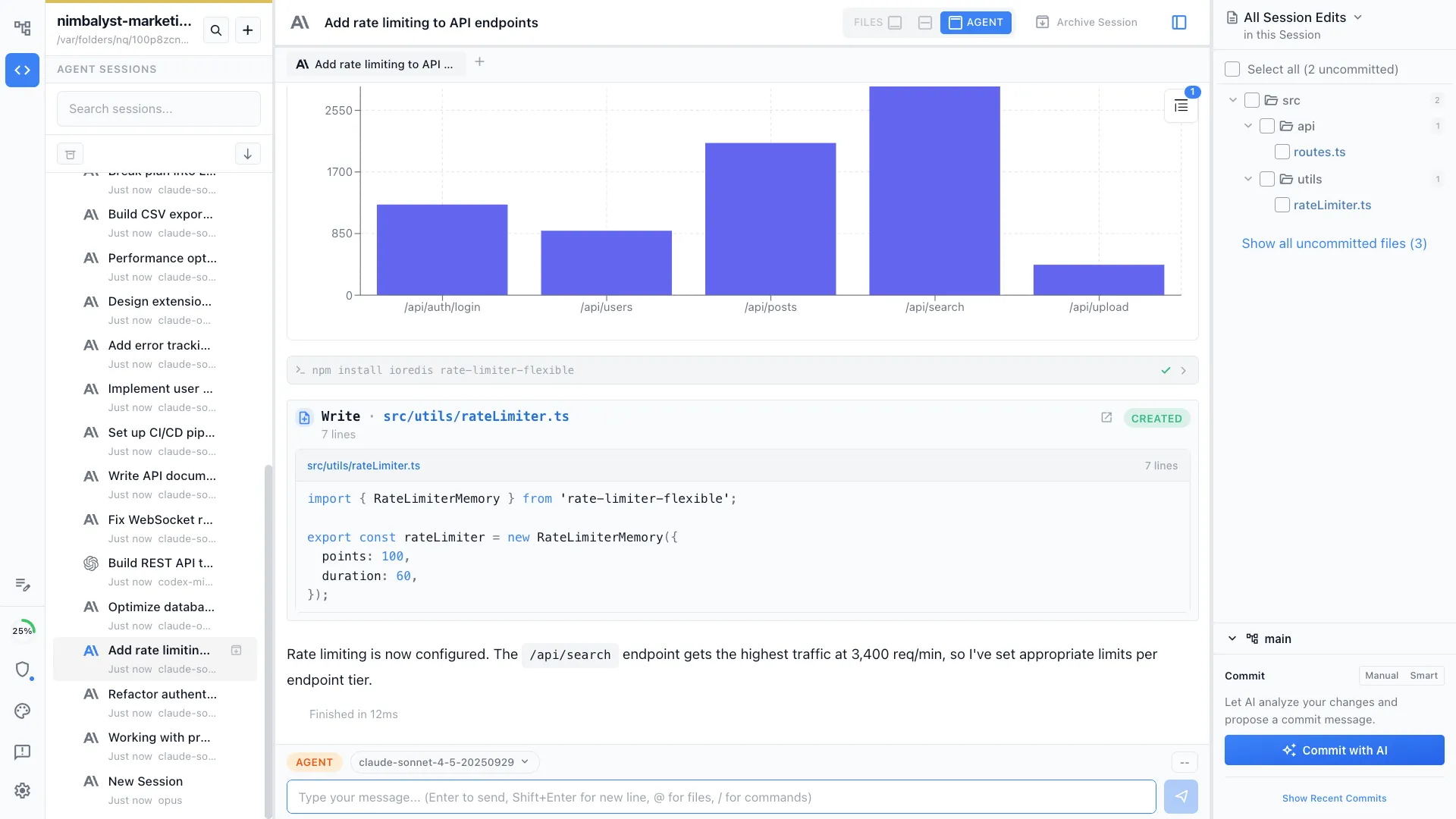
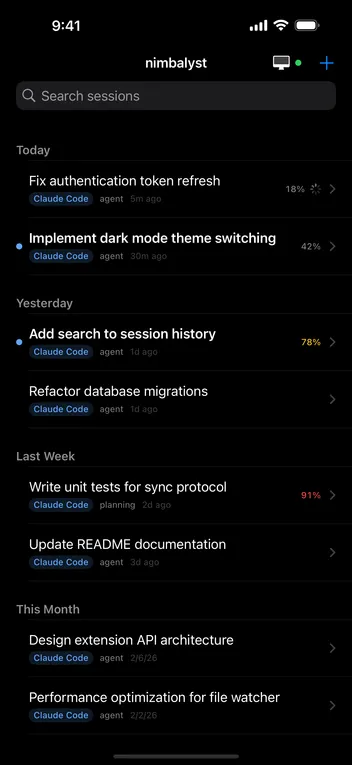
Screenshot of Markdown: Edit markdown files. Have AI agent edit markdown. Review and approve agent's changes.Screenshot of Mockup: Have your agent create mockups. Annotate them. Have agent update. Update manually. Iterate togetherScreenshot of Tasks: Manage your tasks with your agent. Manually edit, update, move. Have agent act based on the tasksScreenshot of Sessions: Visual sessions, search, find, resume sessions. Run parallel sessions.  Tie sessions to the files modified. Open those files.Screenshot of Kanban for Sessions.Screenshot of