invideo vs. PlayPlay

Overview
ProductRatingMost Used ByProduct SummaryStarting Price
invideo
Score 9.4 out of 10
N/A
invideo is an AI video generation platform used to create video ads, promo videos, and social media videos. It features a library of 4000+ templates, a full-fledged editor, millions of stock videos and images, and effects.
$20
per month
PlayPlay
Score 6.9 out of 10
N/A
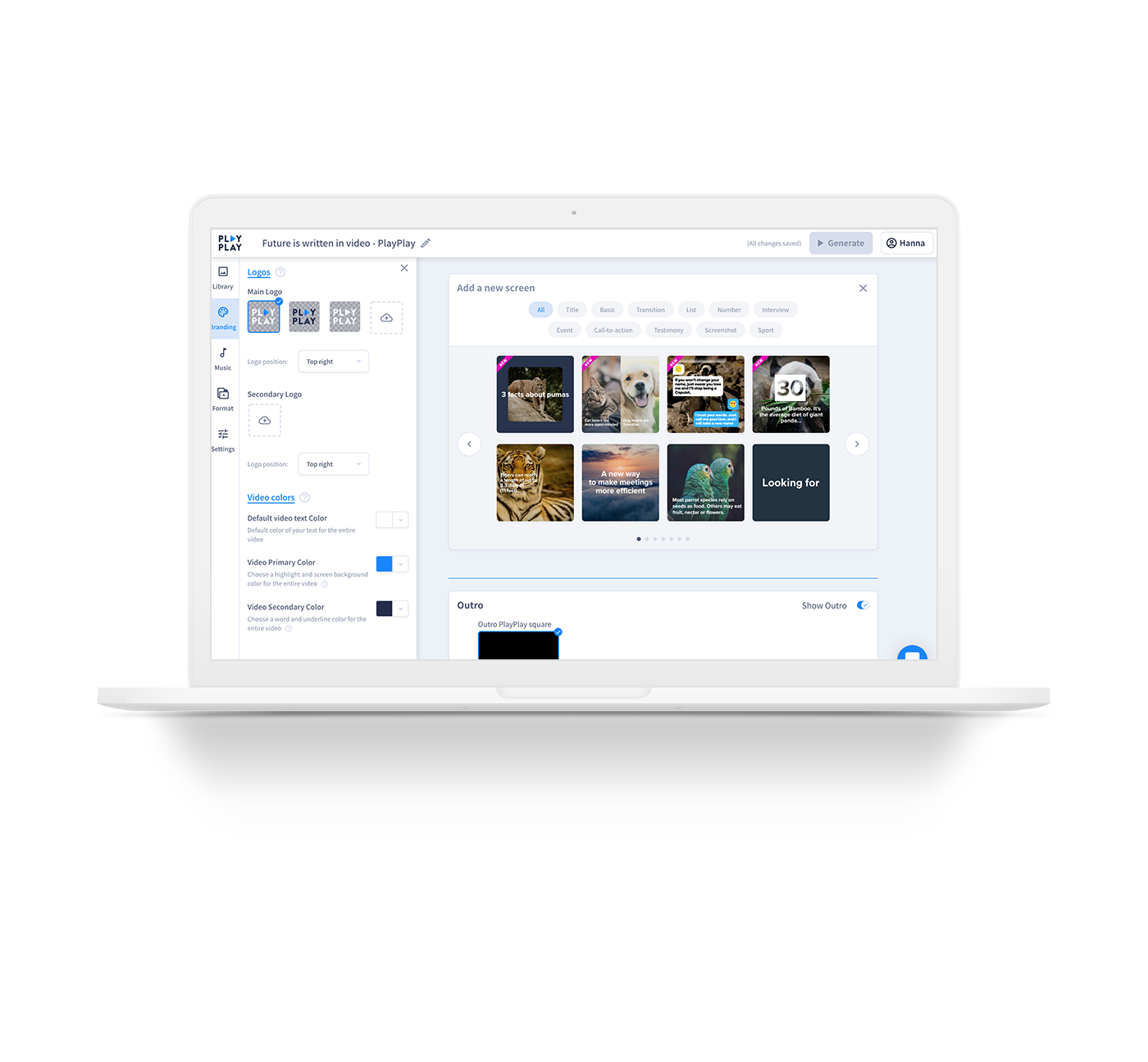
PlayPlay is an online video maker that any communication professional can use to produce, in minutes, videos ready to publish on social media, blogs or on internal channels. Stories, interviews, news clips, events and product promotions, job offers… Engage audiences with video! The vendor states that PlayPlay is best for, but not limited to: small to large companies that need to create engaging videos for social media, highlight internal initiatives and employee projects, and build…
$217
1 User per month
Pricing
invideoPlayPlay
Editions & Modules
Plus
$20
per month
Max
$100
per month
Generative
$250
per month
Basic
$217.00
1 User per month
Offerings
Pricing Offerings
invideoPlayPlay
Free Trial
NoYes
Free/Freemium Version
YesNo
Premium Consulting/Integration Services
NoNo
Entry-level Setup FeeNo setup feeNo setup fee
Additional DetailsDiscount available for annual pricing.Enterprise plan also available, catered to your company's specific requirements. Let's talk!
More Pricing Information
Community Pulse
invideoPlayPlay
Considered Both Products
invideo
Chose invideo
I also used Powtoon for video-making service before InVideo. I am using InVideo for the last year and I found it very beneficial & effective than Powtoon because InVideo provides lots of features like Bulk Uploading, Closed captions, Engagement Tracking, Inside the Video …
PlayPlay

No answer on this topic

Features
invideoPlayPlay
Video Security
Comparison of Video Security features of Product A and Product B
invideo
-
Ratings
PlayPlay
9.3
Ratings
8% above category average
User management00 Ratings8.00 Ratings
Video link sharing00 Ratings10.00 Ratings
Internal video00 Ratings9.00 Ratings
External video00 Ratings10.00 Ratings
Video Player
Comparison of Video Player features of Product A and Product B
invideo
-
Ratings
PlayPlay
8.5
Ratings
4% above category average
Player customization00 Ratings8.00 Ratings
Mobile compatibility00 Ratings9.00 Ratings
Video Hosting, Management & Storage
Comparison of Video Hosting, Management & Storage features of Product A and Product B
invideo
-
Ratings
PlayPlay
8.7
Ratings
1% above category average
On-Demand video00 Ratings8.00 Ratings
Video upload & format support00 Ratings9.00 Ratings
Video library / File management00 Ratings9.00 Ratings
Best Alternatives
invideoPlayPlay
Small Businesses
iMovie
iMovie
Score 10.0 out of 10
Wistia
Wistia
Score 9.6 out of 10
Medium-sized Companies
iMovie
iMovie
Score 10.0 out of 10
Flipgrid
Flipgrid
Score 1.0 out of 10
Enterprises
Vyond
Vyond
Score 8.7 out of 10
Panopto
Panopto
Score 7.6 out of 10
All AlternativesView all alternativesView all alternatives
User Ratings
invideoPlayPlay
Likelihood to Recommend
10.0
(0 ratings)
10.0
(0 ratings)
Usability
10.0
(0 ratings)
-
(0 ratings)
User Testimonials
invideoPlayPlay
Likelihood to Recommend
You will get access to various models Along with that you will get access to photo and video library which you can further improve / modify with prompts You can simply start with the prompt and it will deliver the videos. They are early adopters of AI - you will get the well trained model since there are many users who had used it and their team must be monitoring and improving their internal model to deliver more suitable results
Read full review
For any company that wants to use more video in their content and marketing overall, PlayPlay is your best bet. Anyone can make a video--no expertise required. Honestly, it's really fun to do, and you feel like a creative genius afterward! If you are making long-form videos or need something for a TV commercial, PlayPlay doesn't make sense. But you can absolutely take snippets from other video projects and break them into smaller videos. That's what we love to do. Also, they just launched a podcast tool to help podcasters use video to promote their episodes.
Read full review
Pros
  • The quota of downloads never refreshes by itself for us and when its more than a month we face difficulty in downloads.
  • When reached to them, everytime ask for purchase record, being a tech company we expect them to have all the records intacts
  • For first they try to stall us that oh you might have consumed the refreshed data, but when you show them the count they finally refresh it.
  • Its a pain point for us every month.
Read full review
  • Very simple-to-use but super professional looking video templates
  • Intuitive platform for creating a story with video
  • One-click resizing for social formats
  • Amazing customer success--if you need it--offering recommendations to make your video look amazing
  • Access to Getty Premier for video and image stock
Read full review
Cons
  • UI improvement
  • Sometime elements get stuck in Firefox browser and we need to restart
  • Adding more templates on each subjects
Read full review
  • Product is very easy to use; I got a little stuck on changing font colors with text
  • Automatic subtitling is amazing, but you do need to adjust the words per screen
Read full review
Usability
Value for money Saves your team time Gives you base to start on the right track Simple prompting to get you video output
Novice user can also share smart clear prompts to get basic to medium level work done.
Read full review
No answers on this topic
Alternatives Considered
I also used Powtoon for video-making service before InVideo. I am using InVideo for the last year and I found it very beneficial & effective than Powtoon because InVideo provides lots of features like Bulk Uploading, Closed captions, Engagement Tracking, Inside the Video Search, Speed Adjustment, Video Looping, and much more which are not provided by Powtoon. That is the main reason to choose InVideo against it.
Read full review
No answers on this topic
Return on Investment
  • PR is very good and so many positive response
Read full review
  • Huge ROI--we're saving thousands on editing costs
  • It's another way to repurpose content
  • Our staff has loved using the product--also less work for them
Read full review
ScreenShots

PlayPlay Screenshots

Screenshot of TemplatesScreenshot of Select different screens and build your video according to your objectivesScreenshot of Need inspiration? Choose  from a variety of templates to help get you started