TrustRadius: an HG Insights company

Save this comparison

Save this comparison

Add Product

Recommended Comparisons

    Overview
    ProductRatingMost Used ByProduct SummaryStarting Price

    Jupyter Notebook

    Score8.6 out of 10
    N/AJupyter Notebook is an open-source web application that allows users to create and share documents containing live code, equations, visualizations and narrative text. Uses include: data cleaning and transformation, numerical simulation, statistical modeling, data visualization, and machine learning. It supports over 40 programming languages, and notebooks can be shared with others using email, Dropbox, GitHub and the Jupyter Notebook Viewer. It is used with JupyterLab, a web-based IDE for…N/A

    Syncfusion Essential Studio

    Score7.3 out of 10
    N/ASince 2002, Essential Studio® has supported the development of software applications across industries and economic sectors, in both public and private enterprises.

    $0

    with the Syncfusion Essential Studio Community License. It includes free access to all 1,600+ controls and is available to companies and individuals with less than $1 million USD in annual gross revenue and 5 or fewer developers.

    Pricing
    Jupyter NotebookSyncfusion Essential Studio
    Editions & Modules
    No answers on this topic
    1. Syncfusion Essential Studio Community License
    $0
    *The Syncfusion Essential Studio Community License includes free access to all 1,600+ controls and is available to companies and individuals with less than $1 million USD in annual gross revenue, 5 or fewer developers, and 10 or fewer total employees. Note: An entity or organization may not have ever received more than $3,000,000 USD in capital from an outside source, such as private equity or venture capital, in order to be eligible for the Community License.
    2. Essential Studio UI Edition
    Custom Quote
    per year Packages to suit teams of all sizes
    3. Essential Studio Document SDK
    Custom Quote
    per year Packages to suit teams of all sizes
    5. Essential Studio Standalone Document SDKs
    Custom Quote
    per year PDF Viewer SDK; DOCX Editor SDK; Spreadsheet Editor SDK
    4. Essential Studio Standalone UI SDKs
    Custom Quote
    per year Grid SDK*; Chart SDK*; Schedular SDK; Gantt SDK; Rich Text Editor SDK; Diagram SDK; File Manager SDK*
    Offerings
    Pricing Offerings
    Jupyter NotebookSyncfusion Essential Studio
    Free Trial
    NoYes
    Free/Freemium Version
    NoYes
    Premium Consulting/Integration Services
    NoNo
    Entry-level Setup FeeNo setup feeNo setup fee
    Additional Details—*Grid SDK, Chart SDK, and File Manager SDK are also included as part of the Essential Studio UI Edition. **The Syncfusion Essential Studio Community License includes free access to all 1,600+ controls and is available to companies and individuals with less than $1 million USD in annual gross revenue, 5 or fewer developers, and 10 or fewer total employees. Note: An entity or organization may not have ever received more than $3,000,000 USD in capital from an outside source, such as private equity or venture capital, in order to be eligible for the Community License.
    More Pricing Information
    Community Pulse
    Jupyter NotebookSyncfusion Essential Studio
    Considered Both Products
    Open Source
    No answer on this topic
    Syncfusion
    No answer on this topic
    Key User Insights
    Would buy again
    100%
    Would buy again
    23 Answers
    100%
    Would buy again
    29 Answers
    Delivers good value for the price
    100%
    Delivers good value for the price
    23 Answers
    100%
    Delivers good value for the price
    28 Answers
    Happy with the feature set
    96%
    Happy with the feature set
    22 Answers
    100%
    Happy with the feature set
    29 Answers
    Lived up to sales and marketing promises
    100%
    Lived up to sales and marketing promises
    17 Answers
    100%
    Lived up to sales and marketing promises
    25 Answers
    Implementation went as expected
    95%
    Implementation went as expected
    20 Answers
    93%
    Implementation went as expected
    26 Answers
    Features
    Jupyter NotebookSyncfusion Essential Studio
    Platform Connectivity
    Comparison of Platform Connectivity features of Jupyter Notebook and Syncfusion Essential Studio
    Feature
    Jupyter Notebook
    9.0
    22 Ratings
    7% above category average
    Syncfusion Essential Studio
    -
    Ratings
    Connect to Multiple Data Sources10.022 Ratings00 Ratings
    Extend Existing Data Sources10.021 Ratings00 Ratings
    Automatic Data Format Detection8.514 Ratings00 Ratings
    MDM Integration7.415 Ratings00 Ratings
    Data Exploration
    Comparison of Data Exploration features of Jupyter Notebook and Syncfusion Essential Studio
    Feature
    Jupyter Notebook
    7.0
    22 Ratings
    19% below category average
    Syncfusion Essential Studio
    -
    Ratings
    Visualization6.022 Ratings00 Ratings
    Interactive Data Analysis8.022 Ratings00 Ratings
    Data Preparation
    Comparison of Data Preparation features of Jupyter Notebook and Syncfusion Essential Studio
    Feature
    Jupyter Notebook
    9.5
    22 Ratings
    15% above category average
    Syncfusion Essential Studio
    -
    Ratings
    Interactive Data Cleaning and Enrichment10.021 Ratings00 Ratings
    Data Transformations10.022 Ratings00 Ratings
    Data Encryption8.514 Ratings00 Ratings
    Built-in Processors9.314 Ratings00 Ratings
    Platform Data Modeling
    Comparison of Platform Data Modeling features of Jupyter Notebook and Syncfusion Essential Studio
    Feature
    Jupyter Notebook
    9.3
    22 Ratings
    9% above category average
    Syncfusion Essential Studio
    -
    Ratings
    Multiple Model Development Languages and Tools10.021 Ratings00 Ratings
    Automated Machine Learning9.218 Ratings00 Ratings
    Single platform for multiple model development10.022 Ratings00 Ratings
    Self-Service Model Delivery8.020 Ratings00 Ratings
    Model Deployment
    Comparison of Model Deployment features of Jupyter Notebook and Syncfusion Essential Studio
    Feature
    Jupyter Notebook
    10.0
    20 Ratings
    16% above category average
    Syncfusion Essential Studio
    -
    Ratings
    Flexible Model Publishing Options10.020 Ratings00 Ratings
    Security, Governance, and Cost Controls10.019 Ratings00 Ratings
    Best Alternatives
    Jupyter NotebookSyncfusion Essential Studio
    Small Businesses
    RapidMiner
    Score8.9 out of 10
    Progress Kendo UI
    Score8 out of 10
    Medium-sized Companies
    Anaconda
    Score8.8 out of 10
    Progress Telerik
    Score9.4 out of 10
    Enterprises
    IBM Watson Studio
    Score10 out of 10
    Progress Telerik
    Score9.4 out of 10
    All AlternativesView all alternativesView all alternatives
    User Ratings
    Jupyter NotebookSyncfusion Essential Studio
    Likelihood to Recommend
    10.0
    (23 ratings)
    8.8
    (31 ratings)
    Likelihood to Renew
    -
    (0 ratings)
    8.2
    (2 ratings)
    Usability
    10.0
    (2 ratings)
    8.5
    (5 ratings)
    Support Rating
    9.0
    (1 ratings)
    8.3
    (4 ratings)
    Implementation Rating
    -
    (0 ratings)
    8.2
    (1 ratings)
    Data Sharing and Collaboration
    -
    (0 ratings)
    4.9
    (2 ratings)
    Data Sources
    -
    (0 ratings)
    8.0
    (2 ratings)
    User Testimonials
    Jupyter NotebookSyncfusion Essential Studio
    Likelihood to Recommend
    Open Source
    I've created a number of daisy chain notebooks for different workflows, and every time, I create my workflows with other users in mind. Jupiter Notebook makes it very easy for me to outline my thought process in as granular a way as I want without using innumerable small. inline comments.
    Incentivized
    Read full review
    Syncfusion
    The datagrid is probably their most popular control I would think. It is so flexible and configurable. Most of mine are plain views in ASP.NET Core, but I have a whole bunch that are dynamically created at runtime in my controller. That is so powerful.
    Read full review
    Pros
    Open Source
    • Simple and elegant code writing ability. Easier to understand the code that way.
    • The ability to see the output after each step.
    • The ability to use ton of library functions in Python.
    • Easy-user friendly interface.
    Incentivized
    Read full review
    Syncfusion
    • Integrates well into Microsoft tech stack. i.e. ASP.NET, Blazor etc. So it acts as a plug-n-play, which is great!
    • Shrinks the development cycle without adding too much of its own ecosystem overhead.
    • Provides different UI skins so the controls don't appear as "stitched".
    Read full review
    Cons
    Open Source
    • Need more Hotkeys for creating a beautiful notebook. Sometimes we need to download other plugins which messes [with] its default settings.
    • Not as powerful as IDE, which sometimes makes [the] job difficult and allows duplicate code as it get confusing when the number of lines increases. Need a feature where [an] error comes if duplicate code is found or [if a] developer tries the same function name.
    Incentivized
    Read full review
    Syncfusion
    • Sometimes links point to dead addresses in the documentation.
    • Some components have a difficult learning curve but that is usually due to the complexity of the control.
    • Minor version changes introduce breaking changes, for example updating from 20.1.x to 20.2.x gives us licensing errors, which in my opinion is a kind of breaking change as it requires all users to update their licenses.
    • Theming with CSS variables is not possible. Access to Theme Studio code is not possible. So a fully custom solution is needed to make Syncfusion Essential Studio Enterprise Edition components themeable with CSS variables.
    Read full review
    Likelihood to Renew
    Open Source
    No answers on this topic
    Syncfusion
    It takes effort to include a new component library into existing software, especially in our case where we have 5 large applications that are written and maintained by about 100 developers. So changing such a core thing comes with a lot of effort. The other reason we will very likely renew our use of Syncfusion Essential Studio Enterprise Edition is that it works really well and has helped us to speed up the development process.
    Read full review
    Usability
    Open Source
    Jupyter is highly simplistic. It took me about 5 mins to install and create my first "hello world" without having to look for help. The UI has minimalist options and is quite intuitive for anyone to become a pro in no time. The lightweight nature makes it even more likeable.
    Incentivized
    Read full review
    Syncfusion
    I would rate Syncfusion® Essential Studio® a 10 out of 10 for overall usability. The components are intuitive to implement, with clear APIs and consistent design patterns across the suite. This makes it easy for developers to get started quickly and reduces the learning curve even when working with new controls.
    In addition, the documentation and sample projects provide practical guidance that helps accelerate development. The built-in customization options also allow us to adapt the components to fit our branding and business requirements without excessive effort. Overall, the usability is one of the key reasons why Syncfusion has become an essential part of our development toolset.
    Read full review
    Support Rating
    Open Source
    I haven't had a need to contact support. However, all required help is out there in public forums.
    Incentivized
    Read full review
    Syncfusion
    Although I have decades of software development experience, I had never created a website from scratch before, and my html and css skills are not particularly strong. Between documentation and incredible dedication from the support team they helped me overcome all of my challenges. It's amazing that they typically create sample code for most of the issues that I submitted. On rare occasions where I uncovered a defect they kept me informed as to its status, and typically resolved it in a short-term release, and/or gave me a reasonable workaround. They hopped on zoom calls with me on multiple occasions when necessary.
    Read full review
    Implementation Rating
    Open Source
    No answers on this topic
    Syncfusion
    Feedback from the team has been very positive.
    Read full review
    Alternatives Considered
    Open Source
    With Jupyter Notebook besides doing data analysis and performing complex visualizations you can also write machine learning algorithms with a long list of libraries that it supports. You can make better predictions, observations etc. with it which can help you achieve better business decisions and save cost to the company. It stacks up better as we know Python is more widely used than R in the industry and can be learnt easily. Unlike PyCharm jupyter notebooks can be used to make documentations and exported in a variety of formats.
    Incentivized
    Read full review
    Syncfusion
    Firstly, there is a free version for small businesses and it allows you to jump start without risk. I found one of the other products a bit short in the number of out-of-the-box supported events handlers for each control and, although you can manually add them, I feel more comfortable to just have them ready. After using the free version I just felt in love with Syncfusion Essential Studio Enterprise Edition controls and decided to stay with them; they have all I need and more. The usage of Syncfusion Essential Studio Enterprise Edition controls is straightforward and intuitive. Support is world-class even for the free version; you get answers in 24 hours at most. Also, the support team is ready to remotely connect to your project in case it is needed; we have had one situation like this, and the issue was solved.
    Read full review
    Return on Investment
    Open Source
    • Positive impact: flexible implementation on any OS, for many common software languages
    • Positive impact: straightforward duplication for adaptation of workflows for other projects
    • Negative impact: sometimes encourages pigeonholing of data science work into notebooks versus extending code capability into software integration
    Incentivized
    Read full review
    Syncfusion
    • First of all, I think the best positive impact is the reduce of time development. I do not know exactly how much time, but certainly, using the framework we save a lot of effort and time.
    • About negative impact, sometimes using the controls of the framewrok have a signifcant impact in the execution time and page load.
    • And of course, the use of Syncfusion Essential Studio Enterprise Edition has a significant impact of the learning of javascript and JQUERY.
    Read full review
    ScreenShots

    Syncfusion Essential Studio Screenshots
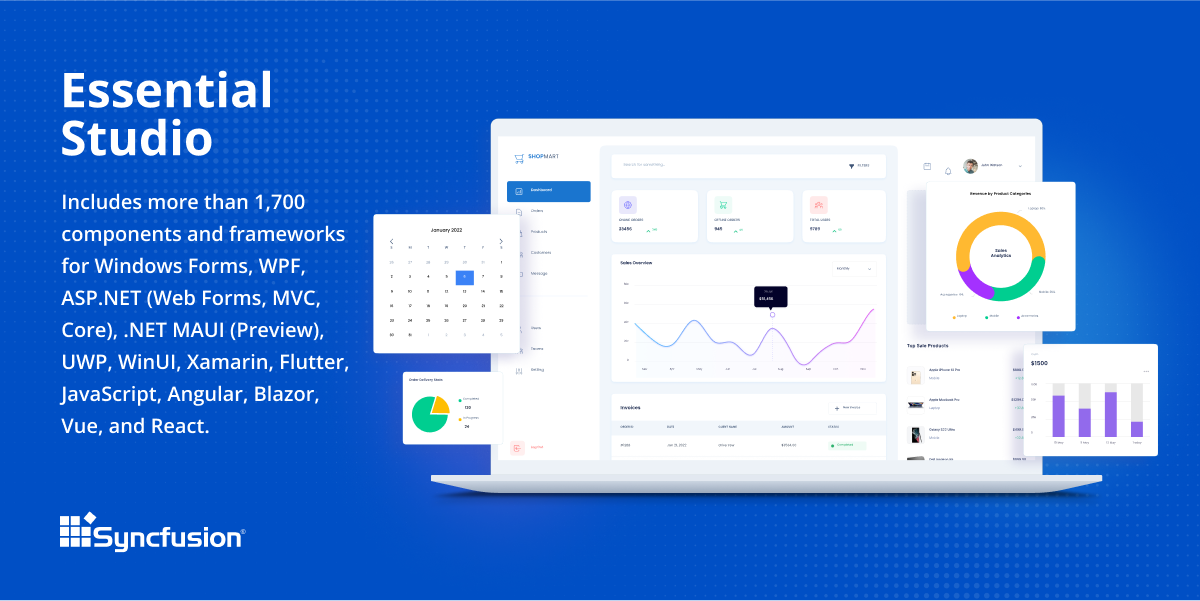
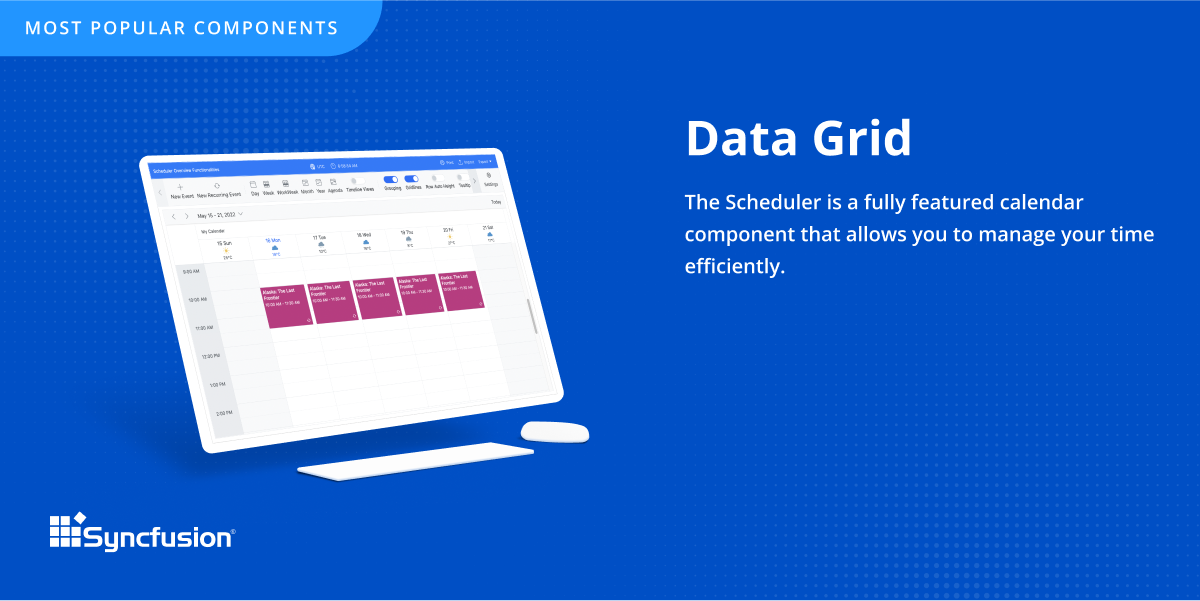
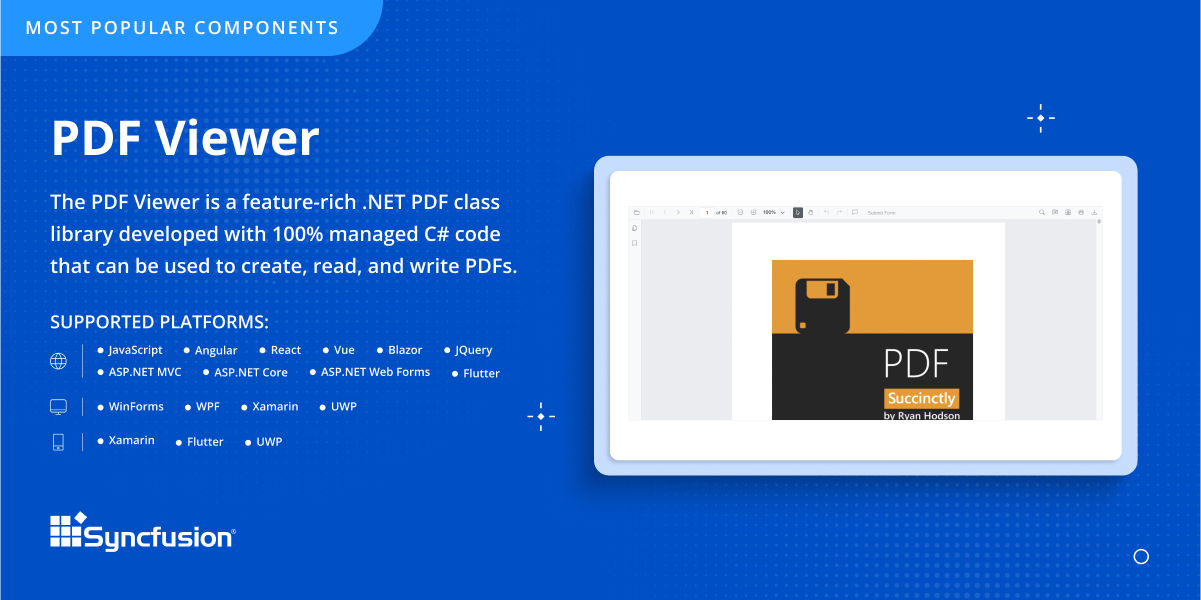
    Screenshot of An overview of Syncfusion® Essential Studio®, which is a software package that includes more than 1,600 components and frameworks for WinForms, WPF, ASP.NET (Web Forms, MVC, Core), UWP, WinUI, Flutter, Blazor, JavaScript, Angular, Vue, and React.Screenshot of The DataGrid control, which is a grid component that helps display and manipulate large amounts of data in a tabular format. Its feature set includes functionalities like data binding, sorting, grouping, editing, filtering, swiping, dragging, resizing, loading more items, pull-to-refresh, and exporting to Excel and PDF file formats.Screenshot of The PDF Viewer, which is .NET PDF class library developed with 100% managed C# code that can be used to create, read, and write PDFs.