LaunchBrightly vs. Snagit

Overview
ProductRatingMost Used ByProduct SummaryStarting Price
LaunchBrightly
Score 0.0 out of 10
N/A
LaunchBrightly’s screenshot automation platform enables users to set up simple automation recipes to auto-generate the latest screenshots of a product and, automatically and continuously, update the screenshots in a help documentation as the product changes.
$275
per month per screenshot generated
Snagit
Score 9.6 out of 10
N/A
Snagit is screen capture and recording software from TechSmith, that lets users capture the screen and camera, add additional context, and share images, GIFs, or videos across preferred platforms.
$39
per year per user
Pricing
LaunchBrightlySnagit
Editions & Modules
Free
$0
100 screenshots generated
Pro
$275
per month 500 Screenshots generated
Business
$599
per month 2000 Screenshots generated
No answers on this topic
Offerings
Pricing Offerings
LaunchBrightlySnagit
Free Trial
YesYes
Free/Freemium Version
YesNo
Premium Consulting/Integration Services
NoNo
Entry-level Setup FeeOptionalNo setup fee
Additional Details20% discount for annual pricing.One-time license cost One license per user - install on 2 machines, for work and home use Compatible with Windows and MacOS Optional Maintenance renewal - first year included FREE Upgrade to the next version Phone, chat and email support Access to Snagit Certification with 20+ exclusive how-to videos Enhanced Screencast integration to share content, plus the newest starter Assets for Snagit
More Pricing Information
Community Pulse
LaunchBrightlySnagit
Best Alternatives
LaunchBrightlySnagit
Small Businesses
Sendspark
Sendspark
Score 10.0 out of 10
Sendspark
Sendspark
Score 10.0 out of 10
Medium-sized Companies
Snagit
Snagit
Score 9.6 out of 10
Atlassian Loom
Atlassian Loom
Score 9.4 out of 10
Enterprises
Snagit
Snagit
Score 9.6 out of 10
Vyond
Vyond
Score 8.6 out of 10
All AlternativesView all alternativesView all alternatives
User Ratings
LaunchBrightlySnagit
Likelihood to Recommend
-
(0 ratings)
8.9
(97 ratings)
Likelihood to Renew
-
(0 ratings)
9.4
(2 ratings)
Usability
-
(0 ratings)
7.5
(4 ratings)
Support Rating
-
(0 ratings)
9.0
(14 ratings)
Implementation Rating
-
(0 ratings)
10.0
(1 ratings)
User Testimonials
LaunchBrightlySnagit
Likelihood to Recommend
LaunchBrightly
No answers on this topic
TechSmith
I have recommended Snagit several times. Discussion of screenshot programs is not something that often arises often, in my work environment. When such a situation does arise, I make it clear that Snagit is my go-to solution for anything related to screenshot capture. It opens the captured image directly into an editor window for quick and easy manipulation.
Read full review
Pros
LaunchBrightly
No answers on this topic
TechSmith
  • Being able to take screen captures quickly and with just a keystroke is a prime feature. I took several screenshots just yesterday to show folks, which saved me from taking the time to meet with [...] everyone.
  • Obviously recording and sharing video is Snagit's strength. It does this as well as any product I have used. It is not an editor but there are a lot of capture features that cover just about any situation.
  • One great feature that Snagit has is the ability to pull text from a capture. We don't use this a lot but when it is needed it is a huge time saver.
  • The settings and tools within Snagit are intuitive and easy to find.
Read full review
Cons
LaunchBrightly
No answers on this topic
TechSmith
  • Image merge - I wish there was an easier way to merge two images in one.
  • Scrolling capture - even though this is one thing I love, sometimes the text gets wonky when I use this feature.
  • The shortcut - this feature feels super unnecessary. And it can be annoying when every time I move my mouse to the right of the screen it pops up.
Read full review
Likelihood to Renew
LaunchBrightly
No answers on this topic
TechSmith
I think that the tool is excellent for what it is being used for. I particuarly like the ability to capture content from the screen whilst using the scroll wheel on my mouse. It is very annoying when your try to capture something with grab and you can't scroll which leads to multiple images
Read full review
Usability
LaunchBrightly
No answers on this topic
TechSmith
It's button centric for easy access to every feature. Everything allows undo! It works like any other standard Windows application. Everyone can be a professional without having to select every feature yourself by using the built in styles with just one click of a button in most cases. Every button is clearly labeled too.
Read full review
Support Rating
LaunchBrightly
No answers on this topic
TechSmith
I've actually never had to contact support as the tool is easy to use. One aspect is that they upgrade and send email notifications of the upgrades. They don't charge extra for upgrades and their enhancements fall in line with the way we use the tool. We haven't had to submit any upgrade requests as the tool already does what we need it to do.
Read full review
Implementation Rating
LaunchBrightly
No answers on this topic
TechSmith
It's a simple next next finish install. The SnagIt Library in the user profile should probably be backed up to make sure they have access to their old screen captures. We frequently will go back to previous captures and add context bubbles etc. when software changes to show the "old" vs "new". Also, go to SnagIt's website and download the additional Stamp Sets for the user. These are terrific. I wish there was one download to get them all, but you have to download and install them one set at a time. It's worth it - especially for training how-to's.
Read full review
Alternatives Considered
LaunchBrightly
No answers on this topic
TechSmith
Windows free snipping tool - Con: had to save each screen shot before I could take another screen shot and couldn't draw nice circles/rectangles around the area of the screen shot to bring attention. Chrome plugin options - Con: editing tools were lacking.
Read full review
Return on Investment
LaunchBrightly
No answers on this topic
TechSmith
  • Snagit isn't a very expensive product in general so it has been a huge ROI for us
  • It saves me countless amounts of time each day
  • I'm able to share instructions much easier and allows for more time spent on other tasks
Read full review
ScreenShots

LaunchBrightly Screenshots

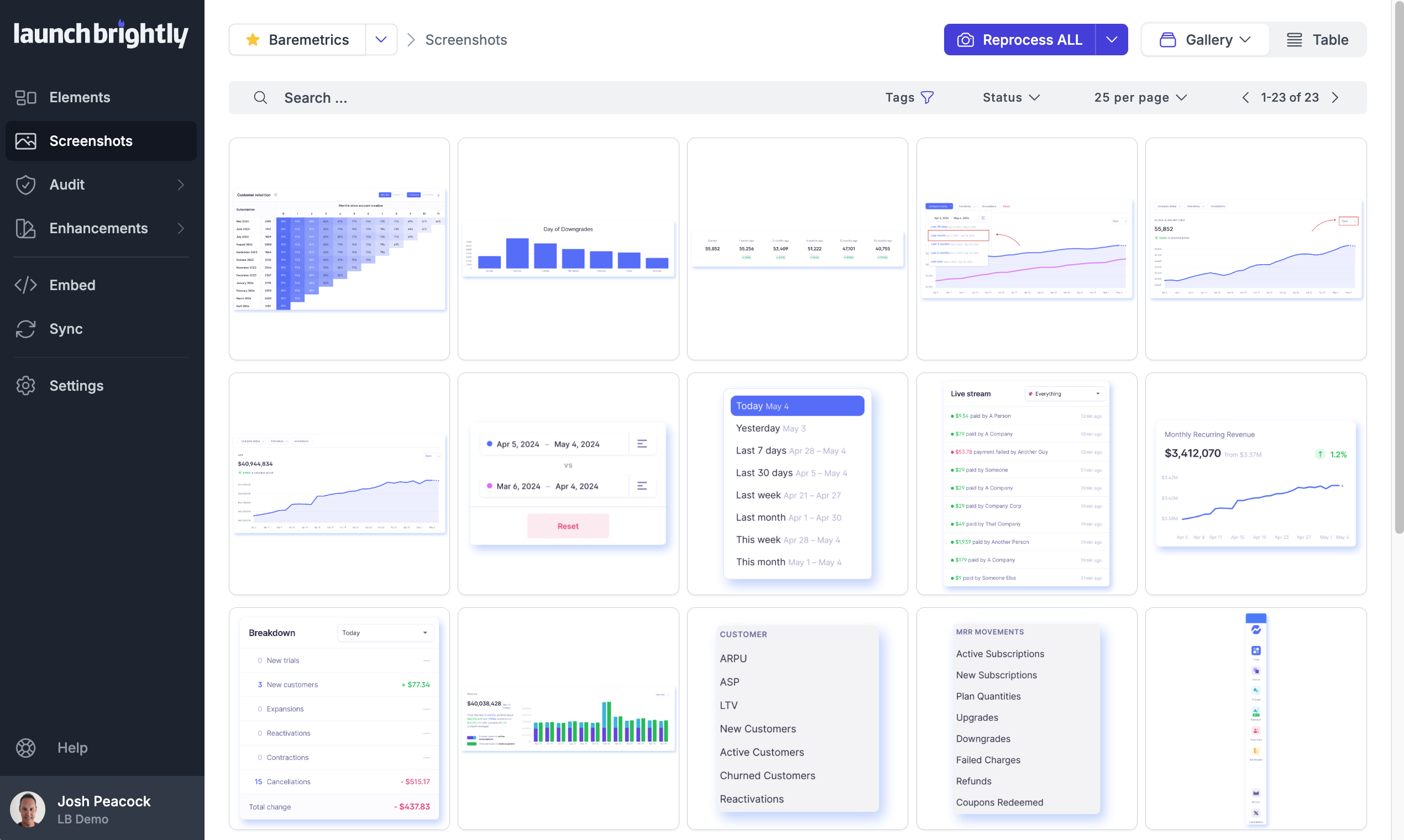
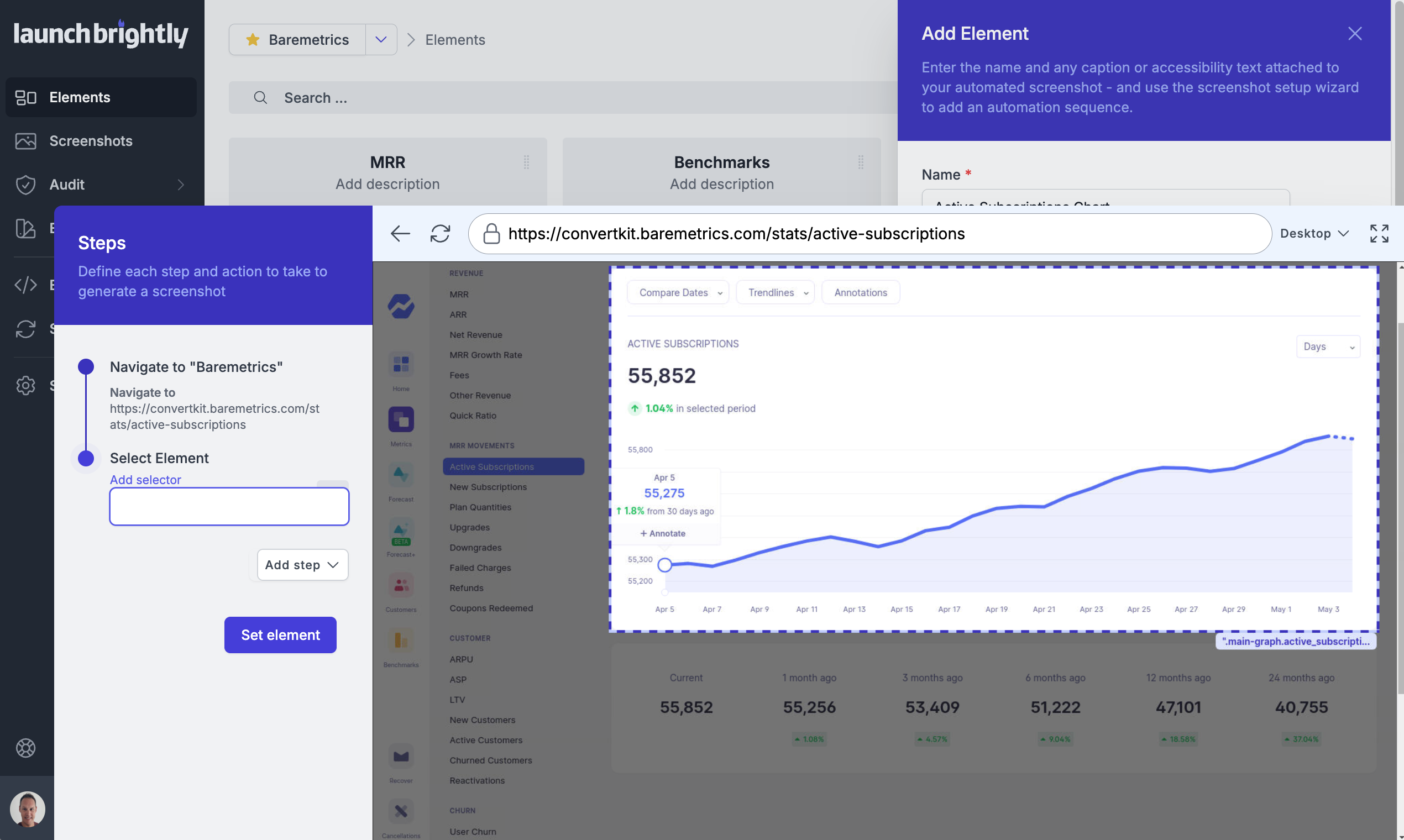
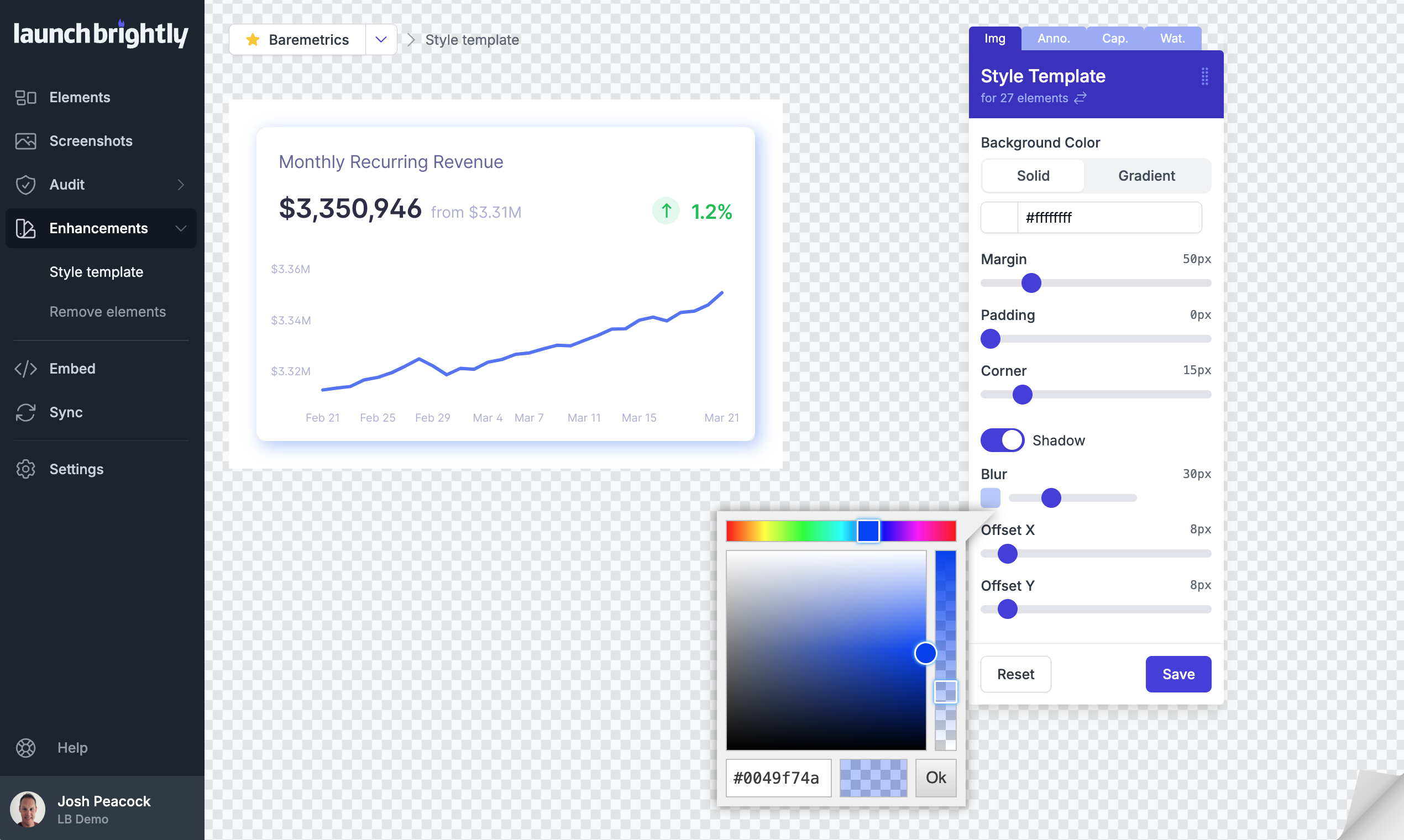
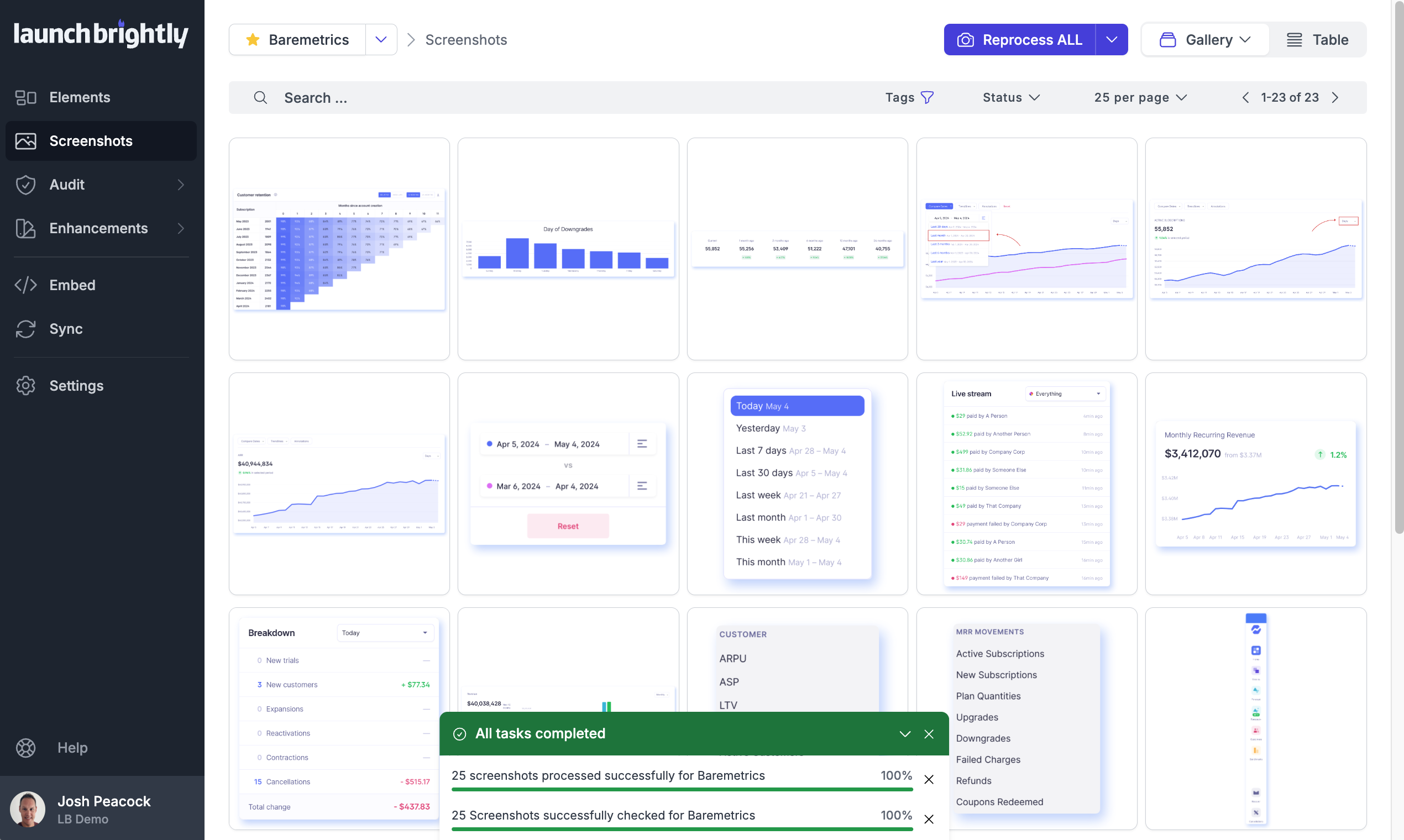
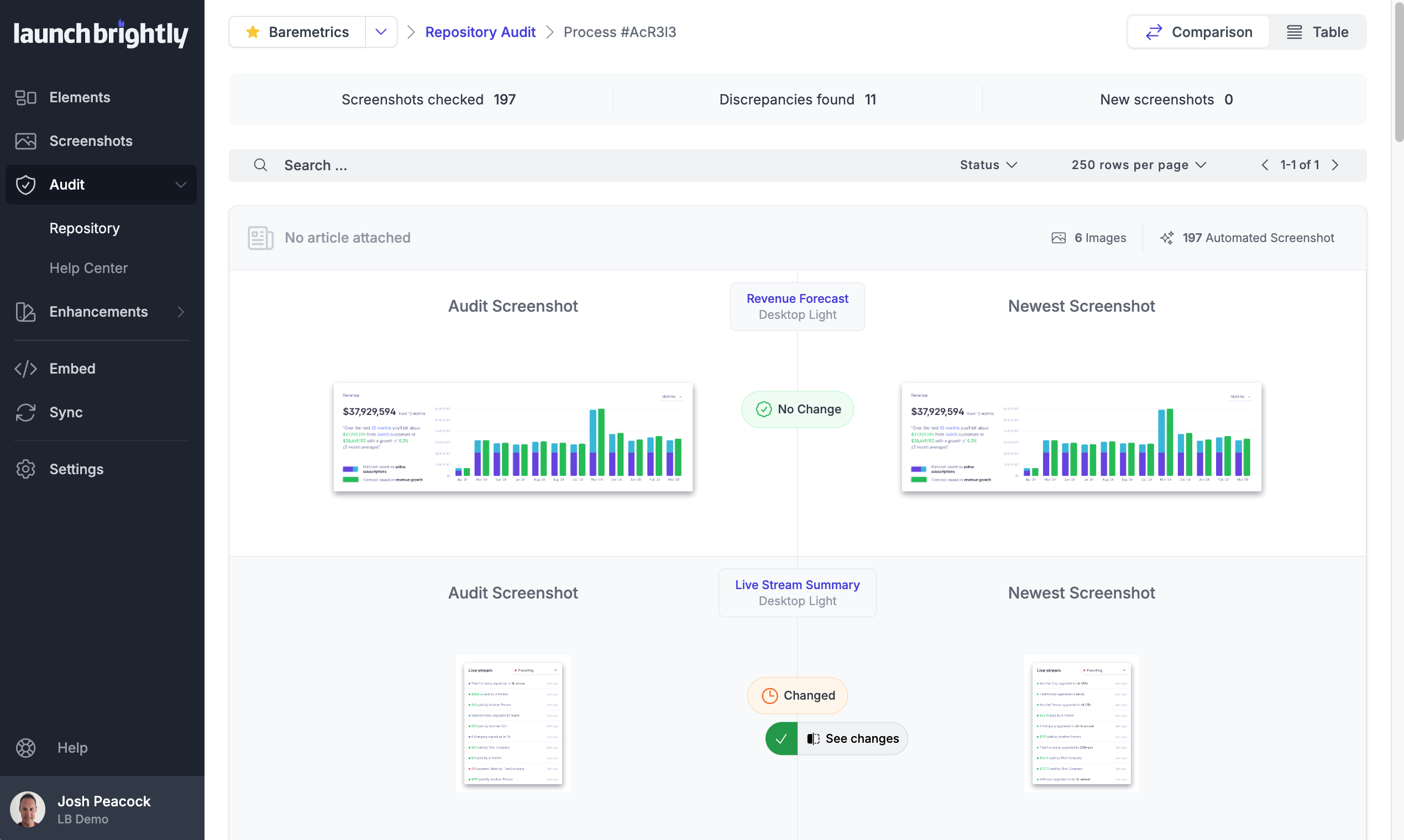
Screenshot of A gallery view of all automated screenshotsScreenshot of the Screenshot Recipe Builder is used to meticulously record the steps to capture an ideal screenshotScreenshot of the interface to style screenshots, annotations, and captions to match the product's brand identity, with reprocessing of changesScreenshot of the auto-reprocessing feature, used to automatically generate new screenshots reflecting the latest version of a  product, and ensure it always has the freshest screeshotsScreenshot of the Screenshot Audit, which is used to compare an up-to-the minute screenshot against previously generated screenshots to quickly identify what, if any, changes have occurred, with the option to accept or reject those changes.Screenshot of where each generated screenshot is preserved to history, providing a chronological screenshot archive tracking how the product changes over time