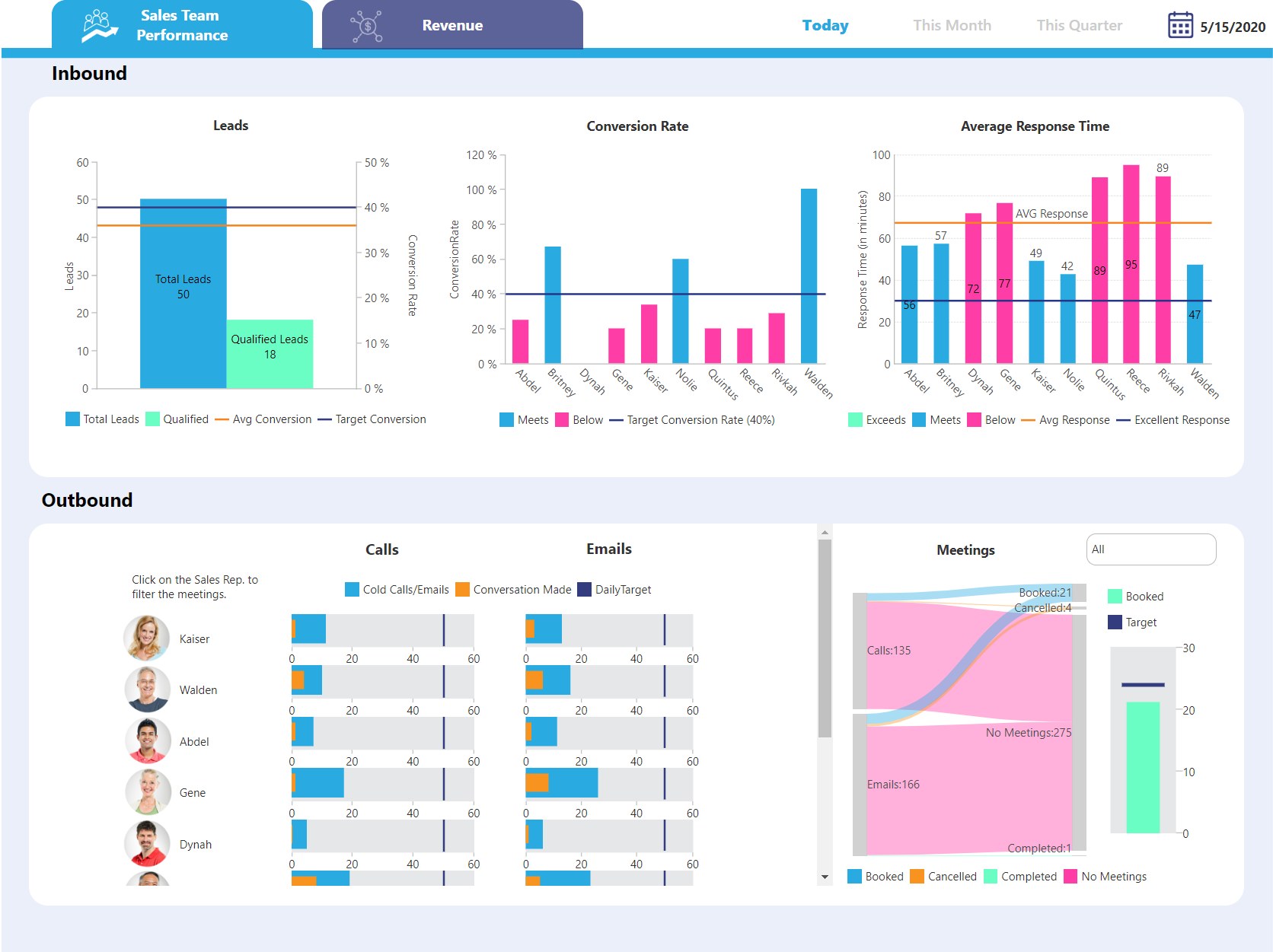
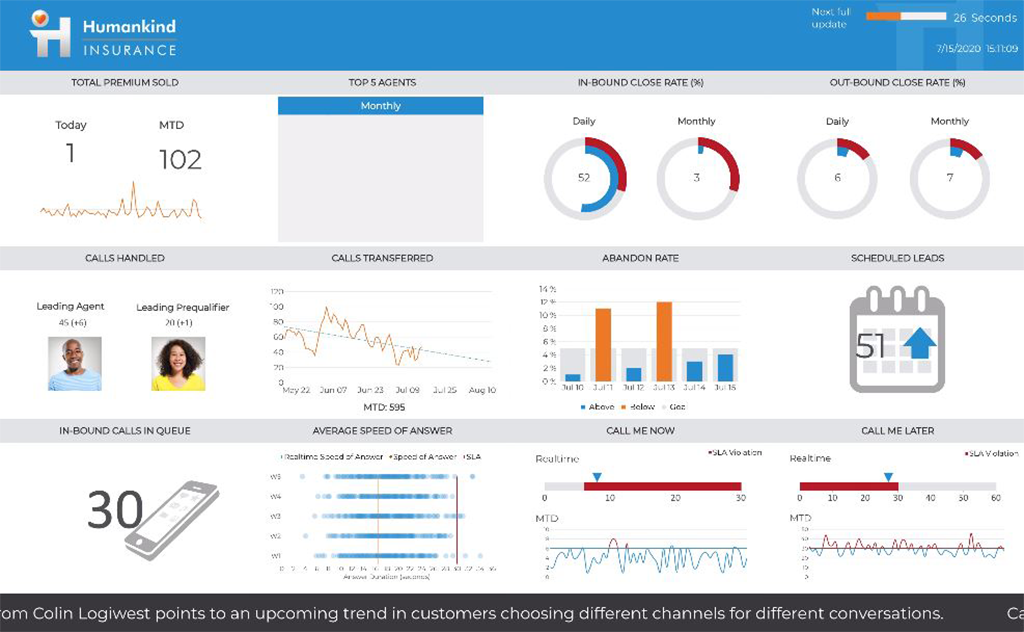
Logi Symphony is a business intelligence and data visualization software that includes customizable dashboards, reporting, and visual data analytics. It can be integrated into users’ existing business applications and its visualization and reporting tools can be customized.
N/A
SAS Enterprise Guide
Score9.4 out of 10
N/A
SAS Enterprise Guide is a menu-driven, Windows GUI tool for SAS.
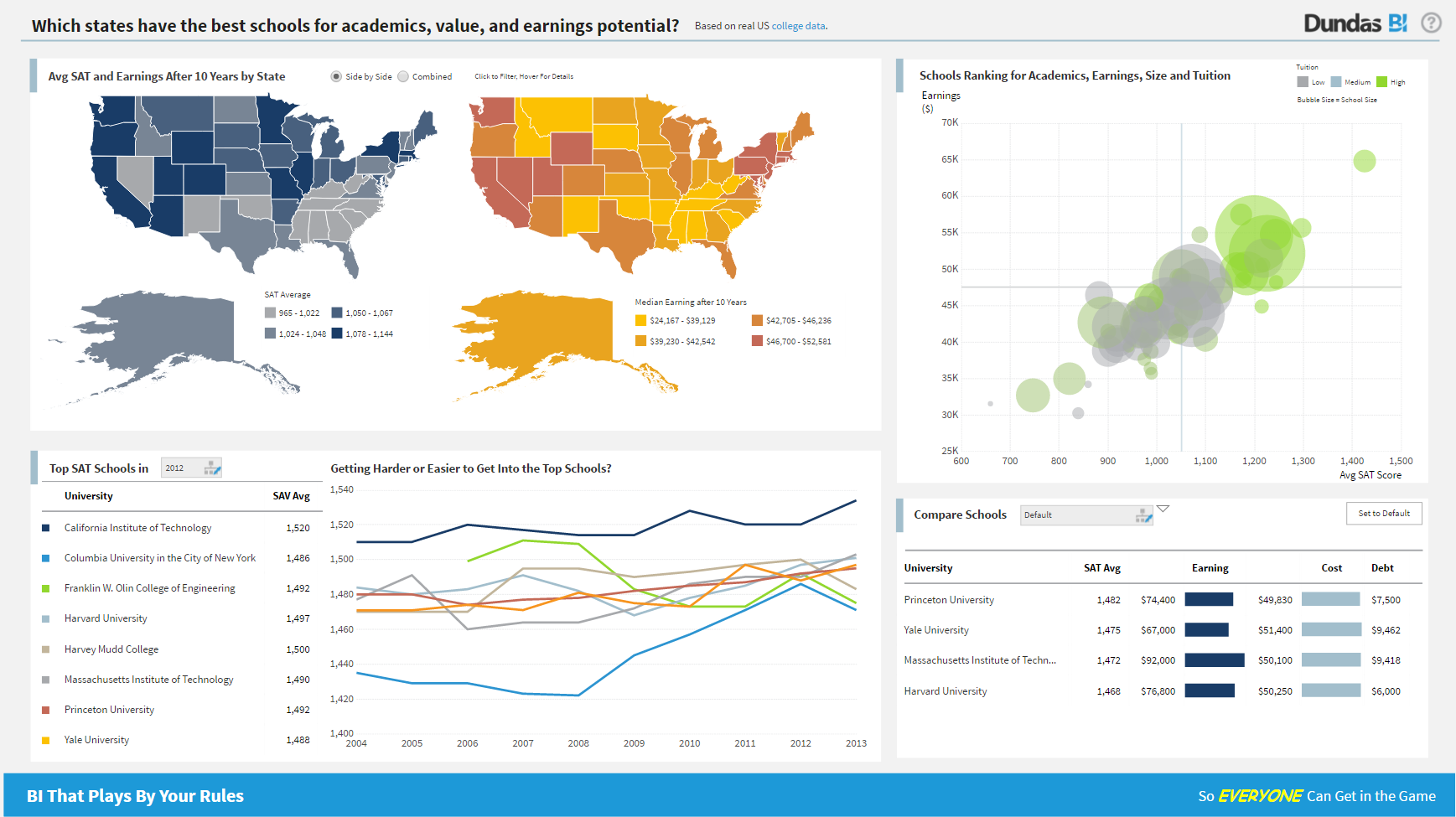
For all the scenarios I have so far worked on or I am currently working on, Dundas BI has proved to be more than adequate and apt to handle all of those. It is a very easy-to-use tool with quick shortcuts enabling you to prepare ad-hoc reports or dashboards in a matter of minutes.
A de minimis incentive was given to thank the reviewer for their time. The incentive was not used to bias or drive a particular response, nor was the incentive contingent on a positive endorsement. More Info
SAS Enterprise Guide is good at taking various datasets and giving analyst/user ability to do some transformations without substantial amounts of code. Once the data is inside SAS, the memory of it is very efficient. Using SAS for data analysis can be helpful. It will give good statistics for you, and it has a robust set of functions that aid analysis.
A de minimis incentive was given to thank the reviewer for their time. The incentive was not used to bias or drive a particular response, nor was the incentive contingent on a positive endorsement. More Info
Project organization from Development to Production, you get a production and development license but I think the best way to do it is with DEV and Prod project in the Production box. Use the development box for testing updates and really crazy things. With the Dev and Prod projects on the same box, you just publish from Dev to Prod and you are done. Users only have access to the Prod projects so no one can mess up what you are working on.
Security - If you have a hierarchy (subsidiaries, divisions, department, teams) and you want each group to see only their data, then Security hierarchies are for you!
Dependent filters! What's this you ask? Here is an example of how it can be used, in your company you have departments and who works for what department is in your database. You make a dashboard that has a department filter (only show these departments), a managers filter, and employee filter. Not every manager or employee is in multiple departments usually only one. With dependent filters you can say that the manager and employee filter are dependent on what is selected in the departments filter so when you go to filter them they only show the managers or employees that are part of that department, and you can even it do so employees are not only dependent on department but on manager as well. Then it gets even better as it can be done in reverse as well so when you select a manager then go to the department it only shows the departments he works for (there are better situations where this is more useful).
It is scriptable! From calculate columns, null replacements, button actions, load actions, hover over events there a way to do what you want.
They are constantly improving and listens to your suggestions.
A de minimis incentive was given to thank the reviewer for their time. The incentive was not used to bias or drive a particular response, nor was the incentive contingent on a positive endorsement. More Info
A de minimis incentive was given to thank the reviewer for their time. The incentive was not used to bias or drive a particular response, nor was the incentive contingent on a positive endorsement. More Info
Not too many cons for how we use the application. It really is easy and powerful. Very powerful.
Licensing is one thing that could be looked into. It is simple, but a little confusing. For example, if I get a license today, but a new release comes out tomorrow, it seems that the license doesn't work with the new release. Maybe that is by design, but it would be nice to clearly understand.
Process time of data is a bit long. It depends on the size of your data and complexity of your project tree.
There is not enough online free training videos.
While working with the project tree sometimes the links between the modules are broken or the order for running the modules get mixed up. You should know your project tree by heart.
A de minimis incentive was given to thank the reviewer for their time. The incentive was not used to bias or drive a particular response, nor was the incentive contingent on a positive endorsement. More Info
We are still in the implementation phase, but so far we are finding it to be easy to use and learn. The eLearning courses that they have made available for free, as well as User Forums and other training videos have made even difficult concepts easier to understand.
It's not all bad, but I don't believe that an enterprise purchase of SAS is worth the expense considering the widely available set of tools in the data analytics space at the moment. In my company, it's a good tool because others use it. Otherwise, I wouldn't purchase a new set of it because it doesn't have some of the better analytical functions in it.
A de minimis incentive was given to thank the reviewer for their time. The incentive was not used to bias or drive a particular response, nor was the incentive contingent on a positive endorsement. More Info
We have bi-weekly calls with our Success Manager, as well as access to support as needed. Any question that I have had, multiple people have been willing and able to jump on a call to talk me through it, or send an email with the solution
Although I use SAS support for information on functions, these are SAS related and haven't really come across anything that is specifically for SAS EG.
A de minimis incentive was given to thank the reviewer for their time. The incentive was not used to bias or drive a particular response, nor was the incentive contingent on a positive endorsement. More Info
I've not worked hands-on with the implementation team, but there were no escalations barring a few hiccups in the deployment due to change in requirement & adoption to our company's remote servers.
Per dollar spent, it offers the widest range of features of the tools that we evaluated. It offers lots of options for how to configure your environment, though they are not always intuitive to figure out. Having an ETL layer was a must have for us, as well as the ability to host to secure HIPAA compliance. It is not a replacement for ad hoc reporting, but does a great job of creating parameterized reports and dashboards that look great.
A de minimis incentive was given to thank the reviewer for their time. The incentive was not used to bias or drive a particular response, nor was the incentive contingent on a positive endorsement. More Info
Why I prefer SAS EG: Data processing speed is much faster than that R Studio. It can load any amount of data and any type of data like structured or unstructured or semi-structured. Its output delivery system by which we have the output in PDF file makes it very comfortable to use and share that file to clients very easily. Inbuilt functions are very powerful and plentiful. Facility of writing macros makes it far away from its competitors.
A de minimis incentive was given to thank the reviewer for their time. The incentive was not used to bias or drive a particular response, nor was the incentive contingent on a positive endorsement. More Info
Positive (cost): SAS made a bundle that include unlimited usage of SAS/Enterprise Guide with a server solution. That by itself made the company save a lot of money by not having to pay individual licences anymore.
Positive (insight): Data analysts in business units often need to crunch data and they don't have access to ETL tools to do it. Having access to SAS/EG gives them that power.
Positive (time to market): Having the users develop components with SAS/EG allows for easier integration in a production environment (SAS batch job) as no code rework is required.