Logmanager vs. Splunk Enterprise

Overview
ProductRatingMost Used ByProduct SummaryStarting Price
Logmanager
Score 0.0 out of 10
N/A
Logmanager is a log management platform enhanced with SIEM capabilities that helps IT professionals to contain cyberthreats, ensure legal compliance, and streamline troubleshooting. By transforming diverse logs, events, metrics, and traces into actionable insights, it helps security and operations teams respond swiftly to any incident. Logmanager delivers a unified approach to modern observability and security, helping customers…
$0.09
per month GB
Splunk Enterprise
Score 8.4 out of 10
N/A
Splunk is software for searching, monitoring, and analyzing machine-generated big data, via a web-style interface. It captures, indexes and correlates real-time data in a searchable repository from which it can generate graphs, reports, alerts, dashboards and visualizations.N/A
Pricing
LogmanagerSplunk Enterprise
Editions & Modules
Logmanager Free
$0
Logmanager Scale
$0.09
per month GB
Logmanager Max
Custom
per month GB
No answers on this topic
Offerings
Pricing Offerings
LogmanagerSplunk Enterprise
Free Trial
YesYes
Free/Freemium Version
YesYes
Premium Consulting/Integration Services
YesNo
Entry-level Setup FeeNo setup feeNo setup fee
Additional Details
More Pricing Information
Community Pulse
LogmanagerSplunk Enterprise
Features
LogmanagerSplunk Enterprise
Security Information and Event Management (SIEM)
Comparison of Security Information and Event Management (SIEM) features of Product A and Product B
Logmanager
-
Ratings
Splunk Enterprise
8.0
80 Ratings
1% above category average
Centralized event and log data collection00 Ratings8.976 Ratings
Correlation00 Ratings8.078 Ratings
Event and log normalization/management00 Ratings8.977 Ratings
Deployment flexibility00 Ratings7.970 Ratings
Integration with Identity and Access Management Tools00 Ratings7.871 Ratings
Custom dashboards and workspaces00 Ratings8.177 Ratings
Host and network-based intrusion detection00 Ratings7.757 Ratings
Data integration/API management00 Ratings7.726 Ratings
Behavioral analytics and baselining00 Ratings7.323 Ratings
Rules-based and algorithmic detection thresholds00 Ratings8.024 Ratings
Response orchestration and automation00 Ratings7.522 Ratings
Reporting and compliance management00 Ratings8.125 Ratings
Incident indexing/searching00 Ratings8.328 Ratings
Best Alternatives
LogmanagerSplunk Enterprise
Small Businesses
SolarWinds Papertrail
Score 8.9 out of 10
LevelBlue USM Anywhere
Score 7.5 out of 10
Medium-sized Companies
Sumo Logic
Sumo Logic
Score 8.8 out of 10
Sumo Logic
Sumo Logic
Score 8.8 out of 10
Enterprises
Sumo Logic
Sumo Logic
Score 8.8 out of 10
Sumo Logic
Sumo Logic
Score 8.8 out of 10
All AlternativesView all alternativesView all alternatives
User Ratings
LogmanagerSplunk Enterprise
Likelihood to Recommend
-
(0 ratings)
8.2
(86 ratings)
Likelihood to Renew
-
(0 ratings)
7.0
(18 ratings)
Usability
-
(0 ratings)
7.9
(19 ratings)
Availability
-
(0 ratings)
10.0
(1 ratings)
Support Rating
-
(0 ratings)
8.0
(18 ratings)
Online Training
-
(0 ratings)
8.0
(1 ratings)
Implementation Rating
-
(0 ratings)
7.0
(3 ratings)
Product Scalability
-
(0 ratings)
9.1
(1 ratings)
User Testimonials
LogmanagerSplunk Enterprise
Likelihood to Recommend
Logmanager
No answers on this topic
Cisco
It's well suited for what I do, which is network security operations. And that's for anything from troubleshooting incidents, troubleshooting performance, troubleshooting for the purpose of a compliance and auditing. It's not best suited for users who are new in terms of they're new to the product and they have expectations that probably Splunk cannot meet.
Read full review
Pros
Logmanager
No answers on this topic
Cisco
  • It is very useful in creating custom rules for analyzing system logs and display relevant information. The query language is very easy to learn.
  • We can create custom UI to visualize the output of our data. The interface is very flexible. It also allows the sharing of rules among users.
  • There is an open online community to help others. Stackoverflow also has a splunk community. These resources make it more convenient to learn.
Read full review
Cons
Logmanager
No answers on this topic
Cisco
  • Splunk light limits number of users to 5. Wish there was a flexible license, where one could add more users.
  • Splunk light does not let you add > few realtime alerts. Wish there was a flexible license, where one could add as many realtime alerts as wanted.
  • Better insight into daily ingestion values
Read full review
Likelihood to Renew
Logmanager
No answers on this topic
Cisco
We are using Splunk extensively in our projects and we have recently upgraded to Splunk version 6.0 which is quite efficient and giving expected results. We keep track of updates and new features Splunk introduces periodically and try to introduce those features in our day to day activities for improvement in our reporting system and other tasks.
Read full review
Usability
Logmanager
No answers on this topic
Cisco
You can literally throw in a single word into Splunk and it will pull back all instances of that word across all of your logs for the time span you select (provided you have permission to see that data). We have several users who have taken a few of the free courses from Splunk that are able to pull data out of it everyday with little help at all.
Read full review
Reliability and Availability
Logmanager
No answers on this topic
Cisco
When properly setup and configured, Splunk is extremely reliable.
Read full review
Support Rating
Logmanager
No answers on this topic
Cisco
Splunk maintains a well resourced support system that has been consistent since we purchased the product. They help out in a timely manner and provide expert level information as needed. We typically open cases online and communicate when possible via e-mail and are able to resolve most issues with that method.
Read full review
Online Training
Logmanager
No answers on this topic
Cisco
The online course was simple clear and described the main capabilities of the solution. There is also an initial module that can be done for free so anyone can familiarize themselves with the functionality of this solution. On the other hand, however, there could be more free online courses. Maybe even with a certificate, this would broaden the group of people who are familiar with the platform while increasing familiarity with the solution itself.
Read full review
Implementation Rating
Logmanager
No answers on this topic
Cisco
Smooth without too many major issues.
Read full review
Alternatives Considered
Logmanager
No answers on this topic
Cisco
I didn't get to fully evaluate Logstash as our corporation was already using Logstash, but both seemed like viable solutions to the problem that we were having. I wanted to evaluate Logstash some more, both did seem like they would work for the business needs that we had, we went with splunk as many teams were already using it.
Read full review
Scalability
Logmanager
No answers on this topic
Cisco
Splunk can scale in to the petabyte per day range which of course is awesome
Read full review
Return on Investment
Logmanager
No answers on this topic
Cisco
  • I don't have any numbers to share but Splunk has positively served as a 24/7 monitoring tool that has saved hours of work by self-detecting, saving statistics and alerting problems in the system or from external interfaces as soon as they happen.
  • Splunk dashboards does a solid job in collecting, analyzing data and creating reports that contain an entire day's activity and then automatically sent out to the business.
  • Splunk is very easy to learn and very useful to any program or business application.
Read full review
ScreenShots

Logmanager Screenshots

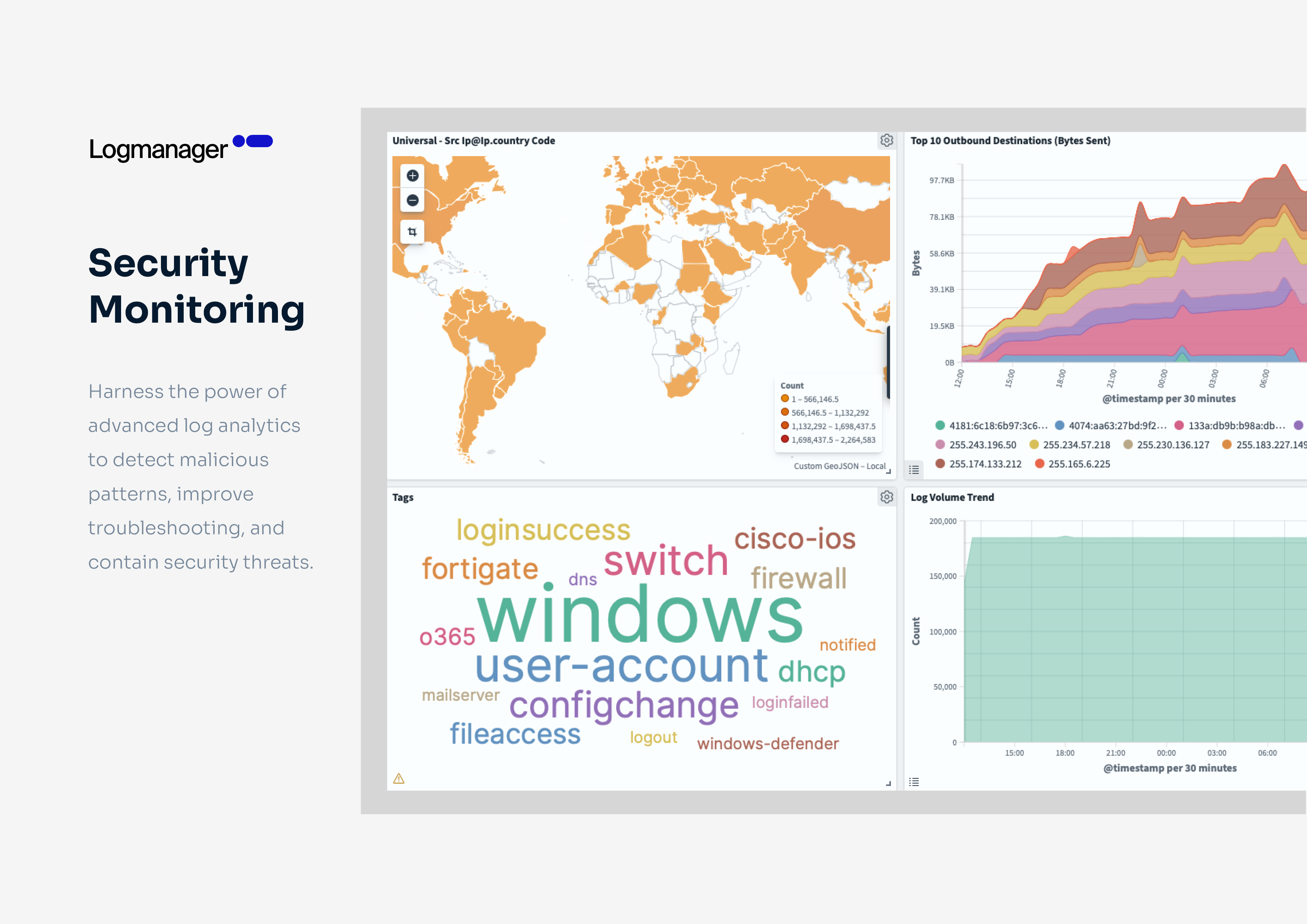
Screenshot of the dashboard. Logmanager features 140+ built-in parsers for technologies like firewalls, networking devices, and EDR. It also features connectors for Windows, SQL, Microsoft 365, and Linux, with support for formats such as CEF, LEEF, and JSON. Through consistent log normalization, all data is presented in a unified visualization pane as shown, to give operators the information they need at a glance.Screenshot of how Logmanager ensures secure, long-term retention of log data for forensic analysis and compliance. It helps meet cybersecurity regulations like GDPR and NIS2, industry standards such as HIPAA, and frameworks like ISO 27001.Screenshot of where to query and filter log files by host, device, or any other tag with natural query language. Specific security events can be analyzed, or patterns in context through log enrichment.Screenshot of the advanced log analytics that help detect malicious patterns, improve troubleshooting, and contain security threats.Screenshot of an out-of-the-box reporting template. Reports can be generated based on dashboard templates.Screenshot of some of the dozens of predefined dashboards available. These offer insights into log data trends, system performance, security events, and compliance status.