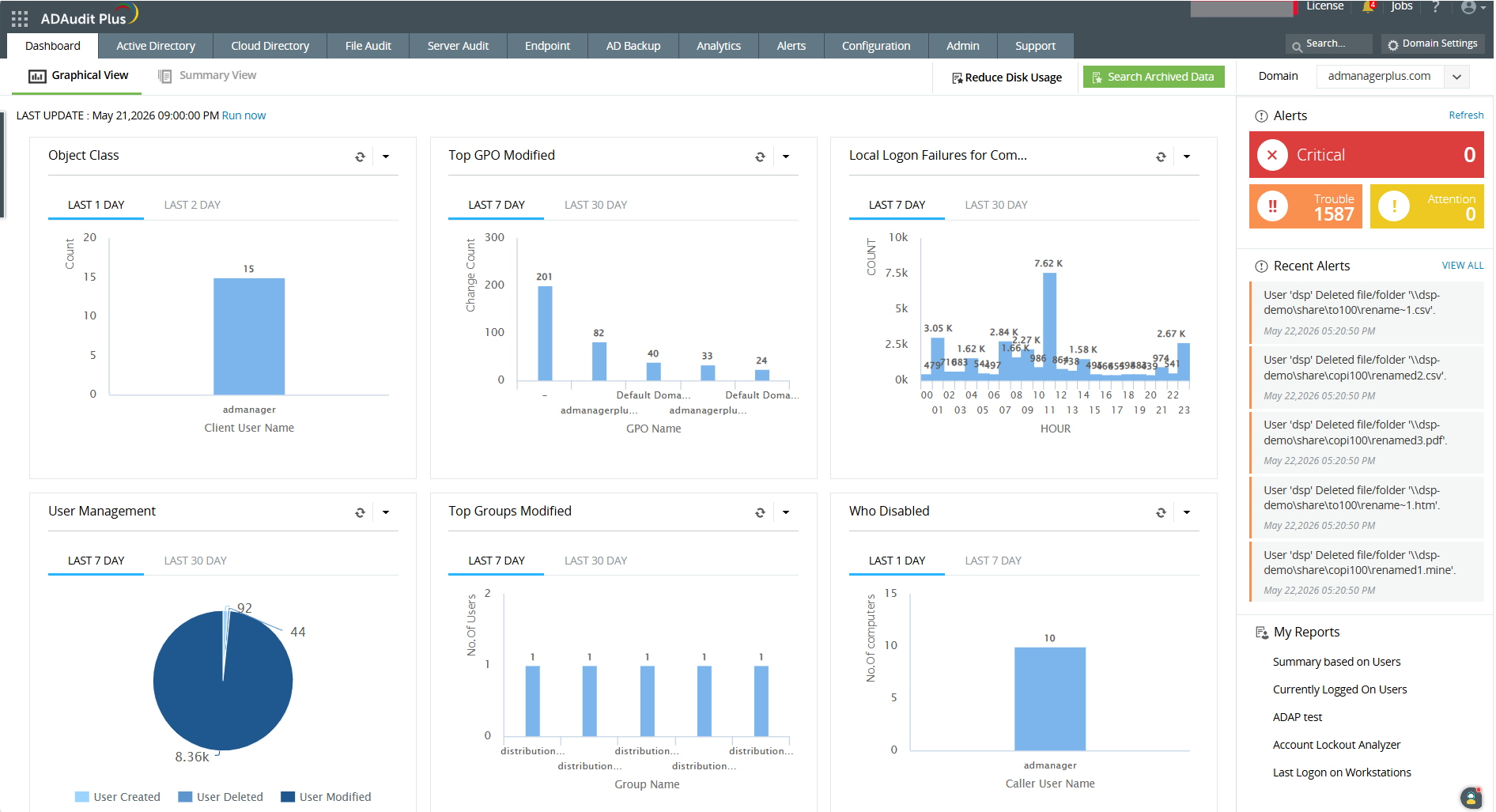
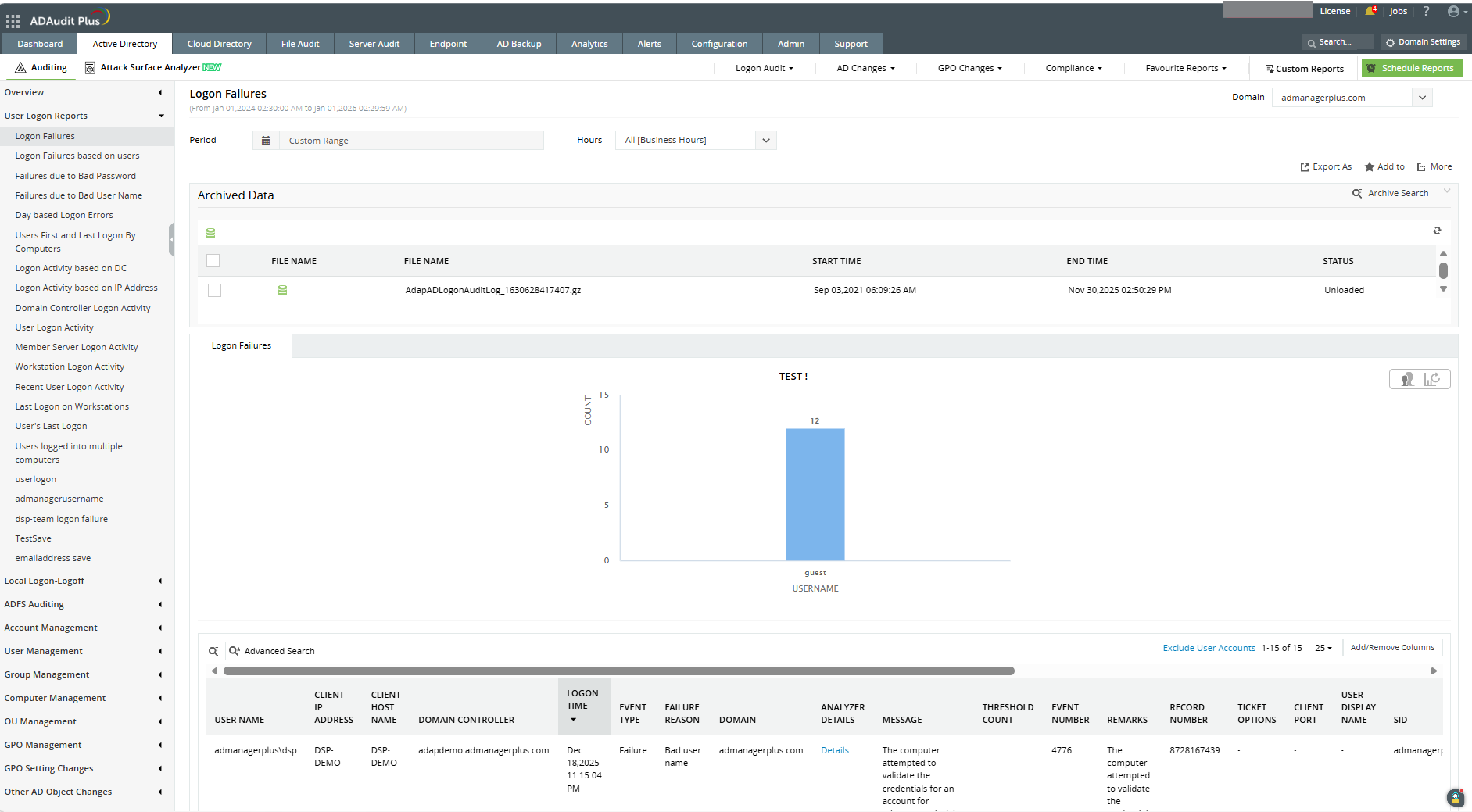
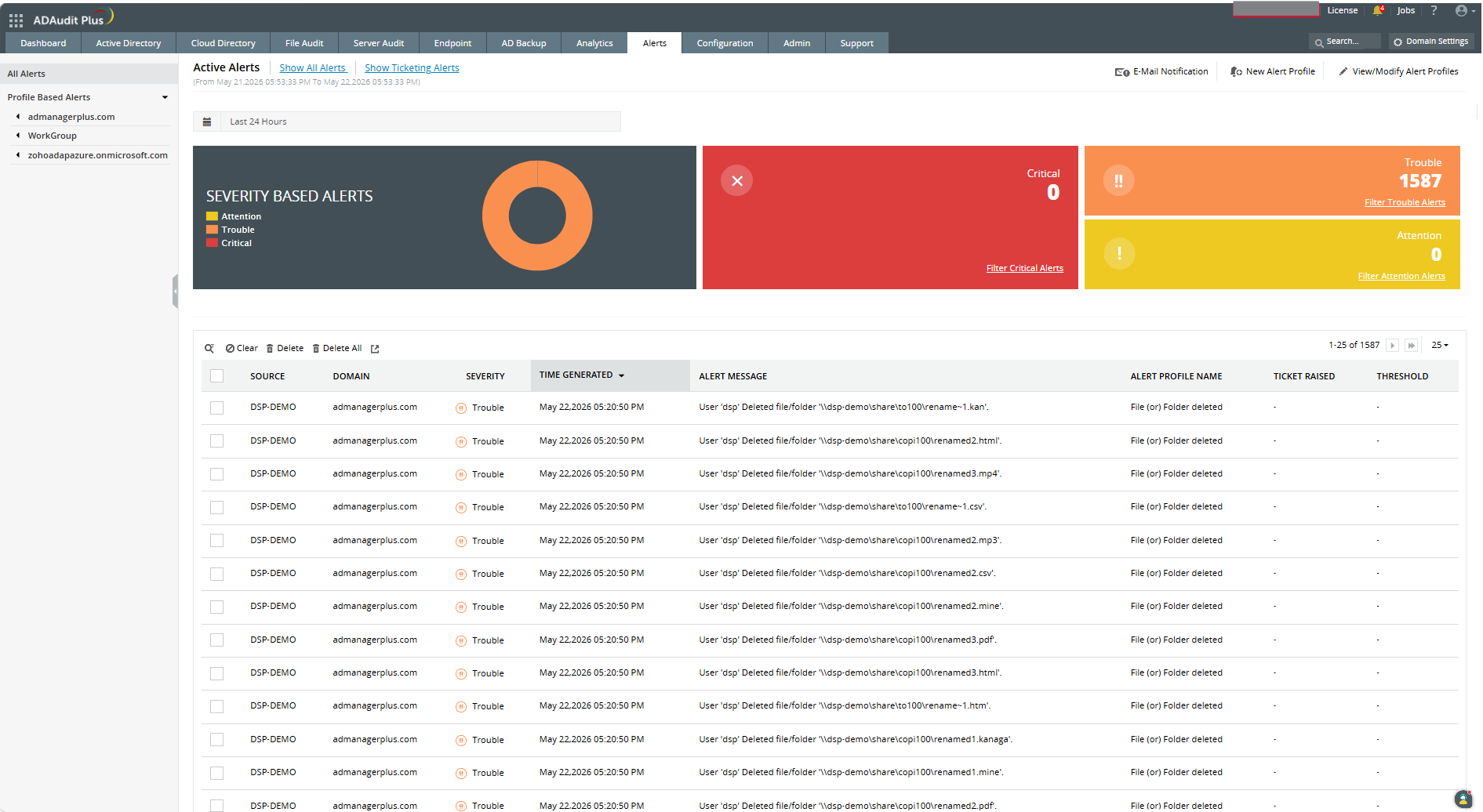
ADAudit Plus offers real-time monitoring,
user and entity behaviour analytics, and change audit reports that helps users keep AD and IT infrastructure secure and compliant. Track all changes to Windows AD objects including users, groups,
computers, GPOs, and OUs. Achieve hybrid AD monitoring with a single, correlated view of all
the activities happening across both on-premises AD and Azure AD. Monitor every user's logon and logoff activity, including…
$595
per year based on 2 Domain Controllers
Microsoft Sentinel
Score8.6 out of 10
N/A
Microsoft Sentinel (formerly Azure Sentinel) is designed as a birds-eye view across the enterprise. It is presented as a security information and event management (SIEM) solution for proactive threat detection, investigation, and response.
$2.46
per GB ingested
Pricing
ManageEngine ADAudit Plus
Microsoft Sentinel
Editions & Modules
Standard
$595
per year Both licensed based on number of Domain Controllers, Azure AD tenants, file servers, Windows member servers, and Workstations.
Professional
$945
per year Both licensed based on number of Domain Controllers, Azure AD tenants, file servers, Windows member servers, and Workstations.
Azure Sentinel
$2.46
per GB ingested
100 GB per day
$123.00
per day
200 GB per day
$221.40
per day
300 GB per day
$319.80
per day
400 GB per day
$410.00
per day
500 GB per day
$492.00
per day
More than 500 GB per day
$492.00 + $98.40
per day/plus each additional 100 GB increment
Offerings
Pricing Offerings
ManageEngine ADAudit Plus
Microsoft Sentinel
Free Trial
Yes
Yes
Free/Freemium Version
Yes
No
Premium Consulting/Integration Services
No
No
Entry-level Setup Fee
Optional
No setup fee
Additional Details
ADAudit Plus is licensed based on number of Domain Controllers (not per-user). Add-ons are available for Windows File Servers, NAS File Servers, Azure AD tenants, Windows Servers, Workstations, AD Backup and Recovery, and File Analysis. For more than 20 domain controllers, ManageEngine directs customers to contact sales for a personalized quote.
Pricing is dependent on the number of domain controllers and starts at $595/year for the Standard edition, and $945/year for the Professional edition.
Microsoft Sentinel gave us the opportunity to move to pay as you go model. This allows us to determine the value of a log source rather than paying a flat rate for data ingested or hosting a server ourself.
A de minimis incentive was given to thank the reviewer for their time. The incentive was not used to bias or drive a particular response, nor was the incentive contingent on a positive endorsement. TR verified that a representative sample of customers was invited. More Info
I would recommend ADAuditPlus (and/or Log360) to any org that is trying to achieve PCI DSS Compliance and is struggling with some of the monitoring and reporting aspects, provided that the org is prepared to spend a little time and effort in truly understanding the requirements and is prepared to document requirements and match them to the ADAuditPlus product features.
A de minimis incentive was given to thank the reviewer for their time. The incentive was not used to bias or drive a particular response, nor was the incentive contingent on a positive endorsement. More Info
What has really impressed me is how Microsoft Sentinel delivers centralised security monitoring across multiple data sources in our enterprise. It has reduced cost of handling large security logs by collecting and analyzing data without friction of managing traditional SIEM infrastructure. It is easy to work to integrate with Azure logs for quick data analysis.
A de minimis incentive was given to thank the reviewer for their time. The incentive was not used to bias or drive a particular response, nor was the incentive contingent on a positive endorsement. TR verified that a representative sample of customers was invited. More Info
ManageEngine ADAudit Plus changes for user and group management can be looked up in builtin reports
You can build your own reports based on almost every logic you can think of
You have the ability to create alerts based on logic and filters and sendout custom alerts to email, SMS or other means.
First you need to understand the basics of the software, after that the software itself is very helpfull in configuring specific items.
I really love the support that ManageEngine is giving the customer, for all questions I use the chat on their website. This is for me the best remote support I ever saw, and I saw a lot in my 20 years of experience in IT.
A de minimis incentive was given to thank the reviewer for their time. The incentive was not used to bias or drive a particular response, nor was the incentive contingent on a positive endorsement. More Info
The visual presentation of data is terrific, so including what we had prior to Microsoft Sentinel, it presents data in a much more usable way, so that's been quite refreshing. It's not quite as complex to understand what you're looking at.
A de minimis incentive was given to thank the reviewer for their time. The incentive was not used to bias or drive a particular response, nor was the incentive contingent on a positive endorsement. TR verified that a representative sample of customers was invited. More Info
It's based on Java engine that is slow -- reports are often difficult to build (we are going to upgrade the machine it's running on to see if this is the issue)
Keeping this software up to date is a pain; there should be a better "update" function
The naming and navigation are terrible -- it's never clear which feature you're looking for and where it's hidden in the menus
Adding machines is not as easy as it should be; occasionally there are IP conflicts that are nearly impossible to resolve
A de minimis incentive was given to thank the reviewer for their time. The incentive was not used to bias or drive a particular response, nor was the incentive contingent on a positive endorsement. More Info
One feature that I would like to see improved is probably the log parsing. I think one of the big things that Splunk does better than Microsoft Sentinel is that it makes it easy to bring in new log streams of arbitrary formats and parse them out into columns and tables. Microsoft Sentinel is a lot more involved, though. It takes a lot more manual work to bring in different log sources and parse them out.
A de minimis incentive was given to thank the reviewer for their time. The incentive was not used to bias or drive a particular response, nor was the incentive contingent on a positive endorsement. More Info
It works great for everything we need and use. Any issues in the software are pretty easy to resolve with tech support. And they are very responsive to resolving issues. Even ones where a fix/patch are required. At present, the software does everything we need it to for compliance, audit, and account review.
A de minimis incentive was given to thank the reviewer for their time. The incentive was not used to bias or drive a particular response, nor was the incentive contingent on a positive endorsement. More Info
A de minimis incentive was given to thank the reviewer for their time. The incentive was not used to bias or drive a particular response, nor was the incentive contingent on a positive endorsement. More Info
ADAudit with its cloud and on prem install option allows any organization to get in on AD report management. Whether you need to report internally only for for external audit controls its a great tool with flexibility to handle most any user or group report capability. Since this also includes m365 integration it enables IT pros to administer usage, license, cost control and permission access to most anything in Microsoft's portfolio. Its a great tool all around for AD integrated access needs.
A de minimis incentive was given to thank the reviewer for their time. The incentive was not used to bias or drive a particular response, nor was the incentive contingent on a positive endorsement. More Info
Mirosoft sentinel is easy to use once the inital setup is completed.The dashboard and centralized alerts make it simple to monitor security events and investigate incidents.Integration with other microsoft security tool is also helpful.Some advanced features and configurations can take time to understand, but overall it provides good, user-friendly security monitoring.
A de minimis incentive was given to thank the reviewer for their time. The incentive was not used to bias or drive a particular response, nor was the incentive contingent on a positive endorsement. TR verified that a representative sample of customers was invited. More Info
A de minimis incentive was given to thank the reviewer for their time. The incentive was not used to bias or drive a particular response, nor was the incentive contingent on a positive endorsement. More Info
A de minimis incentive was given to thank the reviewer for their time. The incentive was not used to bias or drive a particular response, nor was the incentive contingent on a positive endorsement. More Info
I'd give their support a 10 if it weren't for the fact that sometimes, the support team (I believe they are overseas) can take a little bit to respond, but not too long. I may submit a ticket in the morning and won't hear about it until later in the afternoon. However, my tickets were not "urgent," so that may have been the reason for the delay. Other than that, support is great, and the ManageEngine account team has visited us in the past. It's always nice to see your product representatives take a white-glove approach like that.
A de minimis incentive was given to thank the reviewer for their time. The incentive was not used to bias or drive a particular response, nor was the incentive contingent on a positive endorsement. More Info
Microsoft support is one of the highest rated on the market. It has global and multilingual support. Calls can be made over the phone and the solution is virtually instantaneous with the help of Microsoft engineers. It's great!
A de minimis incentive was given to thank the reviewer for their time. The incentive was not used to bias or drive a particular response, nor was the incentive contingent on a positive endorsement. More Info
A de minimis incentive was given to thank the reviewer for their time. The incentive was not used to bias or drive a particular response, nor was the incentive contingent on a positive endorsement. More Info
The remote setup team helped when i needed it and setup weas very straight forward and easy. The advanced setup for an external db and customizations for our latest version AD environment went pretty easy once they found documentation on customization.
A de minimis incentive was given to thank the reviewer for their time. The incentive was not used to bias or drive a particular response, nor was the incentive contingent on a positive endorsement. More Info
In terms of features, ADAudit Plus offers a comprehensive set of features for monitoring and auditing Active Directory, including real-time alerts, detailed reports, and user behavior analytics. The platform also offers support for multiple platforms, including Windows, UNIX, and Linux, as well as integration with other ManageEngine tools.
A de minimis incentive was given to thank the reviewer for their time. The incentive was not used to bias or drive a particular response, nor was the incentive contingent on a positive endorsement. More Info
Compared to platforms such as Splunk, LogRhythm, and Devo, Microsoft Sentinel’s cloud‑native, consumption‑based pricing model and reduced infrastructure overhead tend to offer better overall cost efficiency. This is especially true for organizations already invested in the Microsoft ecosystem, where Sentinel can deliver strong capabilities with a lower total cost of ownership.
A de minimis incentive was given to thank the reviewer for their time. The incentive was not used to bias or drive a particular response, nor was the incentive contingent on a positive endorsement. More Info
A de minimis incentive was given to thank the reviewer for their time. The incentive was not used to bias or drive a particular response, nor was the incentive contingent on a positive endorsement. More Info
A de minimis incentive was given to thank the reviewer for their time. The incentive was not used to bias or drive a particular response, nor was the incentive contingent on a positive endorsement. More Info
I like the ability to customize reports and provided great visibility to AD and some servers.
It helped greatly with customer support issues when we used ADAudit with the hundreds of customer accounts used for SSON to the LOB application server to users over Citrix.
It saved time on some issues with accounts and Group Policy changes that affected customer experience.
It's probably neutral. We see value, but it's, again, tick that kind of expense stuff. We're getting more insight and value into what is going on in that cloud workspace, but just noting the cost. So it's probably neutral. I'm not directly responsible, so the full kind of return on investment kind of cycle, that's someone else's problem. I'm like the end user. It's my team that will look at the data and look at the output of Microsoft Sentinel. So the ROI, someone else can worry about that.
A de minimis incentive was given to thank the reviewer for their time. The incentive was not used to bias or drive a particular response, nor was the incentive contingent on a positive endorsement. More Info