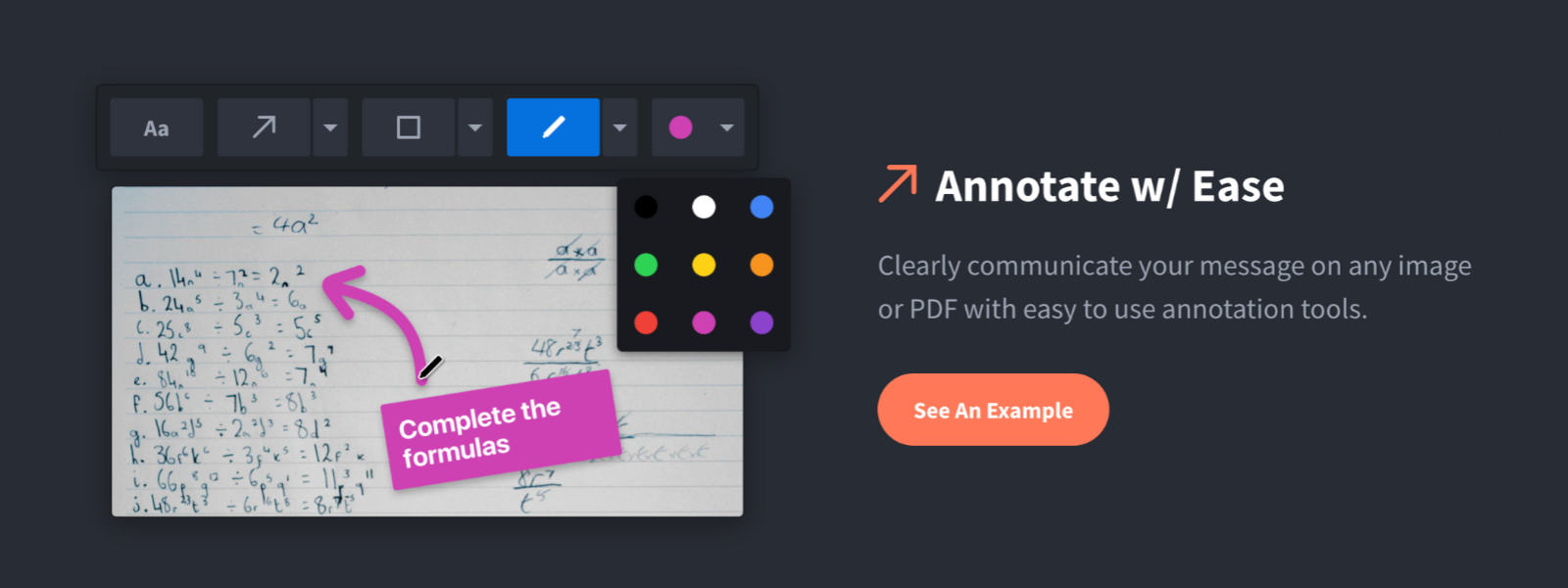
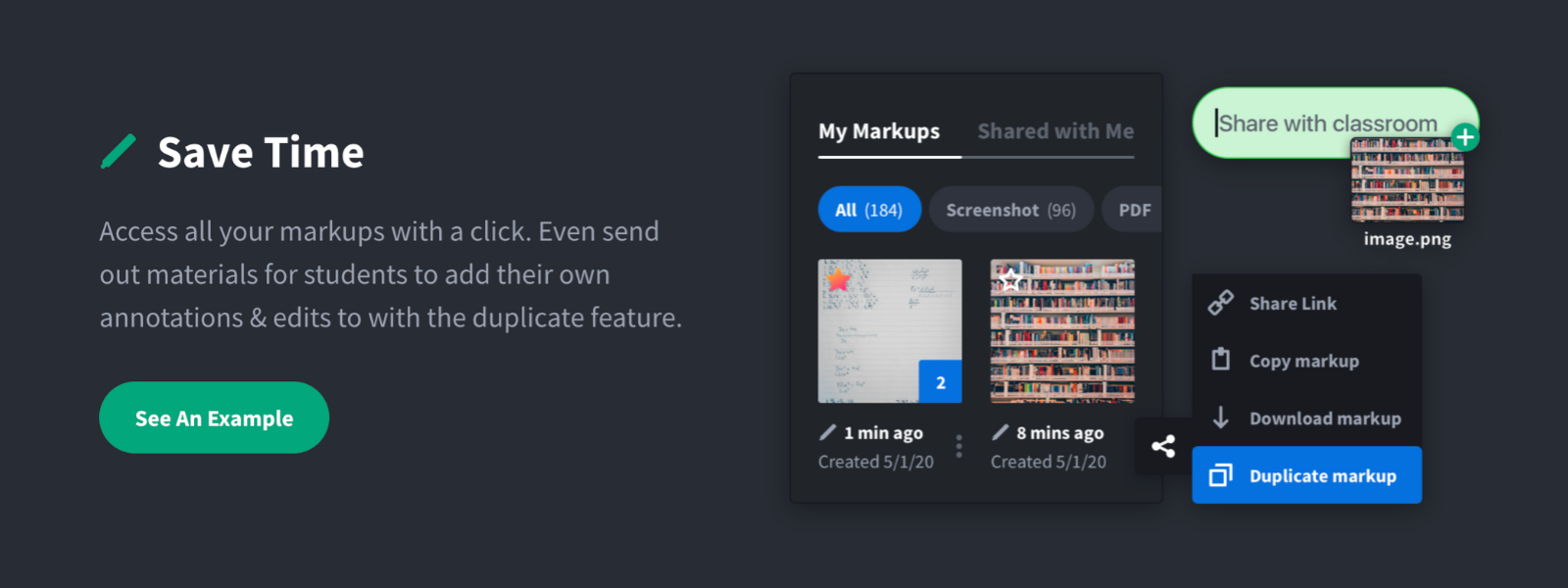
Screenshot, Annotate & Share Markup Hero is an annotation and screenshot tool designed to allow users to capture ideas, communicate clearly, and save time. Features Include: Screenshots Desktop app for Mac, Windows & Linux Works on any device including mobile Chrome extension Annotate screenshots, PDF's, images and URL's Always editable - annotations do not flatten permanently Arrow, text, rectangle, oval,…
$5
all features, unlimited markups, unlimited storage, unlimited bandwidth
StreamYard
Score8.6 out of 10
N/A
StreamYard is a live streaming studio in a browser. Users can interview guests, share a screen, and simulcast to platforms like Facebook, YouTube, and LinkedIn.
N/A
Pricing
Markup Hero
StreamYard
Editions & Modules
Superhero
$5/month
all features, unlimited markups, unlimited storage, unlimited bandwidth
For us, it's sending real estate setup sheets with multiple properties and lots of comments and feedback. It's great for quick feedback and shares. If I need to make a custom graphic tho its not quite powerful enough as Photoshop or other tools. The former is about 90% of my use cases, the latter only 10% so it's still worth it. But I can see they are adding more and more design oriented features so I suspect I won't need Photoshop much longer.
Because it's browser-based, StreamYard is especially well-suited for a situation like mine, where I'm unlikely to have repeat podcast guests very often. It's great that guests don't have to download special software just for a one-time appearance! I haven't personally used StreamYard for livestreaming, but based on its name and reputation, I imagine it's especially well-suited for that use case
A de minimis incentive was given to thank the reviewer for their time. The incentive was not used to bias or drive a particular response, nor was the incentive contingent on a positive endorsement. More Info
A de minimis incentive was given to thank the reviewer for their time. The incentive was not used to bias or drive a particular response, nor was the incentive contingent on a positive endorsement. More Info
A de minimis incentive was given to thank the reviewer for their time. The incentive was not used to bias or drive a particular response, nor was the incentive contingent on a positive endorsement. More Info
Markup Hero stands out because it is truly web based and supports PDFs (among a host of other file types). The annotation tools are significantly smoother and always editable. I don't know of any other products that provide a web experience that allows for edits at anytime. Plus the team is clearly working hard to iterate the product and regularly delivering new features.
I've already covered this in other responses. The key reasons I wound up using Descript for certain elements of my process was the better usability of its transcripts and the more-robust AI capabilities it offers. Its suggestions for strong clips seemed more on-point, and it offered functionality like chapter suggestions
It has increased the reach rate and the number of followers on social media pages, for example, on our Youtube page, the number of followers increased by 2 times the original amount.
It has reduced the amount of time our communications team spends on editing videos.
More team members are able to use StreamYard by themselves, which has allowed us to reduce the time our communications team spends on managing live sessions before.
A de minimis incentive was given to thank the reviewer for their time. The incentive was not used to bias or drive a particular response, nor was the incentive contingent on a positive endorsement. More Info