MATLAB vs. Shakudo Platform

Overview
ProductRatingMost Used ByProduct SummaryStarting Price
MATLAB
Score 8.8 out of 10
N/A
MatLab is a predictive analytics and computing platform based on a proprietary programming language. MatLab is used across industry and academia.
$49
per student license
Shakudo Platform
Score 6.0 out of 10
N/A
The Shakudo platform ensures compatibility across data tools to allow companies to build the best data infrastructure for their needs. It supports over 60 popular data tools, and enables users to create the optimal data stack for any custom needs, and helps users to create a more reliable and performant stack. And it helps users to: Build a stack that works precisely for the company without worrying about maintenance costs or stability Using a single UI, let teams use and gain…N/A
Pricing
MATLABShakudo Platform
Editions & Modules
Student
$49
per student license
Home
$149
perpetual license
Education
$250
per year
Education
$500
perpetual license
Standard
$860
per year
Standard
2,150
perpetual license
No answers on this topic
Offerings
Pricing Offerings
MATLABShakudo Platform
Free Trial
NoNo
Free/Freemium Version
NoNo
Premium Consulting/Integration Services
NoYes
Entry-level Setup FeeNo setup feeNo setup fee
Additional Details
More Pricing Information
Community Pulse
MATLABShakudo Platform
Best Alternatives
MATLABShakudo Platform
Small Businesses
IBM SPSS Statistics
IBM SPSS Statistics
Score 8.1 out of 10
Jupyter Notebook
Jupyter Notebook
Score 8.5 out of 10
Medium-sized Companies
Alteryx Platform
Alteryx Platform
Score 9.1 out of 10
Posit
Posit
Score 10.0 out of 10
Enterprises
Alteryx Platform
Alteryx Platform
Score 9.1 out of 10
Posit
Posit
Score 10.0 out of 10
All AlternativesView all alternativesView all alternatives
User Ratings
MATLABShakudo Platform
Likelihood to Recommend
8.1
(53 ratings)
-
(0 ratings)
Usability
9.9
(4 ratings)
-
(0 ratings)
Support Rating
9.5
(7 ratings)
-
(0 ratings)
User Testimonials
MATLABShakudo Platform
Likelihood to Recommend
MathWorks
MATLAB really does best for solving computational problems in math and engineering. Especially when you have to use a lot of functions in your solving process, or if you have a nonlinear equation that must be iteratively solved. [MATLAB] can also perform things like integration and derivation on your equations that you put into it.
Read full review
Shakudo
No answers on this topic
Pros
MathWorks
  • It has a very user friendly library which helps users learn this software fairly quickly in a short span of time.
  • The graphical user interface provided by the software is really good.
  • The code that a person writes allows options for debugging.
  • One can visualize the flow of control of their code inside MATLAB.
Read full review
Shakudo
No answers on this topic
Cons
MathWorks
  • MatLab is pricier than most of its competitors and because of this reason, many organizations are moving towards cheaper alternatives - mostly Python.
  • MatLab is inefficient when it comes to performing a large number of iterations. It gets laggy and often crashes. Python is better in this regard.
  • There is a limited number of hardware options (mostly NI) that can be connected directly to the data acquisition toolbox.
Read full review
Shakudo
No answers on this topic
Usability
MathWorks
MATLAB is pretty easy to use. You can extend its capabilities using the programming interface. Very flexible capabilities when it comes to graphical presentation of your data (so many different kinds of options for your plotting needs). Anytime you are working with large data sets, or with matrices, MATLAB is likely to be very helpful.
Read full review
Shakudo
No answers on this topic
Support Rating
MathWorks
The built-in search engine is not as performing as I wish it would be. However, the YouTube channel has a vast library of informative video that can help understanding the software. Also, many other software have a nice bridge into MATLAB, which makes it very versatile. Overall, the support for MATLAB is good.
Read full review
Shakudo
No answers on this topic
Alternatives Considered
MathWorks
How MATLAB compares to its competition or similar open access tools like R (programming language) or SciLab is that it's simply more powerful and capable. It embraces a wider spectrum of possibilities for far more fields than any other environment. R, for example, is intended primarily for the area of statistical computing. SciLab, on the other hand, is a similar open access tool that falls very short in its computing capabilities. It's much slower when running larger scripts and isn't documented or supported nearly as well as MATLAB.
Read full review
Shakudo
No answers on this topic
Return on Investment
MathWorks
  • MATLAB helps us quickly sort through large sets of data because we keep the same script each time we run an analyzation, making it very efficient to run this whole process.
  • The software makes it super easy for us to create plots that we can then show to investors or clients to display our data.
  • We are also looking to create an app for our product, and we will not be able to do that on MATLAB, therefore creating a limiting issue and a new learning curve for a programming language.
Read full review
Shakudo
No answers on this topic
ScreenShots

Shakudo Platform Screenshots

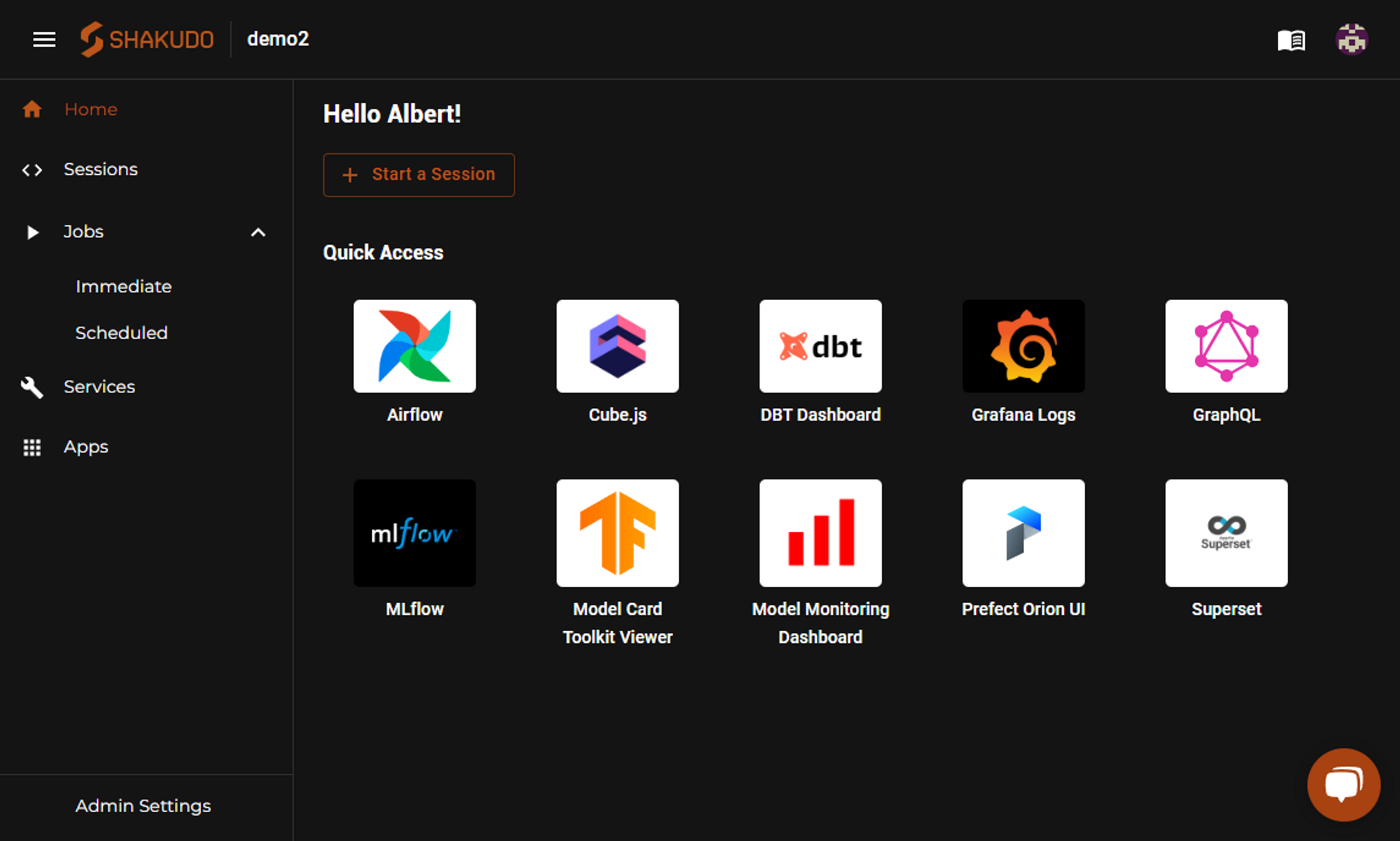
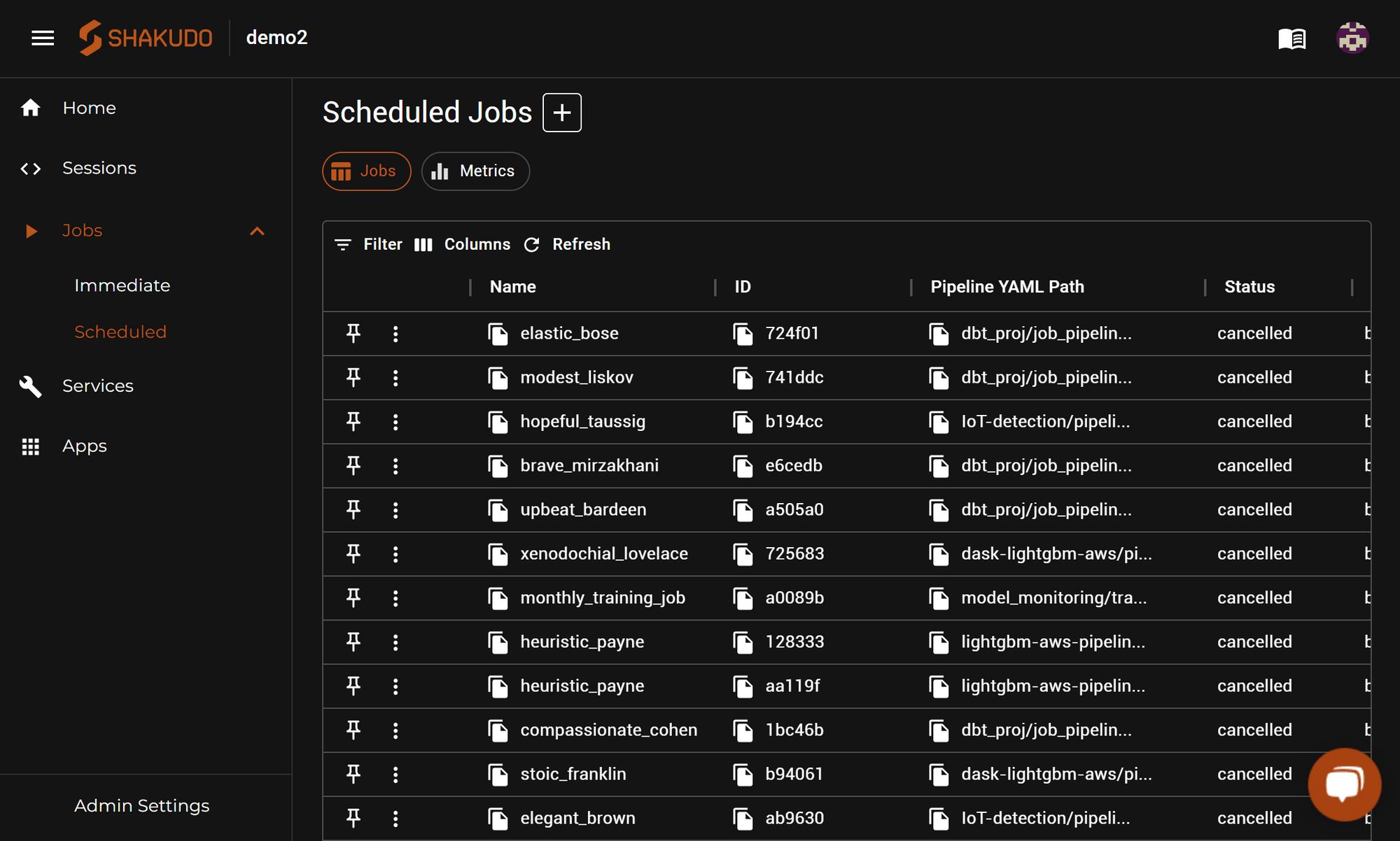
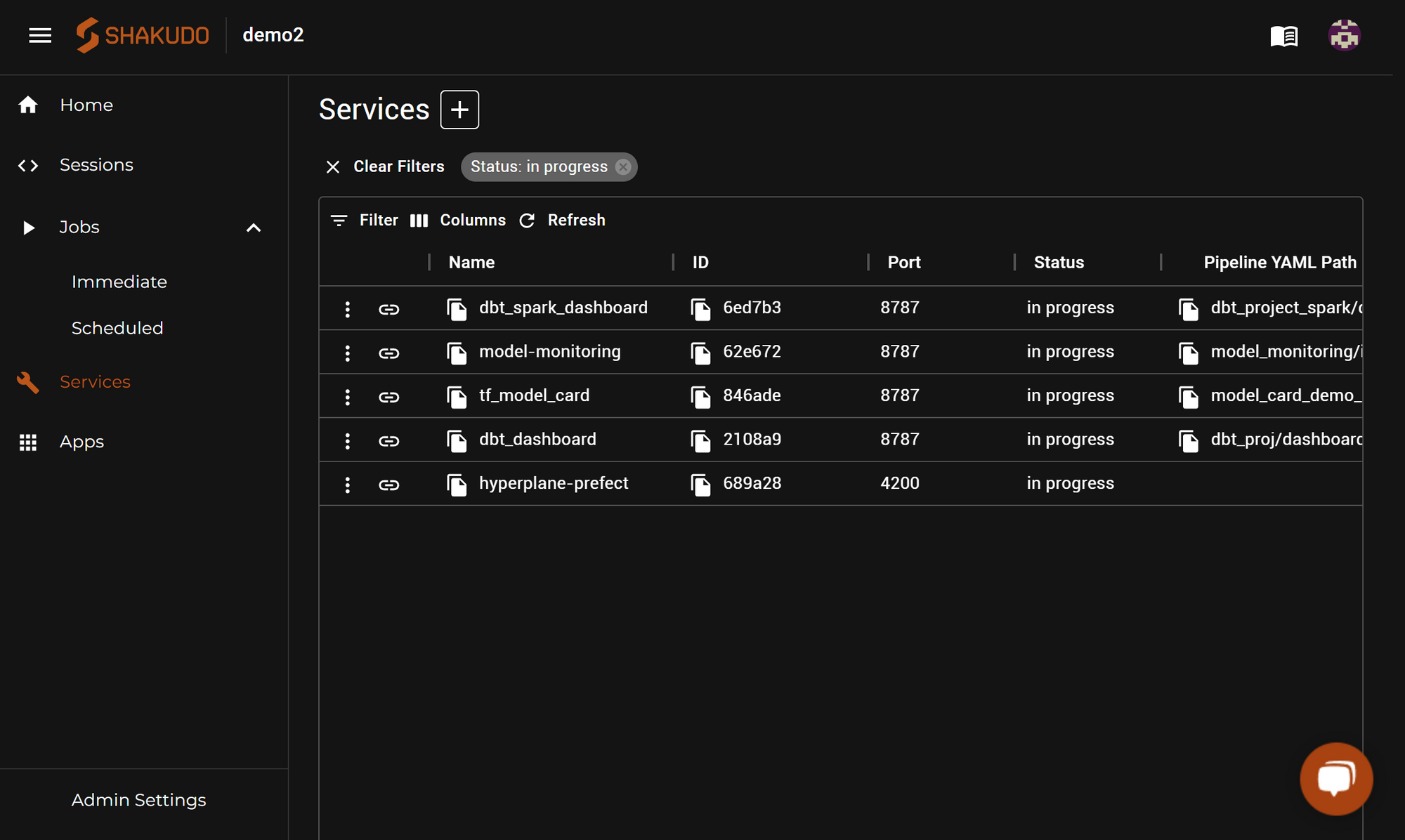
Screenshot of Shakudo Platform Dashboard UIScreenshot of Jobs use the same environment config as Sessions, so users can have the same dependencies and configurations available as they had during development. Jobs can be run on demand using Immediate jobs, or scheduled with a Cron expression using Scheduled Jobs. The integrated Job system can be used on its own, or it can be used to run code with tools like Airflow or Prefect.Screenshot of When deploying a project and publishing the results, Services help to deploy custom long-running programs like web servers to host results, or integrations can be used. From publishing processed data to S3 buckets, to hosting trained models on Nvidia Triton, to publishing dashboards in Apache Superset, it helps data scientists deploy their projects and their artifacts with minimal configuration or maintenance required