Microsoft Dynamics 365 Business Central (formerly Dynamics NAV) is one of the ERP products in the Dynamics family.
The technology is based on the Navision product acquired by Microsoft in 2002. This product is the best-selling Microsoft ERP platform, and is often used by companies in the manufacturing and distribution verticals.
$8
per month per user
NiCE CXone
Score8 out of 10
N/A
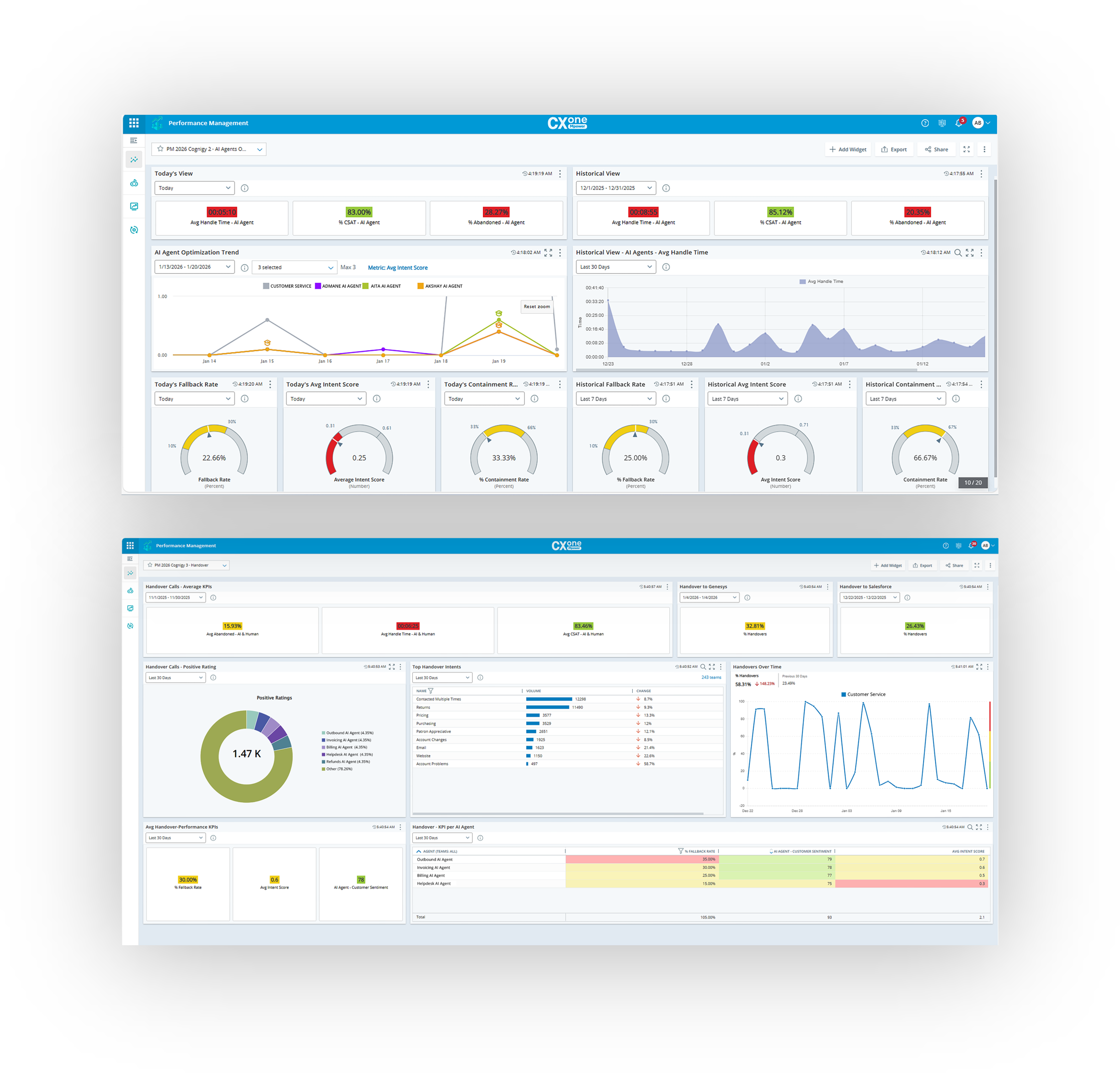
NICE CXone is a cloud-based contact center platform that manages customer interactions across multiple communication channels. It includes features such as automatic call distribution (ACD), interactive voice response (IVR), omnichannel routing, workforce optimization, feedback management, and interaction analytics.
Microsoft Dynamics 365 Business Central is well suited for inventory management in all aspects. Its accessibility, along with my other apps, when out of the office is unparalleled. I find it easy to work with on a desktop or laptop; however, it could use some work on a mobile device.
A de minimis incentive was given to thank the reviewer for their time. The incentive was not used to bias or drive a particular response, nor was the incentive contingent on a positive endorsement. More Info
NICE CXone Mpower offers a great suite of products and tools appropriate for contact centers. It is a one stop shop for all of the monitoring, scheduling, reporting, and quality tools a large or small contact center may need. It is very feature rich and has many components, some of which we haven't even grown to adopt yet but may in the near future.
A de minimis incentive was given to thank the reviewer for their time. The incentive was not used to bias or drive a particular response, nor was the incentive contingent on a positive endorsement. More Info
Automate the creation of bills of materials for production. We can now generate a BoM from a sales order.
Organization of all data pertaining to thousands of parts, assemblies, and finished goods. Engineering and purchasing have a common portal.
We can create sales orders from quotations instead of re-entering them (this did require some bolt-on software). Less redundant work with fewer entry errors.
Accounting can provide reports based on specific criteria stored in NAV. We can pull better and more detailed intelligence.
A de minimis incentive was given to thank the reviewer for their time. The incentive was not used to bias or drive a particular response, nor was the incentive contingent on a positive endorsement. More Info
A de minimis incentive was given to thank the reviewer for their time. The incentive was not used to bias or drive a particular response, nor was the incentive contingent on a positive endorsement. More Info
A de minimis incentive was given to thank the reviewer for their time. The incentive was not used to bias or drive a particular response, nor was the incentive contingent on a positive endorsement. More Info
There can be changes in interface of the app, however it's still very good
I would appreciete detailed web page with all necessary information, but when I need anything, the customer support is very quick and provide all the information
A de minimis incentive was given to thank the reviewer for their time. The incentive was not used to bias or drive a particular response, nor was the incentive contingent on a positive endorsement. More Info
We've already decided to continue using this software. It is too expensive for us to upgrade so we made a workaround by using the virtual computer with Windows XP installed on it. We did research replacing this software, but it was a better financial decision to keep what we had instead
A de minimis incentive was given to thank the reviewer for their time. The incentive was not used to bias or drive a particular response, nor was the incentive contingent on a positive endorsement. More Info
Nice made it possible for employees to work from anywhere with access to the internet, it made it possible to extract data from contacts in a very thorough way. In addition, the meticaes can be fully customized and the day-to-day monitoring of the operation is more visible.With nice, contacts with clients abroad became easier.
A de minimis incentive was given to thank the reviewer for their time. The incentive was not used to bias or drive a particular response, nor was the incentive contingent on a positive endorsement. More Info
Ever since we deployed it, it has been a one-stop-shop for our organization. Everything we do has been through it, and we do not need to use other vendors to access student records, accounts receivable, procurement records, grades, transcripts, and report cards... they are all in one interface, which has been a solid plus for our organization.
A de minimis incentive was given to thank the reviewer for their time. The incentive was not used to bias or drive a particular response, nor was the incentive contingent on a positive endorsement. More Info
The lack of written SOPs makes some features (WFM / Performance management) very difficult to use. The training provided by NICE is extensive, but it's hard to remember everything shared in the hour. We spend so much time on the platform just trying to figure out how to use the features; it would be much easier with written instructions and screenshots.
A de minimis incentive was given to thank the reviewer for their time. The incentive was not used to bias or drive a particular response, nor was the incentive contingent on a positive endorsement. More Info
NICE inContact CXone is available when you need it. I have been using it for about a year and I have never suffered any issues that caused my not to have access to the product. If there are updates, they must be downloaded and install in the background because I do not see them
A de minimis incentive was given to thank the reviewer for their time. The incentive was not used to bias or drive a particular response, nor was the incentive contingent on a positive endorsement. TR verified that a representative sample of customers was invited. More Info
NICE inContact CXone performs very well even on old computers that are limited in resources. I use a older computer with limited memory and it seems to handle NICE inContact CXone very well in most cases. There will be times when it acts up for whatever reason bust over ninety percent of the time.
A de minimis incentive was given to thank the reviewer for their time. The incentive was not used to bias or drive a particular response, nor was the incentive contingent on a positive endorsement. TR verified that a representative sample of customers was invited. More Info
It provides one to efficiently be able to manage bookkeeping and inventory without much challenges. One can easily navigate through workflow processes while managing usages and budgets. Being able to produce reports in Word, Excel or PDF means one is able to have a working document to produce trends and graphs or produce pivot tables.
inContact only allows specific users to contact them for support. Even though I use the product daily and it accounts for a large amount of my workload, I still have to contact an authorized user to create an incident. These users are managers and their schedules are very busy. This can result in delays in incidents being opened and resolved.
A de minimis incentive was given to thank the reviewer for their time. The incentive was not used to bias or drive a particular response, nor was the incentive contingent on a positive endorsement. More Info
The In-person training was fine for a general overview. I think it would have been really helpful to have a review of pre-built reports and how to use them as tools.
A de minimis incentive was given to thank the reviewer for their time. The incentive was not used to bias or drive a particular response, nor was the incentive contingent on a positive endorsement. More Info
I would rate 10, since the explanations were far enough to catch all the usabilities.I would rate 10, since the explanations were far enough to catch all the usabilities.I would rate 10, since the explanations were far enough to catch all the usabilities.I would rate 10, since the explanations were far enough to catch all the usabilities.
A de minimis incentive was given to thank the reviewer for their time. The incentive was not used to bias or drive a particular response, nor was the incentive contingent on a positive endorsement. More Info
We love the use of our new tools. However, NICE staff turnover was frustrating. We lost ground each time a new team took over. Some people were good some were not as much. Some people did great training while others were not as helpful
A de minimis incentive was given to thank the reviewer for their time. The incentive was not used to bias or drive a particular response, nor was the incentive contingent on a positive endorsement. More Info
I have personally supported all of the Dynamic family of ERP systems and made the decision to concentrate on NAV as the solution of choice. From a support and development standpoint there are few if any packages that can compare. It is not uncommon for most of the companies that I support to only call me once or twice a month after the first year. This is due to the ease of tracking down problems and errors and the ability for a developer to provide the end-user with routines that automatically correct the most basic kind of error
A de minimis incentive was given to thank the reviewer for their time. The incentive was not used to bias or drive a particular response, nor was the incentive contingent on a positive endorsement. More Info
When it comes to this specific situation (cell centers) NICE definitely has an ADP beat. The analytics, scheduling, and forecasts are extremely well-tailored for this situation. ADP has a more comprehensive solution in my opinion - I feel their UI and mobile app are also more user-friendly. But in terms of performance management functionality, NICE has a more robust system and is able to create additional metrics if we need them When I used ADP there were no custom options available.
A de minimis incentive was given to thank the reviewer for their time. The incentive was not used to bias or drive a particular response, nor was the incentive contingent on a positive endorsement. More Info
I rated 10, because Nice CX one is very much functional. You can simply acess it by website Nice, in any navigator, desktop, notebook or mobile, so you can in a fast way run on every departament of the company.
A de minimis incentive was given to thank the reviewer for their time. The incentive was not used to bias or drive a particular response, nor was the incentive contingent on a positive endorsement. More Info
A de minimis incentive was given to thank the reviewer for their time. The incentive was not used to bias or drive a particular response, nor was the incentive contingent on a positive endorsement. More Info
A de minimis incentive was given to thank the reviewer for their time. The incentive was not used to bias or drive a particular response, nor was the incentive contingent on a positive endorsement. More Info