Microsoft System Center vs. Quali CloudShell

Overview
ProductRatingMost Used ByProduct SummaryStarting Price
Microsoft System Center
Score 8.3 out of 10
N/A
Microsoft System Center Suite is a family of IT management software for network monitoring, updating and patching, endpoint protection with anti-malware, data protection and backup, ITIL- structured IT service management, remote administration and more. It is available in two editions: standard and datacenter. Datacenter provides unlimited virtualization for high density private clouds, while standard is for lightly or non-virtualized private cloud workloads.
$1,323
per month
Quali CloudShell
Score 9.1 out of 10
N/A
CloudShell, from Quali headquartered in Austin, is an infrastructure automation solution for cloud, on-premise, or hybrid environments.N/A
Pricing
Microsoft System CenterQuali CloudShell
Editions & Modules
Standard Edition
$1323
Datacenter Edition
$3607
No answers on this topic
Offerings
Pricing Offerings
Microsoft System CenterQuali CloudShell
Free Trial
NoNo
Free/Freemium Version
NoNo
Premium Consulting/Integration Services
NoNo
Entry-level Setup FeeNo setup feeNo setup fee
Additional Details
More Pricing Information
Community Pulse
Microsoft System CenterQuali CloudShell
Best Alternatives
Microsoft System CenterQuali CloudShell
Small Businesses
ConnectWise Automate
Score 8.4 out of 10
IBM Terraform
IBM Terraform
Score 8.8 out of 10
Medium-sized Companies
Icinga
Icinga
Score 8.9 out of 10
Ansible
Ansible
Score 9.1 out of 10
Enterprises
ScienceLogic AI Platform
Score 8.8 out of 10
Ansible
Ansible
Score 9.1 out of 10
All AlternativesView all alternativesView all alternatives
User Ratings
Microsoft System CenterQuali CloudShell
Likelihood to Recommend
9.3
(54 ratings)
9.1
(1 ratings)
Likelihood to Renew
7.0
(1 ratings)
-
(0 ratings)
Usability
8.4
(5 ratings)
-
(0 ratings)
Support Rating
9.0
(12 ratings)
9.1
(1 ratings)
Implementation Rating
8.0
(1 ratings)
-
(0 ratings)
User Testimonials
Microsoft System CenterQuali CloudShell
Likelihood to Recommend
Microsoft
For companies with more than 10 Windows devices and needing to standardize the OS, AV, access, share resources, and install software. SCCM is the way to go. This software is unnecessary if the business is all remote users and not in an office-type setting. There are cloud offerings or none to accomplish what a business needs.
Read full review
Quali (QualiSystems Ltd)
  • LaaS
  • IaaS
  • PaaS
  • CRaaS
  • Training
  • DevOps
  • DevSecOps
  • Demo Portals
  • TaaS
Almost any workflow and any infrastructure are supported.
Read full review
Pros
Microsoft
  • Allows the grouping of devices by user.
  • Allows controlling updates being deployed to user devices.
  • Allows for the repurposing of machines by being able to load new or updated software on machines that already are in the system.
  • Allows us the ability to wipe a machine clean and restore it back to the configuration that was assigned the machine.
Read full review
Quali (QualiSystems Ltd)
  • Self service single pane of glass for any workflow and infrastructure
  • Complete lifecycle management of your workflow and infrastructure
  • Vendor agnostic cloud, service, application, appliance support
Read full review
Cons
Microsoft
  • One of the biggest drawbacks to SCOM is the sheer scope and complexity of the system. This can be a pro and a con. The system is very customizable, what you put into it is what you'll get out of it. That said, the learning curve is fairly steep. An organization needs to be committed to putting time and resources into SCOM to get the most out of it. I've heard stories from colleagues of several different companies that invested in SCOM and then abandoned it due to the excessive time and care required.
  • SCOM is expensive. Not only is the enterprise licensing costly, SCOM requires it's own servers, operational and warehouse databases to be maintained.
  • The OOB SCOM reports are a bit clunky and feel outdated.
Read full review
Quali (QualiSystems Ltd)
  • Requires SME to get the full ROI first year
  • Requires a culture change for Agile Automation
  • Price could be less (not cheap)
Read full review
Likelihood to Renew
Microsoft
Microsoft System Center Operations Manager is tightly integrated to Microsoft Windows servers os monitoring with great product support.
Read full review
Quali (QualiSystems Ltd)
No answers on this topic
Usability
Microsoft
It is not user-friendly for the most part. With IT infrastructure, sometimes it cannot handle excess requests. Every few months, you will need an upgrade in terms of server resources to keep up with incoming alerts and requests. This does not happen all of the time, but it does happen when there are too many requests.
Read full review
Quali (QualiSystems Ltd)
No answers on this topic
Support Rating
Microsoft
There is a fair amount of documentation out there to help you when you have questions or run into issues with this product as well as tutorials on some of the more common tasks. Between the documentation and the overall ease of use we haven't had to deal with direct Microsoft support for this product.
Read full review
Quali (QualiSystems Ltd)
The tool can automate almost any workflow and infrastructure consumption. It has state of the art develop and support with great online training, online full manual set, and a comprehensive support team and network of SIs/VARS that are very qualified.
Read full review
Implementation Rating
Microsoft
Easy to install with intuitive interactive interface during the installation process a and integration to MS SQL was smooth
Read full review
Quali (QualiSystems Ltd)
No answers on this topic
Alternatives Considered
Microsoft
We previously used a mix of FOG and Clonezilla to image machines. The biggest issues with these products is that changing one piece of the image required you to rebuild the entire image itself. These pieces of software also did not allow you to manage applications and Windows Updates, causing IT to have to constantly touch machines after they were imaged and update or manage them with a much more hands on approach.
Read full review
Quali (QualiSystems Ltd)
VMware is too hard to use, too expensive to support, and not a full lifecycle tool for workflows and Infrastructure (no support of physical either). AWS or Azure or Google solutions are good if you are only in the cloud and only using their tools. Not good if you have on-prem or non-Cloud based tools/infrastructure. Build it yourself automation frameworks can be good for people with unlimited funds, but they are not the best way to go and missing many capabilities typically.
Read full review
Return on Investment
Microsoft
  • It has allowed the enterprise to standardize on a single platform for monitoring.
  • Easier troubleshooting of issues with Microsoft platforms.
  • Greater visibility of issues across platforms when applications are hosted in a mixed environment.
  • Additional costs for monitoring systems that are not directly supported with additional packs (iSeries, Linux on Power).
Read full review
Quali (QualiSystems Ltd)
  • Our customers have an average ROI of less than 6 months.
  • Our customers renew their maintenance almost 100% of the time.
  • It has allowed us to build specific solutions across many use cases enabling us to profit.
Read full review
ScreenShots

Quali CloudShell Screenshots

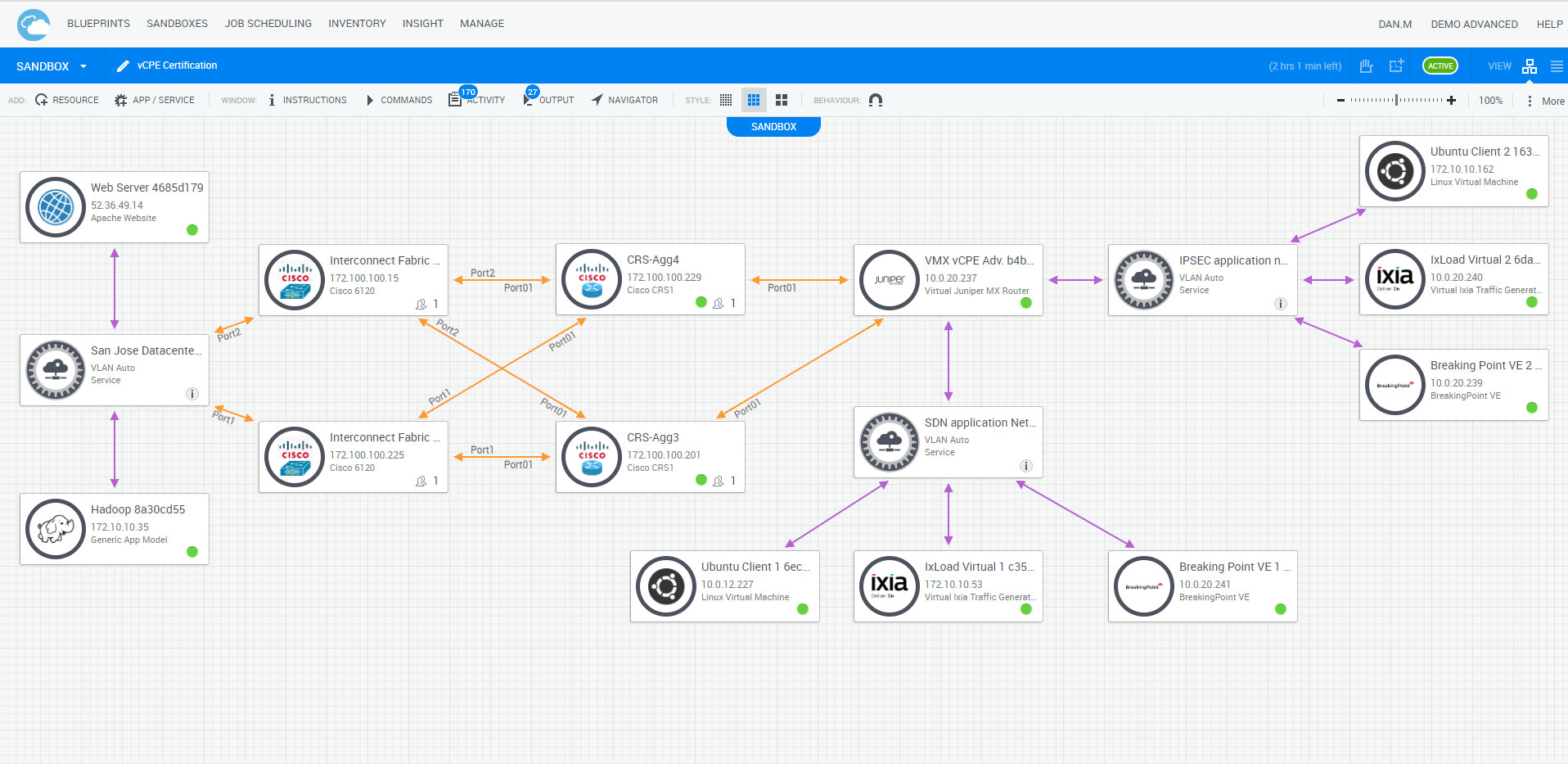
Screenshot of MODEL INFRASTRUCTURE AND APPLICATIONS |
Model complex infrastructure and application
environments. Users drag and drop modules to
combine physical and virtual infrastructure, network
connectivity, applications, and cloud interfacesScreenshot of SELF-SERVICE DEPLOYMENT |
One click deployment into sandbox environments.
Publish environment blueprints to a shared self-service
catalog for on-demand access by all your teams
wherever they are.Screenshot of LAB AUTOMATION AS A SERVICE (LAAS) |
Use built-in lab automation and management features like
inventory, reservations, scheduling, role-based access control, conflict resolution, and business intelligence. Easily automate
multiple labs and share them among hundreds or thousands of engineers.