TrustRadius: an HG Insights company

Save this comparison

Save this comparison

Add Product

Recommended Comparisons

    Overview
    ProductRatingMost Used ByProduct SummaryStarting Price

    MobaXTerm

    Score9.4 out of 10
    N/AMobaXterm is presented as an enhanced terminal for Windows with X11 server, tabbed SSH client, and network tools. From this console window, users can run any Unix commands need: ls, cd, grep, awk, tail, cut, sed, wget, rsync, telnet, ssh, rlogin, rsh, etc.

    $69

    one-time fee per user

    Syncro

    Score7.4 out of 10
    N/ASyncro offers an Extended Monitoring and Management (XMM) platform for midsized MSPs and internal IT teams. The platform integrates RMM (endpoint management), professional services automation (PSA), and Microsoft 365 multi-tenant management to help organizations simplify operations, strengthen security, and scale.

    $159

    per month per user

    Pricing
    MobaXTermSyncro
    Editions & Modules
    No answers on this topic
    Core
    $159
    per month per user
    Team
    $209
    per month per user
    Offerings
    Pricing Offerings
    MobaXTermSyncro
    Free Trial
    NoYes
    Free/Freemium Version
    YesNo
    Premium Consulting/Integration Services
    NoNo
    Entry-level Setup FeeNo setup feeNo setup fee
    Additional Details—Discount available for annual payment.
    More Pricing Information
    Community Pulse
    MobaXTermSyncro
    Considered Both Products
    Mobatek
    No answer on this topic
    SyncroMSP Servably Inc
    No answer on this topic
    Key User Insights
    Would buy again
    100%
    Would buy again
    9 Answers
    60%
    Would buy again
    3 Answers
    Delivers good value for the price
    100%
    Delivers good value for the price
    8 Answers
    80%
    Delivers good value for the price
    4 Answers
    Happy with the feature set
    100%
    Happy with the feature set
    9 Answers
    80%
    Happy with the feature set
    4 Answers
    Lived up to sales and marketing promises
    100%
    Lived up to sales and marketing promises
    6 Answers
    No answers on this topic
    Implementation went as expected
    100%
    Implementation went as expected
    7 Answers
    100%
    Implementation went as expected
    5 Answers
    Features
    MobaXTermSyncro
    Remote Administration
    Comparison of Remote Administration features of MobaXTerm and Syncro
    Feature
    MobaXTerm
    8.9
    9 Ratings
    12% above category average
    Syncro
    -
    Ratings
    Screen sharing9.76 Ratings00 Ratings
    File transfer9.19 Ratings00 Ratings
    Instant message8.64 Ratings00 Ratings
    Secure remote access with Smart Card authentication8.44 Ratings00 Ratings
    Access to sleeping/powered-off computers9.02 Ratings00 Ratings
    Over-the-Internet remote session8.46 Ratings00 Ratings
    Initiate remote control from mobile9.42 Ratings00 Ratings
    Remote management of servers & workstations9.58 Ratings00 Ratings
    Remote Active Directory® management8.02 Ratings00 Ratings
    Centralized management dashboard8.55 Ratings00 Ratings
    Session record8.86 Ratings00 Ratings
    Annotations7.94 Ratings00 Ratings
    Monitoring and Alerts8.84 Ratings00 Ratings
    Multi-platform remote control9.86 Ratings00 Ratings
    Application Performance Management
    Comparison of Application Performance Management features of MobaXTerm and Syncro
    Feature
    MobaXTerm
    -
    Ratings
    Syncro
    6.4
    3 Ratings
    11% below category average
    Virtualization monitoring00 Ratings7.43 Ratings
    IT Asset Discovery00 Ratings5.32 Ratings
    Monitoring Tasks
    Comparison of Monitoring Tasks features of MobaXTerm and Syncro
    Feature
    MobaXTerm
    -
    Ratings
    Syncro
    7.6
    4 Ratings
    7% above category average
    Remote monitoring00 Ratings8.44 Ratings
    Network device monitoring00 Ratings6.63 Ratings
    Activity Monitoring00 Ratings7.83 Ratings
    Management Tasks
    Comparison of Management Tasks features of MobaXTerm and Syncro
    Feature
    MobaXTerm
    -
    Ratings
    Syncro
    7.3
    3 Ratings
    8% above category average
    Patch Management00 Ratings7.73 Ratings
    Policy-based automation00 Ratings6.93 Ratings
    Remote Access
    Comparison of Remote Access features of MobaXTerm and Syncro
    Feature
    MobaXTerm
    -
    Ratings
    Syncro
    7.3
    3 Ratings
    4% above category average
    Attended device access00 Ratings8.83 Ratings
    Unattended device access00 Ratings7.63 Ratings
    Mobile device access00 Ratings7.01 Ratings
    Virtual device access00 Ratings8.02 Ratings
    Multiple-display support00 Ratings4.52 Ratings
    Multiple concurrent sessions00 Ratings8.13 Ratings
    Best Alternatives
    MobaXTermSyncro
    Small Businesses
    N-able Take Control
    Score7.2 out of 10
    Panda Systems Management
    Score7.2 out of 10
    Medium-sized Companies
    Remote Desktop Manager
    Score9.6 out of 10
    N-able N-sight RMM
    Score7.4 out of 10
    Enterprises
    BeyondTrust Privileged Remote Access
    Score9.1 out of 10
    No answers on this topic
    All AlternativesView all alternativesView all alternatives
    User Ratings
    MobaXTermSyncro
    Likelihood to Recommend
    9.7
    (9 ratings)
    6.4
    (5 ratings)
    Usability
    9.3
    (9 ratings)
    6.9
    (4 ratings)
    User Testimonials
    MobaXTermSyncro
    Likelihood to Recommend
    Mobatek
    MobaXTerm shines when executing commands for large numbers of Network appliances like Switches or routers. As network Engineers, when managing an extensive infrastructure, we need tools to reduce time and work. MobaXterm Split and MultiExec features helped me push configuration changes for more than 100 Switches within a few hours.
    Incentivized
    Read full review
    SyncroMSP Servably Inc
    SyncroMSP is great for MSPs starting out or wanting to keep their costs low. Some RMM software will charge per install - and price breaks only available as your base grows to a significant number. As Syncro is a "per agent" cost, the costs for an MSP are (a) known and (b) easily to manage as the team grows. The third-party integration element is very useful for MSPs looking to be able to not only onsell additional services, but the management of these services is simple for anybody to use
    Incentivized
    Read full review
    Pros
    Mobatek
    • Storing ssh session setting for easy click and go access
    • Various Network scanning tools easy to use even for non-technical people
    • SFTP filesystem browser is simple and straightforward
    Incentivized
    Read full review
    SyncroMSP Servably Inc
    • Due to the cloud based platform, we could scale the based on our needs relatively with ease.
    • We also utilized the auto billing features which were convenience.
    • The consolidation of both RMM and RSA decreased the amount of software we needed.
    • Also, the user friendliness of the platform allowed employees to use easy.
    Incentivized
    Read full review
    Cons
    Mobatek
    • password manager is a pain to get to
    • when I sign out of an RDP session, the tab should close on its own. If I lose connection, then the Reconnect option can be shown
    • It should be able to update on its own, not through download and basically a reinstall
    Incentivized
    Read full review
    SyncroMSP Servably Inc
    • Better project management
    • Ability to create teams
    Incentivized
    Read full review
    Usability
    Mobatek
    It's very easy for any IT administrator to use, it's highly customizable and you can download it free for personal use. It supports every protocol you can think of, has built in power shell and allows for drag and drop of SFTP file browser. I recommend this tool for any IT professional.
    Incentivized
    Read full review
    SyncroMSP Servably Inc
    Too expensive for what it is and the lack of support and bug fixes is annoying
    Incentivized
    Read full review
    Alternatives Considered
    Mobatek
    The list is not working, but comparing is not so great to other. The great best think of MobaXTerm is the unifing of the various program into one. The organization by folders, the storing of keys, the licence managemnt for teams. I liked much and was a plus it have some server utilities.
    Incentivized
    Read full review
    SyncroMSP Servably Inc
    Much easier to learn and use
    Incentivized
    Read full review
    Return on Investment
    Mobatek
    • No subscription fee: you can purchase it once and use for many years
    • Easy to use - no need to spend time on learning how to use
    Incentivized
    Read full review
    SyncroMSP Servably Inc
    • The integrated AV solution with Bitdefender is very cheap - yet very a very high quality NGAV solution. It allows us to ensure our clients have access to an NGAV solution at an affordable price
    • Syncro has allowed us to expend our business into new areas which were not able to be accessed previously. This means that we can now service our clients in different ways than previously.
    • The fixed cost pricing allows our teams to understand what their costs are - but also allow us to grow the business and customer base with no increase in costs until we increase our technical team.
    Incentivized
    Read full review
    ScreenShots

    MobaXTerm Screenshots

    Screenshot of MobaXterm Xserver with SSH, telnet, RDP, VNC and X11Screenshot of the MobaXterm terminal, dark.Screenshot of the MobaXterm ribbon / toolbar.

    Syncro Screenshots

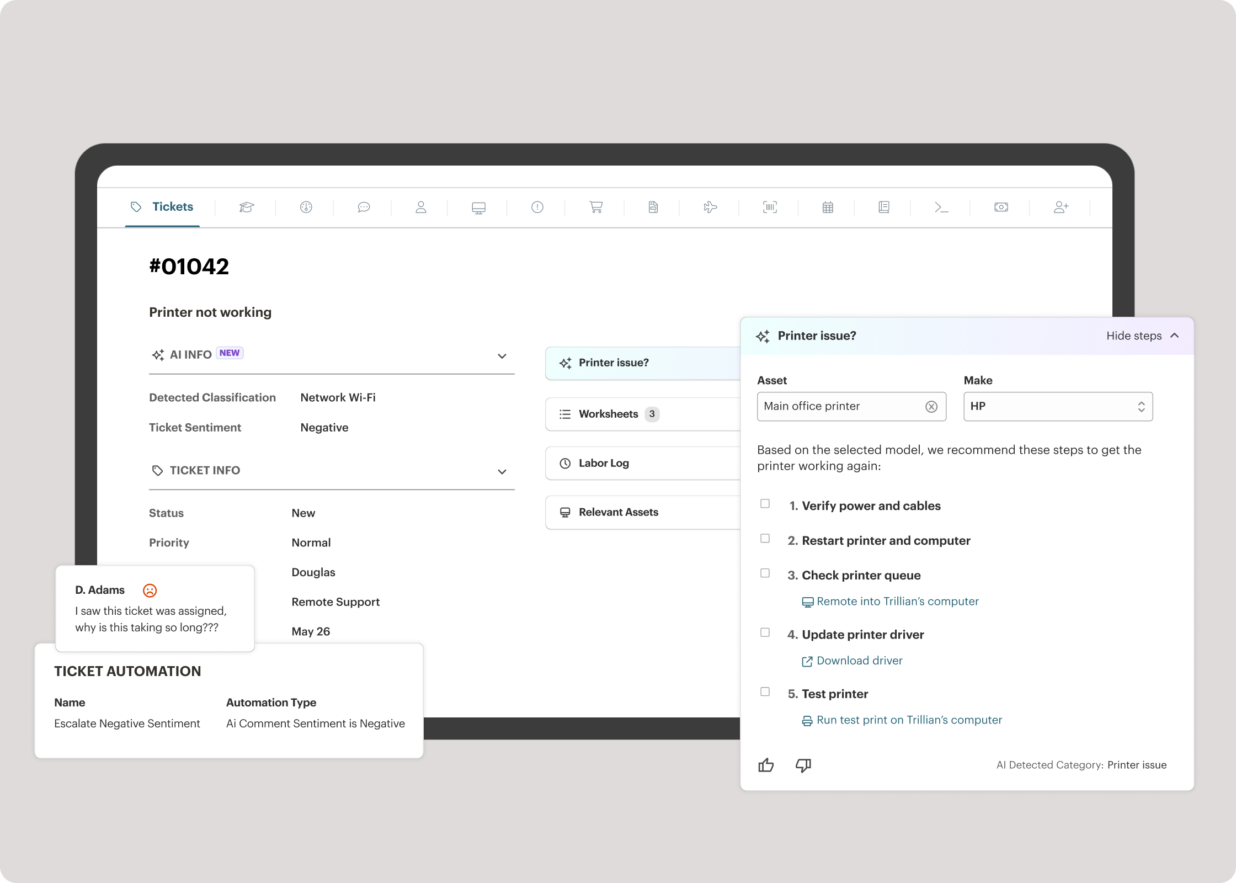
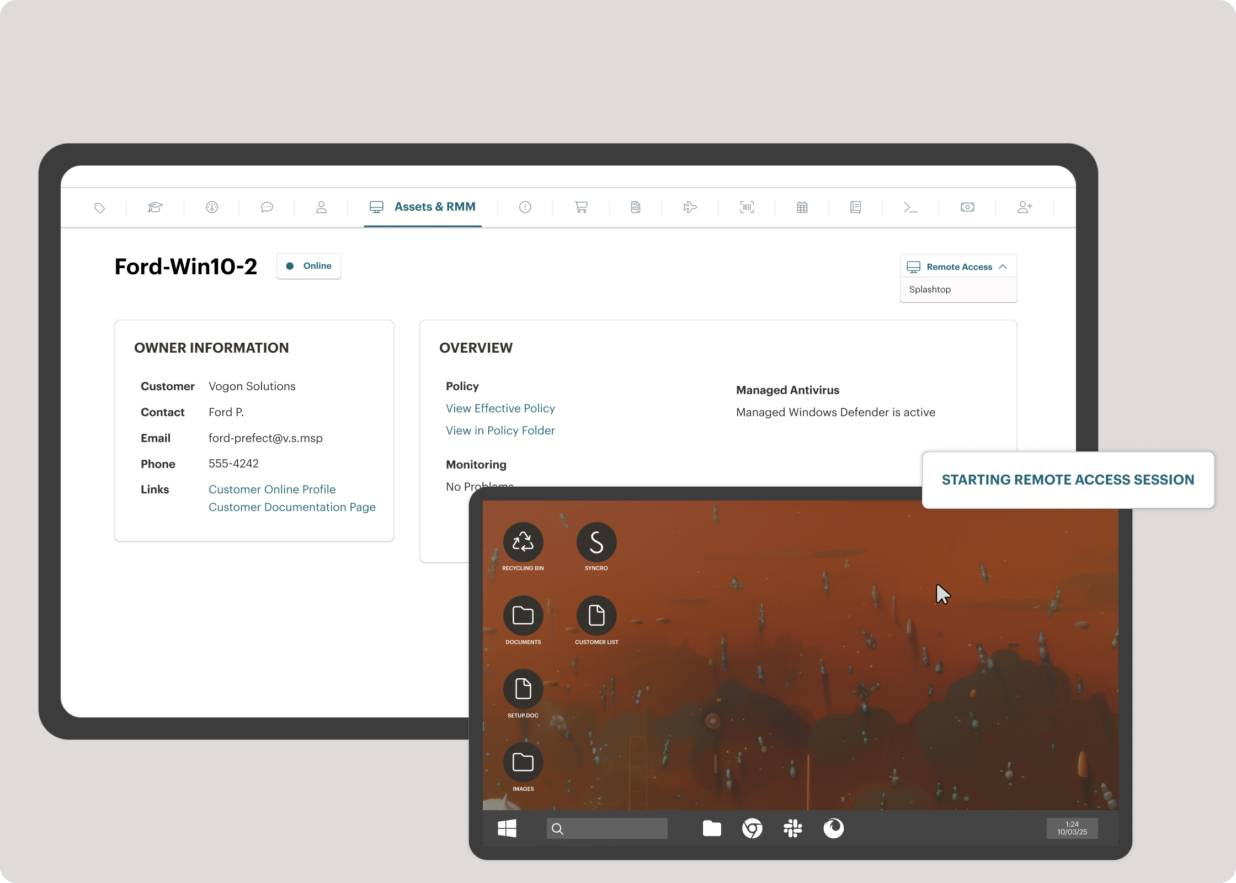
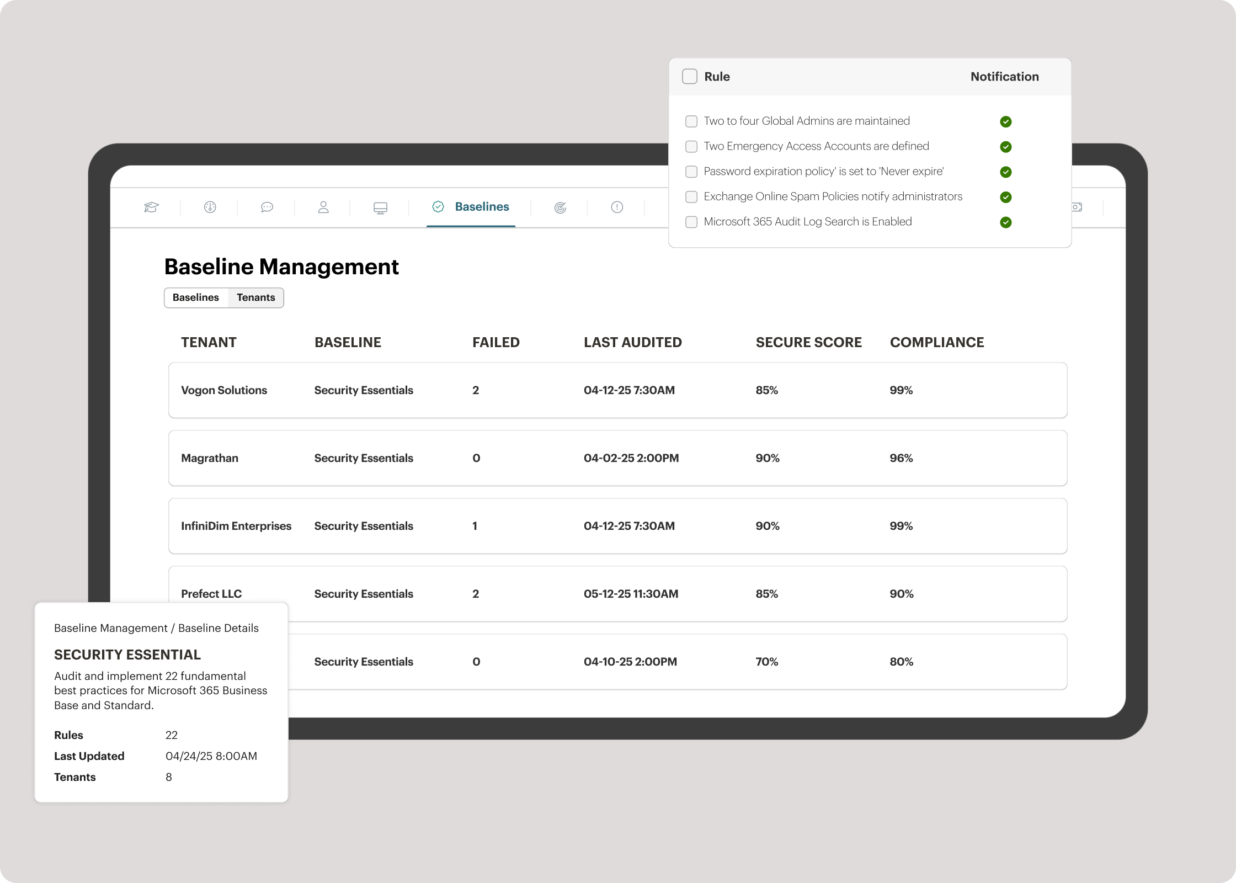
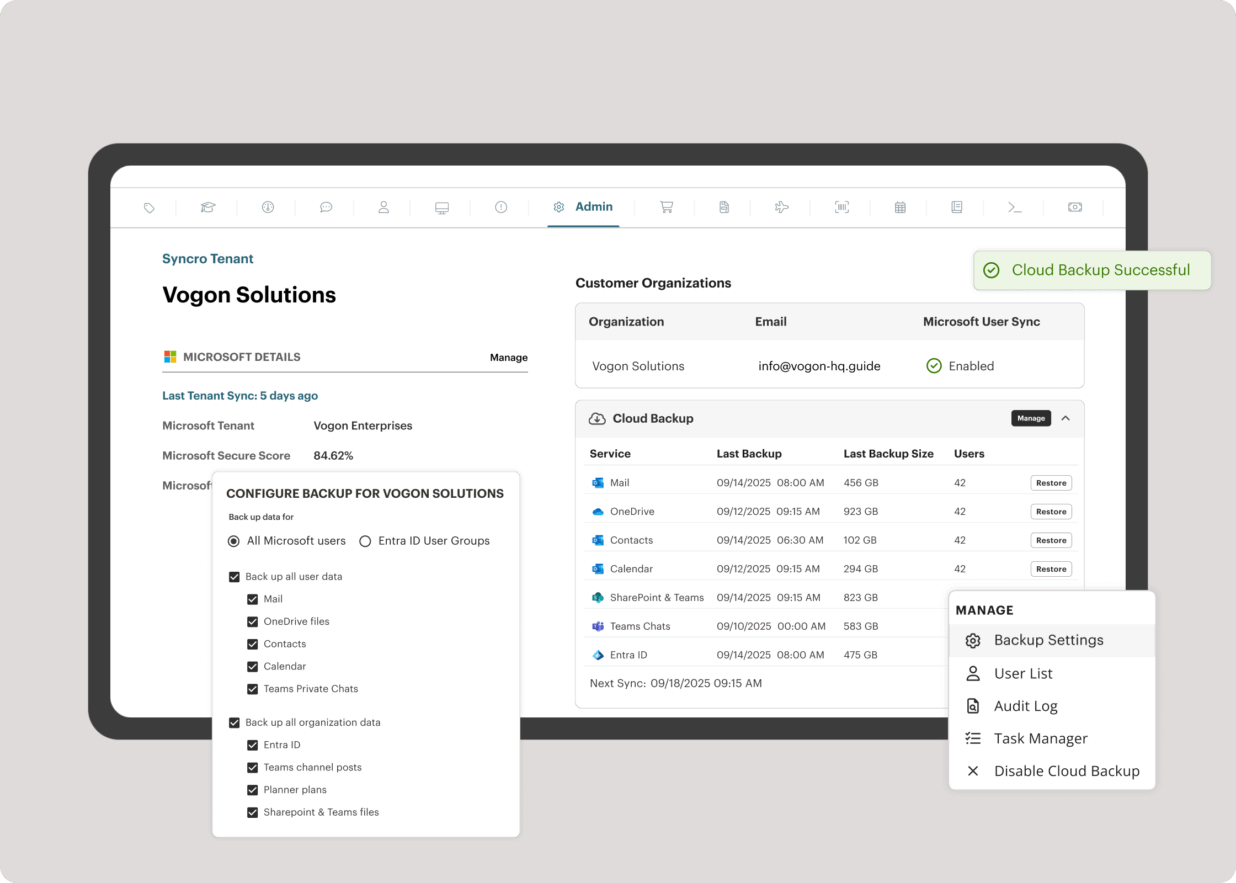
    Screenshot of the interface to monitor unlimited endpoints, run scripts, deploy patches, customize alerts, and proactively address potential issues before they become problems.Screenshot of Syncro’s intelligent Smart Ticket Management, which automatically routes tickets and gets information in front of techs, displays relevant context from prior tickets, and surfaces recommended remediation steps to speed up resolution times.Screenshot of where to securely access endpoints and resolve issues anytime, from anywhere, via Splashtop — included with the Syncro subscription at no extra cost.Screenshot of Syncro automating Entra ID tasks and admin work including user syncs, password resets, and license billing.Screenshot of the interface to benchmark M365 tenants against CIS-aligned best practices — offering guided configuration, centralized visibility, drift detection, and automated alerts to help maintain compliance.Screenshot of Microsoft 365 and Entra ID backup, which helps to safeguard against data loss, reinforce compliance, and ensure business continuity without compromise.