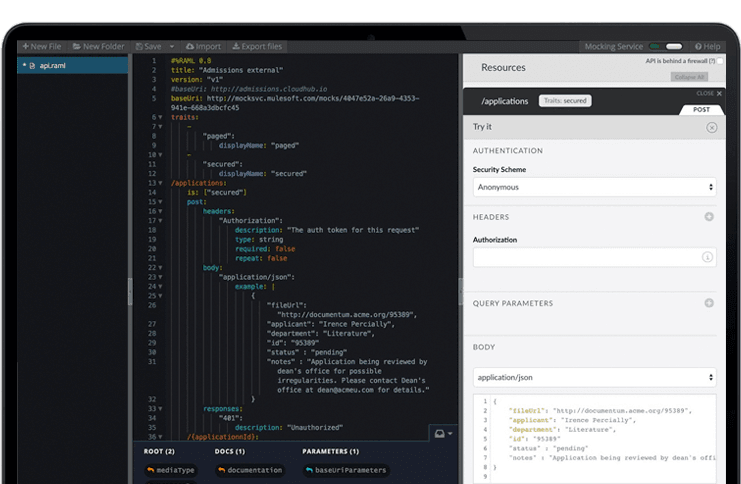
The Anypoint Platform developed by MuleSoft and acquired by Salesforce in early 2018 is designed to
connect apps, data, and devices anywhere, on-premises or in the cloud. This platform was built to
offer out-of-the-box connectors as well as tools that architects and developers can adopt quickly to
design, build and manage the entire lifecycle of their APIs, applications, and products.
N/A
ReadyAPI
Score6.1 out of 10
N/A
ReadyAPI (formerly SoapUI Pro, LoadUI Pro, and ServiceV Pro) is a REST and SOAP API functional testing tool that enables software developers, QA engineers, and manual testers to work together to create, maintain, and execute complex end-to-end API tests in their CI/CD pipelines without needing to code.
MuleSoft Anypoint Platform is best tool in the market for developing APIs with complex structures communicating with various different types of applications including web applications as well as legacy applications. Also applications including database connectivity for fetching and updating data in the DB tables. I cant think of any scenario which MuleSoft Anypoint Platform could not be used for developing the integrations.
A de minimis incentive was given to thank the reviewer for their time. The incentive was not used to bias or drive a particular response, nor was the incentive contingent on a positive endorsement. More Info
As stated, we do a LOT of API testing, the swaggerhub import makes it easy to add APIs. This is very well-suited, as well as easy management of the steps/cases/suites inside of ReadyAPI. The one thing I do wish ReadyAPI was better suited for is changes to data, we have a lot of test cases in ReadyAPI and if we make a change to how the backend data is structured, one-by-one adjustments need to be made to the steps. Less appropriate, UI testing.
A de minimis incentive was given to thank the reviewer for their time. The incentive was not used to bias or drive a particular response, nor was the incentive contingent on a positive endorsement. TR verified that a representative sample of customers was invited. More Info
A de minimis incentive was given to thank the reviewer for their time. The incentive was not used to bias or drive a particular response, nor was the incentive contingent on a positive endorsement. More Info
A de minimis incentive was given to thank the reviewer for their time. The incentive was not used to bias or drive a particular response, nor was the incentive contingent on a positive endorsement. More Info
Has more features than what we really need so we're paying for more than we use. Sort of like paying for an Abrams tank when all we really need is a Toyota Corolla.
Not a value product, tends to be expensive.
Takes a while for developers to learn to use Mulesoft Anypoint.
A de minimis incentive was given to thank the reviewer for their time. The incentive was not used to bias or drive a particular response, nor was the incentive contingent on a positive endorsement. More Info
A de minimis incentive was given to thank the reviewer for their time. The incentive was not used to bias or drive a particular response, nor was the incentive contingent on a positive endorsement. TR verified that a representative sample of customers was invited. More Info
The only reason this isn't a '10' is because of the cost. This product is definitely meant for organizations who are serious about making sure they invest in the full ecosystem of API design, development, maintenance. But there is a significant cost associated with this investment. and because of this cost (and the non-tangible output for executives), it is a difficult line-item to justify in this post-pandemic environment.
A de minimis incentive was given to thank the reviewer for their time. The incentive was not used to bias or drive a particular response, nor was the incentive contingent on a positive endorsement. More Info
We have migrated our existing over 100+ APIs from legacy to MuleSoft Anypoint Platform and the processing has seen over 40% improvement and saved huge amount in overall annual billing. From development perspective, MuleSoft Vibe has made developers life so easy and reduced development time. Extensive logging, and build-in connectors for other integration tools, logging and repo is providing kind of one place solutions. Any point Platform is providing various options like runtime, API manager, Access management, segregation of Business groups and so many other option which is helping us to monitor, configure and manage all our APIs in one place
SoapUI allows us to combine multiple tests and adhere to the sequence that they need to run in order to complete successfully. It has an excellent GUI design and the reporting mechanism is also very good. It does consume a lot of memory though during concurrent testing
Soap UI has managed to continuously build on it's solid foundation and keep improving by each release. It is by far the most dependable and accurate testing tool out there of its kind. Available via connecting to VM's created as SoapUI test machines give access to it anytime, anywhere practically.
Anypoint Platform support is very responsive. There is also a huge knowledge base and an active online forum where answers to most questions can be found. When needed support engages the engineering group so adequate solutions or workarounds are always provided.
A de minimis incentive was given to thank the reviewer for their time. The incentive was not used to bias or drive a particular response, nor was the incentive contingent on a positive endorsement. More Info
To be honest, we didnt had much issues with the support, as there is already plenty of online communities available for help. But if ever there were some minor issues with the membership or the certificates, the tech support was always quick and efficient enough to resolve the issue ASAP
A de minimis incentive was given to thank the reviewer for their time. The incentive was not used to bias or drive a particular response, nor was the incentive contingent on a positive endorsement. More Info
I have started with MuleSoft Fundamentals course provided by MuleSoft training at start. This was sufficient to do initial learning and get onboarded. The online documentation with different Runtime versions/deprecated functions and keywords are well documented. The automated solution provided by MuleSoft Anypoint Platform to upgrade 3.0 to 4.0 gave a good head start while learning MuleSoft Anypoint Platform and working altogether with Online training and documentations
Once we have moved all of our system integration APIs to the MuleSoft Anypoint Platform, we will need to communicate with a wide variety of external systems. All of our business and service logic is stored in the aforementioned core systems. Anypoint Platform (and all of our APIs) makes it easy to connect to various other platforms. In order to link to these many other systems, connectors and/or components are utilized, and they are simple to configure and integrate.
A de minimis incentive was given to thank the reviewer for their time. The incentive was not used to bias or drive a particular response, nor was the incentive contingent on a positive endorsement. More Info
ReadyAPI provides intuitive GUI capabilities compared to their own open source product. When compared to Postman, ReadyAPI also supports SOAP based services, which is a saver especially when integrating with legacy or other third party systems.
A de minimis incentive was given to thank the reviewer for their time. The incentive was not used to bias or drive a particular response, nor was the incentive contingent on a positive endorsement. TR verified that a representative sample of customers was invited. More Info
It has an excellent GUI design and the reporting mechanism is also very good. It does consume a lot of memory though during concurrent testing. However, I have read that added monitoring tools have been added, which if so the 7 could possibly go to a 8 or 9.
A de minimis incentive was given to thank the reviewer for their time. The incentive was not used to bias or drive a particular response, nor was the incentive contingent on a positive endorsement. More Info
A de minimis incentive was given to thank the reviewer for their time. The incentive was not used to bias or drive a particular response, nor was the incentive contingent on a positive endorsement. More Info