TrustRadius: an HG Insights company

N-able MSP Manager vs. OpenText Service Manager

Save this comparison

Save this comparison

Add Product

Recommended Comparisons

    Overview
    ProductRatingMost Used ByProduct SummaryStarting Price

    N-able MSP Manager

    Score10 out of 10
    N/AN-able™ MSP Manager (formerly Solarwinds MSP Manager) is a cloud-based help desk and billing software for IT service providers, which includes a ticketing system, customer portal, technician mobile apps, billing tools, and reporting dashboards. MSP Manager offers a lightweight ticketing system with a quick entry feature that allows users to capture essential information such as customer name, service items, and issue details from any screen. Tickets can also be…N/A

    OpenText Service Manager

    Score9 out of 10
    N/AOpenText™ Service Manager (formerly from Micro Focus) is scalable service desk software powered by machine learning, analytics, and automation. It provides an ITSM platform for standardizing service delivery and support across the enterprise.N/A
    Pricing
    N-able MSP ManagerOpenText Service Manager
    Editions & Modules
    No answers on this topic
    No answers on this topic
    Offerings
    Pricing Offerings
    N-able MSP ManagerOpenText Service Manager
    Free Trial
    YesNo
    Free/Freemium Version
    NoNo
    Premium Consulting/Integration Services
    NoNo
    Entry-level Setup FeeNo setup feeNo setup fee
    Additional Details——
    More Pricing Information
    Features
    N-able MSP ManagerOpenText Service Manager
    Incident and problem management
    Comparison of Incident and problem management features of N-able MSP Manager and OpenText Service Manager
    Feature
    N-able MSP Manager
    -
    Ratings
    OpenText Service Manager
    9.4
    2 Ratings
    14% above category average
    Organize and prioritize service tickets00 Ratings8.62 Ratings
    Expert directory00 Ratings9.62 Ratings
    Service restoration00 Ratings8.72 Ratings
    Self-service tools00 Ratings9.82 Ratings
    Subscription-based notifications00 Ratings9.82 Ratings
    ITSM collaboration and documentation00 Ratings9.82 Ratings
    ITSM reports and dashboards00 Ratings9.82 Ratings
    ITSM asset management
    Comparison of ITSM asset management features of N-able MSP Manager and OpenText Service Manager
    Feature
    N-able MSP Manager
    -
    Ratings
    OpenText Service Manager
    9.7
    2 Ratings
    18% above category average
    Configuration mangement00 Ratings9.72 Ratings
    Asset management dashboard00 Ratings9.82 Ratings
    Policy and contract enforcement00 Ratings9.52 Ratings
    Change management
    Comparison of Change management features of N-able MSP Manager and OpenText Service Manager
    Feature
    N-able MSP Manager
    -
    Ratings
    OpenText Service Manager
    10.0
    1 Ratings
    17% above category average
    Change requests repository00 Ratings10.01 Ratings
    Change calendar00 Ratings10.01 Ratings
    Service-level management00 Ratings10.01 Ratings
    Best Alternatives
    N-able MSP ManagerOpenText Service Manager
    Small Businesses
    Autotask PSA
    Score7.7 out of 10
    Agiloft Service Desk (discontinued)
    Score9 out of 10
    Medium-sized Companies
    Workday Professional Services Automation
    Score8.2 out of 10
    ManageEngine ServiceDesk Plus
    Score9.2 out of 10
    Enterprises
    Planview AdaptiveWork
    Score8.8 out of 10
    Ivanti ITSM
    Score6.4 out of 10
    All AlternativesView all alternativesView all alternatives
    User Ratings
    N-able MSP ManagerOpenText Service Manager
    Likelihood to Recommend
    4.0
    (4 ratings)
    9.6
    (2 ratings)
    Support Rating
    3.9
    (2 ratings)
    -
    (0 ratings)
    User Testimonials
    N-able MSP ManagerOpenText Service Manager
    Likelihood to Recommend
    N-able
    It's a good company to grow with because as needs change there are more features available.
    Incentivized
    Read full review
    OpenText
    HP Service Manager (HPSM) is well suited for a big company and it does the job that it's intended to do but it's not perfect. It has a fairly large learning curve for searching Knowledge Management (KMs) and it takes time to learn how to be fast at creating/resolving tickets while on calls. I have been using HPSM for about 2 years now and we recently moved from the desk client to the web client and we are seeing a lot more issues than we did with the desk client. They keep coming out with updates for it so eventually most of our issues will hopefully be resolved. Overall the web experience is better as it looks more modern than what we used in the past.
    Incentivized
    Read full review
    Pros
    N-able
    • Web Based
    • Automated Ticket creation
    Incentivized
    Read full review
    OpenText
    • Capacity management like maintaining CI's and their relations is good.
    • Approvals with HPSM is a cake walk and quite logical.
    • There is no wait for troubleshooting or help, HPSM tech help is always there.
    Incentivized
    Read full review
    Cons
    N-able
    • It is just simply too slow! The web interface requires patience, even when moving between tabs or menu choices. This is by far the biggest detracting element of MSP Manager.
    • Input customization -- I would like the settings pages to allow me to customize some input screens, especially the Ticket Entry window. The "Quick Ticket" entry is missing a few key items I want in a trouble ticket, and the full ticket entry window has numerous fields I never use or are always the same, and so it just takes more time and effort than is necessary.
    • Both the asset tracking and the knowledge base should be more robust and integrally tied into the RMM console, so that licenses, serial numbers, procedures, network data are quick and simple to access from either interface.
    Incentivized
    Read full review
    OpenText
    • When you search Knowledge Articles, it is not like Google, and you need to learn how to search for what you need.
    • It takes a very long time to close tickets in HPSM. Here are the steps to close a ticket. 1. Add notes. 2. Add KM 3. Click Resolve 4.Click Save 5.Click Close 6.Click Okay to Message (ticket has recently been modified) 7. Click Close.
    • It's slow and sometimes crashes/freezes and you lose all the information you may have entered. I usually use notepad++ to gather all my notes and paste them into HPSM.
    • When searching previous tickets the preview pane does not allow for sorting by date to have the most recent at the very top every time you pull up previous tickets. Sometimes there are pages and pages of previous tickets and you have to click and scroll to get what you need.
    • I click on search KMs and it takes me to a blank page and I have to click the back button which then brings me to the search KM page.
    Incentivized
    Read full review
    Support Rating
    N-able
    They're good at resolving issues when they arise.
    Incentivized
    Read full review
    OpenText
    No answers on this topic
    Alternatives Considered
    N-able
    MSP Manager is a fully serviced paid option. Spiceworks is a free helpdesk. They both are very useful, but a company can just outgrow Spiceworks.
    Incentivized
    Read full review
    OpenText
    [We selected HP Service Manager because] HPSM is reliable.
    Incentivized
    Read full review
    Return on Investment
    N-able
    • We have had to spend time and resources to create our own reports, as MSP Manager does not have them.
    • Searching for a ticket requires scrolling, wasting time
    Incentivized
    Read full review
    OpenText
    • We take anywhere from between 850-1400 calls a day and overall the whole opening tickets to close process goes pretty smoothly.
    Incentivized
    Read full review
    ScreenShots

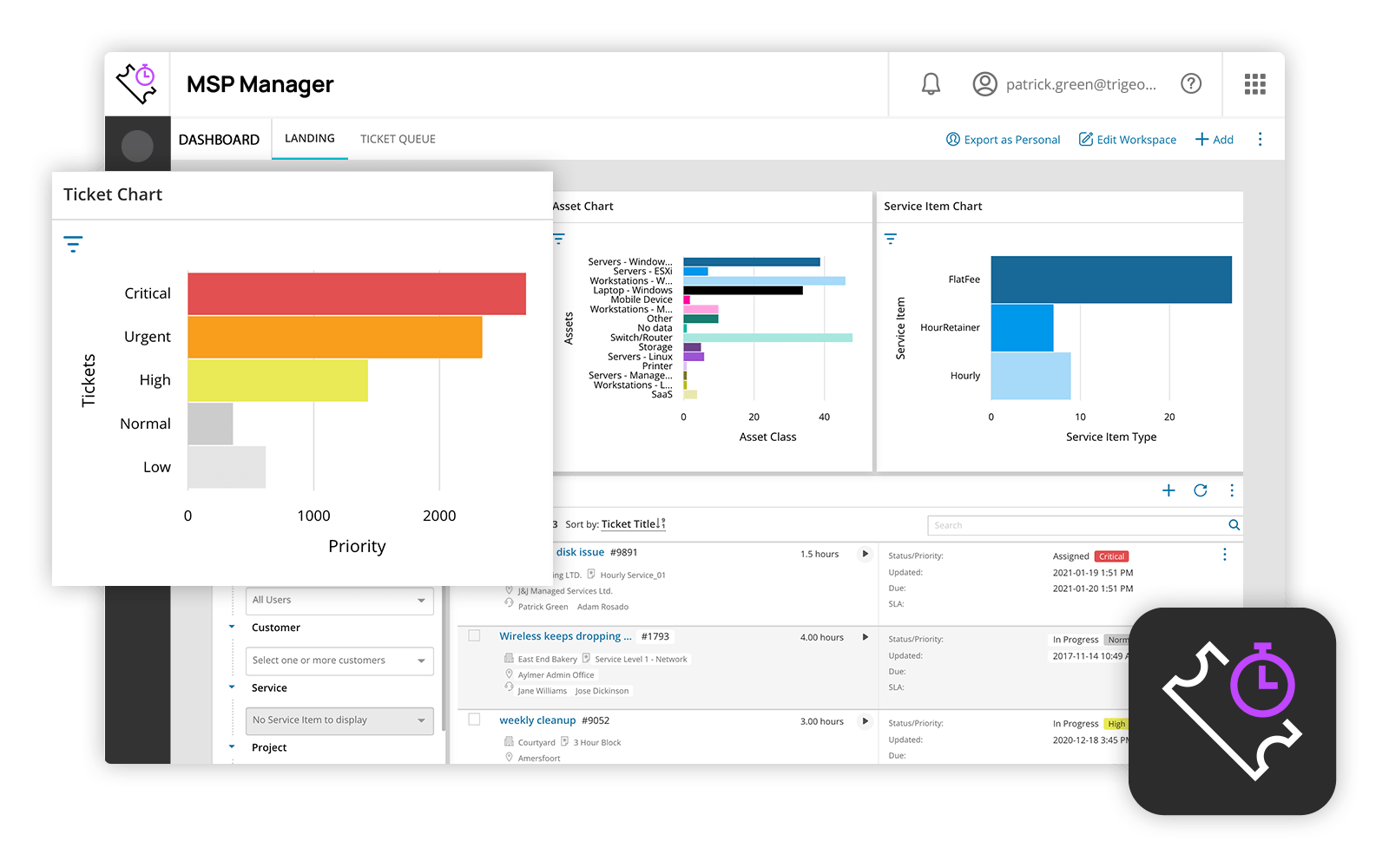
    N-able MSP Manager Screenshots

    Screenshot of N-able MSP Manager Dashboard