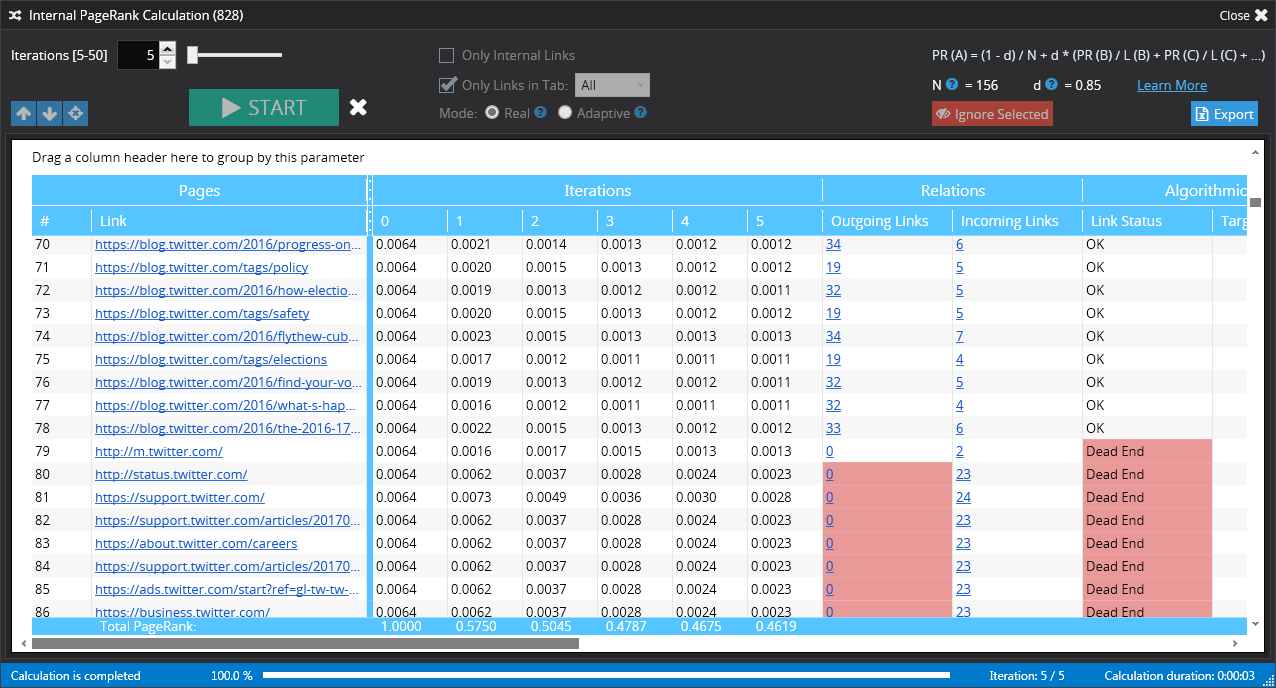
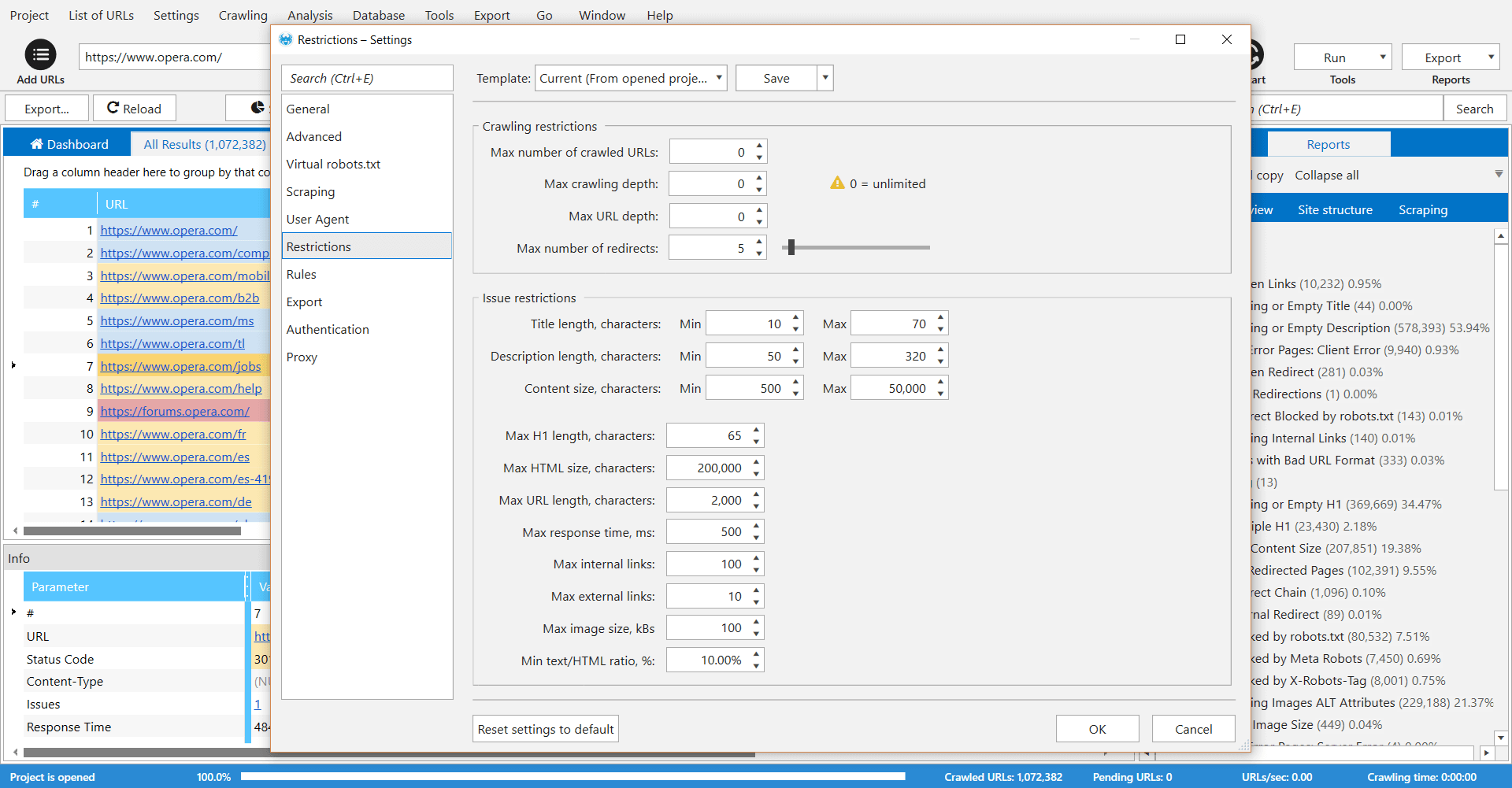
Netpeak Spider is a desktop tool which crawls a website like a search engine robot and detects key SEO issues that influence the website’s visibility in SERP. According to the vendor, this tool allows users to: Spot 80+ issues of your website optimization. Check 70+ key on-page SEO parameters. Calculate internal PageRank to improve website linking structure. Analyze all incoming and outgoing internal links. View page…
$19
per user
Tableau Public
Score9.9 out of 10
N/A
Tableau Public is a free edition of the Desktop product. With this edition, data can only be published to the Tableau public website and does not allow work to be saved or exported locally.
$0
per month
Pricing
Netpeak Spider
Tableau Public
Editions & Modules
Standard (1-month subscription)
$19.00
per user
Pro (1-month subscription)
$39.00
per user
Standard (12 months subscription)
$182.40
per user
Pro (12 months subscription)
$374.40
per user
No answers on this topic
Offerings
Pricing Offerings
Netpeak Spider
Tableau Public
Free Trial
Yes
No
Free/Freemium Version
No
Yes
Premium Consulting/Integration Services
No
No
Entry-level Setup Fee
$15.90 per user
No setup fee
Additional Details
Standard Plan includes all basic features except access to white-label reports.
Pro Plan gives you all basic features and access to white-label reports.
—
More Pricing Information
Features
Netpeak Spider
Tableau Public
SEO
Comparison of SEO features of Netpeak Spider and Tableau Public
Feature
Netpeak Spider
9.0
1 Ratings
16% above category average
Tableau Public
-
Ratings
Page grader
8.01 Ratings
00 Ratings
Site audit / diagnostics
10.01 Ratings
00 Ratings
SEO Channels
Comparison of SEO Channels features of Netpeak Spider and Tableau Public
Feature
Netpeak Spider
8.5
1 Ratings
11% above category average
Tableau Public
-
Ratings
Mobile SEO
8.01 Ratings
00 Ratings
Global SEO
9.01 Ratings
00 Ratings
SEO Platform & Account Management
Comparison of SEO Platform & Account Management features of Netpeak Spider and Tableau Public
Feature
Netpeak Spider
10.0
1 Ratings
17% above category average
Tableau Public
-
Ratings
Multi-domain support
10.01 Ratings
00 Ratings
BI Standard Reporting
Comparison of BI Standard Reporting features of Netpeak Spider and Tableau Public
Feature
Netpeak Spider
-
Ratings
Tableau Public
9.8
12 Ratings
19% above category average
Pixel Perfect reports
00 Ratings
9.710 Ratings
Customizable dashboards
00 Ratings
10.012 Ratings
Report Formatting Templates
00 Ratings
9.712 Ratings
Ad-hoc Reporting
Comparison of Ad-hoc Reporting features of Netpeak Spider and Tableau Public
Feature
Netpeak Spider
-
Ratings
Tableau Public
9.7
12 Ratings
21% above category average
Drill-down analysis
00 Ratings
9.812 Ratings
Formatting capabilities
00 Ratings
9.712 Ratings
Integration with R or other statistical packages
00 Ratings
9.59 Ratings
Report sharing and collaboration
00 Ratings
9.811 Ratings
Report Output and Scheduling
Comparison of Report Output and Scheduling features of Netpeak Spider and Tableau Public
Feature
Netpeak Spider
-
Ratings
Tableau Public
9.5
11 Ratings
15% above category average
Publish to Web
00 Ratings
10.011 Ratings
Publish to PDF
00 Ratings
10.09 Ratings
Report Versioning
00 Ratings
9.89 Ratings
Report Delivery Scheduling
00 Ratings
9.69 Ratings
Delivery to Remote Servers
00 Ratings
8.17 Ratings
Data Discovery and Visualization
Comparison of Data Discovery and Visualization features of Netpeak Spider and Tableau Public
Checking and monitoring big websites or e-commerce projects for technical errors on regular basis
Creating custom formulas for calculation of internal page ranks and building a tree view with this information
Get reports that include metrics for every page (performance, inbound and outbound links, indexing status)
Create reports that include all metrics from external SEO services like Serpstat or Similarweb for every single page of your website
It's very useful software for SEO or marketing agencies that have a lot of projects to work with, but might be overkill for small projects and companies.
A de minimis incentive was given to thank the reviewer for their time. The incentive was not used to bias or drive a particular response, nor was the incentive contingent on a positive endorsement. More Info
Tableau public is the best platform to build dashboards for your personal profile and share with recruiters. It's always good to keep ourselves updated on the latest features, create sample dashboards and save them to a personal profile. Tableau public is free and doesn't need any subscription. anyone can create an account and start building reports.
A de minimis incentive was given to thank the reviewer for their time. The incentive was not used to bias or drive a particular response, nor was the incentive contingent on a positive endorsement. More Info
Data visualization: lots of different options, including bar, scatter, pie, waterfall charts to explore relationships between variables, and to present findings/trends to different teams
Integrates readily with limited, though different data sources: TXT, CSV, TDE, Access
Exports reports for review of different dashboards: client-ready/team-ready, with a clean and tidy presentation in PDF format (or hardcopy)
A de minimis incentive was given to thank the reviewer for their time. The incentive was not used to bias or drive a particular response, nor was the incentive contingent on a positive endorsement. More Info
A de minimis incentive was given to thank the reviewer for their time. The incentive was not used to bias or drive a particular response, nor was the incentive contingent on a positive endorsement. More Info
Tableau Public (both Desktop and Server) like their "for a fee" counterparts offer very easy to learn and use tools to transform data into pictures and gain insights into your data. Most organizations report a reduction in development time of 10x vs. other similar tools, due to the intuitive user interface. That said, with Tableau Public, published workbooks are "disconnected" from the underlying data sources and require periodic updates when the data changes. Users are limited to 1 Gb of storage space per user ID and password as well.
I would like to see better options for public sharing of visualizations and data from within the "for a fee" products as more and more organizations are moving in the direction of data sharing with partners and their communities.
A de minimis incentive was given to thank the reviewer for their time. The incentive was not used to bias or drive a particular response, nor was the incentive contingent on a positive endorsement. More Info
It's free, right? I'll keep using the free version. So the real question to ask is this? Will I pay $999 for the Personal version or $1,999 for the Professional? Yikes! That is a big stretch. I'm not sure about that. The product comparison chart is at: http://www.tableausoftware.com/public/comparison
Tableau public is a great training tool to understand the basics of Tableau before buying it. A great tool to extend Excel's visualization and to publish data for others. Not useful for anything you need secure. No ability to access databases. Static information only.
A de minimis incentive was given to thank the reviewer for their time. The incentive was not used to bias or drive a particular response, nor was the incentive contingent on a positive endorsement. More Info
Start at the end and work backward. Identify the business case / issue and questions the end users have, then identify the data needed, and where to get it.
A de minimis incentive was given to thank the reviewer for their time. The incentive was not used to bias or drive a particular response, nor was the incentive contingent on a positive endorsement. More Info
We choose Netpeak Spider because: 1. Can buy a monthly subscription and have unlimited number of websites to check. 2. Price. It's affordable, especially when you have not only one project. 3. Frequent updates. With every update functionality is expanding (latest update for example brought a lot of new integrations). 4. Quality of reports. They are very detailed and have everything we needed for our work.
A de minimis incentive was given to thank the reviewer for their time. The incentive was not used to bias or drive a particular response, nor was the incentive contingent on a positive endorsement. More Info
Google Charts/Drive is sufficient for simpler data sets, but it does not integrate with other web platforms and the visualization does not look as professional. I'm not aware of any other competitors that offer the same package as Microsoft.
A de minimis incentive was given to thank the reviewer for their time. The incentive was not used to bias or drive a particular response, nor was the incentive contingent on a positive endorsement. More Info
A de minimis incentive was given to thank the reviewer for their time. The incentive was not used to bias or drive a particular response, nor was the incentive contingent on a positive endorsement. More Info
A de minimis incentive was given to thank the reviewer for their time. The incentive was not used to bias or drive a particular response, nor was the incentive contingent on a positive endorsement. More Info