Onehub vs. Suralink

Overview
ProductRatingMost Used ByProduct SummaryStarting Price
Onehub
Score 10.0 out of 10
N/A
Onehub is a secure file storage and sharing service built for businesses of any size. Users can maintain existing folder and file structure with secure online document sharing and collaboration, and remain hyper-organized while able to access files from anywhere. Bank-level encryption as well as its granular, role-based permission structure means users can control who has access to content and share critical business files with confidence. Onehub’s security features include role…
$29.95
3 paid users included per month
Suralink
Score 9.1 out of 10
N/A
CPAs can use Suralink to manage PBC request lists, securely transfer documents, and improve the client experience. The Suralink platform combines a dynamic PBC list, assignment workflow, and secure file hosting with the goal of delivering a more efficient and organized engagement.
$17
per month per firm user
Pricing
OnehubSuralink
Editions & Modules
Team
$29.95
3 paid users included per month
Business
$99.95
5 paid users included per month
Enterprise
Call for details
Secure File Sharing Plan
$17
per month per firm user
Standard
$29
per month per firm user
Premium
$39
per month per firm user
Offerings
Pricing Offerings
OnehubSuralink
Free Trial
YesNo
Free/Freemium Version
NoNo
Premium Consulting/Integration Services
NoNo
Entry-level Setup FeeNo setup feeOptional
Additional DetailsTeam Plan - $10 per additional user Business Plan - $15 per additional user
More Pricing Information
Community Pulse
OnehubSuralink
Features
OnehubSuralink
File Sharing & Management
Comparison of File Sharing & Management features of Product A and Product B
Onehub
8.3
4 Ratings
0% below category average
Suralink
-
Ratings
Versioning8.04 Ratings00 Ratings
Video files9.01 Ratings00 Ratings
Audio files10.01 Ratings00 Ratings
Document collaboration8.04 Ratings00 Ratings
Access control10.04 Ratings00 Ratings
File search5.03 Ratings00 Ratings
Cloud Storage Security & Administration
Comparison of Cloud Storage Security & Administration features of Product A and Product B
Onehub
9.0
4 Ratings
4% above category average
Suralink
-
Ratings
User and role management10.04 Ratings00 Ratings
File organization8.04 Ratings00 Ratings
Cloud Storage Platform
Comparison of Cloud Storage Platform features of Product A and Product B
Onehub
10.0
3 Ratings
15% above category average
Suralink
-
Ratings
Performance10.03 Ratings00 Ratings
Reliability10.03 Ratings00 Ratings
Best Alternatives
OnehubSuralink
Small Businesses
SugarSync
SugarSync
Score 4.1 out of 10
SugarSync
SugarSync
Score 4.1 out of 10
Medium-sized Companies
Druva Security Cloud
Score 9.4 out of 10
M‑Files
M‑Files
Score 8.9 out of 10
Enterprises
Druva Security Cloud
Score 9.4 out of 10
M‑Files
M‑Files
Score 8.9 out of 10
All AlternativesView all alternativesView all alternatives
User Ratings
OnehubSuralink
Likelihood to Recommend
10.0
(4 ratings)
10.0
(1 ratings)
Likelihood to Renew
10.0
(1 ratings)
-
(0 ratings)
Usability
10.0
(1 ratings)
-
(0 ratings)
User Testimonials
OnehubSuralink
Likelihood to Recommend
Onehub
Onehub data rooms can be used to privately share sensitive financial data with multiple parties or just one. Onehub is easy to use and secure which puts our clients at ease when uploading and transferring financial data.
Read full review
Suralink
SuraLink makes perfect sense for a CPA firm that works with a number of clients. It provides easy access, and well-presented display of each client and the corresponding files provided. The security of the files is also imperative for sensitive client information. The format of the portal also allows for ease of understanding which files coordinate to what requests. This is in contrast to a something like a "drop-box" in which it is simply a list of files. This may not be the proper product for a smaller operation that only seeks secure file transfers on a non-regular basis. Additionally, for the smaller organizations, the cost may be prohibitive for little to sparing use. In those situations, a more simple secure file transfer options may be more advantageous.
Read full review
Pros
Onehub
  • Able to customize the pages where you keep files and documents, helping to keep organized.
  • Uploading files is an easy process.
  • Has reliable security for keeping documents safe. Uses a 2-factor authentication process.
Read full review
Suralink
  • Live open items list for both the engagement team and the client
  • Secure file transfer with ease and customization for alerts
  • Optimal encryption for data security and safety
Read full review
Cons
Onehub
  • Design
  • Sharing Portal
Read full review
Suralink
  • There seems to be a number of situation in which the site is down or experiencing difficulties. This makes it difficult to work with clients and obtain documentation.
  • When uploading a large volume of workpapers, there are occasions in which some or all of the files will not upload properly. This creates additional back and forth and frustration with the client for re-requests or follow-ups.
  • The email notification alerts could be stronger in how they are displayed and how the changes/updates are utilized.
Read full review
Likelihood to Renew
Onehub
Our clients and staff enjoy the security level when sending sensitive financial data back and forth.
Read full review
Suralink
No answers on this topic
Usability
Onehub
Again we love the tool
Read full review
Suralink
No answers on this topic
Alternatives Considered
Onehub
Onehub has the better security, but Evernote is more user friendly and more compatible with other programs the department uses. Onehub is good for sending documents to externals/clients and then having the document reviewed, but like the flow of other programs better. Onehub is more user friendly than OneNote and has the ability to collaborate with members outside of the department. OneNote is used more for internal collaboration where security is not as big of an issue, Onehub is better for shared outside of the department.
Read full review
Suralink
No answers on this topic
Return on Investment
Onehub
  • Assuring clients of record keeping
  • Client interest
Read full review
Suralink
  • Positive - Significantly reduced time searching for files that correspond to audit requests
  • Positive - Reduced time creating list(s) of open items or documents that remain needed from the client, as the portal serves as a "live" request list
  • Positive - Integration with EXCEL for PBC lists of items needed, which removes the need for a special format list to import correctly
Read full review
ScreenShots

Onehub Screenshots

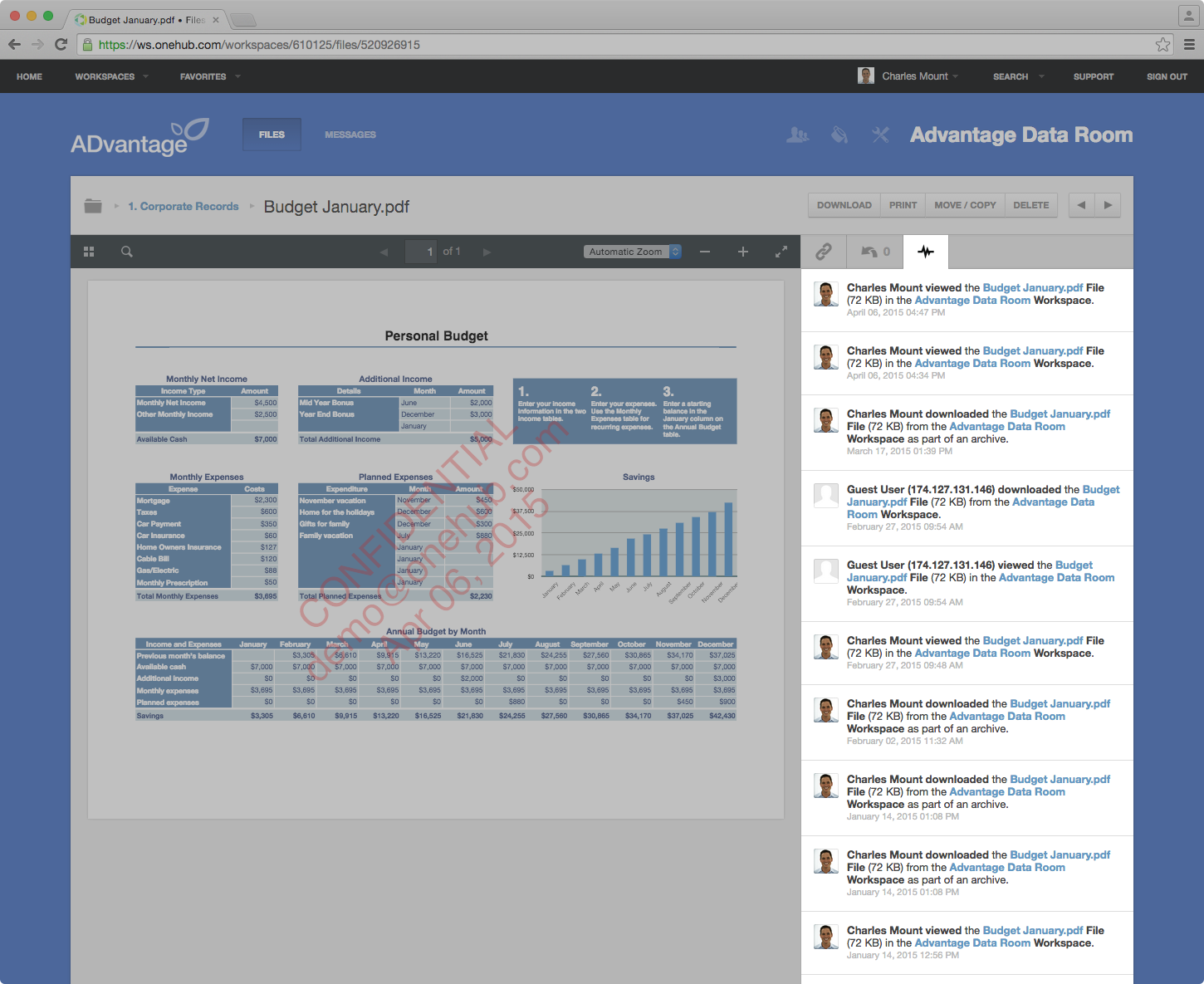
Screenshot of Onehub Workspace homeScreenshot of Data Room ActivityScreenshot of Custom Branded WorkspaceScreenshot of Mobile AccessScreenshot of User Permission Controls