TrustRadius: an HG Insights company

Save this comparison

Save this comparison

Add Product

Recommended Comparisons

    Overview
    ProductRatingMost Used ByProduct SummaryStarting Price

    pCloud

    Score5.8 out of 10
    N/ApCloud is a cloud- based digital asset management platform that provides access to all digital content including images,video, audio, documents, and more, anytime, anywhere, on any device. Users can keep important files safe and centralized in one place, and share with team members, clients, etc. across the globe with controlled access and permissions to the digital library. The vendor says that the product has a user-friendly interface that clearly shows where everything is located and…

    $29.97

    per month 3 users

    Stockpress

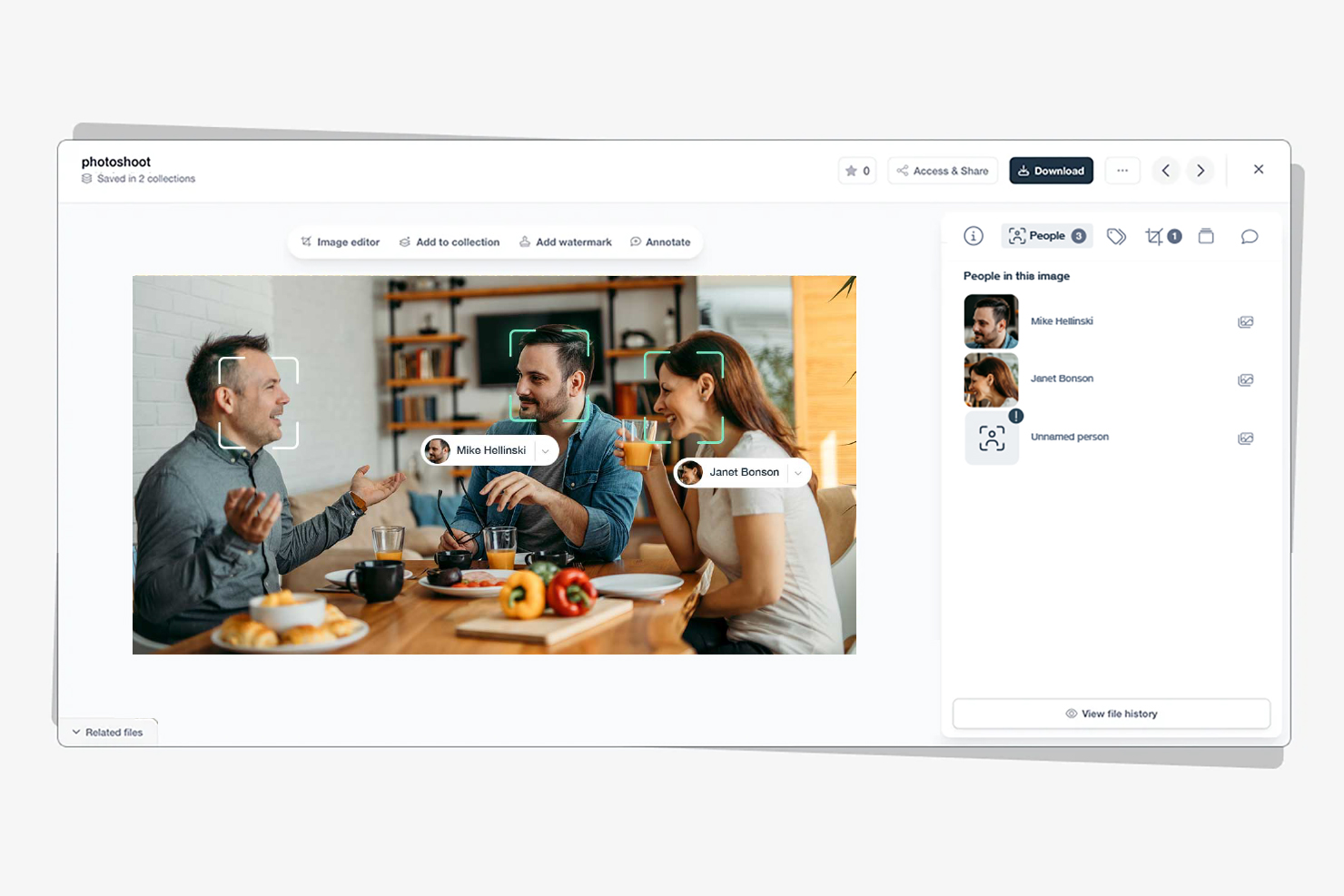
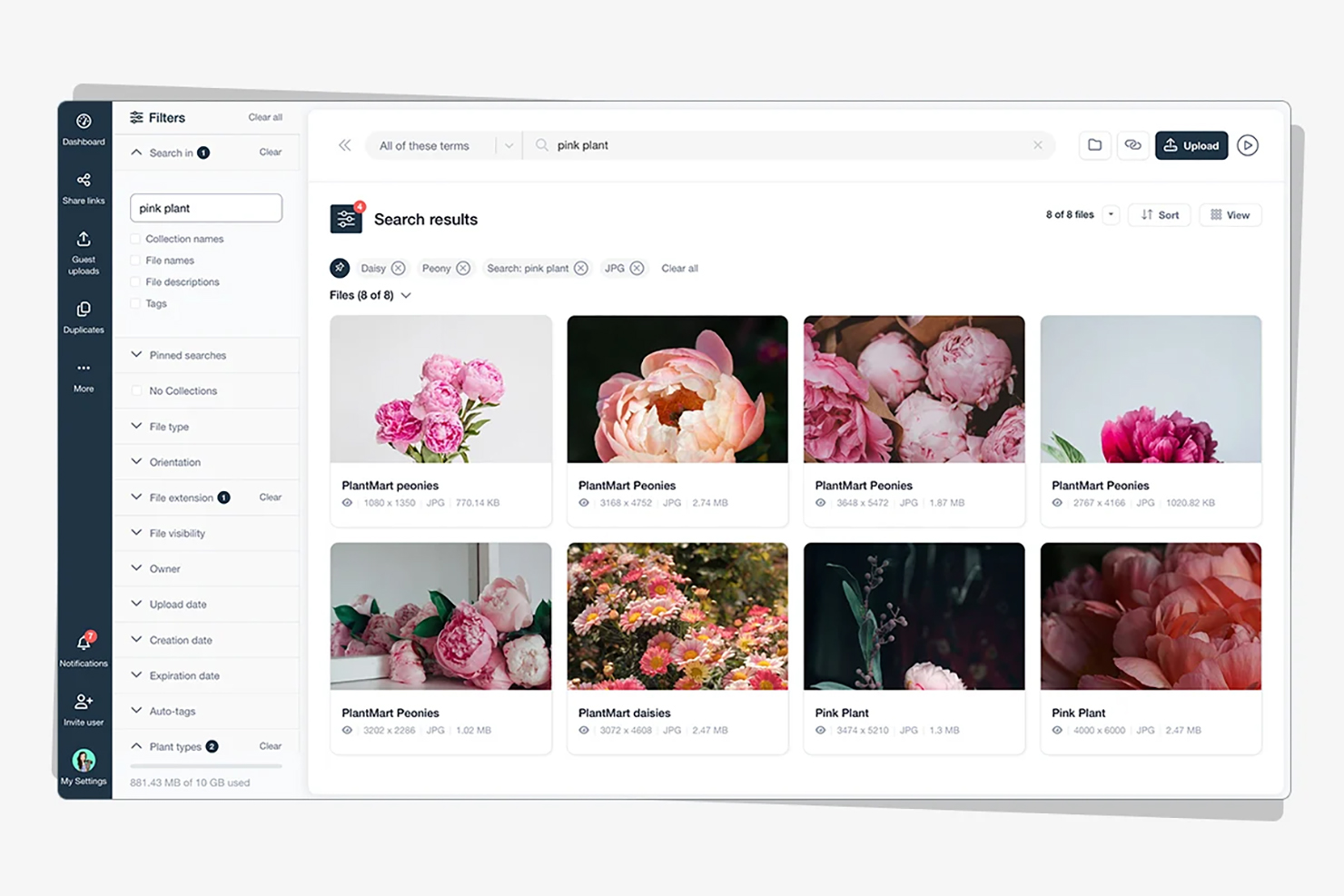
    N/AN/AStockpress is a Digital Asset Management (DAM) platform that helps organizations organize, find, and share digital content from one centralized workspace. With unlimited users on every plan, AI search that finds content by what's actually in it, automatic tagging, and enterprise-grade security, Stockpress aims to make content easy to manage without the complexity — or cost — of traditional DAM software.

    $99

    per month

    Pricing
    pCloudStockpress
    Editions & Modules
    pCloud Business
    $9.99
    per month per user (1 TB storage per user, 3+ users)
    Business Pro
    $19.98
    per month per user (2 TB storage per user, 3+ users)
    Essential
    $99
    per month
    Pro
    $175
    per month
    Premium
    $225
    per month
    Offerings
    Pricing Offerings
    pCloudStockpress
    Free Trial
    NoYes
    Free/Freemium Version
    YesYes
    Premium Consulting/Integration Services
    NoNo
    Entry-level Setup FeeOptionalNo setup fee
    Additional DetailsDiscount available for annual pricing.Stockpress is priced by storage, not by the number of users. Every paid plan includes unlimited users, unlimited admins, unlimited teams, and unlimited user roles at no additional cost. Pricing displayed is for an annual commitment, billed monthly. Pro and Premium plans offer multiple storage tiers (500 GB to 3 TB for Pro, 500 GB to 10 TB for Premium), so teams can choose the storage that fits their library size. There are no setup fees, no onboarding charges, and no per-seat licensing fees at any tier. Stockpress also offers a free plan with unlimited users and 3 GB of storage — no credit card required — so teams can evaluate the platform before committing to a paid plan. Nonprofit organizations qualify for a 30% discount across all paid plans.
    More Pricing Information
    Community Pulse
    pCloudStockpress
    Considered Both Products
    pCloud
    No answer on this topic
    Stockpress
    No answer on this topic
    Key User Insights
    Would buy again
    92%
    Would buy again
    12 Answers
    No answers on this topic
    Delivers good value for the price
    92%
    Delivers good value for the price
    12 Answers
    No answers on this topic
    Happy with the feature set
    100%
    Happy with the feature set
    13 Answers
    No answers on this topic
    Lived up to sales and marketing promises
    83%
    Lived up to sales and marketing promises
    10 Answers
    No answers on this topic
    Implementation went as expected
    92%
    Implementation went as expected
    12 Answers
    No answers on this topic
    Features
    pCloudStockpress
    Reporting & Analytics
    Comparison of Reporting & Analytics features of pCloud and Stockpress
    Feature
    pCloud
    8.0
    2 Ratings
    12% above category average
    Stockpress
    -
    Ratings
    Dashboards10.02 Ratings00 Ratings
    Standard reports9.92 Ratings00 Ratings
    Custom reports5.01 Ratings00 Ratings
    Data exportability5.01 Ratings00 Ratings
    Content analytics10.01 Ratings00 Ratings
    DAM Features
    Comparison of DAM Features features of pCloud and Stockpress
    Feature
    pCloud
    8.5
    4 Ratings
    4% above category average
    Stockpress
    -
    Ratings
    Uploading assets5.54 Ratings00 Ratings
    Downloading assets5.54 Ratings00 Ratings
    Categories9.12 Ratings00 Ratings
    Asset storage10.03 Ratings00 Ratings
    Asset sharing8.54 Ratings00 Ratings
    Asset search9.01 Ratings00 Ratings
    Embed codes9.92 Ratings00 Ratings
    Metadata8.01 Ratings00 Ratings
    Collections9.02 Ratings00 Ratings
    User access9.92 Ratings00 Ratings
    Related asset discovery9.01 Ratings00 Ratings
    Best Alternatives
    pCloudStockpress
    Small Businesses
    Adobe Bridge
    Score8.7 out of 10
    Adobe Bridge
    Score8.7 out of 10
    Medium-sized Companies
    Cloudinary
    Score9 out of 10
    Cloudinary
    Score9 out of 10
    Enterprises
    Acquia DAM (Widen)
    Score8.1 out of 10
    Acquia DAM (Widen)
    Score8.1 out of 10
    All AlternativesView all alternativesView all alternatives
    User Ratings
    pCloudStockpress
    Likelihood to Recommend
    5.5
    (13 ratings)
    -
    (0 ratings)
    Usability
    5.5
    (3 ratings)
    -
    (0 ratings)
    User Testimonials
    pCloudStockpress
    Likelihood to Recommend
    pCloud
    I need to store and share a lot of files. These include videos and other documents. Before using pCloud, I constantly had to clean up and delete files from my hard drive to free up space for new files. Sharing files and also using files on my website is now easier with pCloud's public folder.
    Incentivized
    Read full review
    Stockpress
    No answers on this topic
    Pros
    pCloud
    • pCloud helps us to store data very well and it is accessible from anywhere. It makes it easy for anyone to use it and secure the data. It is easy to upload data and access it while having a meeting with our client.
    • pCloud easily stores files from another platform as well like Google Drive or Dropbox. It easily exchanges information like images, videos, and documents. This feature is amazing as it gives access to files from other storage.
    • It had one feature known as pCloud Crypto which gives high-end security to the data when stored. It is highly secure and encrypted. It uses blockchain technology which requires a key to use called Crypto Pass to unlock your data. Really like it.
    Incentivized
    Read full review
    Stockpress
    No answers on this topic
    Cons
    pCloud
    • pCloud provides a lot of wonderful features, however we've seen a few stutters when using the service
    • Every time we try to download a file, it fails to complete the process
    • The newly uploaded files are not being correctly synced automatically
    Incentivized
    Read full review
    Stockpress
    No answers on this topic
    Usability
    pCloud
    It is very easy to use, fast loading and the product team keeps adding updates. Like now I can listen to all my audiobooks from a playlist in pCloud. I am ask for files or send files easier than ever before. I also have access to all my files whereever I am.
    Incentivized
    Read full review
    Stockpress
    No answers on this topic
    Alternatives Considered
    pCloud
    The reason why we love pCloud over similar tools is because of its neat and clean interface. We also love options for file encryption through pCloud Crypto, which is unavailable on Google Drive, Dropbox, or OneDrive. Also, the upload speed on pCloud is fantastic and it is a lot better than Dropbox or Google Drive
    Read full review
    Stockpress
    No answers on this topic
    Return on Investment
    pCloud
    • pCloud had worked very well for us. It had given the best service and features to us whenever we needed our data. It was there safe and secure.
    • The Synchronization issue is there with pCloud Data Storage. It needs to be updated by the developers if possible.
    • pCloud has helped us with the improvement of our business requirements, as it makes our work easier and fast enough to deliver the project details on time to clients.
    Incentivized
    Read full review
    Stockpress
    No answers on this topic
    ScreenShots

    pCloud Screenshots

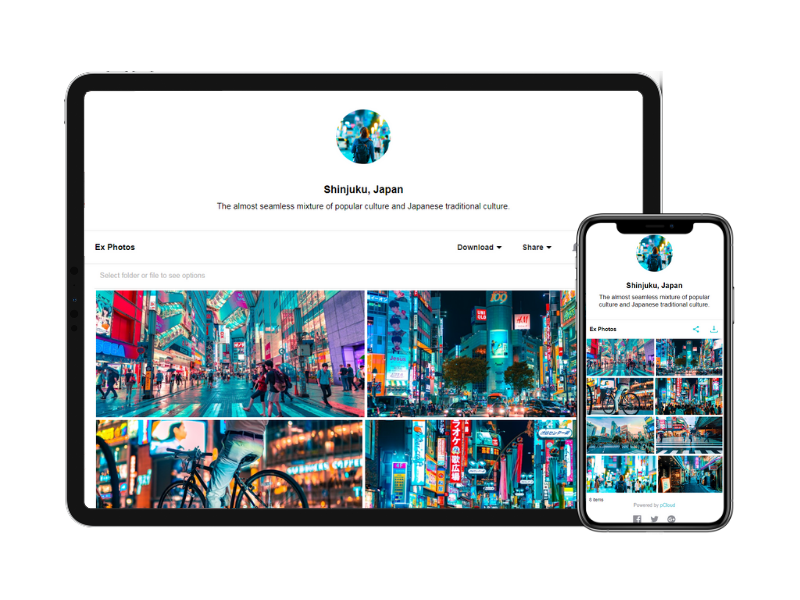
    Product screenshotProduct screenshotProduct screenshot

    Stockpress Screenshots

    Screenshot of where to organize assets into Collections to keep a library structured, accessible, and easy to navigate for every team member and external partner.Screenshot of Dashboard: A personalized workspace overview — recent files, favorite Collections, notifications, and quick access to everything your team needs.Screenshot of Facial recognition: Tag a face once and Stockpress finds that person across your entire photo library — instantly, across thousands of images.Screenshot of Image editor: Remove backgrounds, resize for any channel, and make quick edits without leaving Stockpress or opening external software.Screenshot of Search: Find any asset by describing what you're looking for — AI-powered search understands content, not just filenames or tags.