Planning Ops vs. Raken

Overview
ProductRatingMost Used ByProduct SummaryStarting Price
Planning Ops
Score 0.0 out of 10
N/A
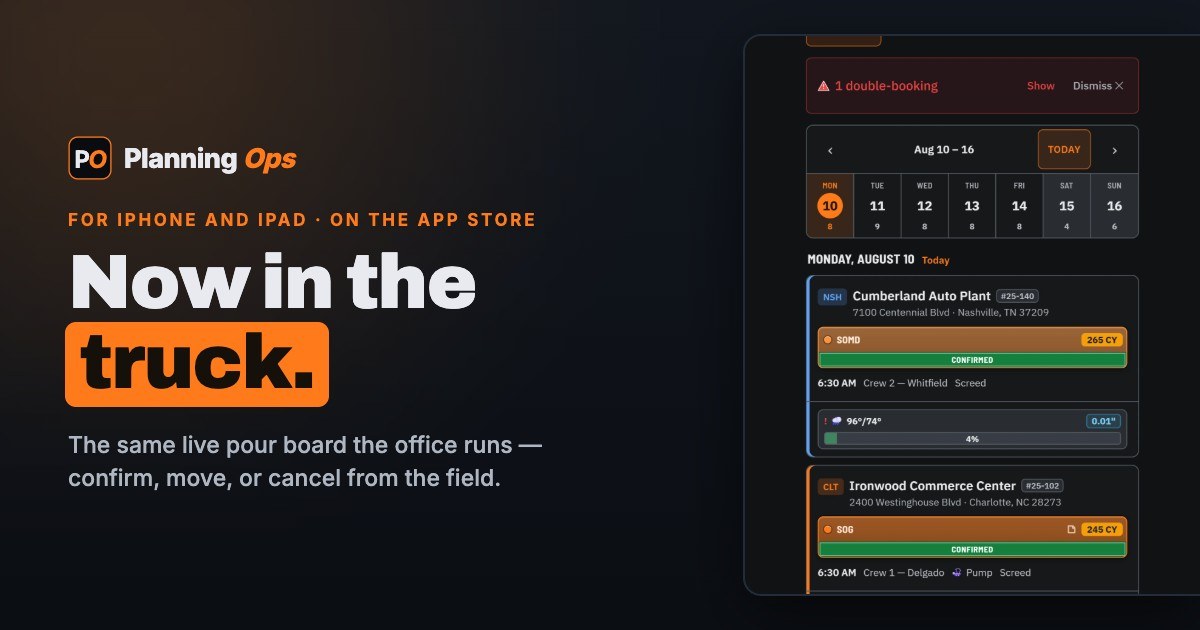
Planning Ops is a scheduling, crew planning, and daily field reporting software built specifically for concrete and specialty subcontractors. It combines three modules on a single login. Place & Finish is a drag-and-drop pour board with live weather per project by ZIP, automatic crew and equipment double-booking detection, cubic-yard rollups by day, project, and region, and a 365-day Lookahead. Its signature capability is one-click pour notifications: confirm, reschedule (by dragging the…N/A
Raken
Score 10.0 out of 10
N/A
Raken provides mobile-first technology to streamline field workflows and build better projects for the construction industry.N/A
Pricing
Planning OpsRaken
Editions & Modules
No answers on this topic
Offerings
Pricing Offerings
Planning OpsRaken
Free Trial
YesYes
Free/Freemium Version
NoNo
Premium Consulting/Integration Services
NoNo
Entry-level Setup FeeNo setup feeNo setup fee
Additional Details
More Pricing Information
Community Pulse
Planning OpsRaken
Considered Both Products
Planning Ops

No answer on this topic

Raken
Chose Raken
Raken services are available using a loud-based, free trial with effective training through documentation. The overall project management capabilities are excellent and effective for our users. Raken settings are also a simple process with a clean interface and functional …
Chose Raken
We use both software. Procore, we just recently switched over to. It is a compelling program, but just at a higher price point. Raken is a more affordable option, although they may not have exactly all the features that Procore has. But it does what it needs to pretty well.
Chose Raken
Vista is TTI's accounting software program. It is extremely well suited for the construction projects.

Team, which is similar to Raken, is more advance however the program is also more expensive.
Chose Raken
I'm used to seeing field operations employees use paper reporting for daily reports. I've seen some construction software companies incorporate daily reports but I haven't seen it yet where it is efficient and makes sense to use, most of the time it seems like an afterthought …
Features
Planning OpsRaken
Human Resource Management
Comparison of Human Resource Management features of Product A and Product B
Planning Ops
-
Ratings
Raken
8.1
Ratings
14% above category average
Employee demographic data00 Ratings7.30 Ratings
Employment history00 Ratings8.20 Ratings
Job profiles and administration00 Ratings8.20 Ratings
Workflow for transfers, promotions, pay raises, etc.00 Ratings8.20 Ratings
Organizational charting00 Ratings8.20 Ratings
Organization and location management00 Ratings8.20 Ratings
Compliance data (COBRA, OSHA, etc.)00 Ratings8.20 Ratings
Payroll Management
Comparison of Payroll Management features of Product A and Product B
Planning Ops
-
Ratings
Raken
8.2
Ratings
18% above category average
Pay calculation00 Ratings8.20 Ratings
Support for external payroll vendors00 Ratings8.20 Ratings
Off-cycle/On-Demand payment00 Ratings8.20 Ratings
Benefit plan administration00 Ratings8.20 Ratings
Direct deposit files00 Ratings8.20 Ratings
Salary revision and increment management00 Ratings8.20 Ratings
Reimbursement management00 Ratings8.20 Ratings
Asset Management
Comparison of Asset Management features of Product A and Product B
Planning Ops
-
Ratings
Raken
8.2
Ratings
19% above category average
Tracking of all physical assets00 Ratings8.20 Ratings
Reporting & Analytics
Comparison of Reporting & Analytics features of Product A and Product B
Planning Ops
-
Ratings
Raken
8.4
Ratings
9% above category average
Dashboards00 Ratings8.20 Ratings
Standard reports00 Ratings8.20 Ratings
Custom reports00 Ratings9.10 Ratings
Data exportability00 Ratings8.20 Ratings
Construction Project & Field Management
Comparison of Construction Project & Field Management features of Product A and Product B
Planning Ops
-
Ratings
Raken
8.4
Ratings
12% above category average
Plan distribution & viewing00 Ratings8.20 Ratings
Plan markups & sharing00 Ratings8.10 Ratings
Issue tracking & punchlists00 Ratings8.20 Ratings
Photo documentation00 Ratings9.00 Ratings
Jobsite reports00 Ratings9.10 Ratings
Document sharing00 Ratings8.20 Ratings
RFI tools00 Ratings8.20 Ratings
Collaboration & approvals00 Ratings8.20 Ratings
As-built drawings00 Ratings8.20 Ratings
Mobile app00 Ratings9.10 Ratings
Submittal design and management00 Ratings8.20 Ratings
Checklists00 Ratings8.20 Ratings
Meeting Minutes00 Ratings8.20 Ratings
Specifications00 Ratings8.20 Ratings
Change orders00 Ratings8.20 Ratings
Estimating
Comparison of Estimating features of Product A and Product B
Planning Ops
-
Ratings
Raken
8.0
Ratings
6% above category average
Takeoff tools00 Ratings8.20 Ratings
Job costing00 Ratings8.20 Ratings
Cost databases00 Ratings8.20 Ratings
Cost calculator00 Ratings7.30 Ratings
Bid creation00 Ratings8.20 Ratings
Best Alternatives
Planning OpsRaken
Small Businesses
FollowUp CRM
FollowUp CRM
Score 1.4 out of 10
FollowUp CRM
FollowUp CRM
Score 1.4 out of 10
Medium-sized Companies
InEight
InEight
Score 8.2 out of 10
InEight
InEight
Score 8.2 out of 10
Enterprises
InEight
InEight
Score 8.2 out of 10
InEight
InEight
Score 8.2 out of 10
All AlternativesView all alternativesView all alternatives
User Ratings
Planning OpsRaken
Likelihood to Recommend
-
(0 ratings)
8.7
(0 ratings)
Support Rating
-
(0 ratings)
9.0
(0 ratings)
User Testimonials
Planning OpsRaken
Likelihood to Recommend
No answers on this topic
Raken is a great way to keep track of the day to day work being done on the job site. It's especially good at keeping all members of the project on the same page and all updated with the most current information on the job. Photos help assist office personnel and Project Managers of the progress on the job site.
Read full review
Pros
No answers on this topic
  • Great iPhone application - The application makes reporting and adding photos very easy.
  • It's easy to navigate different days and reports. Or to find keywords or subcontractors and when they performed work.
Read full review
Cons
No answers on this topic
  • The time card can't be downloaded.
  • Would like time card template. Unaware if there is a time card template within the system.
Read full review
Support Rating
No answers on this topic
Raken has an excellent support team. Raken are pretty prompt with getting back to you. Raken also has a convenient chat feature on their website. All their support members are friendly and are good at helping you understand and resolve your issues.
Read full review
Alternatives Considered
No answers on this topic
Raken services are available using a loud-based, free trial with effective training through documentation. The overall project management capabilities are excellent and effective for our users. Raken settings are also a simple process with a clean interface and functional features.
Read full review
Return on Investment
No answers on this topic
  • Less need to travel to each job site.
  • Automated emailed reports to clients reduces the number of meetings/conversations about what is happening on the project.
Read full review
ScreenShots

Planning Ops Screenshots

Screenshot of the Place & Finish pour board — projects grouped by region, days as columns, color-coded pour pills, cubic-yard KPIs, and live weather.Screenshot of the Manpower crew board — foremen and crews as rows, weeks as columns, headcount per cell, with a near-term Day Mode for daily crew assignment.Screenshot of Time tracking — daily crew timesheets with ST/OT/DT, holidays and PTO, and one-click payroll export to ADP, Paychex, or Excel.