Plutio vs. WorkOtter PPM

Overview
ProductRatingMost Used ByProduct SummaryStarting Price
Plutio
Score 8.7 out of 10
N/A
Plutio is a project management application from the UK company of the same name, featuring configurable shareable task lists, task notifications and alerts, and a client portal.N/A
WorkOtter PPM
Score 9.1 out of 10
Mid-Size Companies (51-1,000 employees)
WorkOtter is presented by the vendor as a simple, flexible, and scalable project portfolio management (PPM) solution for IT, Engineering, and Professional Service PMOs. The software manages the lifecycle of work from ideas through project planning, control, lessons learned, and close. Projects can then be rolled up to Programs (multi project efforts) or Portfolios (Roadmaps with What If Scenarios). All features were designed to support Project Teams with simplicity and usability in mind.…
$10
per user per month
Pricing
PlutioWorkOtter PPM
Editions & Modules
No answers on this topic
Time/Status
$10
per user per month
Team
$20
per user, per month
Manager
$35
per user, per month
Offerings
Pricing Offerings
PlutioWorkOtter PPM
Free Trial
NoYes
Free/Freemium Version
NoNo
Premium Consulting/Integration Services
NoYes
Entry-level Setup FeeNo setup feeNo setup fee
Additional DetailsTime/Status Tier is BEST FOR: Contractors, Consultants, Limited Team Members FUNCTIONALITY AVAILABLE:Timesheets, Adjust Estimate To Complete, Create Notes for PM and Team Members Team Tier is BEST FOR: Customers, Suppliers, Contractors, Consultants, Team Members FUNCTIONALITY INCLUDES TIME/STATUS PLUS: My Home Dashboards, Support Log Updates, Issue Updates, Changes, Timesheet & Expenses, Risks, Action Items Limited, Reporting, E-Mail Updates, Chat & Collaboration Manager Tier is BEST FOR: Project Managers, Program Managers, Executives, PMO Department Managers, Administrators FUNCTIONALITY INCLUDES TEAM PLUS: Project Management, Microsoft Project -Way Sync, Dashboard Reporting, Program Management, Resource Management, Portfolio Management, Workflow Management, Estimating and Templates
More Pricing Information
Community Pulse
PlutioWorkOtter PPM
Features
PlutioWorkOtter PPM
Project Management
Comparison of Project Management features of Product A and Product B
Plutio
8.3
12 Ratings
7% above category average
WorkOtter PPM
9.9
2 Ratings
25% above category average
Task Management10.012 Ratings10.01 Ratings
Resource Management7.58 Ratings10.02 Ratings
Gantt Charts6.03 Ratings10.02 Ratings
Scheduling10.08 Ratings10.02 Ratings
Workflow Automation6.95 Ratings10.01 Ratings
Team Collaboration10.011 Ratings9.01 Ratings
Support for Agile Methodology5.04 Ratings10.01 Ratings
Support for Waterfall Methodology8.52 Ratings00 Ratings
Document Management6.010 Ratings00 Ratings
Email integration10.09 Ratings00 Ratings
Mobile Access7.69 Ratings00 Ratings
Timesheet Tracking10.07 Ratings10.01 Ratings
Change request and Case Management9.25 Ratings10.01 Ratings
Budget and Expense Management9.53 Ratings00 Ratings
Professional Services Automation
Comparison of Professional Services Automation features of Product A and Product B
Plutio
7.1
10 Ratings
9% below category average
WorkOtter PPM
-
Ratings
Quotes/estimates7.17 Ratings00 Ratings
Invoicing8.610 Ratings00 Ratings
Project & financial reporting7.15 Ratings00 Ratings
Integration with accounting software5.53 Ratings00 Ratings
Best Alternatives
PlutioWorkOtter PPM
Small Businesses
Stackby
Stackby
Score 8.9 out of 10
Stackby
Stackby
Score 8.9 out of 10
Medium-sized Companies
InEight
InEight
Score 8.3 out of 10
InEight
InEight
Score 8.3 out of 10
Enterprises
InEight
InEight
Score 8.3 out of 10
InEight
InEight
Score 8.3 out of 10
All AlternativesView all alternativesView all alternatives
User Ratings
PlutioWorkOtter PPM
Likelihood to Recommend
8.0
(13 ratings)
10.0
(2 ratings)
Usability
9.0
(2 ratings)
-
(0 ratings)
Support Rating
10.0
(7 ratings)
-
(0 ratings)
User Testimonials
PlutioWorkOtter PPM
Likelihood to Recommend
Plutio
Plutio is great for the individual who is constantly on the go, managing a wealth of online information and projects. I can see those who work in education, such as administration, or technology coaches/teacher coaches using a platform like this to stay organized. Freelance or consultants would also benefit as it can manage your digital self.
Read full review
WorkOtter
I know it works well for IT but not sure how it would work for construction. I think construction has a different set of needs.
Read full review
Pros
Plutio
  • Task tracking.
  • Assigning tasks with sending notifications.
  • Start and complete the task with the notified team leader upon completion of the task.
  • Different project management.
  • Efficient working with the team.
  • Assign team members to manage the task with full or partial access.
  • Powerful user experience.
  • Set reminders of specific tasks or schedules.
Read full review
WorkOtter
  • Users find it easy to use which is important if you have a large number of users who don't have time for a lot of training or when new hires come on-board.
  • WorkOtter has a lot of advanced features that we don't use but when we do need one, it is nice to know the feature is waiting for us. We have used several of these features for special projects.
  • It does a good job with resource management.
Read full review
Cons
Plutio
  • While the ability to customize is great, it is a little lacking in the visual GUI department. But thats more of a personal preference than anything else.
  • When choosing dates and times for tasks and projects I think the input method could be a little less clunky.
Read full review
WorkOtter
  • Nothing significant. Maybe could be faster at times but I'm not sure if that is our own internet connection.
Read full review
Usability
Plutio
Plutio puts work into real contribution, allowing me to connect with the team with white-label collaboration. It is an all-in-one platform for me to manage all tasks effectively. Consistently, it positively impacts work and overall growth by adding encouragement. It's worth using this tool to keep track of the task and overall development, so sharing positive reviews might be helpful to others.
Read full review
WorkOtter
No answers on this topic
Support Rating
Plutio
I have only needed to reach out for support once and got a quick response. There was an issue with the Mac app, but I knew it was in beta. Leo, the owner, was quick to reply thanking me for letting him know about the issue, that the Mac app is still in beta, and that I can use the web version in the meantime until the bug was fixed.
Read full review
WorkOtter
No answers on this topic
Alternatives Considered
Plutio
I have tried Suite Dash, Agiled, FlowLu throughout the process of finding a tool that fits our business the best. Plutio was the easiest to deploy and use by far. The other systems had more features and capability but was pretty difficult to learn how to use and set up. We were up and running with Plutio in a matter of hours with a business process, rather than a spreadsheet and an independent proposal and invoicing process.
Read full review
WorkOtter
No answers on this topic
Return on Investment
Plutio
  • We landed some contracts on platforms like Upwork, due to the professional image we portray with Plutio
  • Excellent ROI, we save lots of time with this tool
  • Very reasonable pricing for what you get (ROI)
  • More organized in our daily business
Read full review
WorkOtter
  • I think it has really helped us make sure we are using resources effectively but I think it is hard to prove. Although we don't have hard ROI numbers, I believe the general feeling is that you really need a good PPM tool or will waste a lot of time and money.
  • It helps with communication since we have a standard process.
Read full review
ScreenShots

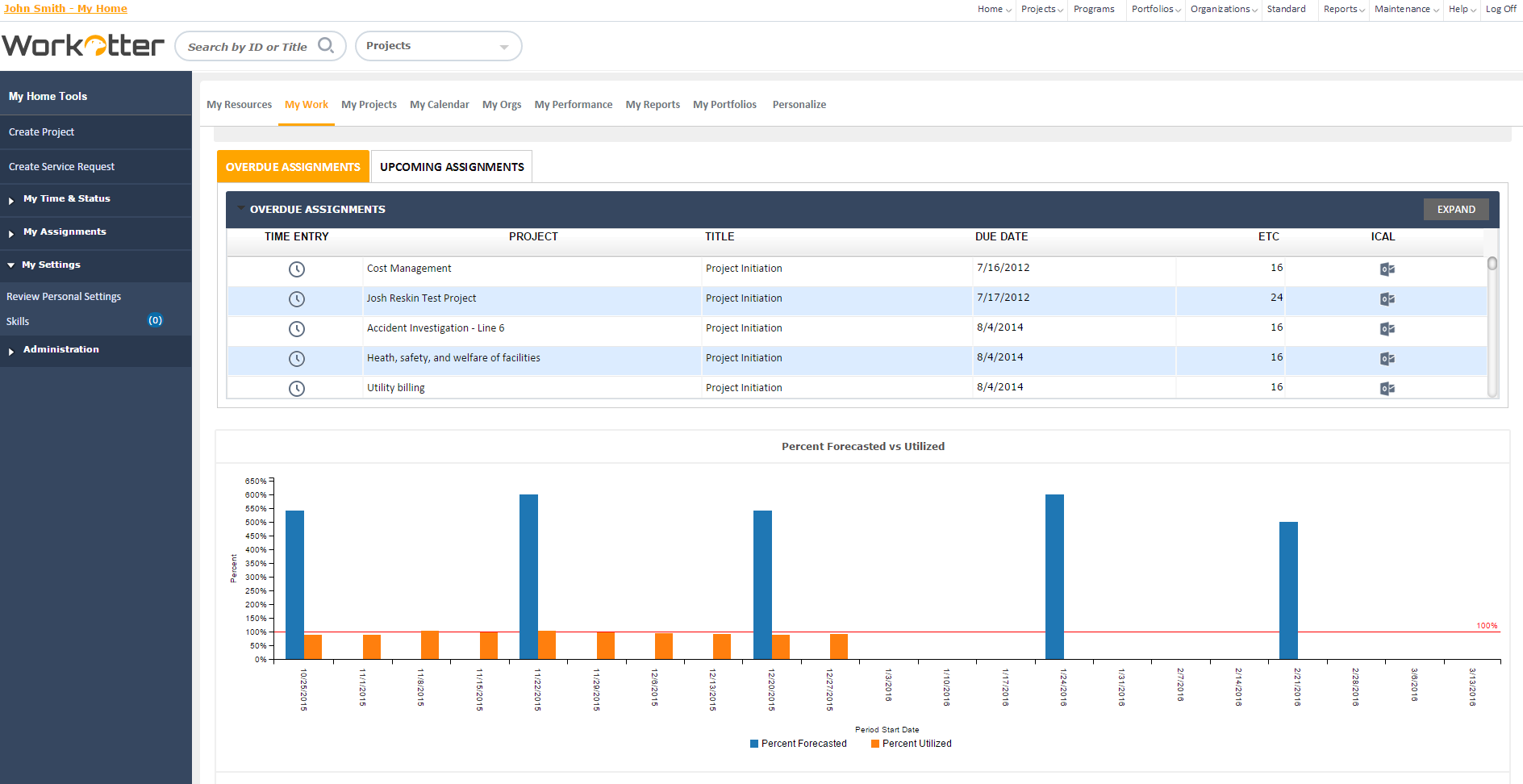
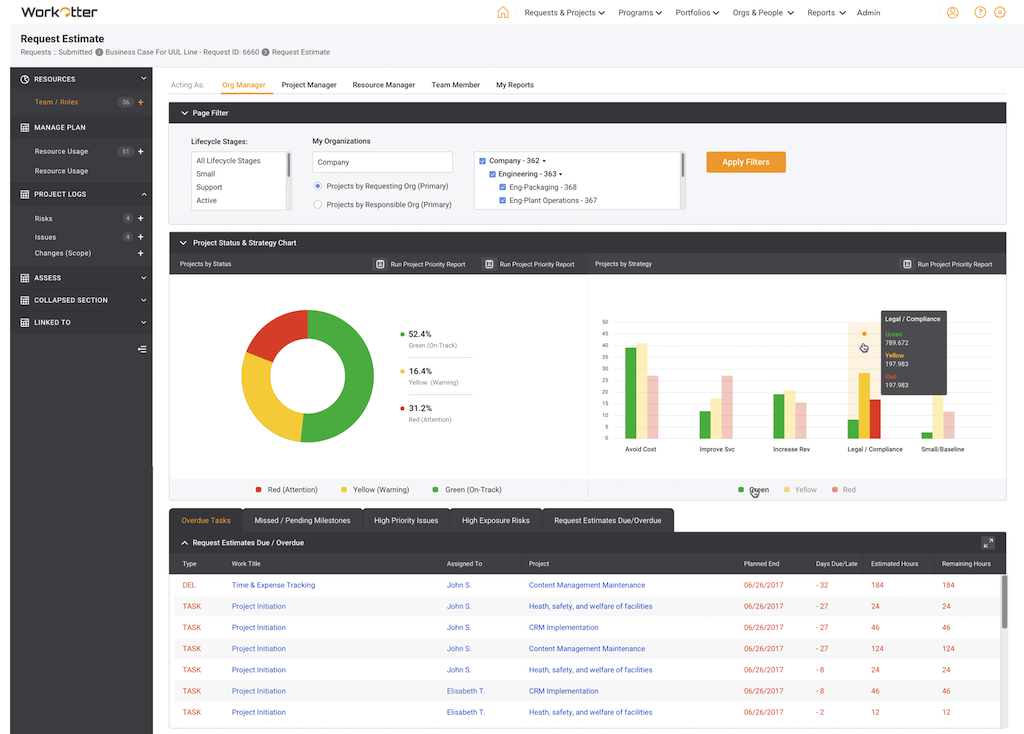
WorkOtter PPM Screenshots

Screenshot of Dashboard viewScreenshot of WorkOtter MyWork viewScreenshot of Dashboard OverviewScreenshot of Resource Usage for People, Tasks, Time, BudgetScreenshot of Over/Under resource allocation viewScreenshot of Project Management Workflow - Customizable