SaneBox helps clean up your inbox and management messages.
$7
per month
Zimbra
Score6.9 out of 10
N/A
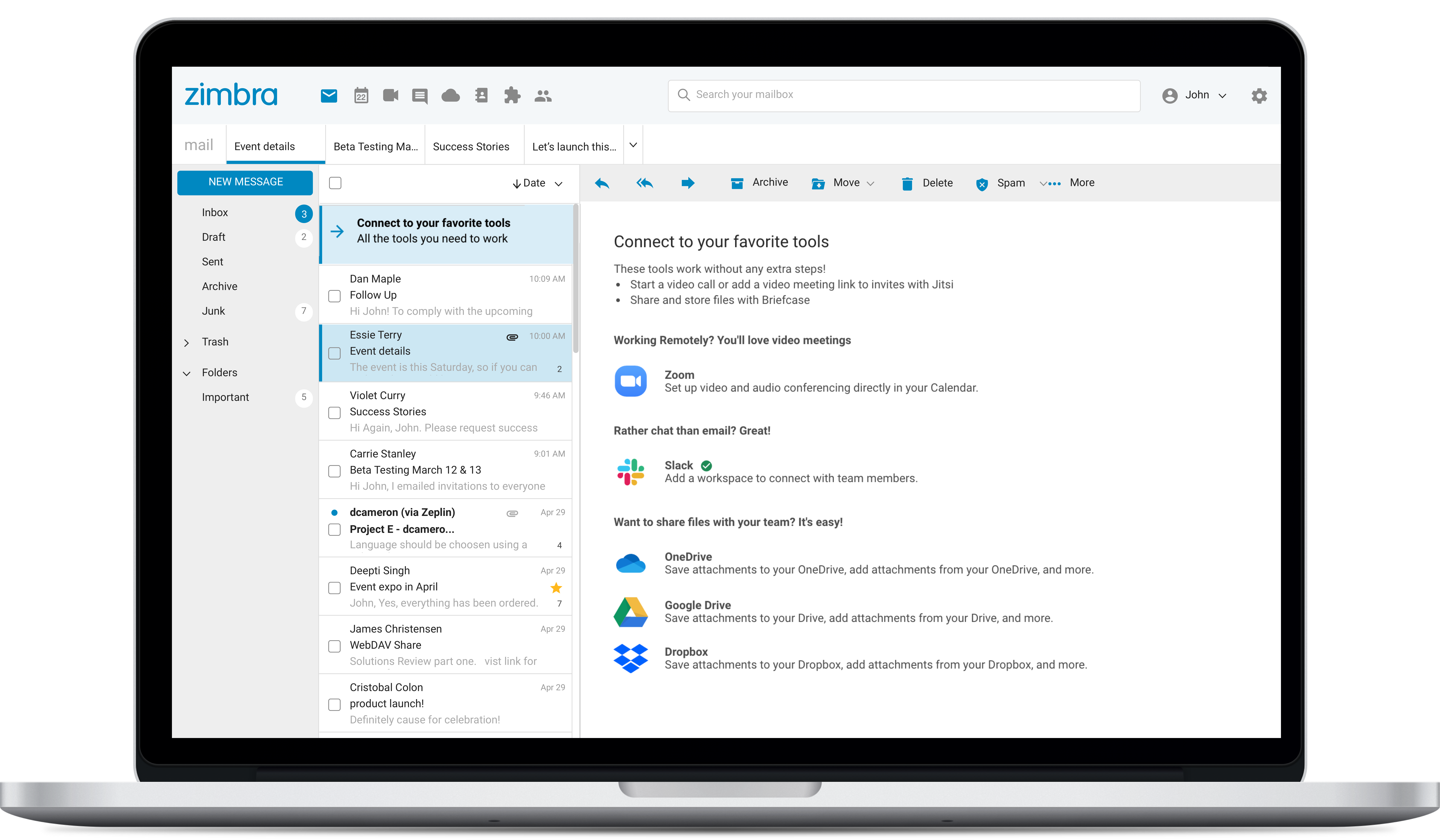
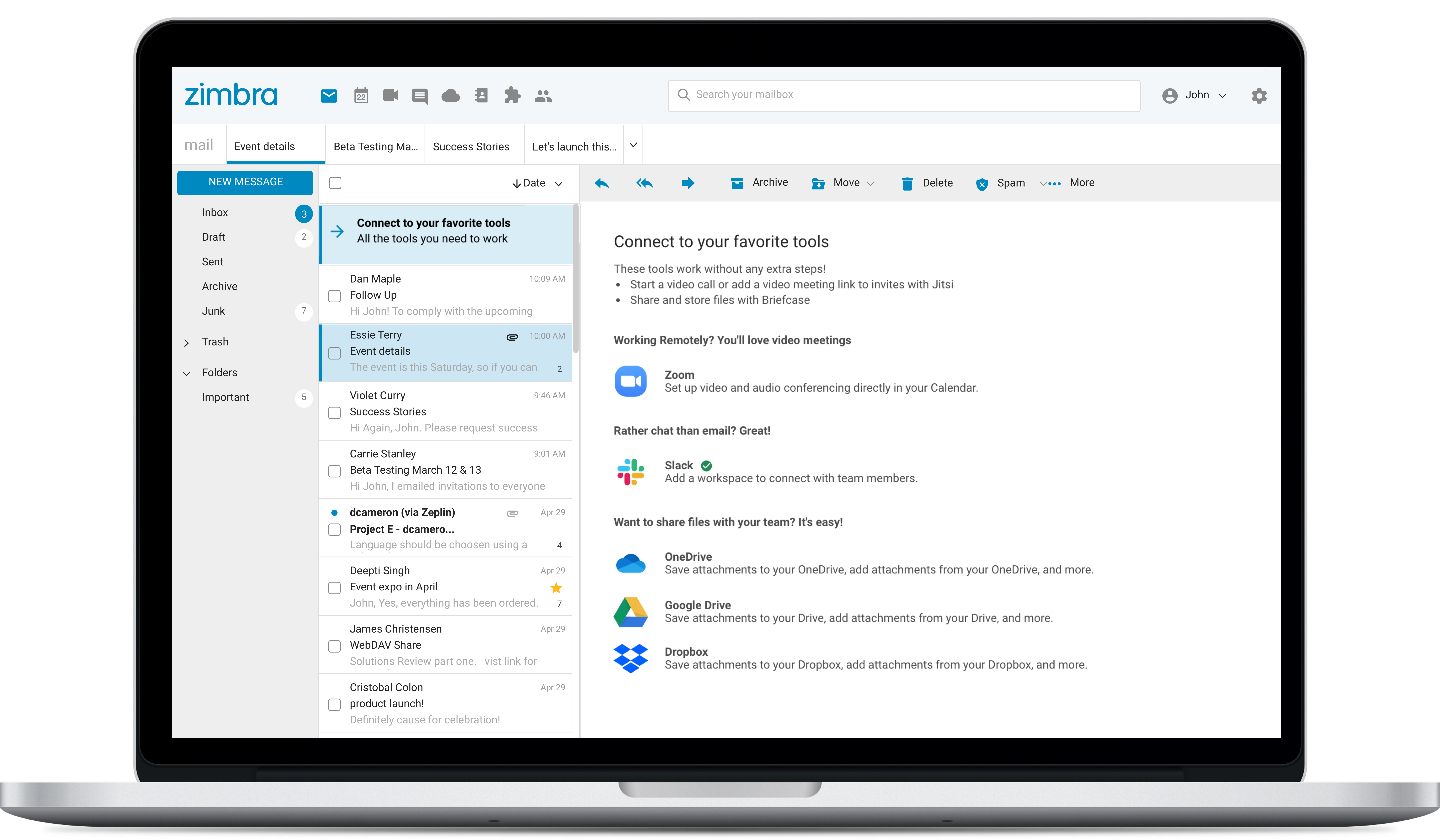
Zimbra is an email and collaboration platform and productivity suite that includes contacts, calendar, tasks, chat and file sharing, plus videoconferencing, document editing, and file storage.
N/A
Pricing
PstViewer Pro
SaneBox
Zimbra
Editions & Modules
No answers on this topic
SNACK
$7
month
LUNCH
$12
month
DINNER
$36
month
No answers on this topic
Offerings
Pricing Offerings
PstViewer Pro
SaneBox
Zimbra
Free Trial
Yes
Yes
Yes
Free/Freemium Version
No
No
No
Premium Consulting/Integration Services
No
No
No
Entry-level Setup Fee
No setup fee
No setup fee
No setup fee
Additional Details
—
—
—
More Pricing Information
Features
PstViewer Pro
SaneBox
Zimbra
Project Management
Comparison of Project Management features of PstViewer Pro and SaneBox and Zimbra by Synacor
Feature
PstViewer Pro
-
Ratings
SaneBox
-
Ratings
Zimbra by Synacor
9.0
6 Ratings
16% above category average
Task Management
00 Ratings
00 Ratings
9.86 Ratings
Gantt Charts
00 Ratings
00 Ratings
8.13 Ratings
Scheduling
00 Ratings
00 Ratings
9.85 Ratings
Workflow Automation
00 Ratings
00 Ratings
7.23 Ratings
Mobile Access
00 Ratings
00 Ratings
9.76 Ratings
Search
00 Ratings
00 Ratings
9.86 Ratings
Visual planning tools
00 Ratings
00 Ratings
8.53 Ratings
Communication
Comparison of Communication features of PstViewer Pro and SaneBox and Zimbra by Synacor
Feature
PstViewer Pro
-
Ratings
SaneBox
-
Ratings
Zimbra by Synacor
6.6
9 Ratings
19% below category average
Chat
00 Ratings
00 Ratings
7.07 Ratings
Notifications
00 Ratings
00 Ratings
5.18 Ratings
Discussions
00 Ratings
00 Ratings
2.07 Ratings
Surveys
00 Ratings
00 Ratings
7.72 Ratings
Internal knowledgebase
00 Ratings
00 Ratings
7.73 Ratings
Integrates with GoToMeeting
00 Ratings
00 Ratings
7.63 Ratings
Integrates with Gmail and Google Hangouts
00 Ratings
00 Ratings
8.04 Ratings
Integrates with Outlook
00 Ratings
00 Ratings
7.53 Ratings
File Sharing & Management
Comparison of File Sharing & Management features of PstViewer Pro and SaneBox and Zimbra by Synacor
SaneBox is great for anybody who a) gets a lot of emails, and b) needs to respond quickly to email. For example, as a consultant, it's important that I quickly read and respond to my clients' email messages. SaneBox would be less useful for people with low volumes of email, or where there is little or no email from external senders.
A de minimis incentive was given to thank the reviewer for their time. The incentive was not used to bias or drive a particular response, nor was the incentive contingent on a positive endorsement. More Info
Zimbra is great for an email system for a medium or large organization with appropriate IT staffing. The system is easy to use for end-users, and has a fantastic web interface. Unfortunately, it is overly complex, when considering staffing requirements and price, when compared with Office 365 or Google Apps for smaller organizations. For other education customers, it is hard to compete with Microsoft and Google providing their services for "Free" now though
A de minimis incentive was given to thank the reviewer for their time. The incentive was not used to bias or drive a particular response, nor was the incentive contingent on a positive endorsement. More Info
A de minimis incentive was given to thank the reviewer for their time. The incentive was not used to bias or drive a particular response, nor was the incentive contingent on a positive endorsement. More Info
A de minimis incentive was given to thank the reviewer for their time. The incentive was not used to bias or drive a particular response, nor was the incentive contingent on a positive endorsement. More Info
Zimbra's mobile application leaves much to be desired; it is its weakest point.
This forces the use of third-party applications on smartphones, which only offer a more or less complete integration with the ActiveSync protocol.
Zimbra allows for an on-premise scenario, which is not for everyone, especially considering that the trend nowadays is to outsource email; in any case, it also offers this alternative.
The cost of Zimbra as a SaaS solution comes too close to that of more widely adopted competing options.
Zimbra lacks a robust integrated chat system, which its competitors offer.
A de minimis incentive was given to thank the reviewer for their time. The incentive was not used to bias or drive a particular response, nor was the incentive contingent on a positive endorsement. More Info
The web usability of the solution is adequate, with all functions integrated into a single interface. However, it is important to note that in the desktop environment, it lacks its own application and relies on ActiveSync synchronization with reference solutions like Outlook or Thunderbird. Some features, such as the briefcase, will be excluded. The same happens on smartphones.It is also common for competing solutions to include integrated chat or video call tools, which Zimbra lacks. These shortcomings are among the most frequently requested by users.
A de minimis incentive was given to thank the reviewer for their time. The incentive was not used to bias or drive a particular response, nor was the incentive contingent on a positive endorsement. More Info
Overall, we were satisfied with the implementation. We perhaps should have spent more time consulting with Zimbra or others regarding best practices but as we got to know the system better we were able to make changes relatively easily after the fact.
A de minimis incentive was given to thank the reviewer for their time. The incentive was not used to bias or drive a particular response, nor was the incentive contingent on a positive endorsement. More Info
I use the Snooze and Spam features in Office 365 for another mailbox. I feel SaneBox's system of folders is easier to manage, plus it is available from anywhere I check my email. Office 365 snooze is not available through my Android email program and in [my opinion] it's aggravating not being able to organize email from my phone.
A de minimis incentive was given to thank the reviewer for their time. The incentive was not used to bias or drive a particular response, nor was the incentive contingent on a positive endorsement. More Info
Zimbra is a significantly cheaper option than one of the Microsoft solutions, such as Exchange. It is able to run in a free environment, as it is in the case of Linux. It offers the advantages of a powerful mail manager, such as indexed searches and the integration of contacts and notes, all in one platform. It is constantly updated and the operation of its connection in mobile equipment is remarkable and very efficient. Additionally, it is able to easily integrate with Outlook solutions with its connector, which brings all the benefits of Zimbra to the user under the interface known as "mail manager." So far, I have been using Zimbra for several years and I have not missed my previous work platforms.
A de minimis incentive was given to thank the reviewer for their time. The incentive was not used to bias or drive a particular response, nor was the incentive contingent on a positive endorsement. More Info
A de minimis incentive was given to thank the reviewer for their time. The incentive was not used to bias or drive a particular response, nor was the incentive contingent on a positive endorsement. More Info
Zimbra is a cheaper email service than other similar platforms and in my point of view offers better features, that's why the company migrated services to this platform several years ago and without a doubt, it has been the best investment.
Zimbra has a more user-friendly interface for employees, this has improved response times to external customers of the company.
The implementation of Zimbra in the company motivated the IT engineering department to make improvements in open source to adapt it to the needs of the company.
A de minimis incentive was given to thank the reviewer for their time. The incentive was not used to bias or drive a particular response, nor was the incentive contingent on a positive endorsement. More Info