Quixy vs. Microsoft SQL Server

Overview
ProductRatingMost Used ByProduct SummaryStarting Price
Quixy
Score 9.9 out of 10
Small Businesses (1-50 employees)
Enterprises can use Quixy's cloud-based no-code platform to enable their business users (citizen developers) to automate workflows and build simple to complex enterprise-grade applications for their custom needs. Quixy helps eliminate manual processes and turn ideas into applications making business more innovative, productive, and transparent. Users can start from scratch or customize pre-built apps from the Quixy app…N/A
Microsoft SQL Server
Score 8.7 out of 10
N/A
Microsoft SQL Server is a relational database.
$1,418
Per License
Pricing
QuixyMicrosoft SQL Server
Editions & Modules
Enterprise
Contact Sales
Platform
Contact Sales
per month billed annually. This plan is suitable when the no. of users is high and the no. of apps/workflows is low.
Solution
Contact Sales
per month billed annually. This plan is suitable when the no. of users is high and the no. of apps/workflows is low.
Solution
Suitable when the no. of users is high and the no. of apps/workflows is low
Platform
Suitable when the no. of apps/workflows is high
Subscription
$1,418.00
Per License
Enterprise
$13,748.00
Per License
Offerings
Pricing Offerings
QuixyMicrosoft SQL Server
Free Trial
NoNo
Free/Freemium Version
NoNo
Premium Consulting/Integration Services
YesNo
Entry-level Setup FeeNo setup feeNo setup fee
Additional DetailsSolution Suitable when the no. of users is high and the no. of apps/workflows is low Platform Suitable when the no. of apps/workflows is high Enterprise Suitable for bigger organizations looking for enterprise features
More Pricing Information
Community Pulse
QuixyMicrosoft SQL Server
Best Alternatives
QuixyMicrosoft SQL Server
Small Businesses
Stackby
Stackby
Score 9.0 out of 10
InterSystems IRIS
InterSystems IRIS
Score 7.8 out of 10
Medium-sized Companies
Creatio
Creatio
Score 9.1 out of 10
InterSystems IRIS
InterSystems IRIS
Score 7.8 out of 10
Enterprises
Creatio
Creatio
Score 9.1 out of 10
SAP IQ
SAP IQ
Score 10.0 out of 10
All AlternativesView all alternativesView all alternatives
User Ratings
QuixyMicrosoft SQL Server
Likelihood to Recommend
10.0
(25 ratings)
8.1
(102 ratings)
Likelihood to Renew
-
(0 ratings)
9.0
(6 ratings)
Usability
9.5
(5 ratings)
7.6
(16 ratings)
Availability
-
(0 ratings)
10.0
(1 ratings)
Performance
-
(0 ratings)
9.0
(1 ratings)
Support Rating
-
(0 ratings)
7.9
(25 ratings)
In-Person Training
-
(0 ratings)
9.0
(1 ratings)
Online Training
-
(0 ratings)
9.0
(1 ratings)
Implementation Rating
-
(0 ratings)
9.0
(5 ratings)
Configurability
-
(0 ratings)
10.0
(1 ratings)
Ease of integration
-
(0 ratings)
9.0
(1 ratings)
Product Scalability
-
(0 ratings)
9.0
(1 ratings)
Vendor post-sale
-
(0 ratings)
9.0
(1 ratings)
Vendor pre-sale
-
(0 ratings)
9.0
(1 ratings)
User Testimonials
QuixyMicrosoft SQL Server
Likelihood to Recommend
Quixy
Quixy BPM for managing business processes distinguishes itself through its user-friendly interface and the absence of any coding requirements. This makes it an ideal solution for companies looking to streamline their operations. Quixy BPM is suitable for businesses of all sizes and represents a cost-effective way to save time and effort.
Read full review
Microsoft
Microsoft SQL is ubiquitous, while MySQL runs under the hood all over the place. Microsoft SQL is the platform taught in colleges and certification courses and is the one most likely to be used by businesses because it is backed by Microsoft. Its interface is friendly (well, as pleasant as SQL can be) and has been used by so many for so long that resources are freely available if you encounter any issues.
Read full review
Pros
Quixy
  • Forms Automation: Quixy helps us in developing forms within minutes and hours with simple drag and drop.
  • Report Builder: The report builder tool allows you to generate customized reports based on the data collected available in various data sources.
  • Integration: Integration with external systems through API's.
Read full review
Microsoft
  • Easy to configure and use with Visual Studio and Dot Net
  • Easy integration with MSBI to perform data analysis
  • Data Security
  • Easy to understand and use
  • Very easy to export database and tables in the form of SQL query or a script
Read full review
Cons
Quixy
  • Better UI/UX will take the platform to next level.
  • Application Library: Having base versions of frequently used applications in the app library helps the users to build applications quickly.
  • Having more online help content will help the users to resolve the issues on their own.
Read full review
Microsoft
  • Microsoft SQL Server Enterprise edition has a high cost but is the only edition which supports SQL Always On Availability Groups. It would be nice to include this feature in the Standard version.
  • Licensing of Microsoft SQL Server is a quite complex matter, it would be good to simplify licensing in the future. For example, per core vs per user CAL licensing, as well as complex licensing scenarios in the Cloud and on Edge locations.
  • It would be good to include native tools for converting Oracle, DB2, Postgresql and MySQL/MariaDB databases (schema and data) for import into Microsoft SQL Server.
Read full review
Likelihood to Renew
Quixy
No answers on this topic
Microsoft
We understand that the Microsoft SQL Server will continue to advance, offering the same robust and reliable platform while adding new features that enable us, as a software center, to create a superior product. That provides excellent performance while reducing the hardware requirements and the total cost of ownership of our solution.
Read full review
Usability
Quixy
Quixy has allowed us to focus on more important tasks, as the platform takes care of labor-intensive administrative work. The automation of various processes has been invaluable, as it has saved us a considerable amount of time and resources. Overall, Quixy has transformed our administrative work and has enabled us to allocate more resources to critical tasks, leading to better outcomes for our organization.
Read full review
Microsoft
SQL Server mostly 'just works' or generates error messages to help you sort out the trouble. You can usually count on the product to get the job done and keep an eye on your potential mistakes. Interaction with other Microsoft products makes operating as a Windows user pretty straight forward. Digging through the multitude of dialogs and wizards can be a pain, but the answer is usually there somewhere.
Read full review
Reliability and Availability
Quixy
No answers on this topic
Microsoft
Its does not have outages.
Read full review
Performance
Quixy
No answers on this topic
Microsoft
SSAS data cubes may some time slow down your Excel reports.
Read full review
Support Rating
Quixy
No answers on this topic
Microsoft
We managed to handle most of our problems by looking into Microsoft's official documentation that has everything explained and almost every function has an example that illustrates in detail how a particular functionality works. Just like PowerShell has the ability to show you an example of how some cmdlet works, that is the case also here, and in my opinion, it is a very good practice and I like it.
Read full review
In-Person Training
Quixy
No answers on this topic
Microsoft
It was good
Read full review
Online Training
Quixy
No answers on this topic
Microsoft
very hands on and detailed training
Read full review
Implementation Rating
Quixy
No answers on this topic
Microsoft
Other than SQL taking quite a bit of time to actually install there are no problems with installation. Even on hardware that has good performance SQL can still take close to an hour to install a typical server with management and reporting services.
Read full review
Alternatives Considered
Quixy
While Excel is a powerful tool for organizing data and creating basic inventory spreadsheets, it lacks the automation and integration capabilities that Quixy provides. Also, we can integrate with other business systems, such as accounting and order fulfillment systems. So, we can actually have centralized system connected across several departments for automation.
Read full review
Microsoft
[Microsoft] SQL Server has a much better community and professional support and is overall just a more reliable system with Microsoft behind it. I've used MySQL in the past and SQL Server has just become more comfortable for me and is my go to RDBMS.
Read full review
Scalability
Quixy
No answers on this topic
Microsoft
SQL server does handle growing demands of a mid sized company.
Read full review
Return on Investment
Quixy
  • Faster Digitalization (time is money)
  • Step by Step and independent transition for every department
  • Automation of 70% of our manual process till date and counting
Read full review
Microsoft
  • Increased accuracy - We went from multiple users having different versions of an Excel spreadsheet to a single source of truth for our reporting.
  • Increased Efficiency - We can now generate reports at any time from a single source rather than multiple users spending their time collating data and generating reports.
  • Improved Security - Enterprise level security on a dedicated server rather than financial files on multiple laptop hard drives.
Read full review
ScreenShots

Quixy Screenshots

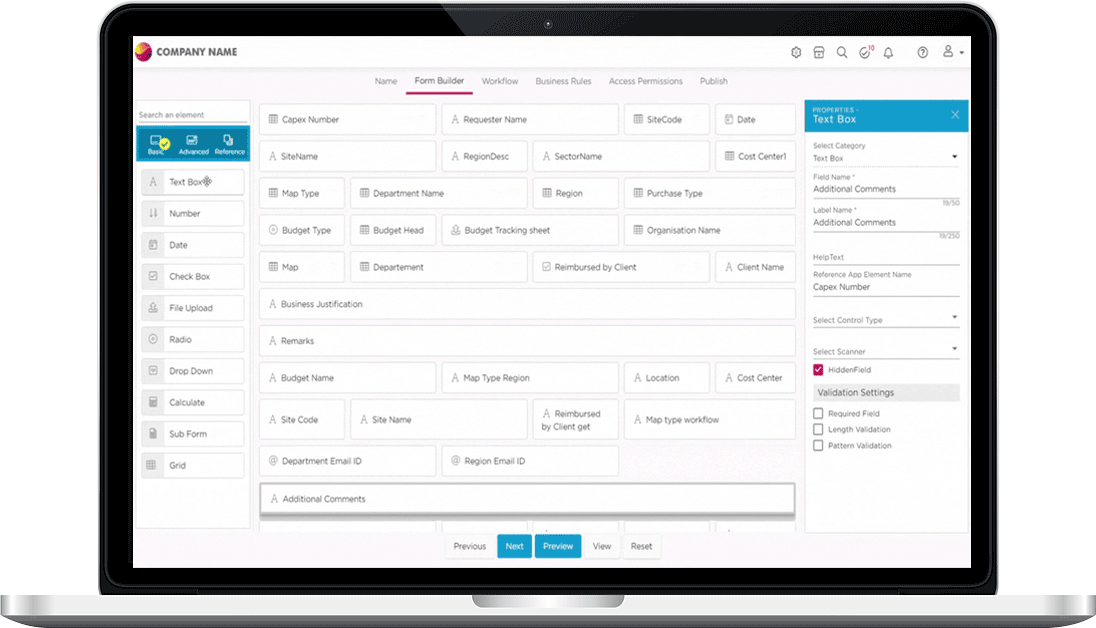
Screenshot of Quixy DashboardScreenshot of Quixy Form BuilderScreenshot of Quixy Workflow BuilderScreenshot of Quixy Mobile App ViewScreenshot of Quixy Device ResponsivenessScreenshot of Quixy Custom Themes