Selenium is open source software for browser automation, primarily used for functional, load, or performance testing of applications.
N/A
WebEngage
Score 4.4 out of 10
N/A
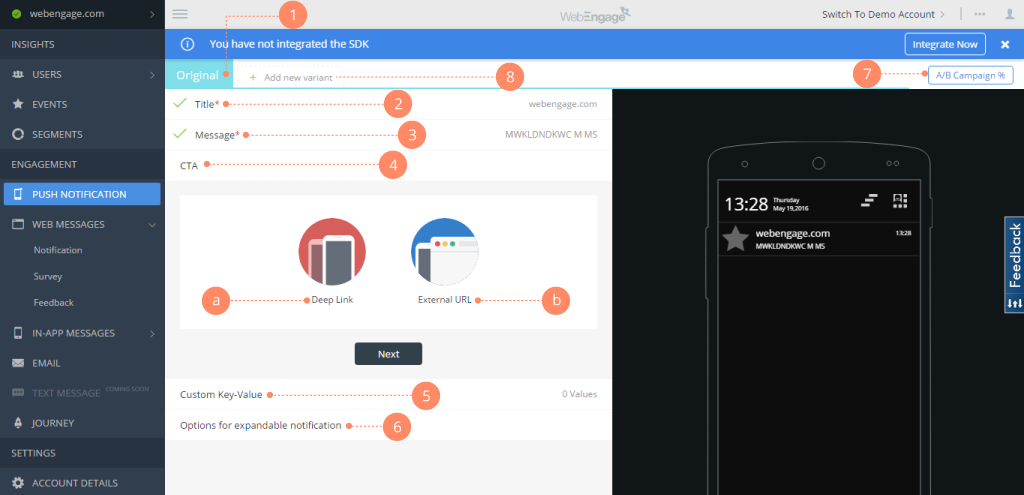
WebEngage calls itself a multi-channel user engagement platform. It automates communication across a user's lifecycle and helps companies send messages via these channels:
Web Messages
In-app Messages
Push Notifications Web Push Notification
Email Marketing
SMS Marketing Facebook Remarketing According to the vendor, cross-device tracking helps keep communication coherent and contextual, making the…
N/A
Pricing
Selenium
WebEngage
Editions & Modules
No answers on this topic
No answers on this topic
Offerings
Pricing Offerings
Selenium
WebEngage
Free Trial
No
Yes
Free/Freemium Version
No
Yes
Premium Consulting/Integration Services
No
Yes
Entry-level Setup Fee
No setup fee
No setup fee
Additional Details
—
Pricing is customised according to the customer usage and requirement. Contact support@webengage.com to know more about pricing plans.
More Pricing Information
Community Pulse
Selenium
WebEngage
Features
Selenium
WebEngage
Automation Testing
Comparison of Automation Testing features of Product A and Product B
Selenium
10.0
1 Ratings
17% above category average
WebEngage
-
Ratings
Record and Automate
10.01 Ratings
00 Ratings
Multi-Browser Testing
10.01 Ratings
00 Ratings
Test Management
10.01 Ratings
00 Ratings
Integrated Version Control
10.01 Ratings
00 Ratings
Object Recognition
10.01 Ratings
00 Ratings
Data-Driven Testing
10.01 Ratings
00 Ratings
Testing Reports & Analytics
10.01 Ratings
00 Ratings
Email & Online Marketing
Comparison of Email & Online Marketing features of Product A and Product B
Selenium
-
Ratings
WebEngage
7.4
6 Ratings
3% below category average
Dynamic content
00 Ratings
7.36 Ratings
Ability to test dynamic content
00 Ratings
7.76 Ratings
Mobile optimization
00 Ratings
6.35 Ratings
Email deliverability reporting
00 Ratings
7.16 Ratings
List management
00 Ratings
7.86 Ratings
Triggered drip sequences
00 Ratings
8.26 Ratings
Lead Management
Comparison of Lead Management features of Product A and Product B
Selenium
-
Ratings
WebEngage
6.1
5 Ratings
25% below category average
Lead nurturing automation
00 Ratings
6.65 Ratings
Automated sales alerts and tasks
00 Ratings
5.65 Ratings
Campaign Management
Comparison of Campaign Management features of Product A and Product B
Selenium
-
Ratings
WebEngage
6.9
6 Ratings
7% below category average
Calendaring
00 Ratings
8.05 Ratings
Event/webinar marketing
00 Ratings
5.74 Ratings
Reporting & Analytics
Comparison of Reporting & Analytics features of Product A and Product B
Selenium
-
Ratings
WebEngage
7.2
6 Ratings
2% below category average
Dashboards
00 Ratings
7.56 Ratings
Standard reports
00 Ratings
7.56 Ratings
Custom reports
00 Ratings
6.76 Ratings
Platform & Infrastructure
Comparison of Platform & Infrastructure features of Product A and Product B
When you have to test the UI and how it behaves when certain actions are performed, you need something that can automate the browsers. This is where Selenium comes to the rescue. If you have to test APIs and not the frontend (UI), I would recommend going with other libraries that support HTTP Requests. Selenium is good only when you have no choice but to run the steps on a browser.
WebEngage can easily reduce turnaround time for product and marketing teams to execute marketing campaigns for specific user segments as well as remove any dependency on internal tech teams for the development and maintenance of automation journeys. Further, A/B tests can be executed to measure the performance of message variants in real-time directly from the panel. But WebEngage lacks a robust Analytics platform. While basic metrics such as open rate and click-through rate for messages being sent can be considered for reporting, attribution is still not the strongest suit in case the marketing team relies on multiple Ad networks for acquisition. Thus, as per experience, it's better to use the automation suite offered by WebEngage with a different data analytics platform.
Selenium is pretty user-friendly but sometimes tests tend to flake out. I'd say roughly one out of twenty tests yields a false positive.
Selenium software cannot read images. This is a minor negative because a free plug-in is available from alternate sources.
Slowness may be a minor factor with Selenium, though this is an issue with basically any testing software since waiting on a site to execute JavaScript requires the browser to wait for a particular action.
We love this product mainly because of its high customization abilities and the ease of use. Moreover, its free and can be learned easily through online communities and videos. The tests are more consistent and reliable as compared to Manual tests. It has enabled us to test a large number of features all in one go, which would have impossible through manual tests. The reports generated at the end of the tests are really helpful for the QA and the development teams to get a fair view of the application.
For those who are unfamiliar with coding, there is a bit of a learning curve. There is plenty of helpful documentation and resources but it can take a little time to get the software up and running. Once you get the hang of how Selenium works, and what it can do, you realize how many things you can use it for, and how many processes you can automate.
The Selenium app has a pretty fat community of users. For the problems we are experiencing, we are primarily receiving support from these communities. In addition, there is widespread service support. Instant support is given to the problems we experience when we need Online support. We and our team are happy to provide this support, especially before important deployment processes
We did everything we needed to use it. Now we can execute our tests on different operational systems and browsers running few tests simultaneously. We also implemented Appium framework to execute our tests on mobile devices, such as iPhones, iPads, Android phones and tablets. We use SauceLabs for our test execution and Jenkins for continuous integration.
At the time of adoption, there were not many other alternatives that were even close to being competitive when it comes to browser testing. As far as I know now to this day, there is still little competition to Selenium for what it does. Any other browser-based testing still utilises Selenium to interact with the browser.
WebEngage's dashboard is relatively more intuitive and easy to understand. Further in terms of cost as well it is value to money as it delivers excellent ROI. The after-sales support is also better in terms of responsiveness and helps in case of issues with the execution of campaigns. The account managers also ideate and help in the optimization and creation of new user journeys.