TrustRadius: an HG Insights company

Save this comparison

Save this comparison

Add Product

Recommended Comparisons

    Overview
    ProductRatingMost Used ByProduct SummaryStarting Price

    Simpro

    Score8.4 out of 10
    N/ASimpro, headquartered in Brisbane, provides business management software for the trades and services industry. The solution combines field service management with asset tracking and maintenance, project management features with resource scheduling, and invoicing. For enterprises, Simpro helps manage business complexity such as franchises, multiple companies or multiple locations with a tailored Simpro framework that aims to handle complexity while maintaining the simplicity of working with one…N/A

    WEX Field Service Management

    N/AN/AWex Field Service Management (formerly Payzerware) is a software solution designed to simplify operations, boost sales, and enhance collections for contractors in the HVAC and plumbing industries.

    $499

    per month

    Pricing
    SimproWEX Field Service Management
    Editions & Modules
    No answers on this topic
    WEX FSM
    $499
    per month
    Offerings
    Pricing Offerings
    SimproWEX Field Service Management
    Free Trial
    NoNo
    Free/Freemium Version
    NoNo
    Premium Consulting/Integration Services
    NoNo
    Entry-level Setup FeeNo setup feeNo setup fee
    Additional Details
    More Pricing Information
    Community Pulse
    SimproWEX Field Service Management
    Considered Both Products
    Simpro Software
    No answer on this topic
    Wex
    No answer on this topic
    Key User Insights
    Would buy again
    86%
    Would buy again
    6 Answers
    No answers on this topic
    Delivers good value for the price
    80%
    Delivers good value for the price
    4 Answers
    No answers on this topic
    Happy with the feature set
    100%
    Happy with the feature set
    7 Answers
    No answers on this topic
    Lived up to sales and marketing promises
    No answers on this topic
    No answers on this topic
    Implementation went as expected
    83%
    Implementation went as expected
    5 Answers
    No answers on this topic
    Best Alternatives
    SimproWEX Field Service Management
    Small Businesses
    Kickserv
    Score9.3 out of 10
    Kickserv
    Score9.3 out of 10
    Medium-sized Companies
    No answers on this topic
    No answers on this topic
    Enterprises
    No answers on this topic
    No answers on this topic
    All AlternativesView all alternativesView all alternatives
    User Ratings
    SimproWEX Field Service Management
    Likelihood to Recommend
    8.0
    (7 ratings)
    -
    (0 ratings)
    Usability
    9.0
    (1 ratings)
    -
    (0 ratings)
    Support Rating
    9.0
    (2 ratings)
    -
    (0 ratings)
    User Testimonials
    SimproWEX Field Service Management
    Likelihood to Recommend
    Simpro Software
    Simpro is well suited for job and team management, tracking inventory and the workflow is very logical. The mobile app for our field technicians works very well to clock on and off and then being in a position to report to a customer based on factual information has made invoicing a breeze! Reporting can be a bit frustrating especially on materials used on different cost centre numbers as you can only specify a job number, but not a cost centre number.
    Incentivized
    Read full review
    Wex
    No answers on this topic
    Pros
    Simpro Software
    • Billing: straight from a closed, complete job. Carries overall equipment, hours, takes one click to bill.
    • simPRO retains notes on all emails; notes can be entered by anyone to track communication with clients.
    Incentivized
    Read full review
    Wex
    No answers on this topic
    Cons
    Simpro Software
    • Ability to create leave forms for the employees (to my best knowledge, this doesn't exist).
    • Ability to color code jobs, quotes by criticality.
    • Assign status to equipment (e.g. "ordered"; "arrived").
    Incentivized
    Read full review
    Wex
    No answers on this topic
    Usability
    Simpro Software
    As mentioned before, materials reporting could use some work as one cannot report by cost centre number, only by job number. It makes it difficult with large jobs with multiple cost centre numbers to easily extract information for reporting. Other than that the system is user friendly and easy to understand.
    Incentivized
    Read full review
    Wex
    No answers on this topic
    Support Rating
    Simpro Software
    It is a great option for solar project management. It needs some improvements for real-time one-page reports, inventory management, scheduling and custom views. I believe these will come because they listen to their customers. I would also like to see some better training and not be expected to pay out of pocket for it.
    Incentivized
    Read full review
    Wex
    No answers on this topic
    Alternatives Considered
    Simpro Software
    monday.com was easier to set up and you can create boards with loads of subtasks which helps manage a project. Also, the ability to integrate with google was much better as we could link it to the calendar and also store documents that the engineers could see easier onsite. Overall we could make monday.com work better for our business based on how we are set up but simPRO will be great for other businesses with more specific needs.
    Incentivized
    Read full review
    Wex
    No answers on this topic
    Return on Investment
    Simpro Software
    • Increased team collaboration.
    • Increased inventory awareness.
    • Decreased down time between jobs.
    Incentivized
    Read full review
    Wex
    No answers on this topic
    ScreenShots

    WEX Field Service Management Screenshots
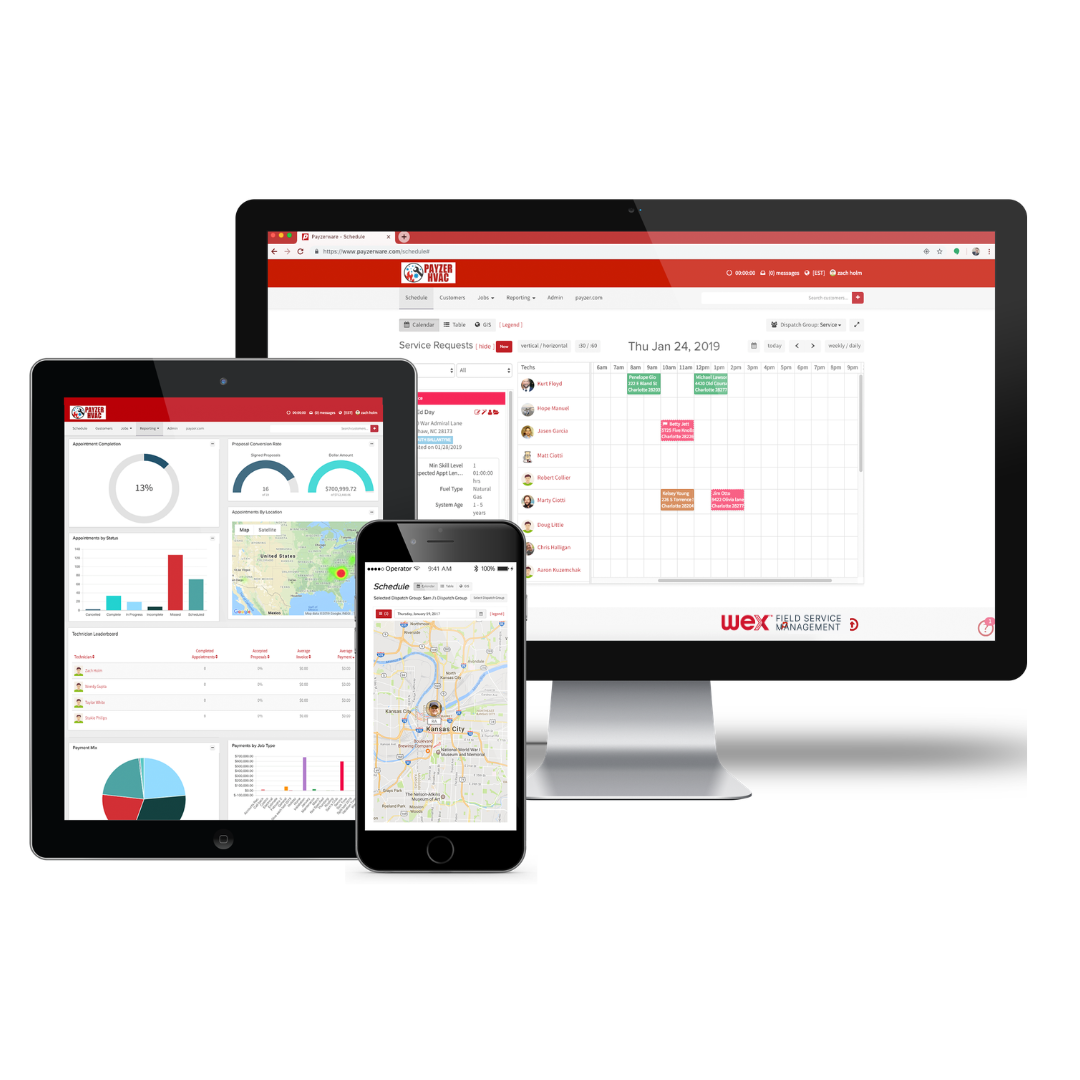
    Screenshot of One System for Office, Field, and Management
This shows how the software links every device in your company together in real time. It displays the office dispatch board, the manager's performance metrics, and the tech's mobile GPS map all on one page. Whether you are sitting at a desktop, holding a tablet, or checking a smartphone, everyone sees the exact same schedule and customer info without anyone having to manually copy or sync data.Screenshot of The Boss’s Overview and Smart Reports
This gives the boss a quick look at the company’s bottom line without making them dig through paperwork. It combines a natural language search tool called Assist IQ, where you just type a normal question to get an instant bar chart, with easy-to-read boxes showing total revenue, active customers, and invoices. It lays out all your sales, maps, and numbers on one screen so you can easily see if you're making a profit.Screenshot of The Tech’s All-in-One Service Call Screen
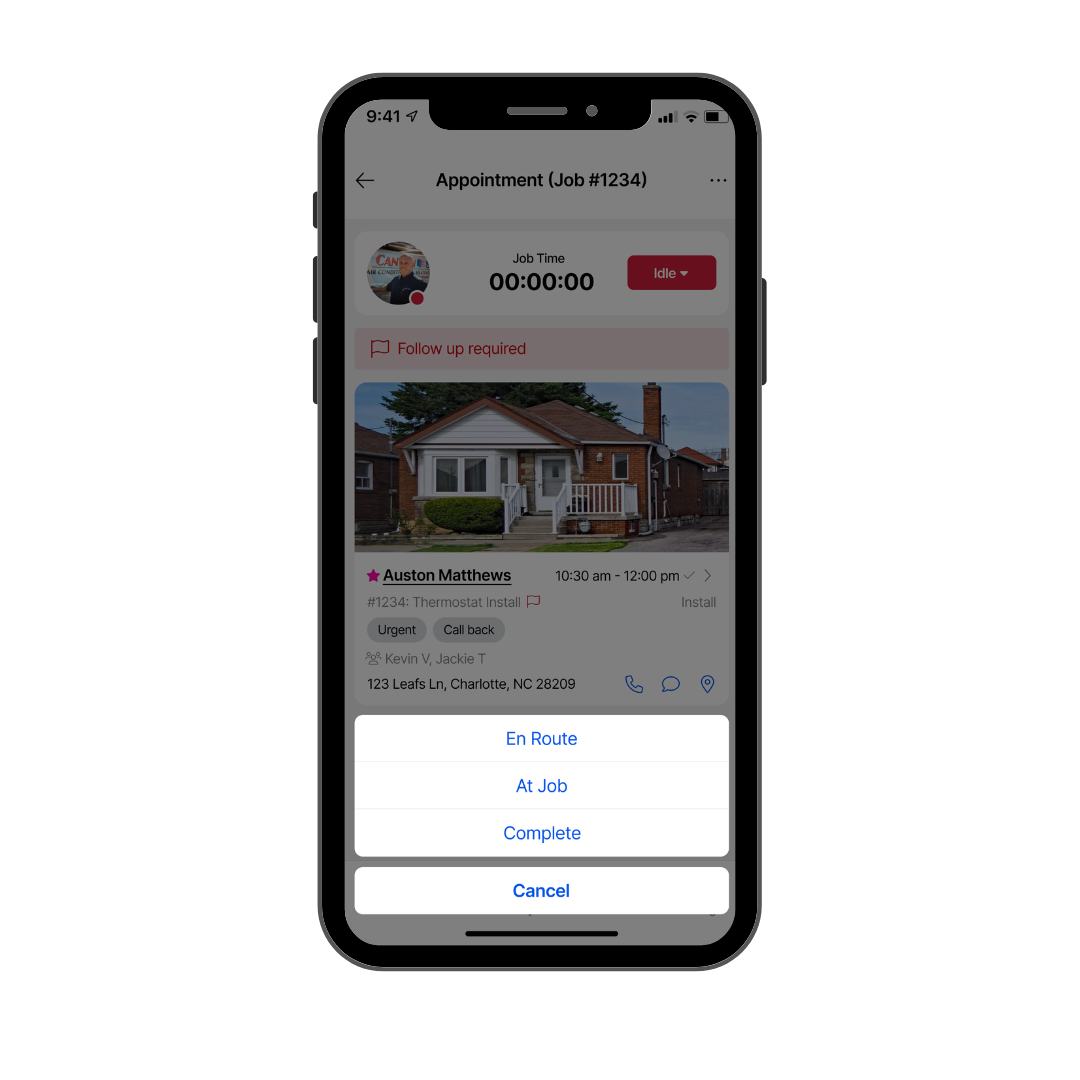
This puts everything a tech needs for an active job order right on a single smartphone screen. It is built simple so guys out in the elements don't have to keep scrolling or tapping through menus. It keeps the job clock, the customer's address, specific equipment info, a photo of the house, and big, easy buttons to update job status all in one clean view so the tech can focus on the actual work.Screenshot of The "Good, Better, Best" Kitchen Table Estimate
This shows the full digital bidding screen you use when standing right in front of the customer. It copies a professional, multi-option paper estimate but does the math for you. The entire view is set up to lay out three different equipment options side-by-side with clear pricing, warranties, and system specs so the homeowner can look at their choices and sign off on the job right on the spot.Screenshot of The Link Between Field Timecards and Office Records
This view shows how field work instantly updates the office database with zero paperwork. The whole layout connects what the tech is doing on their phone, like clocking in, viewing their schedule, and driving to jobs, directly into the main office computer. It connects daily timecards, job histories, notes, and maintenance plans on a single screen so the office and the field are always on the same page.