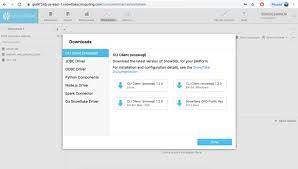
The Snowflake Cloud Data Platform is the eponymous data warehouse with, from the company in San Mateo, a cloud and SQL based DW that aims to allow users to unify, integrate, analyze, and share previously siloed data in secure, governed, and compliant ways. With it, users can securely access the Data Cloud to share live data with customers and business partners, and connect with other organizations doing business as data consumers, data providers, and data service providers.
N/A
Tableau Public
Score9.9 out of 10
N/A
Tableau Public is a free edition of the Desktop product. With this edition, data can only be published to the Tableau public website and does not allow work to be saved or exported locally.
Snowflake is well suited when you have to store your data and you want easy scalability and increase or decrease the storage per your requirement. You can also control the computing cost, and if your computing cost is less than or equal to 10% of your storage cost, then you don't have to pay for computing, which makes it cost-effective as well.
A de minimis incentive was given to thank the reviewer for their time. The incentive was not used to bias or drive a particular response, nor was the incentive contingent on a positive endorsement. More Info
Tableau public is the best platform to build dashboards for your personal profile and share with recruiters. It's always good to keep ourselves updated on the latest features, create sample dashboards and save them to a personal profile. Tableau public is free and doesn't need any subscription. anyone can create an account and start building reports.
Snowflake scales appropriately allowing you to manage expense for peak and off peak times for pulling and data retrieval and data centric processing jobs
Snowflake offers a marketplace solution that allows you to sell and subscribe to different data sources
Snowflake manages concurrency better in our trials than other premium competitors
Snowflake has little to no setup and ramp up time
Snowflake offers online training for various employee types
A de minimis incentive was given to thank the reviewer for their time. The incentive was not used to bias or drive a particular response, nor was the incentive contingent on a positive endorsement. More Info
Data visualization: lots of different options, including bar, scatter, pie, waterfall charts to explore relationships between variables, and to present findings/trends to different teams
Integrates readily with limited, though different data sources: TXT, CSV, TDE, Access
Exports reports for review of different dashboards: client-ready/team-ready, with a clean and tidy presentation in PDF format (or hardcopy)
A de minimis incentive was given to thank the reviewer for their time. The incentive was not used to bias or drive a particular response, nor was the incentive contingent on a positive endorsement. More Info
Do not force customers to renew for same or higher amount to avoid loosing unused credits. Already paid credits should not expire (at least within a reasonable time frame), independent of renewal deal size.
A de minimis incentive was given to thank the reviewer for their time. The incentive was not used to bias or drive a particular response, nor was the incentive contingent on a positive endorsement. More Info
Tableau Public (both Desktop and Server) like their "for a fee" counterparts offer very easy to learn and use tools to transform data into pictures and gain insights into your data. Most organizations report a reduction in development time of 10x vs. other similar tools, due to the intuitive user interface. That said, with Tableau Public, published workbooks are "disconnected" from the underlying data sources and require periodic updates when the data changes. Users are limited to 1 Gb of storage space per user ID and password as well.
I would like to see better options for public sharing of visualizations and data from within the "for a fee" products as more and more organizations are moving in the direction of data sharing with partners and their communities.
A de minimis incentive was given to thank the reviewer for their time. The incentive was not used to bias or drive a particular response, nor was the incentive contingent on a positive endorsement. More Info
SnowFlake is very cost effective and we also like the fact we can stop, start and spin up additional processing engines as we need to. We also like the fact that it's easy to connect our SQL IDEs to Snowflake and write our queries in the environment that we are used to
A de minimis incentive was given to thank the reviewer for their time. The incentive was not used to bias or drive a particular response, nor was the incentive contingent on a positive endorsement. More Info
It's free, right? I'll keep using the free version. So the real question to ask is this? Will I pay $999 for the Personal version or $1,999 for the Professional? Yikes! That is a big stretch. I'm not sure about that. The product comparison chart is at: http://www.tableausoftware.com/public/comparison
Because the fact that you can query tons of data in a few seconds is incredible, it also gives you a lot of functions to format and transform data right in your query, which is ideal when building data models in BI tools like Power BI, it is available as a connector in the most used BI tools worldwide.
A de minimis incentive was given to thank the reviewer for their time. The incentive was not used to bias or drive a particular response, nor was the incentive contingent on a positive endorsement. More Info
Tableau public is a great training tool to understand the basics of Tableau before buying it. A great tool to extend Excel's visualization and to publish data for others. Not useful for anything you need secure. No ability to access databases. Static information only.
We have had terrific experiences with Snowflake support. They have drilled into queries and given us tremendous detail and helpful answers. In one case they even figured out how a particular product was interacting with Snowflake, via its queries, and gave us detail to go back to that product's vendor because the Snowflake support team identified a fault in its operation. We got it solved without lots of back-and-forth or finger-pointing because the Snowflake team gave such detailed information.
A de minimis incentive was given to thank the reviewer for their time. The incentive was not used to bias or drive a particular response, nor was the incentive contingent on a positive endorsement. More Info
A de minimis incentive was given to thank the reviewer for their time. The incentive was not used to bias or drive a particular response, nor was the incentive contingent on a positive endorsement. More Info
Start at the end and work backward. Identify the business case / issue and questions the end users have, then identify the data needed, and where to get it.
A de minimis incentive was given to thank the reviewer for their time. The incentive was not used to bias or drive a particular response, nor was the incentive contingent on a positive endorsement. More Info
I have had the experience of using one more database management system at my previous workplace. What Snowflake provides is better user-friendly consoles, suggestions while writing a query, ease of access to connect to various BI platforms to analyze, [and a] more robust system to store a large amount of data. All these functionalities give the better edge to Snowflake.
A de minimis incentive was given to thank the reviewer for their time. The incentive was not used to bias or drive a particular response, nor was the incentive contingent on a positive endorsement. More Info
Google Charts/Drive is sufficient for simpler data sets, but it does not integrate with other web platforms and the visualization does not look as professional. I'm not aware of any other competitors that offer the same package as Microsoft.
A de minimis incentive was given to thank the reviewer for their time. The incentive was not used to bias or drive a particular response, nor was the incentive contingent on a positive endorsement. More Info
A de minimis incentive was given to thank the reviewer for their time. The incentive was not used to bias or drive a particular response, nor was the incentive contingent on a positive endorsement. More Info
A de minimis incentive was given to thank the reviewer for their time. The incentive was not used to bias or drive a particular response, nor was the incentive contingent on a positive endorsement. More Info