Social Chat vs. StreamYard

Overview
ProductRatingMost Used ByProduct SummaryStarting Price
Social Chat
Score 0.0 out of 10
N/A
Social Chat helps brands to forge meaningful connections with their customers. Through Live Commerce - embedding Live Video Shopping into customers' purchase experiences - brands can create onsite communities where customers can learn, converse and connect with the brand. In turn, brands get the data behind the interactions and conversions to further optimize the experiences for the users both on the site and through CRM channels for best-in-class branding and performance ROI. Social…
$49
per month
StreamYard
Score 8.3 out of 10
N/A
StreamYard is a live streaming studio in a browser. Users can interview guests, share a screen, and simulcast to platforms like Facebook, YouTube, and LinkedIn.N/A
Pricing
Social ChatStreamYard
Editions & Modules
No answers on this topic
Offerings
Pricing Offerings
Social ChatStreamYard
Free Trial
NoNo
Free/Freemium Version
NoNo
Premium Consulting/Integration Services
YesNo
Entry-level Setup FeeNo setup feeNo setup fee
Additional DetailsIntended to grow and scale with your Live Commerce strategy, Social Chat plans are a mix for all sizes of business.
More Pricing Information
Community Pulse
Social ChatStreamYard
Best Alternatives
Social ChatStreamYard
Small Businesses
OBS Studio
OBS Studio
Score 8.8 out of 10
OBS Studio
OBS Studio
Score 8.8 out of 10
Medium-sized Companies
Zoom Events & Webinars
Score 8.5 out of 10
Zoom Events & Webinars
Score 8.5 out of 10
Enterprises
Zoom Events & Webinars
Score 8.5 out of 10
Zoom Events & Webinars
Score 8.5 out of 10
All AlternativesView all alternativesView all alternatives
User Ratings
Social ChatStreamYard
Likelihood to Recommend
-
(0 ratings)
8.0
(4 ratings)
Likelihood to Renew
-
(0 ratings)
10.0
(1 ratings)
Usability
-
(0 ratings)
8.0
(2 ratings)
User Testimonials
Social ChatStreamYard
Likelihood to Recommend
Social Chat
No answers on this topic
StreamYard
Because it's browser-based, StreamYard is especially well-suited for a situation like mine, where I'm unlikely to have repeat podcast guests very often. It's great that guests don't have to download special software just for a one-time appearance! I haven't personally used StreamYard for livestreaming, but based on its name and reputation, I imagine it's especially well-suited for that use case
Read full review
Pros
Social Chat
No answers on this topic
StreamYard
  • It has an easy and comfortable interface for participants and admins.
  • It provides the opportunity to add videos, banners, and slides to your session.
  • It provides the opportunity to show live comments and answer to them right from StreamYard.
Read full review
Cons
Social Chat
No answers on this topic
StreamYard
  • One big downside is that you can't download separate high quality video and audio files for each person in the stream.
  • The simplicity takes away from the "customization" that you could potentially have in other platforms.
  • A backroom where you could communicate with other people in the stream, without streaming it while live, would be very useful.
Read full review
Usability
Social Chat
No answers on this topic
StreamYard
You don't need to be an expert and you don't have anything to install.
Read full review
Alternatives Considered
Social Chat
No answers on this topic
StreamYard
I've already covered this in other responses. The key reasons I wound up using Descript for certain elements of my process was the better usability of its transcripts and the more-robust AI capabilities it offers. Its suggestions for strong clips seemed more on-point, and it offered functionality like chapter suggestions
Read full review
Return on Investment
Social Chat
No answers on this topic
StreamYard
  • It has increased the reach rate and the number of followers on social media pages, for example, on our Youtube page, the number of followers increased by 2 times the original amount.
  • It has reduced the amount of time our communications team spends on editing videos.
  • More team members are able to use StreamYard by themselves, which has allowed us to reduce the time our communications team spends on managing live sessions before.
Read full review
ScreenShots

Social Chat Screenshots

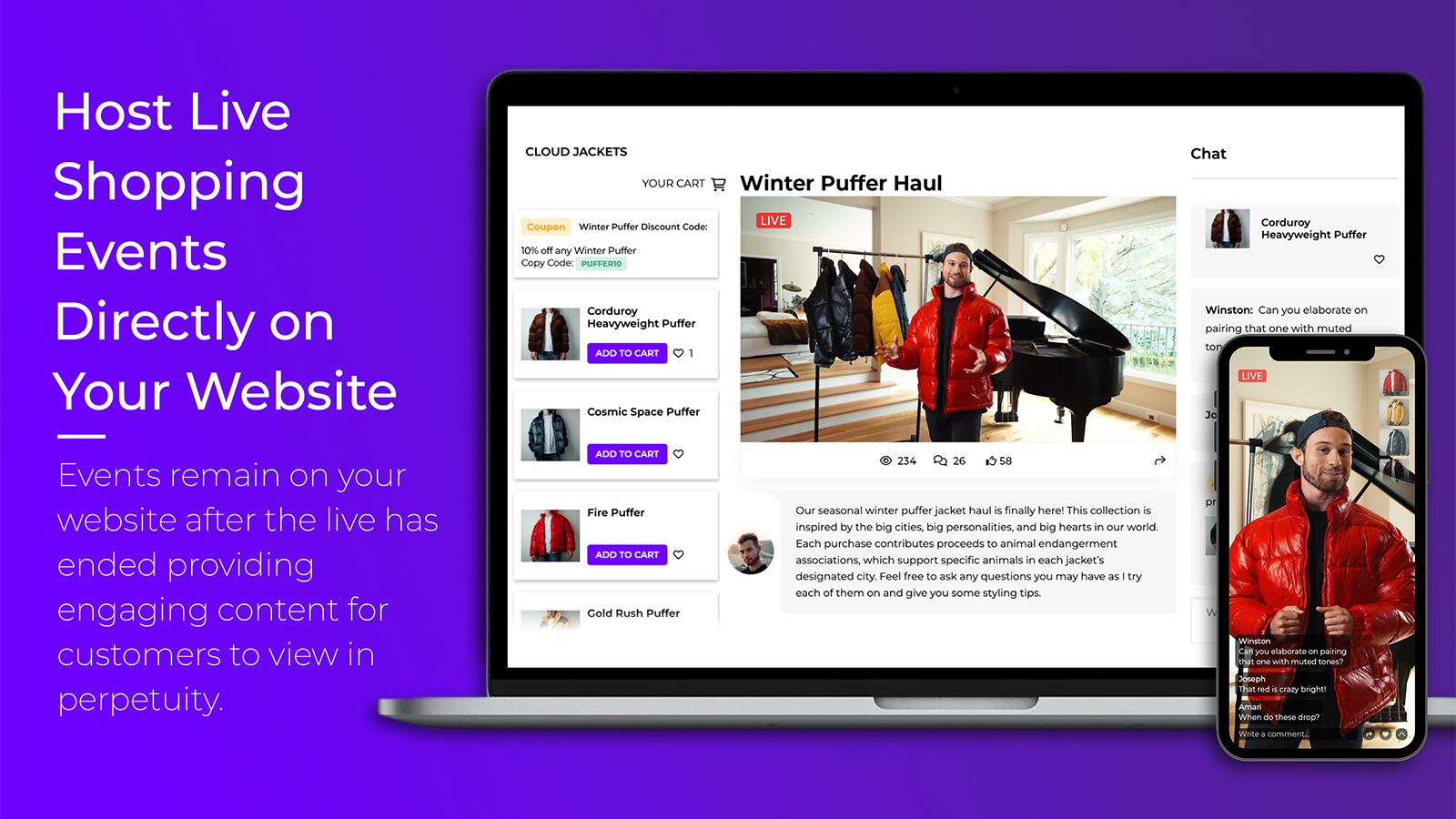
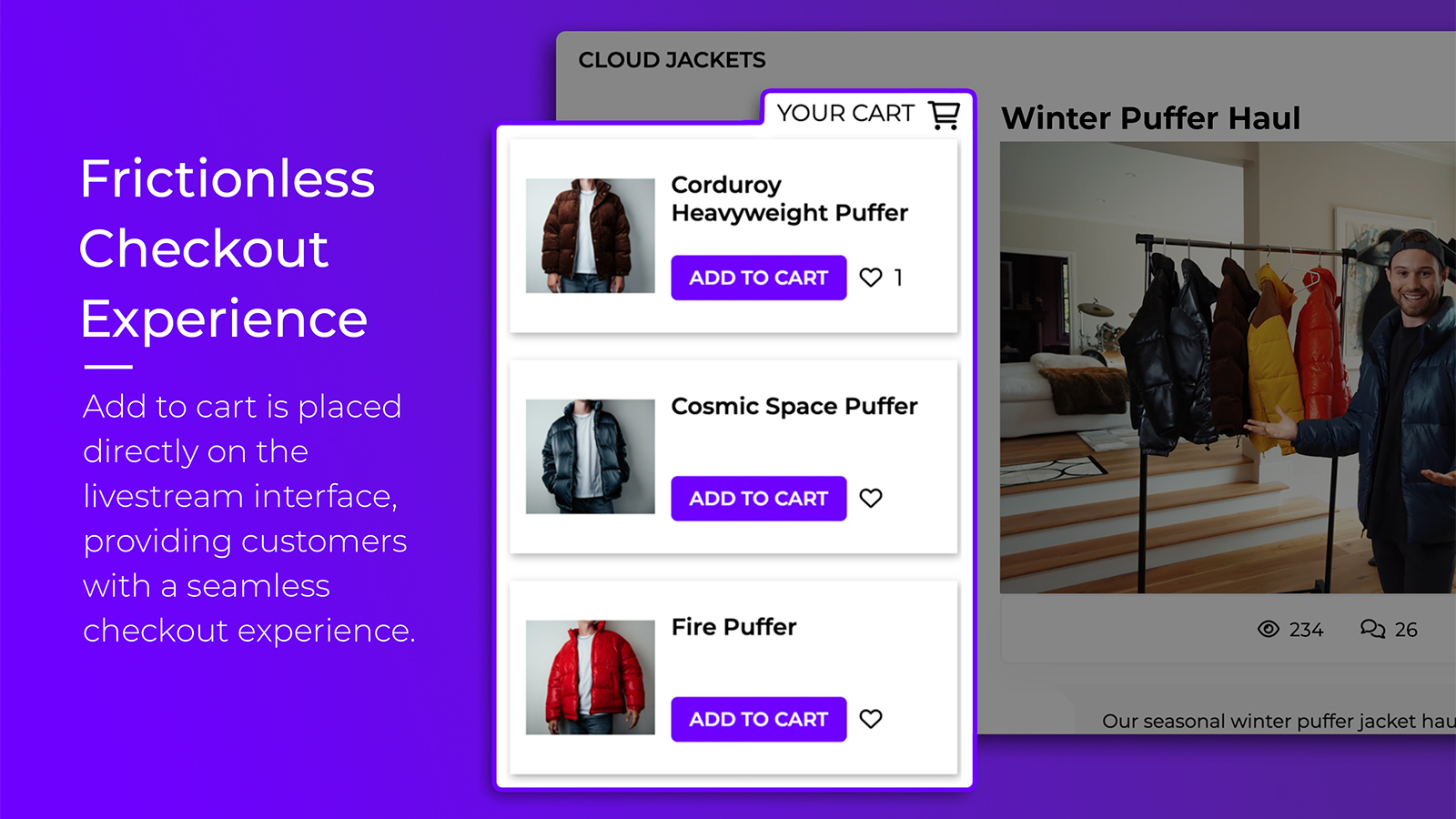
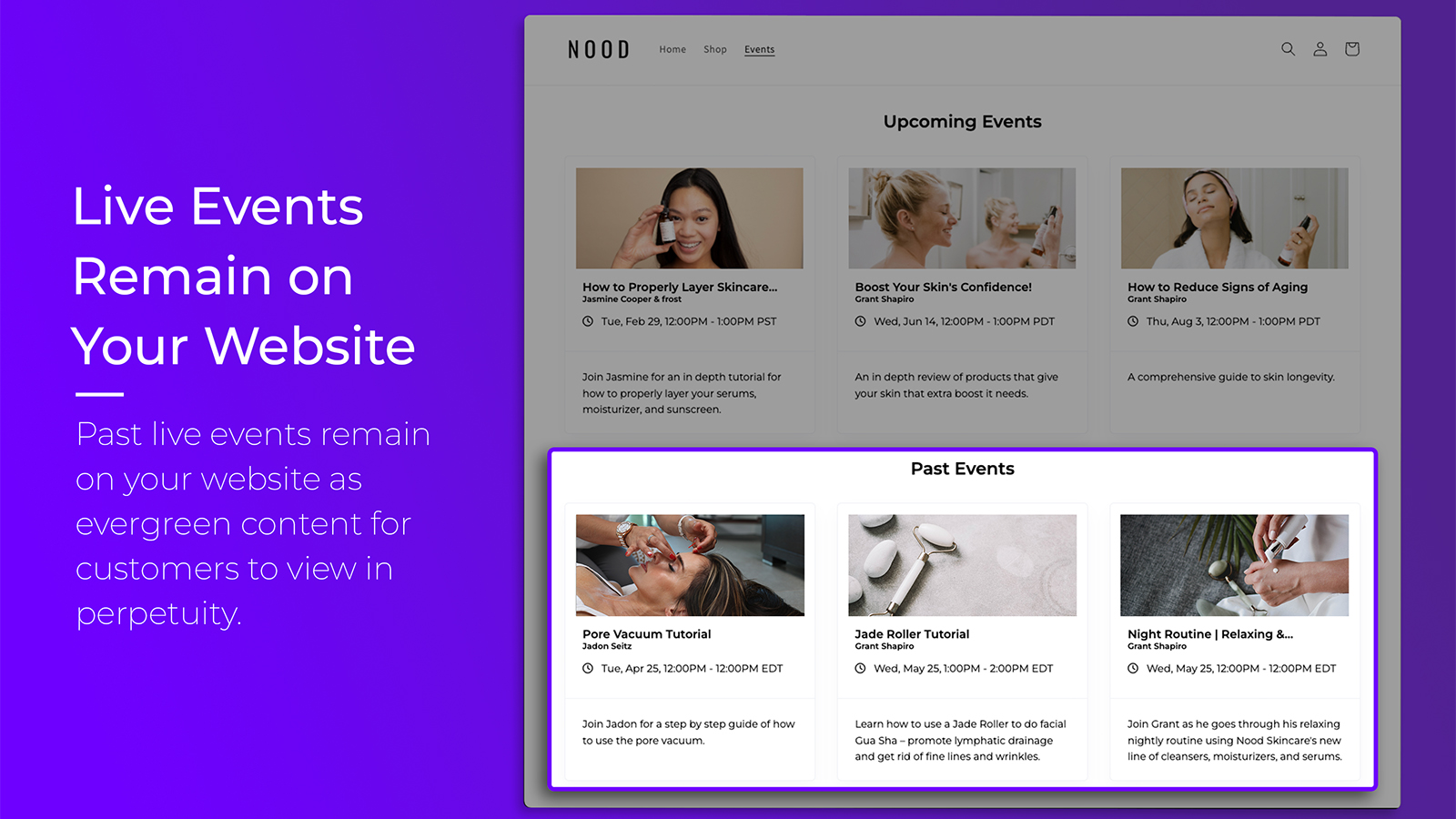
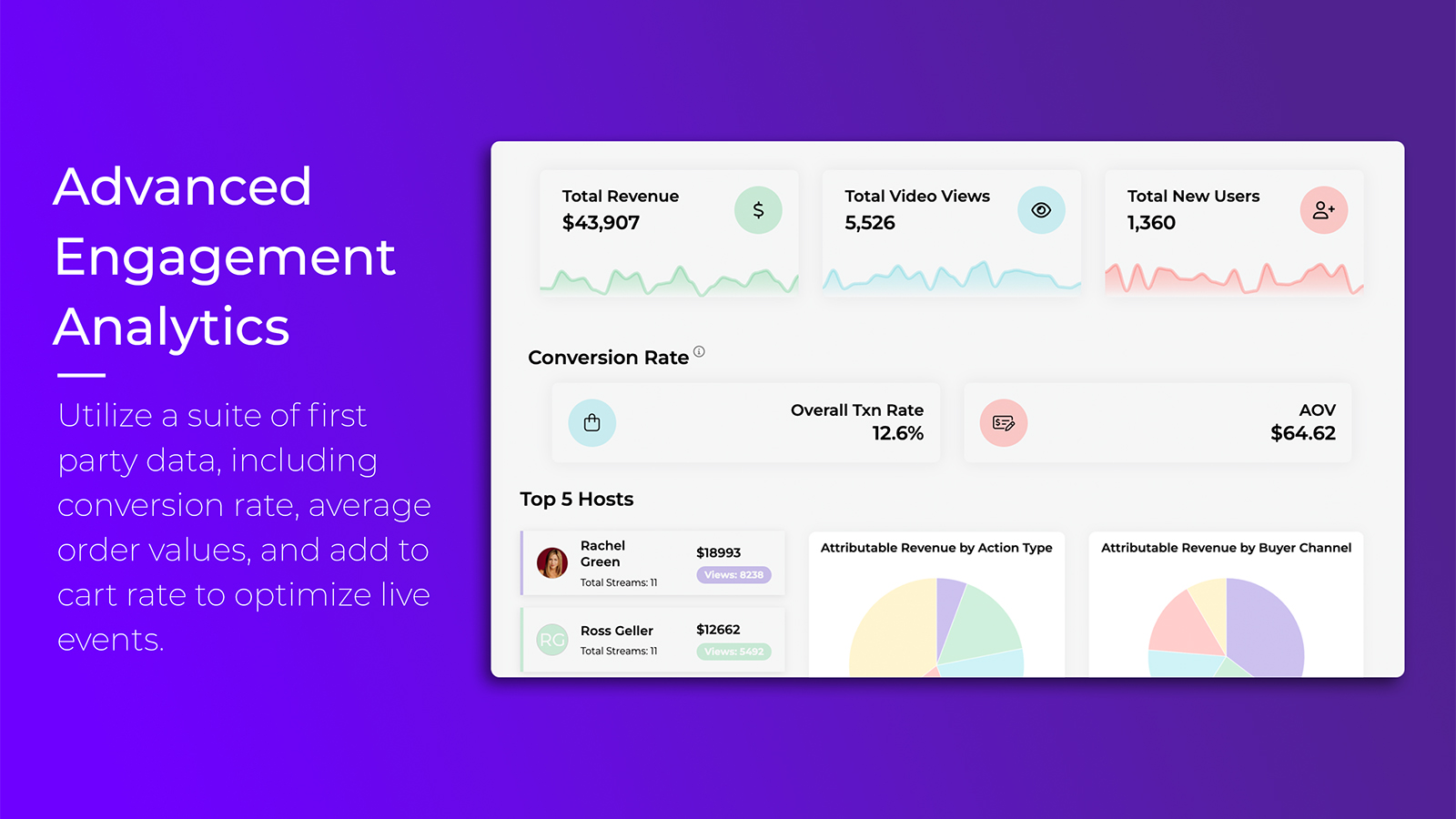
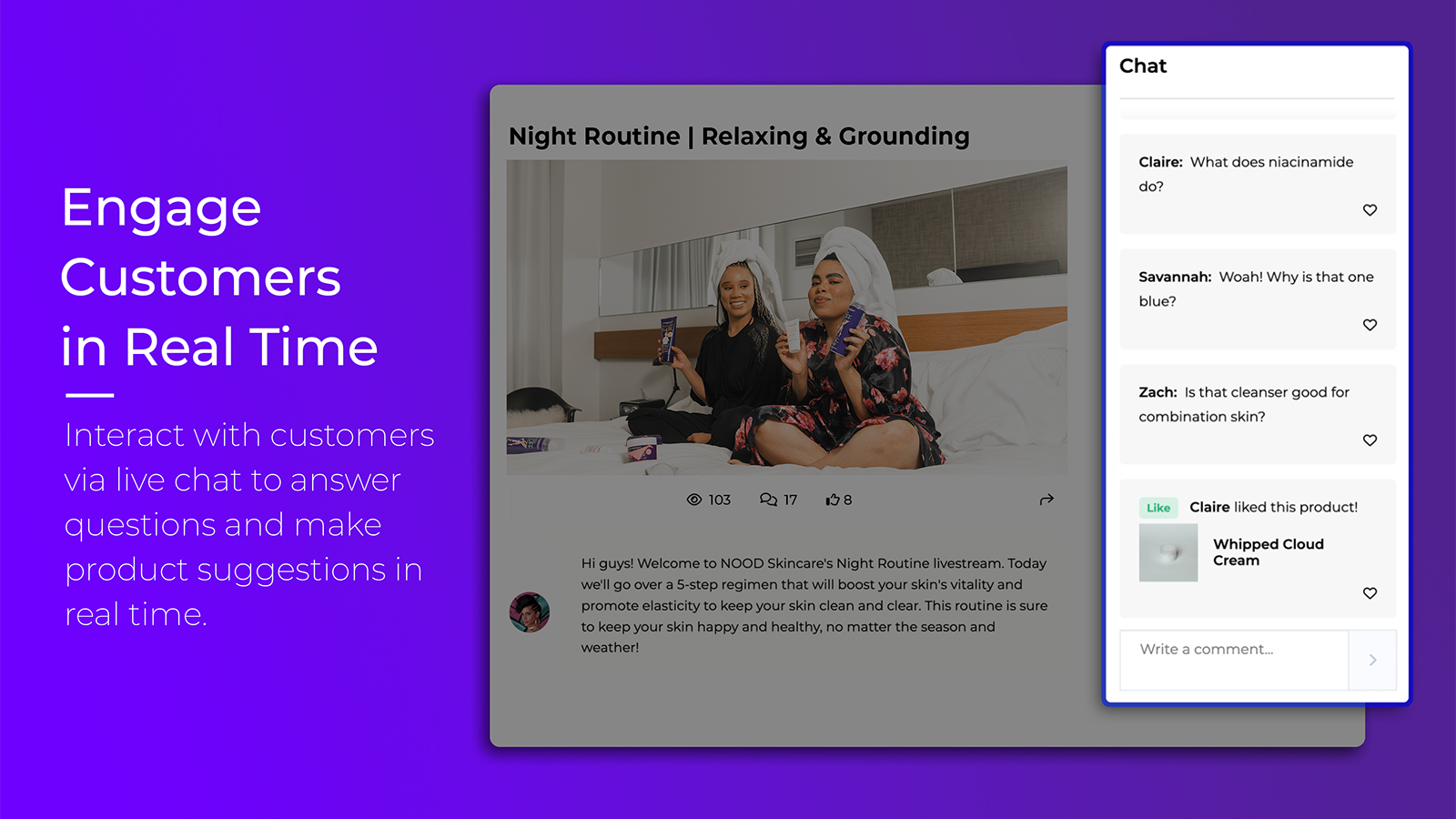
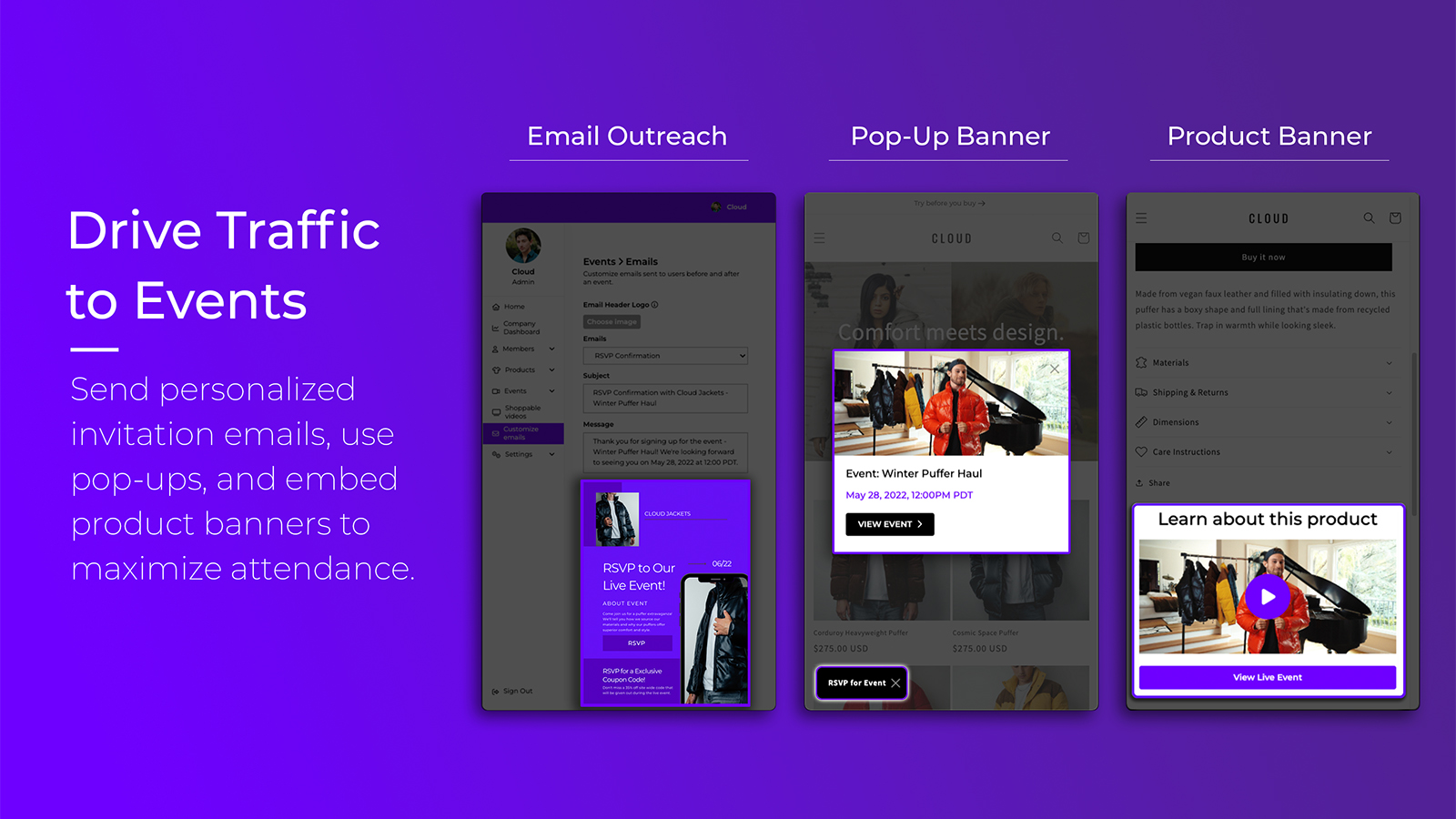
Screenshot of Host Live Shopping Events Directly on a Website: Events remain on the website after the live has ended providing engaging content for customers to view in perpetuity.Screenshot of Frictionless Checkout Experience: Add to car is placed directly on the livestream interface, providing customers with a seamless checkout experience.Screenshot of Live Events Remain on the Website: Past live events remain on het website as evergreen content.Screenshot of Advanced Engagement Analytics: A suite of first party data, including conversion rate, average order values and add to cart rate to optimize live events.Screenshot of Engage Customers in Real Time: Interact with customers via live chat to answer questions and make product suggestions in real time.Screenshot of Drive Traffic to Events: Send personalized invitation emails, use pop-ups and embed product banners to maximize attendance.