TrustRadius: an HG Insights company

Save this comparison

Save this comparison

Add Product

Recommended Comparisons

    Overview
    ProductRatingMost Used ByProduct SummaryStarting Price

    StreamWork

    Score8.6 out of 10
    N/AStreamWork is a review and approval platform used by marketing and creative teams to centralize feedback, streamline online proofing, and automate creative approval workflows. By consolidating version control, task management, and stakeholder input, it aims to eliminate bottlenecks and reduces rework. Teams can markup nearly any file type (videos, images, CAD files, documents, slides, etc), route assets through multi-stage approvals with smart deadlines, and share review links without requiring…

    $219

    per month (15 users included)

    Venngage

    Score10 out of 10
    Small Businesses (1-50 employees)
    Venngage is an infographics creation platform. Users can create inforgraphics for their marketing team from scratch or from a template.

    $19

    per month per user

    Pricing
    StreamWorkVenngage
    Editions & Modules
    Free
    $0
    2 users
    Starter
    $219
    per month 15 users
    Team
    $369
    per month 20 users
    Enterprise
    Custom Pricing
    per year 25 users
    Premium
    $19
    per month per user
    Business
    $49
    per month per user
    Enterprise
    starting at $499
    per month 10+ seats (billed yearly)
    Offerings
    Pricing Offerings
    StreamWorkVenngage
    Free Trial
    YesYes
    Free/Freemium Version
    YesYes
    Premium Consulting/Integration Services
    YesNo
    Entry-level Setup FeeOptionalNo setup fee
    Additional DetailsStreamWork offers monthly and annual pricing options. Annual plans receive a discount.50% discount for Premium and Business plans for annual pricing.
    More Pricing Information
    Community Pulse
    StreamWorkVenngage
    Considered Both Products
    StreamWork
    No answer on this topic
    Venngage
    No answer on this topic
    Key User Insights
    Would buy again
    100%
    Would buy again
    7 Answers
    83%
    Would buy again
    5 Answers
    Delivers good value for the price
    No answers on this topic
    83%
    Delivers good value for the price
    5 Answers
    Happy with the feature set
    100%
    Happy with the feature set
    7 Answers
    67%
    Happy with the feature set
    4 Answers
    Lived up to sales and marketing promises
    100%
    Lived up to sales and marketing promises
    5 Answers
    67%
    Lived up to sales and marketing promises
    4 Answers
    Implementation went as expected
    No answers on this topic
    80%
    Implementation went as expected
    4 Answers
    Best Alternatives
    StreamWorkVenngage
    Small Businesses
    No answers on this topic
    GIMP
    Score8.1 out of 10
    Medium-sized Companies
    No answers on this topic
    Adobe Illustrator
    Score9.3 out of 10
    Enterprises
    No answers on this topic
    Adobe PhotoShop
    Score9.2 out of 10
    All AlternativesView all alternativesView all alternatives
    User Ratings
    StreamWorkVenngage
    Likelihood to Recommend
    8.6
    (7 ratings)
    10.0
    (8 ratings)
    Likelihood to Renew
    -
    (0 ratings)
    10.0
    (1 ratings)
    Usability
    8.5
    (7 ratings)
    10.0
    (1 ratings)
    Support Rating
    -
    (0 ratings)
    10.0
    (1 ratings)
    Data Sharing and Collaboration
    -
    (0 ratings)
    9.5
    (2 ratings)
    Data Sources
    -
    (0 ratings)
    1.4
    (2 ratings)
    User Testimonials
    StreamWorkVenngage
    Likelihood to Recommend
    StreamWork
    1) I like that "Approvals" are on the main nav as this expedites my workflow as I'm QA for all our projects. I save time by not delving down into each project workspace 2) The Approval widget on the dashboard is also a time saver! 3) The "Review Approvals" section - I like being able to see the status of each user's approval process so I can send reminders 4) The "Skip Decision" feature is helpful as we're entering holiday season with folks being OOO.... we want to avoid gatekeeping/blockers. 5) While I haven't yet used the split review process, I can see how it will be helpful on my large-scale, long-term projects.
    Read full review
    Venngage
    I find it great for personal use especially when you are a visual person. As an assistant that needs a lot of organizing, it's wonderful. It helped me a lot and I usually don't require a lot of features. I also find it great for accessibility stuff, I respect that since I have a relative who has special needs. I didn't really need that specifically, but it's nice to know it was considered.
    Read full review
    Pros
    StreamWork
    • Centralizes feedback so comments and approvals aren’t scattered across emails or docs
    • Integrates with Asana, keeping tasks aligned without extra duplication
    • Simple, intuitive interface that makes setup and adoption quick
    Read full review
    Venngage
    • Extremely user-friendly: simple, easy-to-follow interface really made ramping up on the offering incredibly fast and painless.
    • Variety of templates: Venngage has a HUGE assortment of templates ranging from corporate reports and business decks to more visually-engaging, "fun" content such as infographics, awesome charts, and highly customizable social graphics.
    • Brand-alignment: we really appreciated the opportunity to tee up our brand guidelines and have those remain on the back-end and let us apply our style guide to multiple templates instantaneously.
    Incentivized
    Read full review
    Cons
    StreamWork
    • Allow for more subfolders to better organize large campaigns
    • Create a new layout for the main workspace to allow for better organization for large agencies with many simultaneous projects
    • Allow changes to be made to approval process after initiated, and allow external users (clients) to be added to approval process
    Read full review
    Venngage
    • It's hard to lock graphics into place in Venngage once you create something.
    • Layering is next to impossible. The feature is there but is very difficult to use and most times the user is better off copying the object over instead
    • Unless you have a business account (we have a professional account- middle grade) you cannot sort and organize your infographics. This is messy and cumbersome to go through and the price difference between professional and business grade accounts was quite large.
    Incentivized
    Read full review
    Likelihood to Renew
    StreamWork
    No answers on this topic
    Venngage
    I use Venngage for a new project 1-2 times per week... I could not see using another program at this point.
    Incentivized
    Read full review
    Usability
    StreamWork
    Once set up, StreamWork is very easy to use! Since I started using the platform, the team has pushed several key updates that have further improved user experience and usability.
    Read full review
    Venngage
    I find it very user friendly, straight to the point, and the minor issues I found wasn't really impacting on my role. So I think it would depend? but personally I find it perfect for me. There were lots of templates I could use, and they were very open to feedback and customer service was very accommodating.
    Read full review
    Support Rating
    StreamWork
    No answers on this topic
    Venngage
    I think that the attention that I get as a small business owner from Venngage is excellent. They quickly respond to questions and provide information that helps to resolve the issue that I am having.
    Incentivized
    Read full review
    Alternatives Considered
    StreamWork
    StreamWork's Asana integration was the stand-out. I could not find any other platform that integrated so seamlessly into our existing process and automations.
    Read full review
    Venngage
    We prefer Canva but feel Venngage is easier for us. In comparison to Adobe, we prefer Venngage because of the ability to have everything in one system and not have to jump around.
    Incentivized
    Read full review
    Return on Investment
    StreamWork
    • StreamWork has made our creative review process far more efficient. It’s reduced turnaround times, minimized miscommunication, and helped us deliver assets to clients faster... all of which translate into better project outcomes and a clear ROI.
    Incentivized
    Read full review
    Venngage
    • It was frustrating to be required to purchase a full month, not be able to download into PowerPoint and edit, and not be given a refund.
    Read full review
    ScreenShots

    StreamWork Screenshots

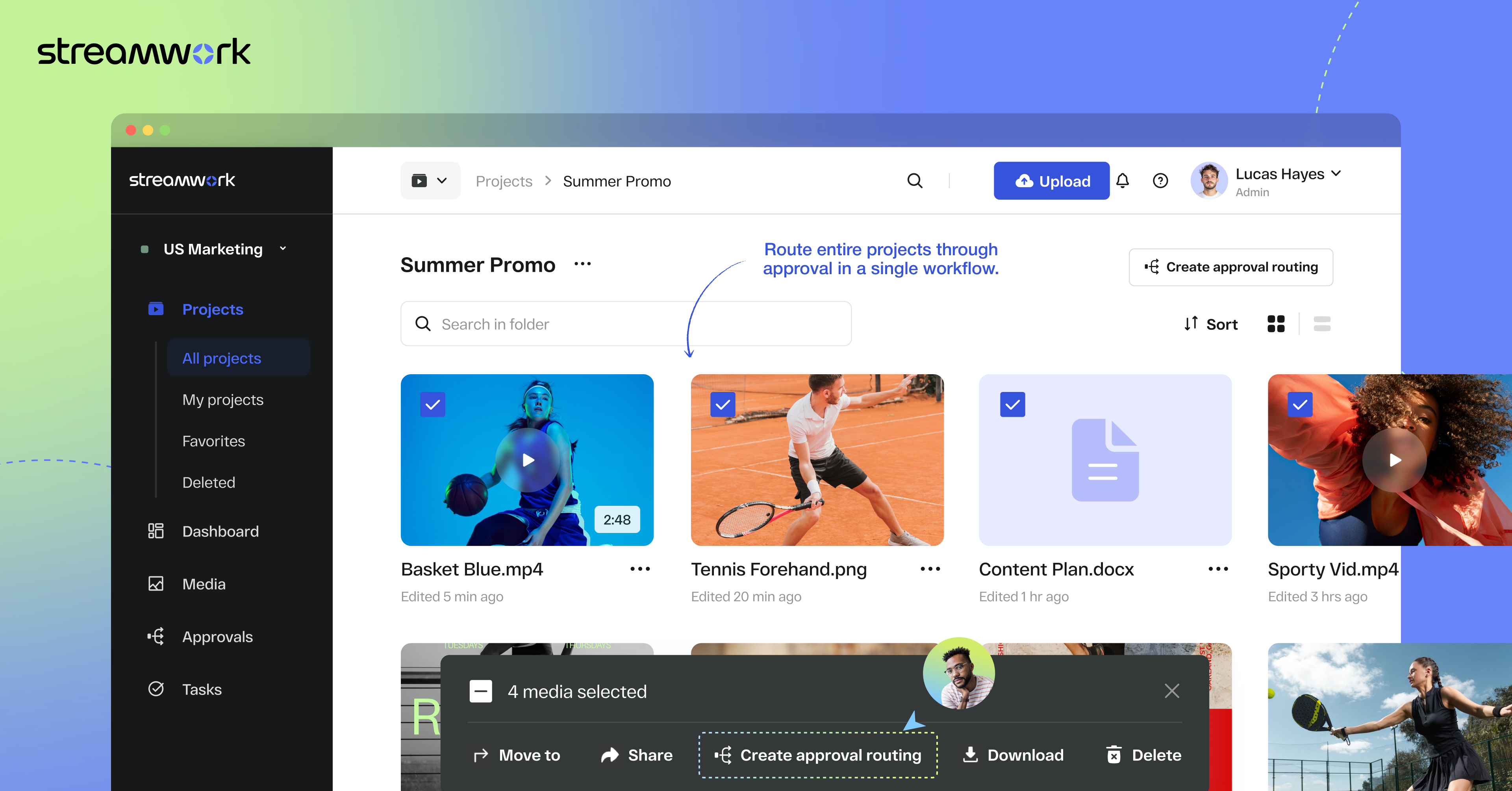
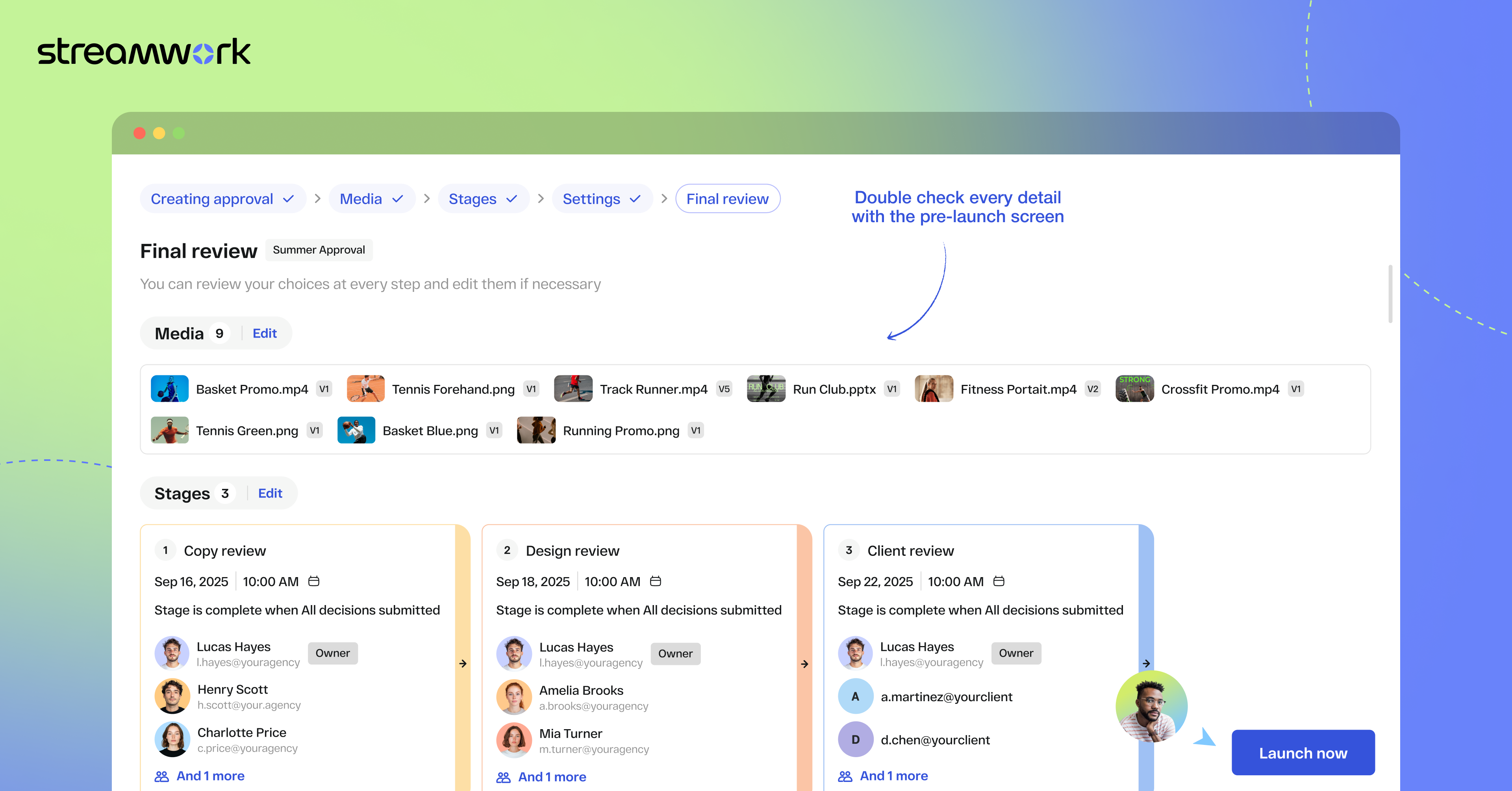
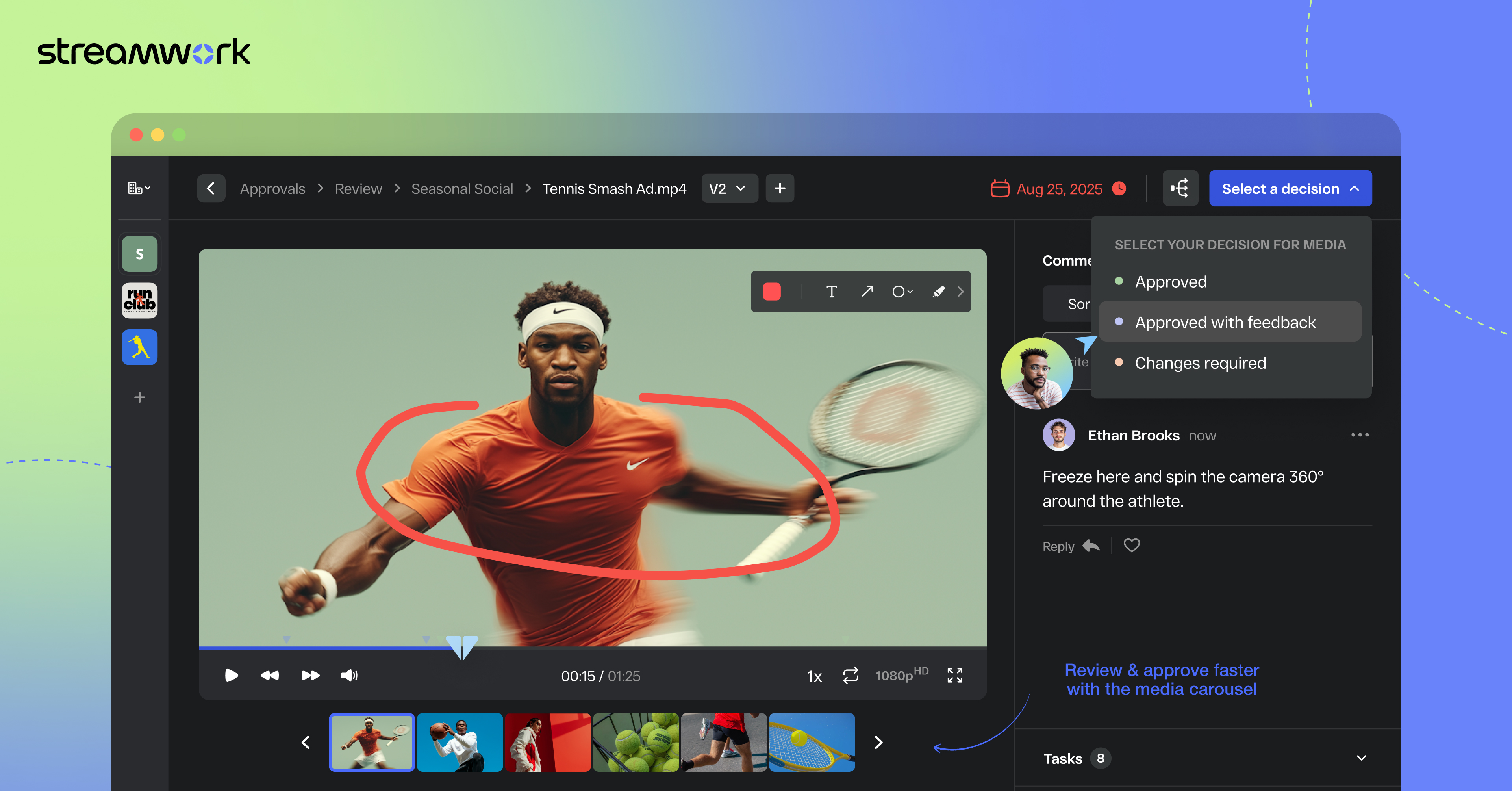
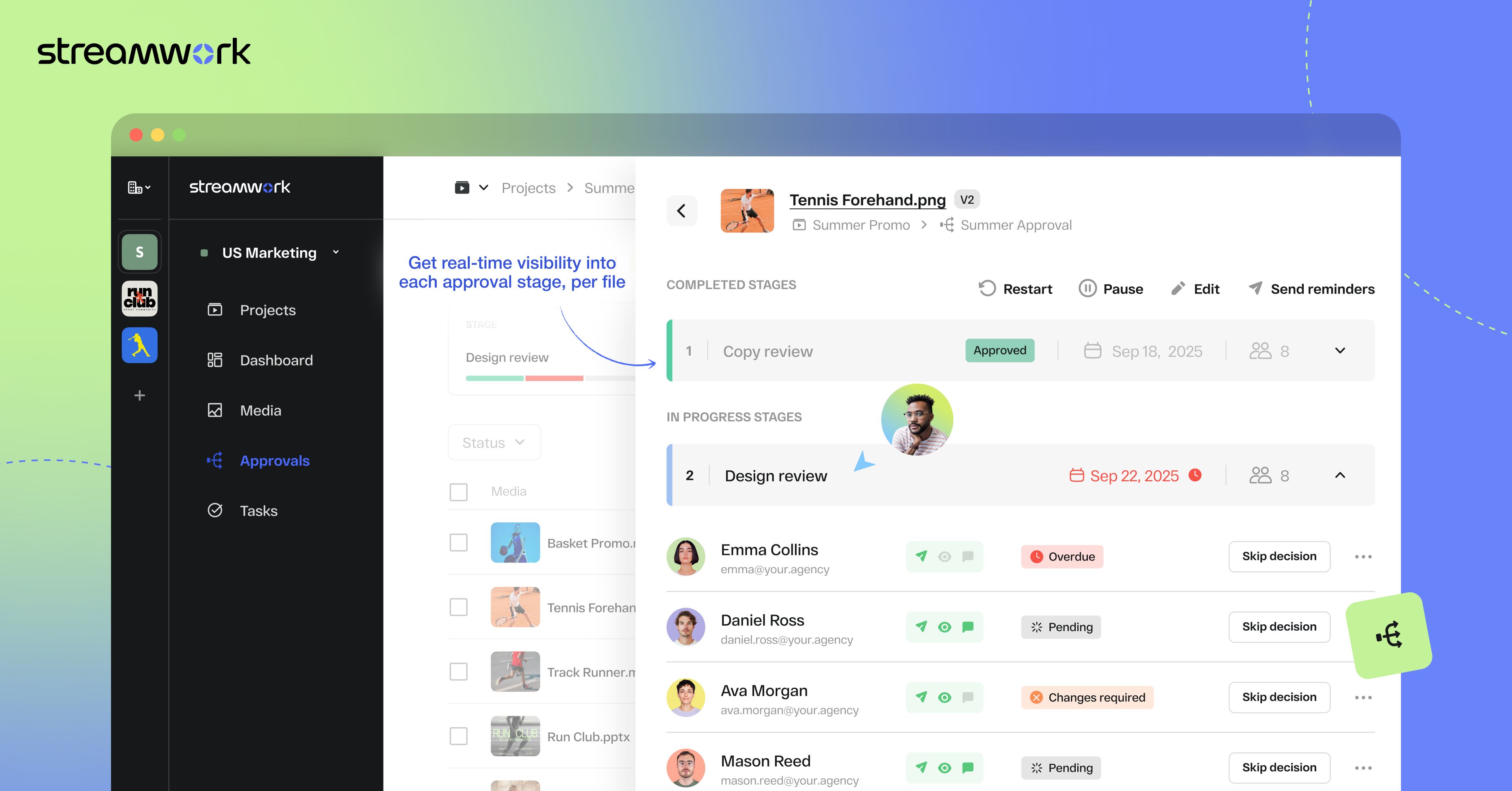
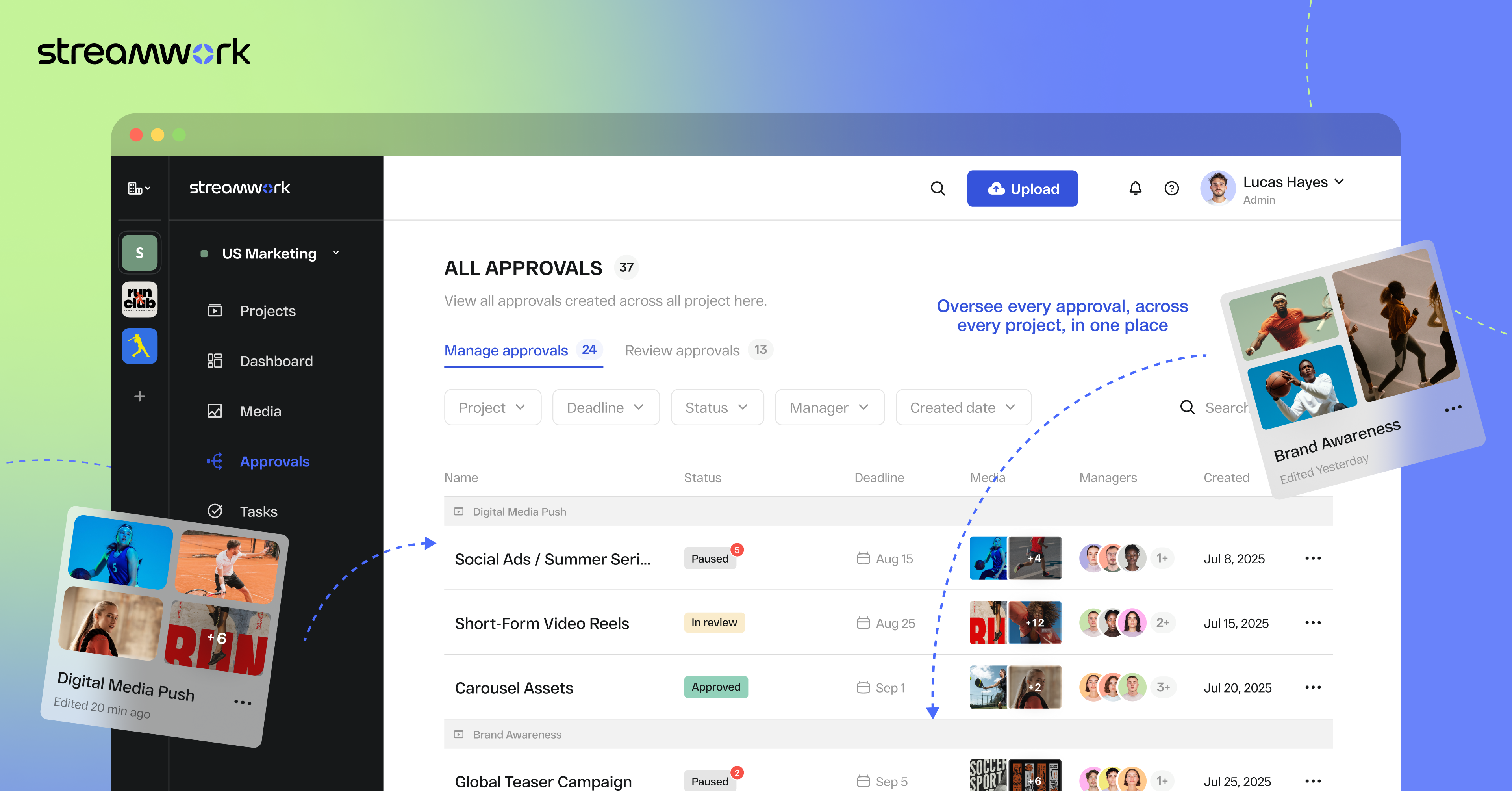
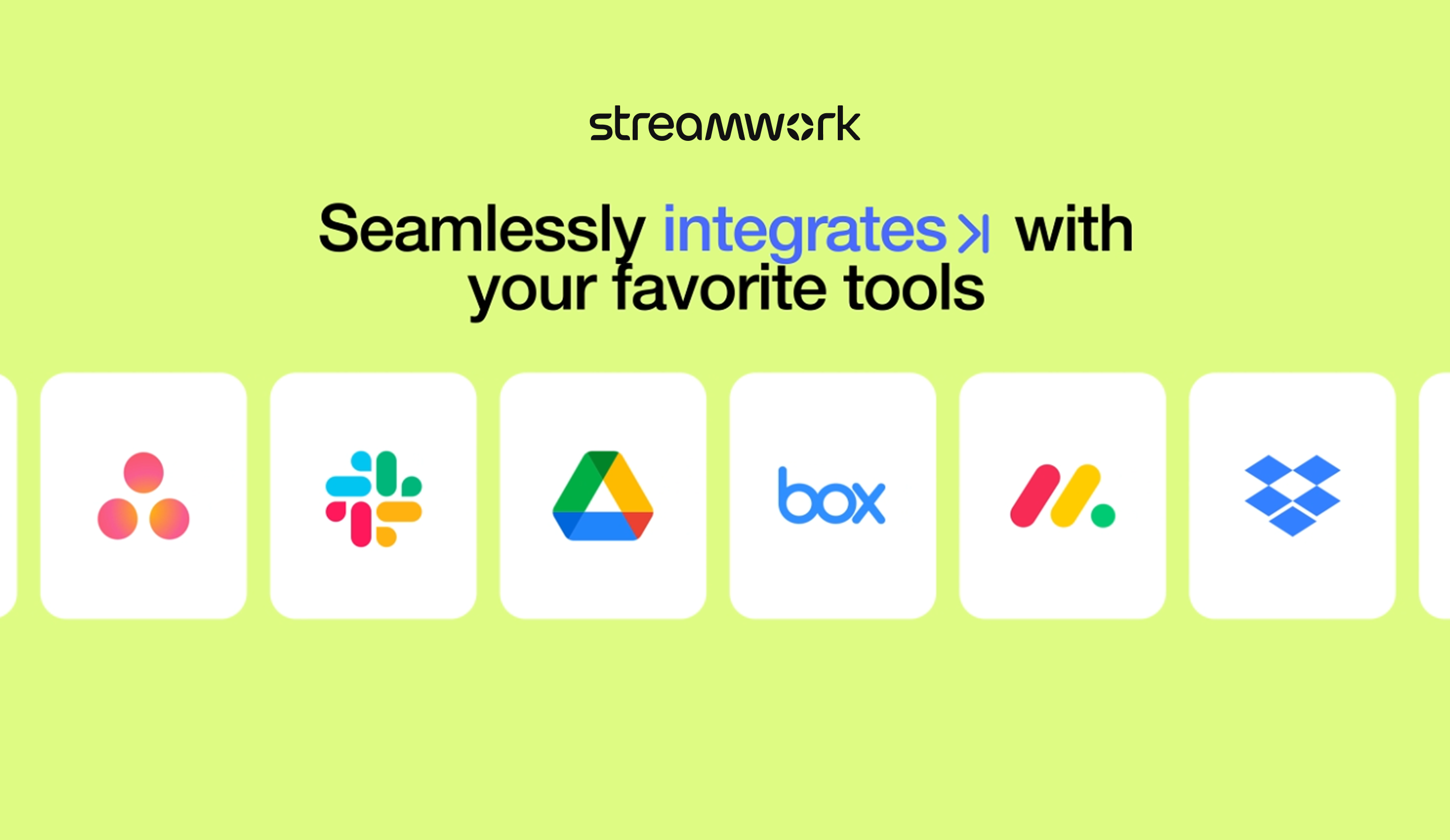
    Screenshot of StreamWork Bulk Enterprise Approval. Here, users can route multiple media files—videos, PDFs, images, and decks—through a single approval flow, helping to keep stakeholders aligned, reduce bottlenecks, and upload new versions without disrupting progress.Screenshot of StreamWork Final Approval Review. This automates complex reviews with customizable, multi-stage workflows. Conditional routing, reviewer permissions, and smart deadlines help to ensure projects move forward efficiently without manual follow-ups.Screenshot of StreamWork Online Proofing Software. Here, users can annotate nearly any file type with precision markup and contextual comments, convert feedback into tasks instantly, and @mention teammates to streamline collaboration and keep projects on track.Screenshot of StreamWork Granular Approval Tracking. This creates real-time visibility into all approvals at a glance by enabling users to track deadlines, reviewer progress, and project status from a single dashboard.Screenshot of StreamWork Enterprise Approval Dashboards. These help maintain full compliance and accountability with immutable audit logs. They display time-stamped decisions, monitor reviewer activity, and generate reliable approval histories for enterprise-grade governance.Screenshot of some of StreamWork direct integrations like Asana, Monday.com, Slack, Google Drive, and Dropbox.