DeskTime vs. SuperSee

Overview
ProductRatingMost Used ByProduct SummaryStarting Price
DeskTime
Score 10.0 out of 10
N/A
DeskTime is an automatic time tracking software that tracks and analyzes employee productivity, and is a project from DeskTime.com of the Draugiem Group of companies and tech startups in Latvia.
$7
per month per user
SuperSee
Score 0.0 out of 10
N/A
SuperSee is a Workforce Visibility and Productivity Analytics platform designed to help organizations manage Distributed, Remote, Hybrid, and Office-Based teams. The platform provides real-time and historical visibility into employee computer activity, assisting managers in identifying productivity trends, monitoring Application and Website Usage, reviewing work patterns, and tracking working hours to improve operational…
$2.99
per month
Pricing
DeskTimeSuperSee
Editions & Modules
Pro
$7
per month per user
Premium
$10
per month per user
Enterprise
$20
per month per user
Basic
$2.99
per month
Professional
$4.99
per month
Business
$8.99
per month
Offerings
Pricing Offerings
DeskTimeSuperSee
Free Trial
YesYes
Free/Freemium Version
YesNo
Premium Consulting/Integration Services
NoNo
Entry-level Setup FeeNo setup feeNo setup fee
Additional Details1 month free for annual pricing.Discount available for annual billing.
More Pricing Information
Community Pulse
DeskTimeSuperSee
Considered Both Products
DeskTime
Chose DeskTime
The user interface and user experience are much better compared to the other same app. It is also cheaper with a bunch of extra features!
Chose DeskTime
I was not a part of the selection of DeskTime, but DeskTime seems to have the easiest to use UI, the best rated customer service, and a substantial feature set as compared to some of the competitors. I was not aware of price differences for enterprise use, but I assume it is …
SuperSee

No answer on this topic

Best Alternatives
DeskTimeSuperSee
Small Businesses
Traqq
Traqq
Score 9.1 out of 10
Traqq
Traqq
Score 9.1 out of 10
Medium-sized Companies
TimeClock Plus
TimeClock Plus
Score 9.5 out of 10
Hubstaff
Hubstaff
Score 9.3 out of 10
Enterprises
Zoho People
Zoho People
Score 8.9 out of 10
Hubstaff
Hubstaff
Score 9.3 out of 10
All AlternativesView all alternativesView all alternatives
User Ratings
DeskTimeSuperSee
Likelihood to Recommend
9.5
(0 ratings)
-
(0 ratings)
User Testimonials
DeskTimeSuperSee
Likelihood to Recommend
I would say that a scenario where DeskTime is well suited is for personal use in a private business. DeskTime does exactly what it advertises, and it does it very well. However, I think there is a lot of potential for over-monitoring of your employees, or over-monitoring from high ups in larger companies. In a private business for personal use, you're only monitoring your own time management, so you can adjust as needed.
Read full review
No answers on this topic
Pros
  • Tracks productivity
  • Takes screenshots of activity
  • Ranks users based on performance
  • Can create and manage many teams
  • Can see all hours worked, arrivals and departures
  • Can dictate which websites are productive and unproductive
Read full review
No answers on this topic
Cons
  • Potential to over-monitor employee time usage
  • No task tracking feature
  • Realization of own poor time management
Read full review
No answers on this topic
Alternatives Considered
Desktime is the first time management software I have used.
Read full review
No answers on this topic
Return on Investment
  • Good Investment, with the report you can decide which other paid apps [are] not being used in the organization
Read full review
No answers on this topic
ScreenShots

DeskTime Screenshots

Screenshot of Screenshot of

SuperSee Screenshots

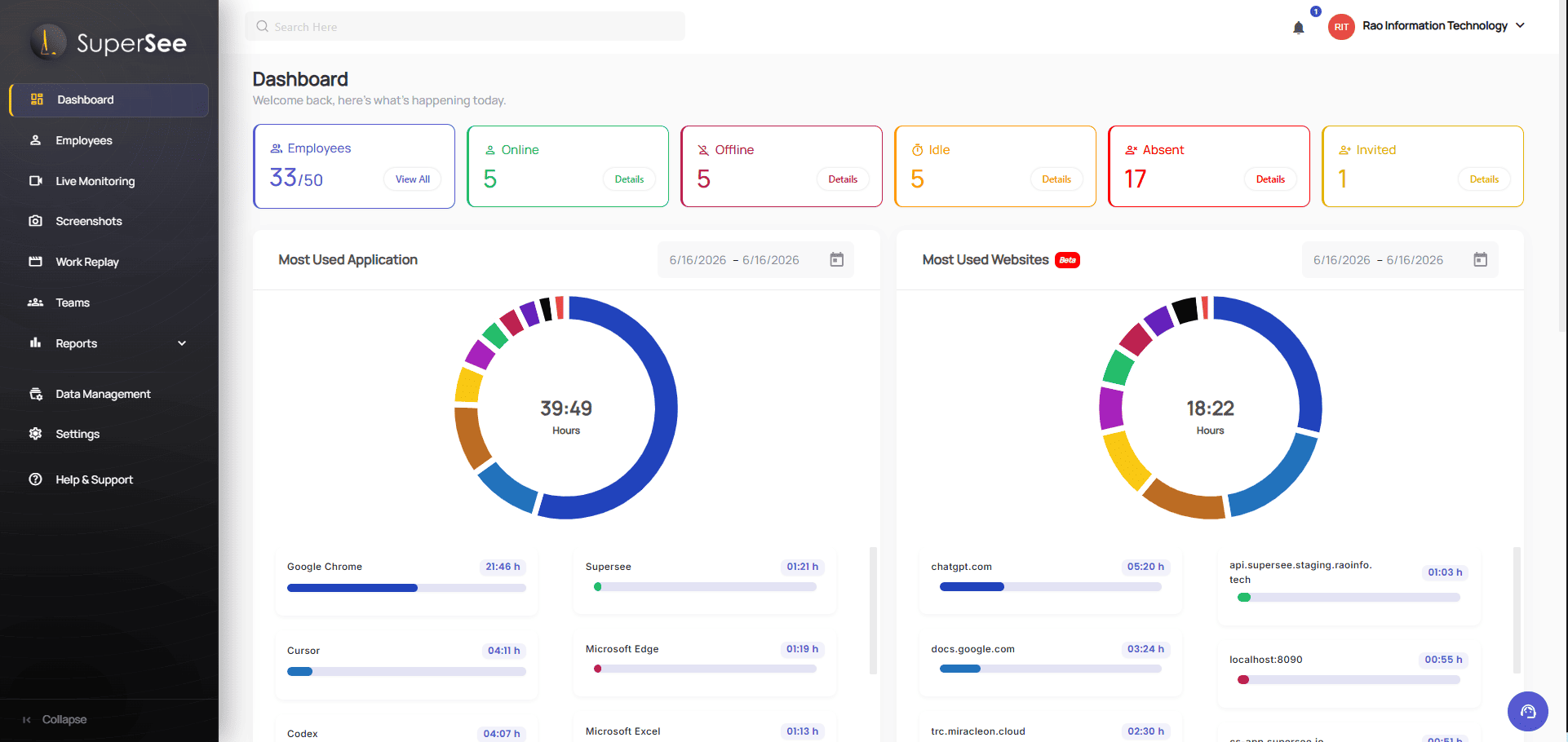
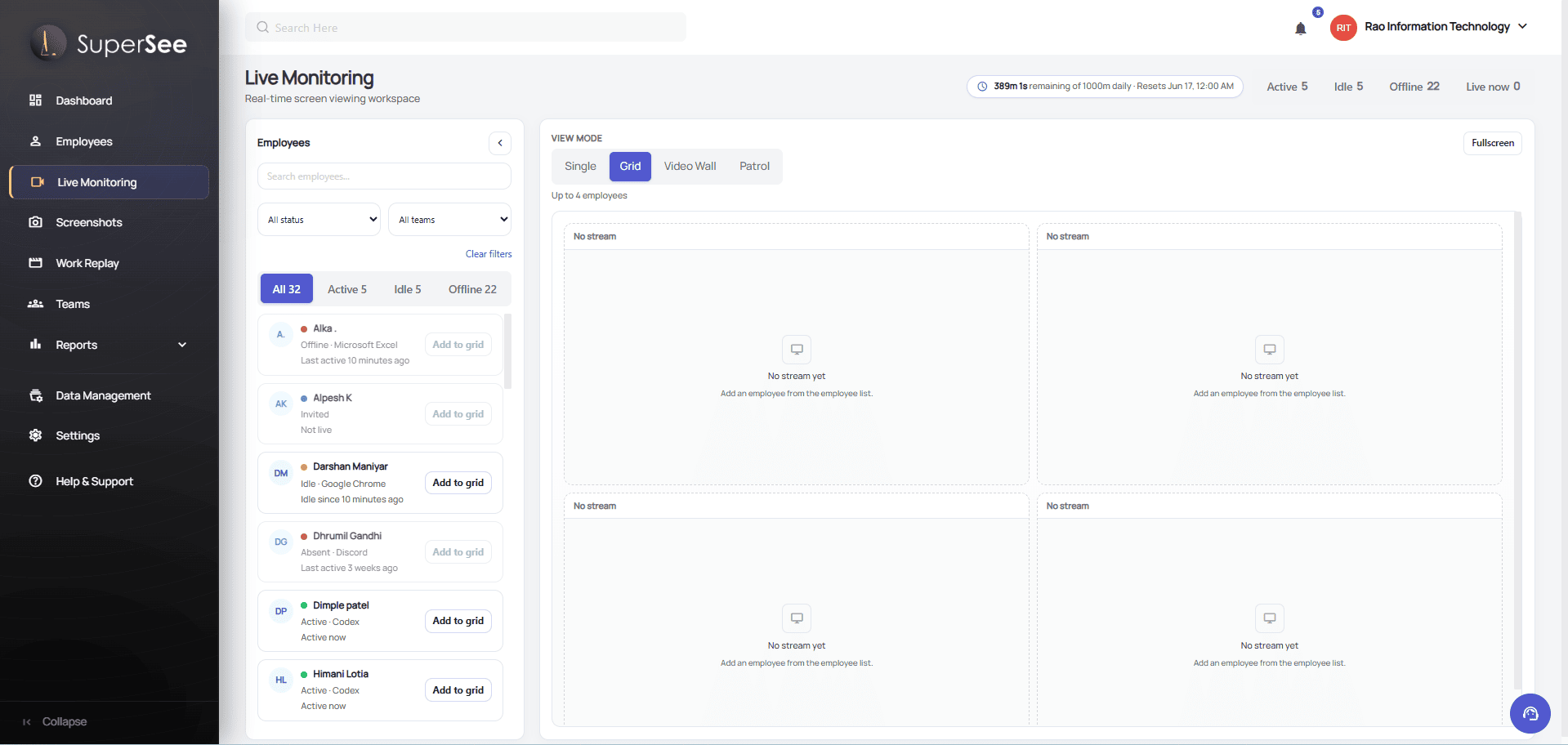
Screenshot of an overview of workforce activity, attendance, productivity trends, and key organizational insights.Screenshot of where to analyze productivity patterns across employees and teams to identify changes, and compare performance.Screenshot of a view employee screens in real time using single-screen, multi-screen grid, video wall, and patrol modes for better operational visibility.Screenshot of where to automatically track working hours and generate accurate timesheets with visibility into employee activity, attendance, and work duration.Screenshot of the dashboard to review employee activity over time through a visual timeline that makes it easier to understand work patterns and investigate specific periods.