TrustRadius: an HG Insights company

Save this comparison

Save this comparison

Add Product

Recommended Comparisons

    Overview
    ProductRatingMost Used ByProduct SummaryStarting Price

    TableAir

    N/AN/ATableAir helps companies manage hybrid offices by providing integrated smart workplace solutions. From a simple workspace booking to a full hybrid office management: - Booking apps for desk reservation - Meeting room booking solution - Remote work booking solution - Office parking space booking and management -Analytics for insights - Workspace occupancy sensors - Meeting room displays - Smart…

    $3

    per month per resource

    Zoho Calendar

    Score7 out of 10
    N/AZoho Calendar is an online business calendar designed to make scheduling easy. It can be used to stay on top of a schedule, or to share scheduled events with peers.N/A
    Pricing
    TableAirZoho Calendar
    Editions & Modules
    No answers on this topic
    No answers on this topic
    Offerings
    Pricing Offerings
    TableAirZoho Calendar
    Free Trial
    YesNo
    Free/Freemium Version
    NoYes
    Premium Consulting/Integration Services
    YesNo
    Entry-level Setup Fee$500No setup fee
    Additional Details- Free 30-day trial - Initial System setup starts from EUR 500 - The user number is unlimited - Mobile app for free - The launch of the account within 1-2 workdays - Pricing per resource, not users - Licenses either annually or monthly
    More Pricing Information
    Community Pulse
    TableAirZoho Calendar
    Considered Both Products
    TableAir
    No answer on this topic
    Zoho
    No answer on this topic
    Key User Insights
    Would buy again
    No answers on this topic
    94%
    Would buy again
    15 Answers
    Delivers good value for the price
    No answers on this topic
    94%
    Delivers good value for the price
    15 Answers
    Happy with the feature set
    No answers on this topic
    88%
    Happy with the feature set
    14 Answers
    Lived up to sales and marketing promises
    No answers on this topic
    100%
    Lived up to sales and marketing promises
    9 Answers
    Implementation went as expected
    No answers on this topic
    100%
    Implementation went as expected
    12 Answers
    Best Alternatives
    TableAirZoho Calendar
    Small Businesses
    No answers on this topic
    Google Calendar
    Score9.2 out of 10
    Medium-sized Companies
    No answers on this topic
    Google Calendar
    Score9.2 out of 10
    Enterprises
    No answers on this topic
    Google Calendar
    Score9.2 out of 10
    All AlternativesView all alternativesView all alternatives
    User Ratings
    TableAirZoho Calendar
    Likelihood to Recommend
    -
    (0 ratings)
    7.0
    (16 ratings)
    Likelihood to Renew
    -
    (0 ratings)
    9.0
    (1 ratings)
    Usability
    -
    (0 ratings)
    9.0
    (1 ratings)
    Support Rating
    -
    (0 ratings)
    10.0
    (1 ratings)
    User Testimonials
    TableAirZoho Calendar
    Likelihood to Recommend
    TableAir
    No answers on this topic
    Zoho
    It is good for office use for keeping track of meetings and various important events. It is very nice to share a calendar with the whole team and the whole team has access to it, everyone can modify and update events. Furthermore, it is less appropriate when you use it on mobile, and it also cannot record the meetings.
    Incentivized
    Read full review
    Pros
    TableAir
    No answers on this topic
    Zoho
    • I can see that Zoho Calendar allows for multiple tab use which seemed to be a rare and useful function to have.
    • I like how the search function is advanced and you can put specific info to find what you require.
    • I like the visual freedom the app gives in terms of the day, month, and workdays, 2-month views, and selecting colours as well, etc.
    Incentivized
    Read full review
    Cons
    TableAir
    No answers on this topic
    Zoho
    • It needs better software integration for use with other services and programs
    • It needs a better source code so that it doesn't crash or lock up as often
    • It should incorporate better customer service for dealing with the issues it creates.
    Incentivized
    Read full review
    Likelihood to Renew
    TableAir
    No answers on this topic
    Zoho
    I subscribe to Zoho One so I use many of the modules that come with that single subscription. I've had intermittent issues with scheduled Zoho Meetings through Zoho CRM not appearing in my Zoho Calendar. Zoho has been working on the issue but it will be fixed for a while and then I'll miss a meeting because it wasn't appearing.
    Incentivized
    Read full review
    Usability
    TableAir
    No answers on this topic
    Zoho
    Since there are lots of preference options, it can be a little confusing when setting up. It does integrate with other calendars where you can choose one or two way syncing which is helpful if you keep separate personal and work calendars. You can set your start day of the week which for me I have it set to Monday. There are also time zone options which are great but still a bit confusing to me.
    Incentivized
    Read full review
    Support Rating
    TableAir
    No answers on this topic
    Zoho
    Support has been excellent. As always, they are quickly responsive, and I feel they genuinely wish to address and fix any issues. It's unfortunate that my issues with meetings created in Zoho CRM don't always appear in my Zoho Calendar. While they mostly appear, my confidence level on any given week that I can see what is on my schedule is decidedly lacking.
    Incentivized
    Read full review
    Alternatives Considered
    TableAir
    No answers on this topic
    Zoho
    Zoho calendar allows us to schedule, manage and track your appointment, meetings, birthdays, and other important dates. And also collaborate, share and publish your daily activities. Zoho Calendar also provides you to make it more creative by changing the themes. Event reminders are also available on Zoho Calendar, so we can be reminded either via email or through a pop-up about appointments, dates, milestones, and events. Reminders can pop up as early as 30 days before an event.
    Incentivized
    Read full review
    Return on Investment
    TableAir
    No answers on this topic
    Zoho
    • Once the meeting is created on the Zoho calendar, you don't need to remind invitees to join the meeting at a particular time or day. Zoho calendar does that for you.
    • If any invitees are unable to join the meeting, they can ask for a different time prior to that meeting.
    • Sometimes if many meetings are in the pipeline then there can be overlap.
    Incentivized
    Read full review
    ScreenShots

    TableAir Screenshots

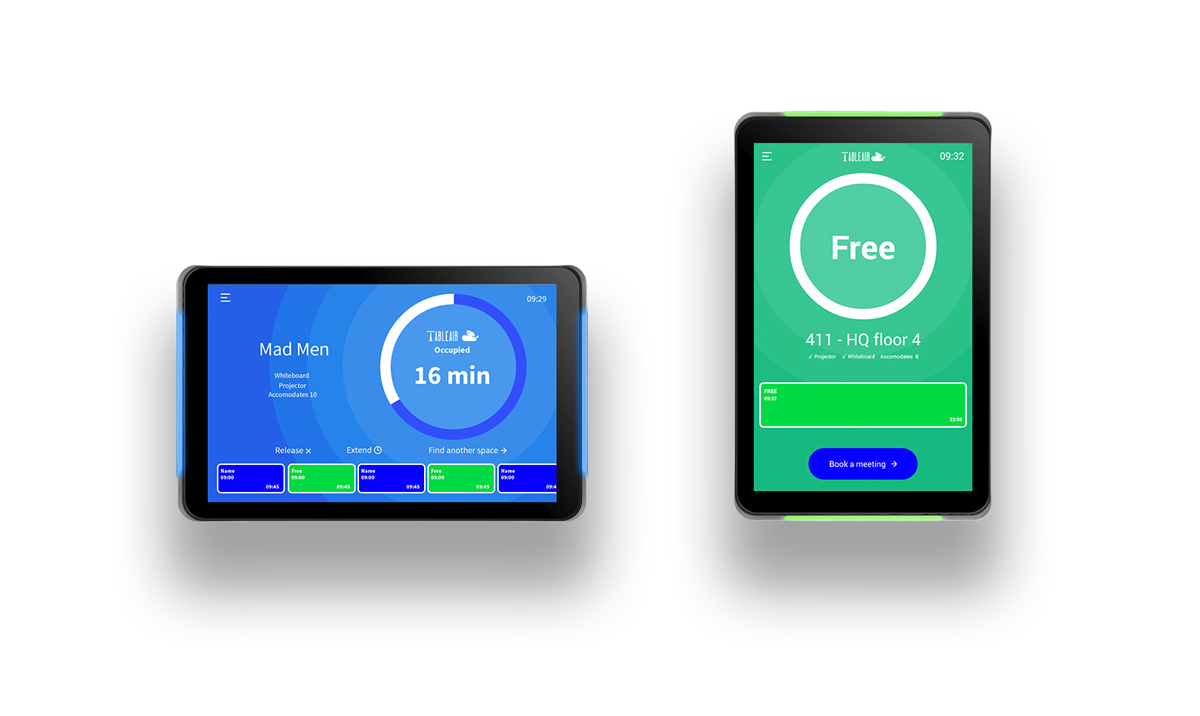
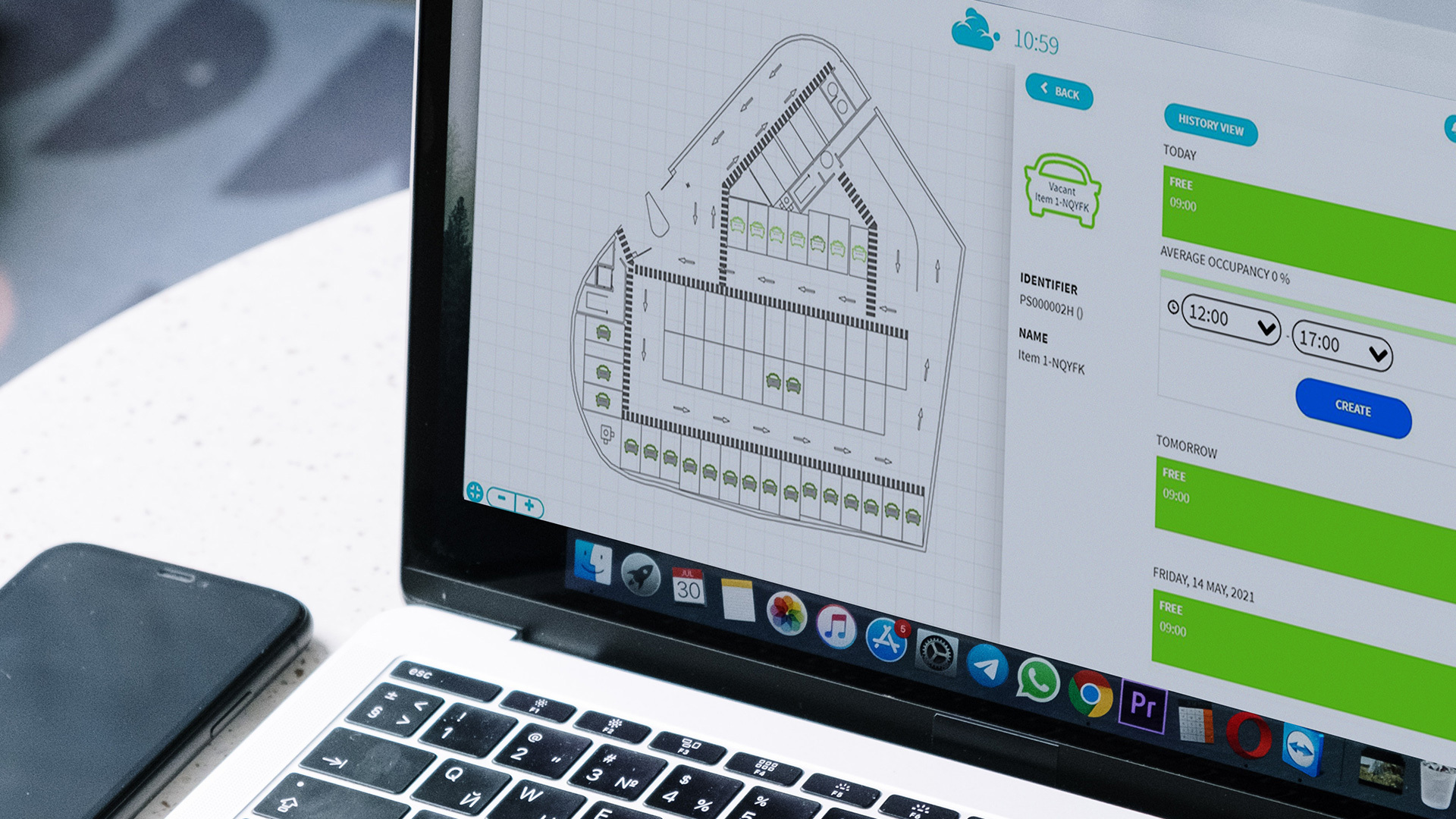
    Screenshot of the mobile app of the workspace booking solution, used to manage space allocation and increase utilization. The solution helps locate available desks on different office floors or buildings and book them for the required time. The interactive floor map leads the way to the desk or even helps to find a teammate.Screenshot of the meeting rooms' booking system used to manage meeting room bookings through a web application or mobile app - change time, invite participants, and find the room through a floor map. Its analytics provide insights by analyzing meeting rooms' day-to-day usage.Screenshot of meeting room digital signage that indicates the room occupancy status from afar. The display works in either in portrait or landscape mode, and displays meeting room information, booking details, and lets users either release the room or book it on the spot.Screenshot of the parking booking system used to manage car parking lots, that helps to utilize the entire space. Parking spots can be reserved in advance or shared through the mobile app, grouped in different zones, or assigned exclusively to certain people.

    Zoho Calendar Screenshots

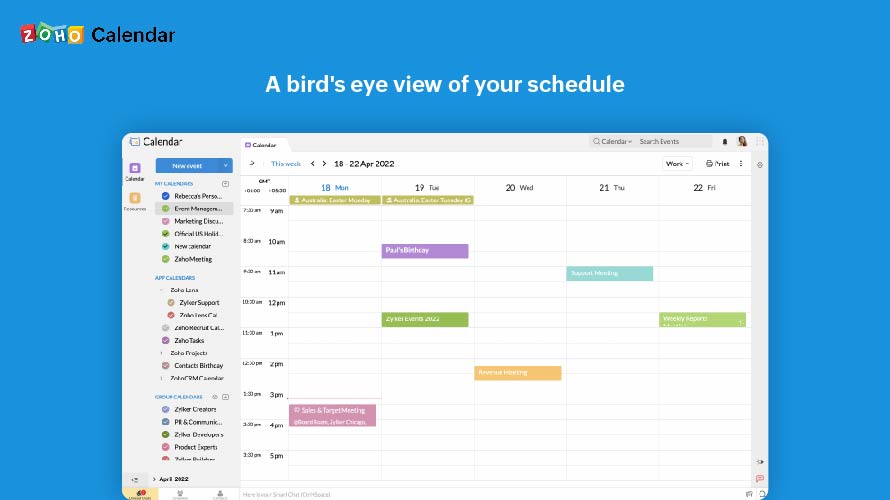
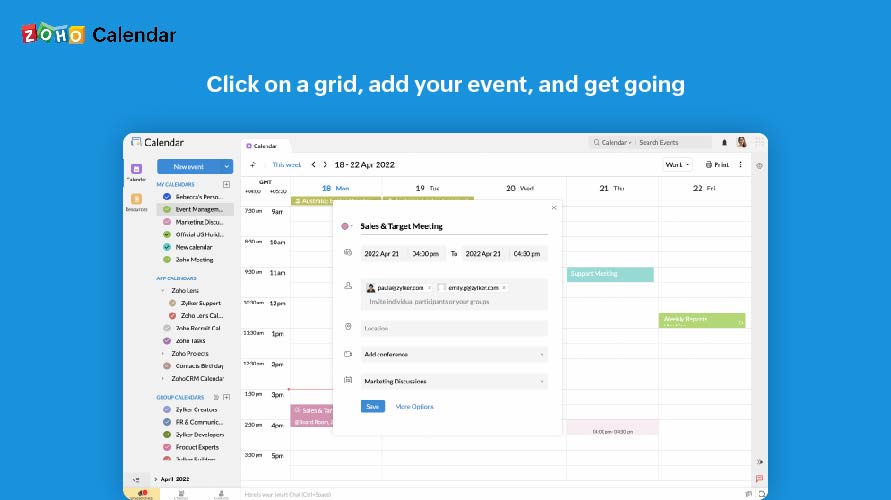
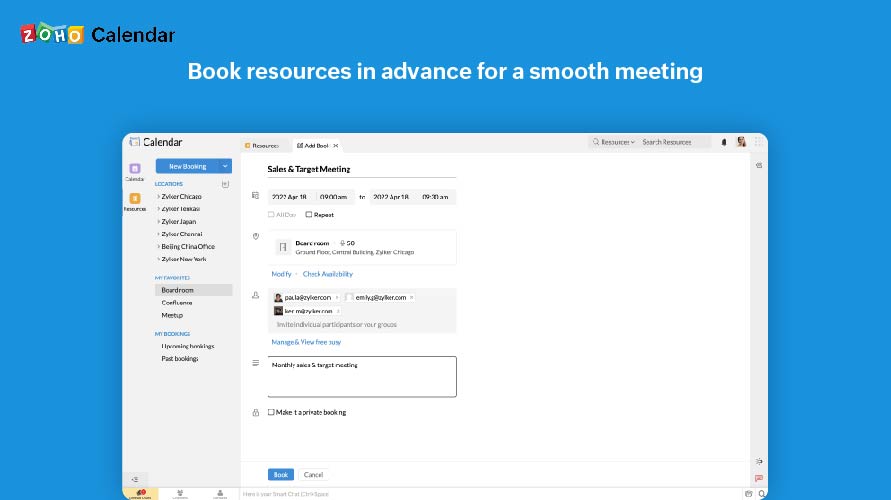
    Screenshot of A bird's eye view of your scheduleScreenshot of Click on a grid, add your event, and get goingScreenshot of Skip the steps, one click is all it takesScreenshot of Book resources in advance for a smooth meetingScreenshot of Know what's available and what's not