TrustRadius: an HG Insights company

Save this comparison

Save this comparison

Add Product

Recommended Comparisons

    Overview
    ProductRatingMost Used ByProduct SummaryStarting Price

    TimeCamp

    Score7.2 out of 10
    Small Businesses (1-50 employees)
    TimeCamp is cloud based, multi-platform (Windows, Mac, Linux, iOS, Android) time tracking and invoicing software.

    $5.49

    per month per user

    todo.vu

    N/AN/Atodo.vu combines time tracking and billing with task management to help freelancers and small teams work more productively and capture every minute of their billable and non-billable time. Designed by consultant developers initially to support their own business, todo.vu is made for professionals who charge by the hour and manage many business-related, ad-hoc and client tasks. todo.vu can be used by freelancers, consultants and small- to mid-sized teams. With todo.vu, users…

    $9

    per month per user

    Pricing
    TimeCamptodo.vu
    Editions & Modules
    Free
    $0
    free with limited features.
    Starter
    $5.49
    per month per user
    Premium
    $9.99
    per month per user
    Ultimate
    $13.99
    per month per user
    Enterprise
    Custom
    Solo Free Plan
    $0
    Business Time Plan
    $9
    per month per user
    Offerings
    Pricing Offerings
    TimeCamptodo.vu
    Free Trial
    YesYes
    Free/Freemium Version
    YesYes
    Premium Consulting/Integration Services
    YesNo
    Entry-level Setup FeeNo setup feeNo setup fee
    Additional DetailsDiscount available for annual billing. The free plan encompass all basic time tracking features for unlimited users.todo.vu's Business Time plan is capped at $99 per month for unlimited users, which means every user after the 11th user can be added at no additional monthly cost to your business. todo.vu's Solo Free plan is limited to one user only.
    More Pricing Information
    Community Pulse
    TimeCamptodo.vu
    Considered Both Products
    TimeCamp
    No answer on this topic
    Kitovu Pty Ltd
    No answer on this topic
    Key User Insights
    Would buy again
    93%
    Would buy again
    14 Answers
    No answers on this topic
    Delivers good value for the price
    100%
    Delivers good value for the price
    13 Answers
    No answers on this topic
    Happy with the feature set
    93%
    Happy with the feature set
    14 Answers
    No answers on this topic
    Lived up to sales and marketing promises
    92%
    Lived up to sales and marketing promises
    12 Answers
    No answers on this topic
    Implementation went as expected
    93%
    Implementation went as expected
    13 Answers
    No answers on this topic
    Best Alternatives
    TimeCamptodo.vu
    Small Businesses
    Time Doctor
    Score8 out of 10
    Time Doctor
    Score8 out of 10
    Medium-sized Companies
    Toggl Track
    Score9 out of 10
    Toggl Track
    Score9 out of 10
    Enterprises
    Hubstaff
    Score9.4 out of 10
    TimeCamp
    Score7 out of 10
    All AlternativesView all alternativesView all alternatives
    User Ratings
    TimeCamptodo.vu
    Likelihood to Recommend
    7.6
    (24 ratings)
    -
    (0 ratings)
    Usability
    7.6
    (5 ratings)
    -
    (0 ratings)
    Support Rating
    8.0
    (1 ratings)
    -
    (0 ratings)
    User Testimonials
    TimeCamptodo.vu
    Likelihood to Recommend
    TimeCamp
    It is well suited for a company like ours, where we have different clients and can track hours per client/project. We charge hourly as well, so this is very important I wouldn't recommend it if you don't need to really track time of each task and that you are allowed to take your time with your daily tasks.
    Incentivized
    Read full review
    Kitovu Pty Ltd
    No answers on this topic
    Pros
    TimeCamp
    • Accurate time tracking running in the background without hiding the user's display.
    • Detailed reports for all users, with clear differentiation between billable and non-billable tasks, are top-notch.
    • Comprehensive billing plan which suits small businesses as well as enterprises.
    • Good sales and support.
    Incentivized
    Read full review
    Kitovu Pty Ltd
    No answers on this topic
    Cons
    TimeCamp
    • The interface is pretty good, but it could be better with some slight restructuring.
    • One thing that can be a bit annoying is the "Task" bar that displays on the screen showing the task and time. It is there to help you to remember to stop time when you end a task. It is needed but it would be nice if there were some design aspects to it so it could be made smaller.
    Incentivized
    Read full review
    Kitovu Pty Ltd
    No answers on this topic
    Usability
    TimeCamp
    Usability wise, 10 out of 10. TimeCamp is a great solution for the problem that every company has with their employees: What is my team working on and how effective are being on those assignments? I believe that TimeCamp has great potential for expansion. It is a very well suited platform against others like Clockify.
    Incentivized
    Read full review
    Kitovu Pty Ltd
    No answers on this topic
    Support Rating
    TimeCamp
    I am giving support a rating of 8 but that is quite arbitrary. Honestly, we have never had the need to contact support for any reason. There has not been a situation where we became stuck and could not figure out how to work through it. Sign up was easy and billing is like clockwork so there has been no need to contact billing support. I think this is a testament to the ease of use of TimeCamp.
    Incentivized
    Read full review
    Kitovu Pty Ltd
    No answers on this topic
    Alternatives Considered
    TimeCamp
    Ultimately I selected Clockify instead of TimeCamp. As previously mentioned, I believe that TimeCamp wasn't that intuitive, and too many things were behind pay walls. Clockify offered the same features mostly for free. Although TimeCamps UX was sleeker than Clockify's I found that Clockify was a better fit for me.
    Incentivized
    Read full review
    Kitovu Pty Ltd
    No answers on this topic
    Return on Investment
    TimeCamp
    • TimeCamp is customizable in the sense that it can measure computer usage and provide insight into each employee's productivity.
    • TimeCamp can be used to send automated weekly emails summarizing work completed, time wasted, productive hours, and time-consuming website lists.
    • When you use TimeCamp, you can increase efficiency and profitability while determining where your time is spent throughout business operations.
    • Employees can use TimeCamp to track their productivity and see how much time they lose due to various omissions.
    Incentivized
    Read full review
    Kitovu Pty Ltd
    No answers on this topic
    ScreenShots

    TimeCamp Screenshots

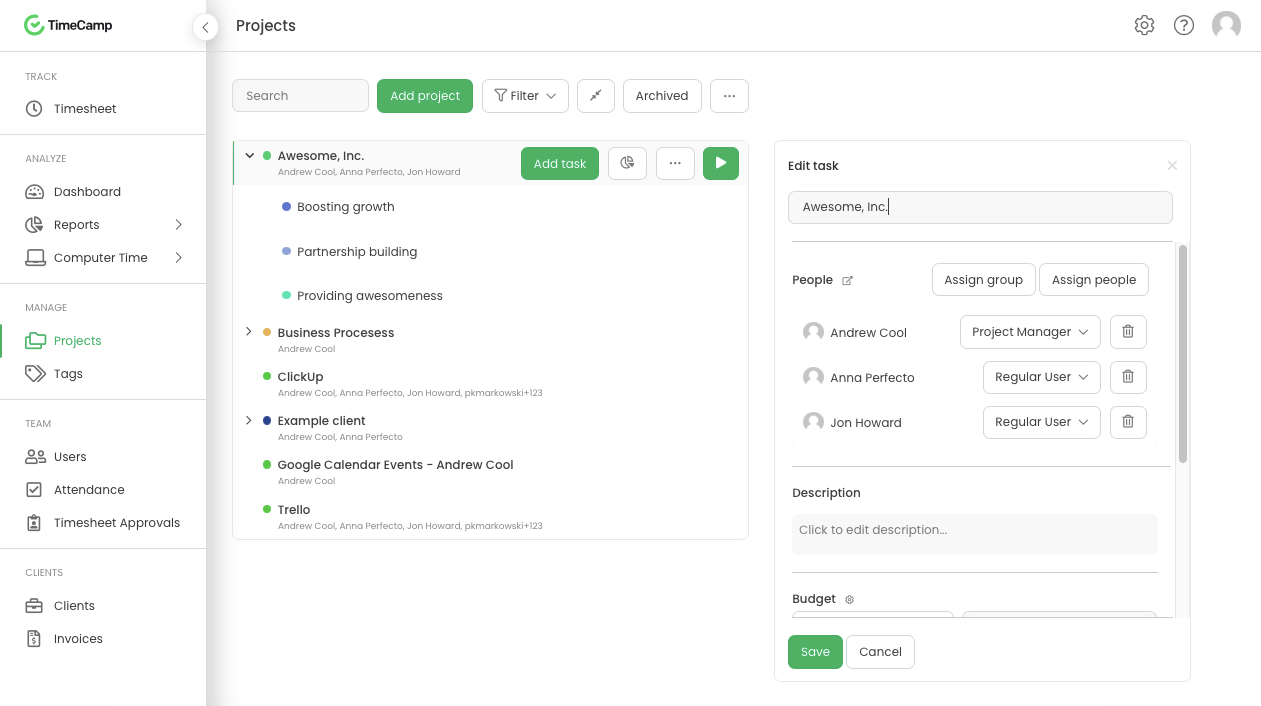
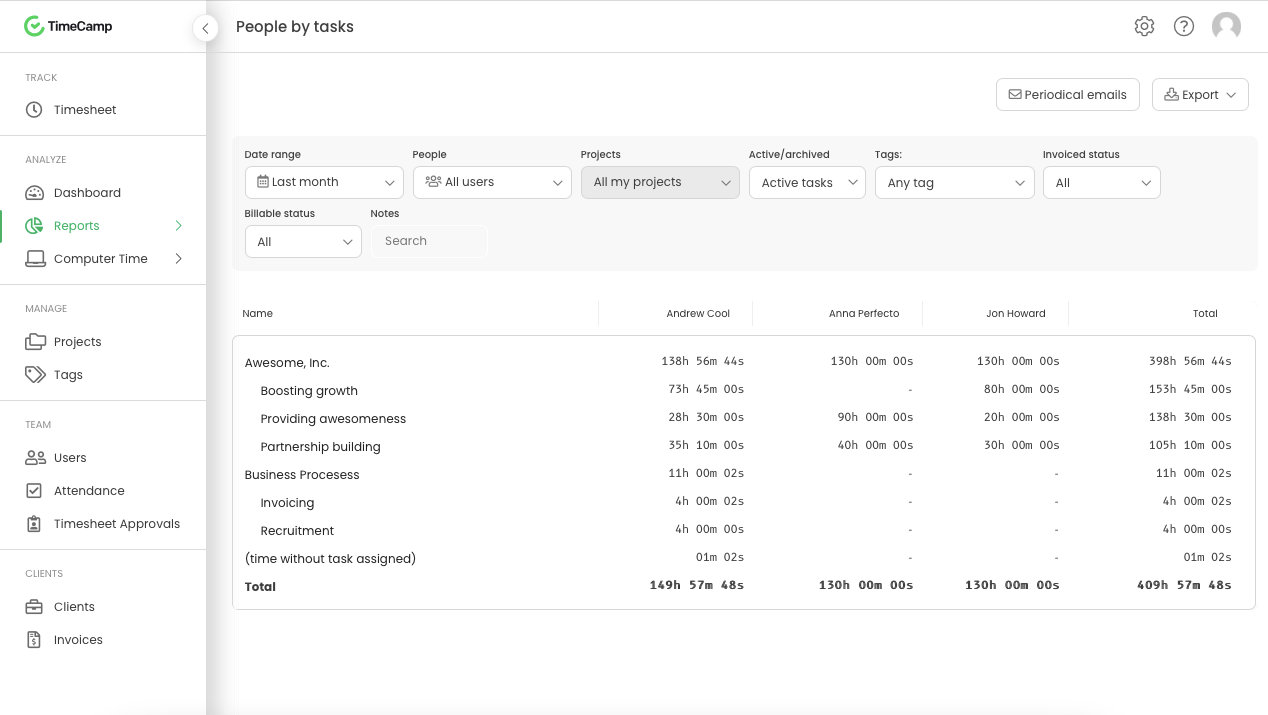
    Screenshot of Daily timesheet viewScreenshot of Weekly timesheet viewScreenshot of ProjectsScreenshot of People by task reportScreenshot of Attendance

    todo.vu Screenshots

    Screenshot of Users can see total time spent on todo.vu tasks as well as their timeline on a task of their entire day. Select the yellow 'predictive' time block to record time.Screenshot of A digitised time billing report in todo.vu, detailing the time a user tracked to specific tasks and projects for a client, the rate at which the time was tracked, the total bill amount, who tracked the time, and any time notes entered by the user.Screenshot of todo.vu’s Kanban-style task management dashboard, where tasks are visually categorised into three workflow states, enabling a flexible, efficient method of organising, managing and collaborating on tasks. Users can track their time directly on any task.Screenshot of todo.vu's digital calendar, on which users can quickly record billable (and non-billable) time at specified hourly rates, set reminders and due dates, create new to-dos on the fly, and see at a glance where time is spent across the business.Screenshot of todo.vu's Reporting Dashboard houses data on time tracked and logged in todo.vu as either billed time, unbillable time, time yet to be billed, or draft billed time. Users can modify the graph in real time with parameters.Screenshot of As users track their time directly on tasks in todo.vu, Admin users can see at a glance what everyone is working on.