TimeCamp vs. WorkTime

Overview
ProductRatingMost Used ByProduct SummaryStarting Price
TimeCamp
Score 7.0 out of 10
Small Businesses (1-50 employees)
TimeCamp is cloud based, multi-platform (Windows, Mac, Linux, iOS, Android) time tracking and invoicing software.
$2.99
per month per user
WorkTime
Score 9.0 out of 10
N/A
WorkTime is an employee monitoring software designed to analyze employee behavior and help companies boost productivity and performance. The software is compatible with Windows OS and Mac OS and operates both on-premise and in cloud. After installation, the WorkTime agent collects information, analyzes it and provides employers with personalized reports to help them better understand the working habits of their office workers and remote teams. WorkTime analyzes the general trends in attendance…
$4.99
per employee per month
Pricing
TimeCampWorkTime
Editions & Modules
Free
$0
For unlimited users
Starter
$2.99
per month per user
Premium
$4.99
per month per user
Ultimate
$7.99
per month per user
Enterprise
Custom
WorkTime Corporate
from $13.99
per employee
WorkTime Cloud
from $4.99
per employee per month
Offerings
Pricing Offerings
TimeCampWorkTime
Free Trial
YesYes
Free/Freemium Version
YesYes
Premium Consulting/Integration Services
YesNo
Entry-level Setup FeeNo setup feeNo setup fee
Additional DetailsFree plan includes: unlimited users, unlimited rojects & tasks, project templates, bulk edit, desktop & mobile app, one integration, tags, PDF exportWorkTime is free for up to 3 employees. Annual discounts – two months free. 30 days FREE fully-featured evaluation.
More Pricing Information
Community Pulse
TimeCampWorkTime
Best Alternatives
TimeCampWorkTime
Small Businesses
Dayforce Powerpay
Dayforce Powerpay
Score 9.4 out of 10
Traqq
Traqq
Score 9.1 out of 10
Medium-sized Companies
TimeClock Plus
TimeClock Plus
Score 9.5 out of 10
ManageEngine ADAudit Plus
Score 9.1 out of 10
Enterprises
Zoho People
Zoho People
Score 9.0 out of 10
ManageEngine ADAudit Plus
Score 9.1 out of 10
All AlternativesView all alternativesView all alternatives
User Ratings
TimeCampWorkTime
Likelihood to Recommend
8.6
(19 ratings)
9.0
(4 ratings)
Support Rating
8.0
(1 ratings)
7.3
(1 ratings)
User Testimonials
TimeCampWorkTime
Likelihood to Recommend
TimeCamp
TimeCamp is comparable to all other time tracking apps. It predominantly depends on your specific use case and if the UX works for you if TimeCamp will be a good fit. Personally, I found the software not super intuitive and I think that was a big turn off.
Read full review
WorkTime
If you're not doing all your work on your computer, you'll find this software pretty useless unless you can login and then logout when you start and end your day. However, I will definitely recommend it to anyone who does an hourly paid job. It's much easier to calculate wages with timely reporting. Great support team software and flexible working hours.
Read full review
Pros
TimeCamp
  • TimeCamp does what it is made to do and it does it very well. It allows multiple levels of billing rates and does a great job tracking.
  • TImeCamp does take a little bit of time to set up, but that is no different than any other tool. The interface is easily understandable so the configuration goes pretty quickly.
Read full review
WorkTime
  • monitoring
  • reporting
  • data exporting
Read full review
Cons
TimeCamp
  • TimeCamp is a little bit expensive. It needs overall improvement in all tools. Moreover, the mobile version is not as useful as the web version of TimeCamp.
  • Other than that, customer service needs more attention and requires more improvement.
  • Also, I feel like that if there are more features of TimeCamp then it would be better.
Read full review
WorkTime
  • Data importing
  • User interface design
  • Creation of explanatory videos
Read full review
Support Rating
TimeCamp
I am giving support a rating of 8 but that is quite arbitrary. Honestly, we have never had the need to contact support for any reason. There has not been a situation where we became stuck and could not figure out how to work through it. Sign up was easy and billing is like clockwork so there has been no need to contact billing support. I think this is a testament to the ease of use of TimeCamp.
Read full review
WorkTime
WorkTime has very helpful employees. Even the CEO is welcoming and easy to reach. They provide full support via chat and email. Their tech department even created special script to help me fulfill needs of my team. You can also reach then on the phone via their business hours. The downside is the absence of 24/7 support or at least an Irish subsidiary for local users support.
Read full review
Alternatives Considered
TimeCamp
TimeCamp
is distinctive and virtuous because it provides a flexible payment system with
a free plan to make it even more attractive, it simply provides the essential
alternatives in our work processes, and the customer service team executes its
work very effectively and with a positive attitude positive.
Read full review
WorkTime
We're using employee monitoring for the first time
Read full review
Return on Investment
TimeCamp
  • TimeCamp sheets help teams be agile and efficient by avoiding administrative overhead.
  • TimeCamp makes it easy to forecast project budgets and track how much time is spent on various activities.
  • TimeCamp improves overall productivity by allocating resources to relevant activities.
  • We use TimeCamp to work more efficiently on all elements of a project.
  • TimeCamp can be used to track staff attendance and manage absences.
  • TimeCamp's billing approach is simple and comprehensive for our clients.
Read full review
WorkTime
  • The program has helped us detect unused software
  • It assists in business management
Read full review
ScreenShots

TimeCamp Screenshots

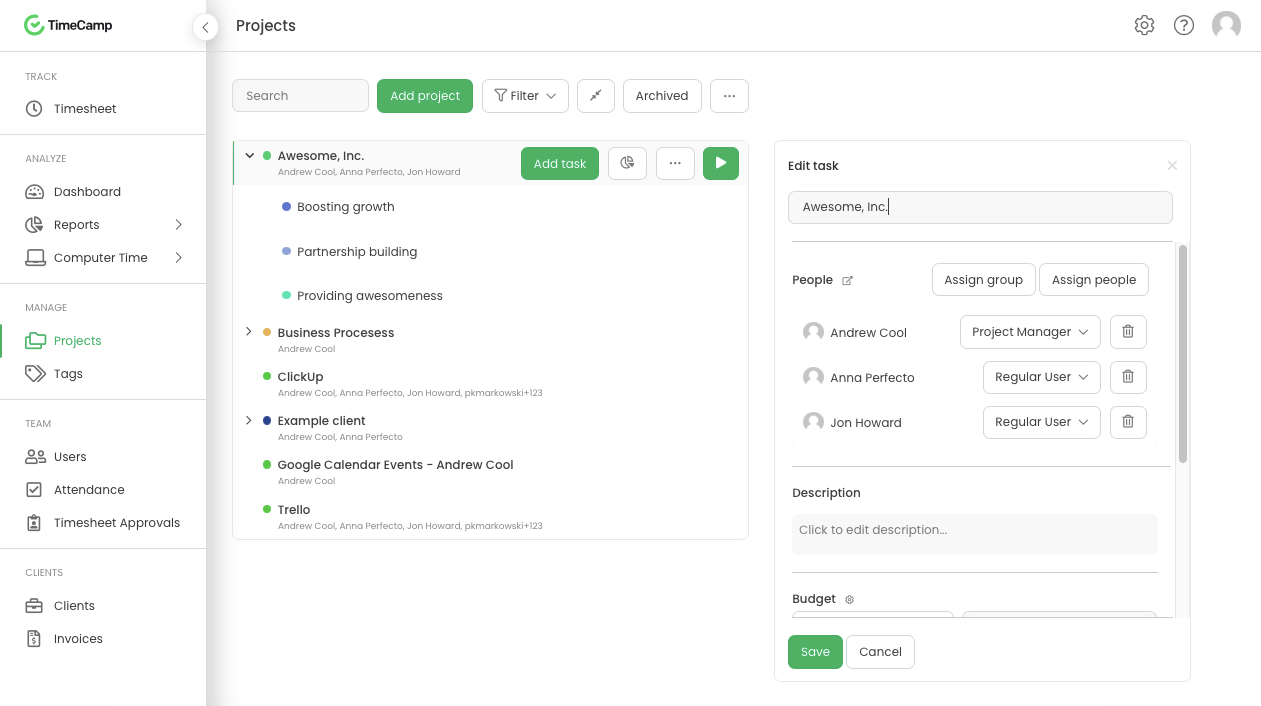
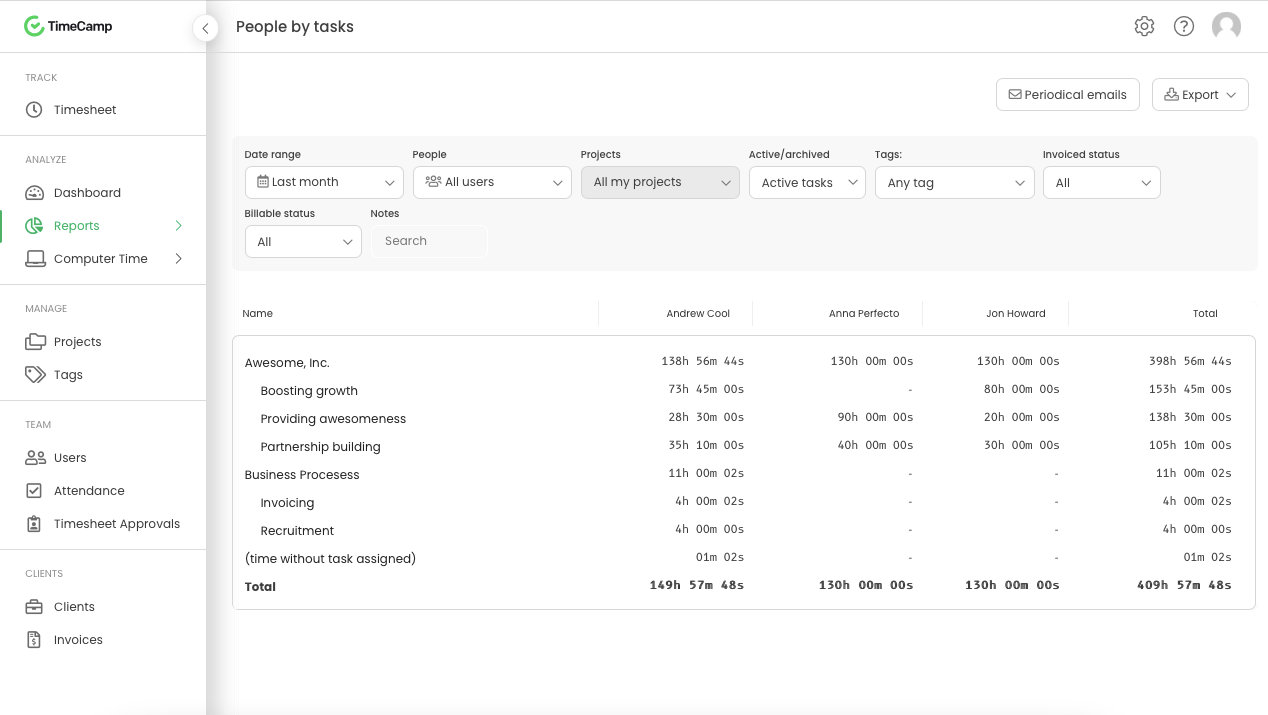
Screenshot of Daily timesheet viewScreenshot of Weekly timesheet viewScreenshot of ProjectsScreenshot of People by task reportScreenshot of Attendance

WorkTime Screenshots

Screenshot of Report "Summary"Screenshot of Report "Employee detailed info"Screenshot of Report "Internet use"Screenshot of Report "Web surfing per hour"