
TrustRadius: an HG Insights company

Altium Develop

Score9 out of 10

144 Reviews and Ratings

Get a Demo

Contact about Altium Develop

Please fill out the form below to get in touch.

Altium

Connect with Altium

What are you interested in?

Already have an account?

You hereby consent to have TrustRadius share the information supplied on this form with Altium so that Altium and TrustRadius may contact you in regard to the information requested.

What is Altium Develop?

Altium Develop is a platform that unifies multidisciplinary teams across engineering, sourcing, and manufacturing to support seamless co-creation. It provides real-time visibility into designs, requirements, and supply chain data, enabling contributors to work together concurrently rather than in silos.

Read more details.

Media

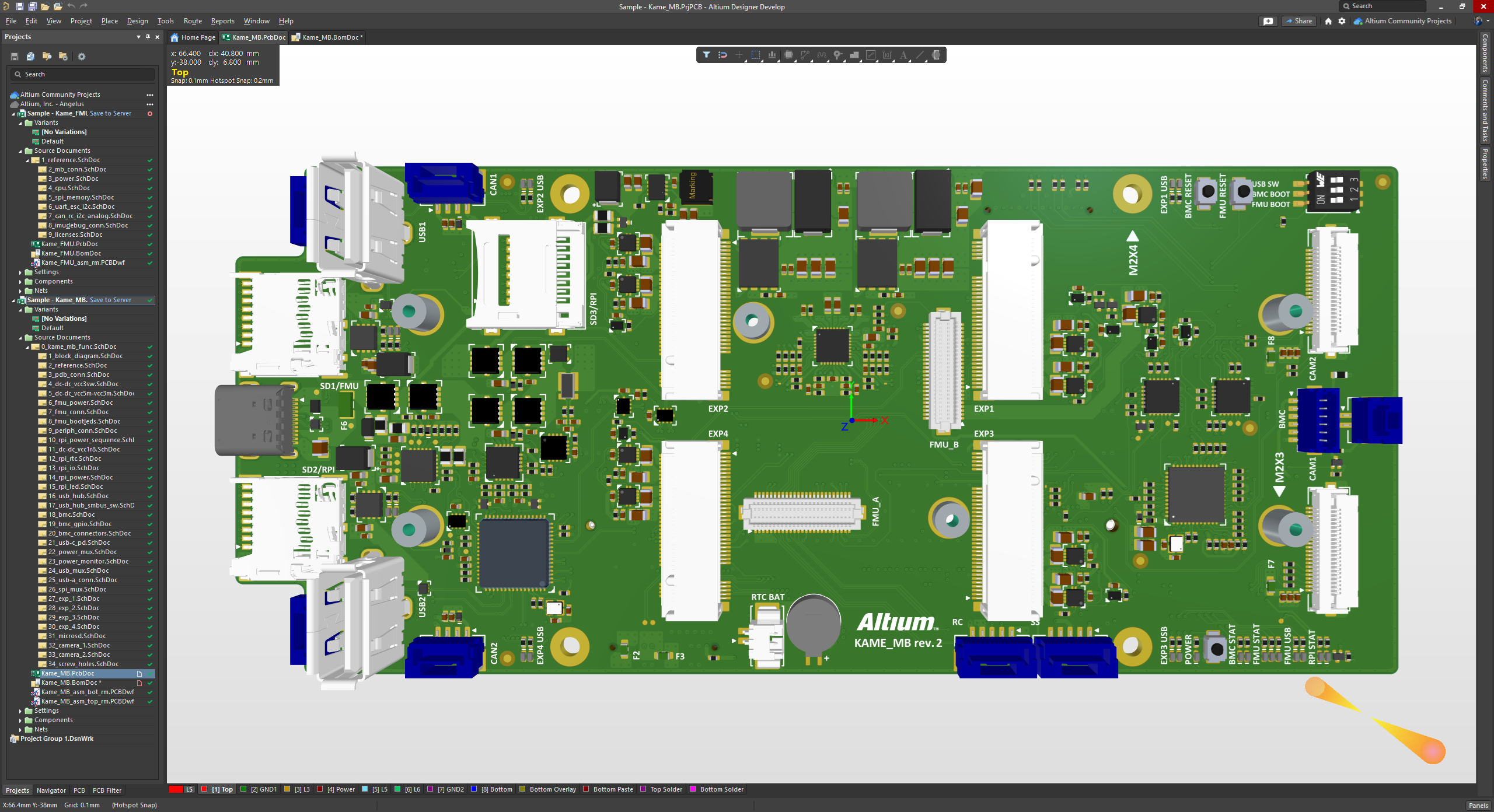
Screenshot of The 3D View Editor in Altium Develop that transforms the standard 2D PCB workspace into a fully interactive, three‑dimensional design environment. Users can toggle between 2D and 3D modes, then zoom, pan, and rotate the board freely using tools like a directional sphere for precise pivot control and adjust display settings (such as transparency or coloring) via the View Configuration panel to visually explore and inspect PCB layouts in realistic detail.
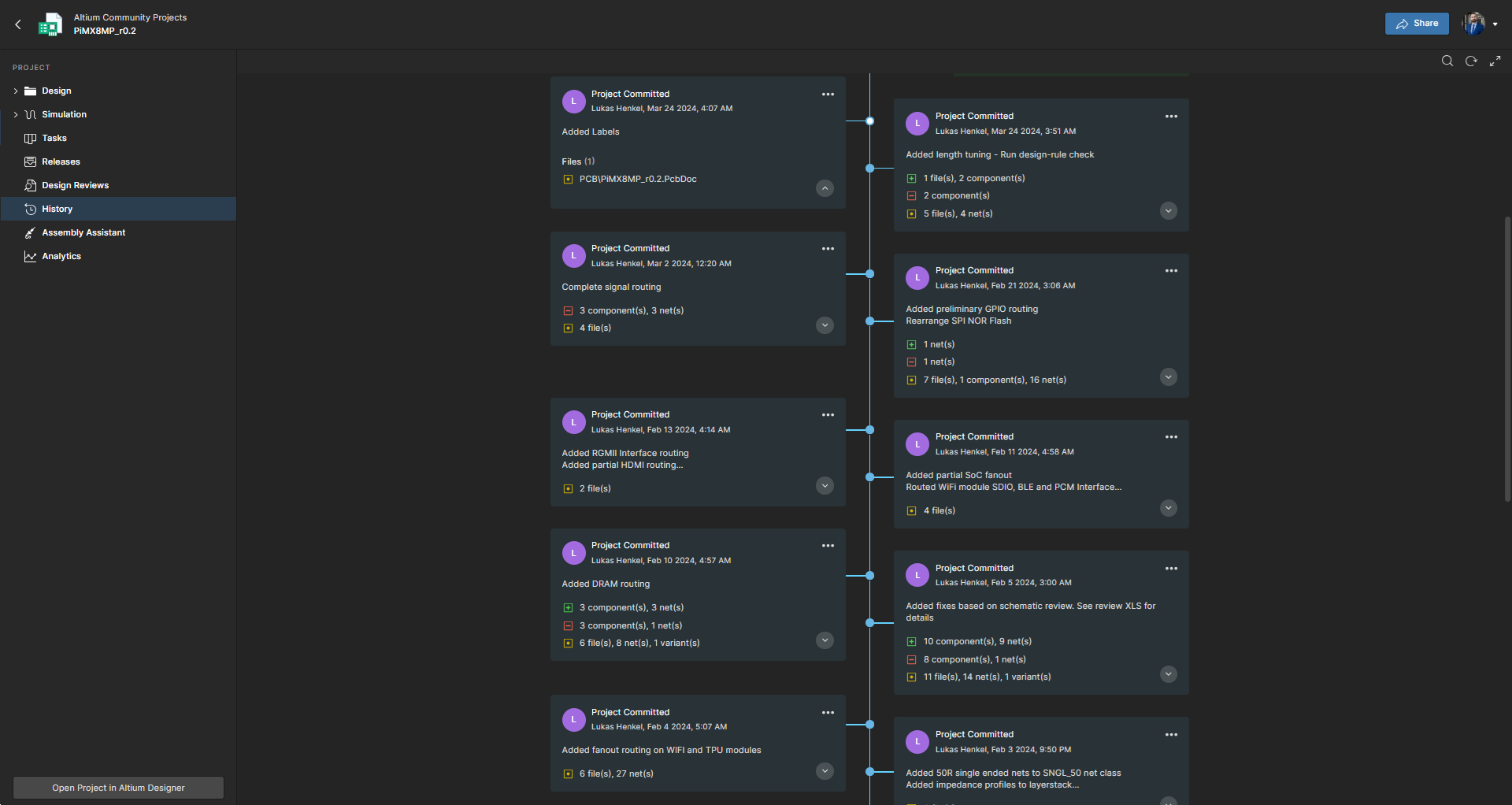
Screenshot of Project History in Altium Develop, which provides a browser-based, visually chronological timeline of a project's key events such as: creation, commits, releases, clones, and MCAD exchanges offering version control transparency directly within workspace.
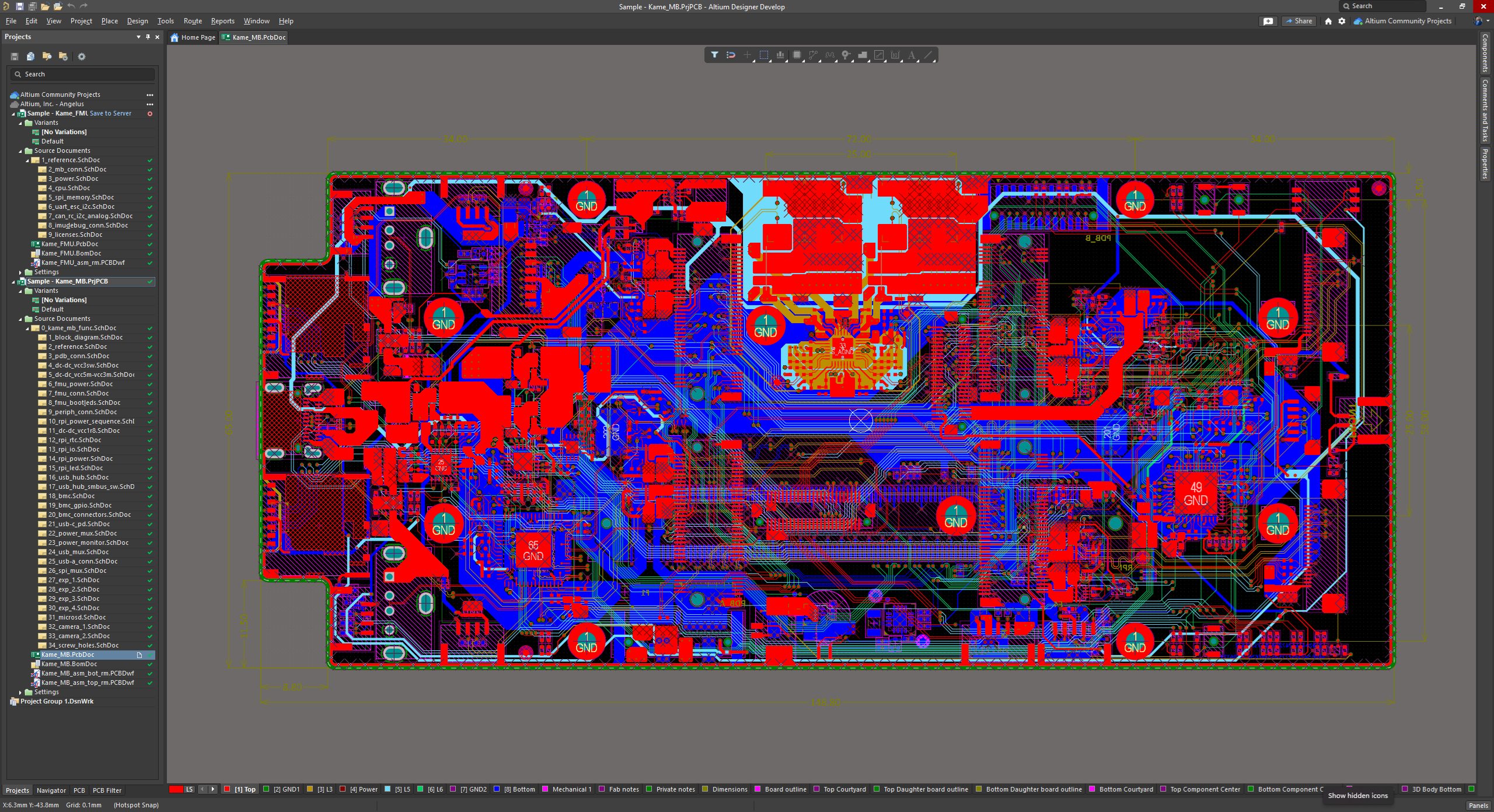
Screenshot of Altium Develop's unified design environment built on a single data model. From schematic capture to PCB layout, routing, and assembly preparation, every step flows seamlessly. Smart placement and routing features make complex designs faster, easier, and more reliable.
Screenshot of ActiveBOM, which is a dynamic, table-based Bill of Materials (BOM) editor integrated into Altium Develop that elevates component management to a real-time, design-aware process. It automatically aggregates supply chain data such as pricing, stock, lifecycle status, and lead times - from sources like Octopart and IHS Markit, enabling parts selection, alternates, cost calculation, rule-based verification, and traceability - within the same environment as the schematic and PCB design.
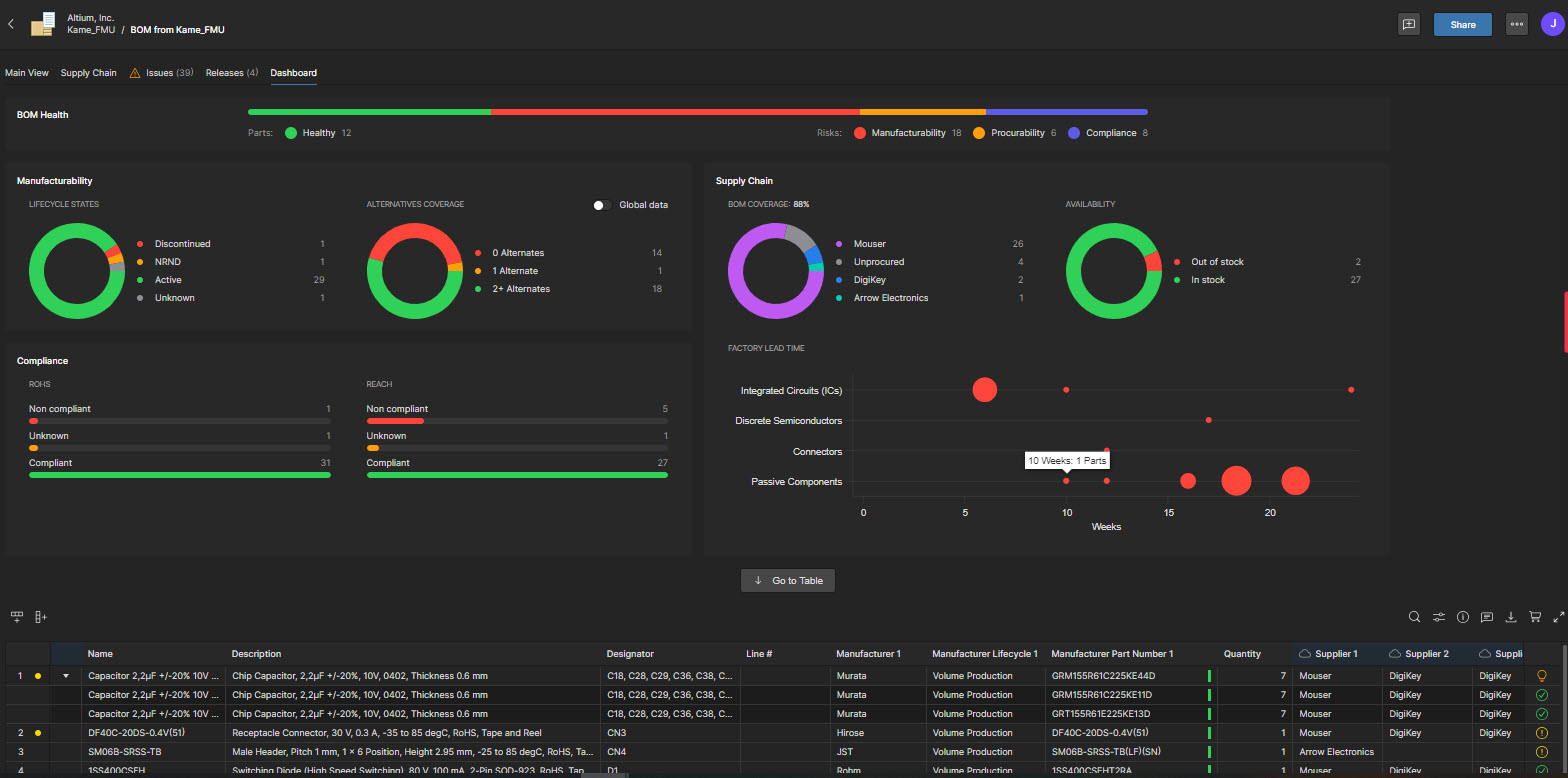
Screenshot of BOM Portal, which is a cloud-native, procurement-focused tool within Altium Develop that transforms traditional Excel-like Bill of Materials (BOM) workflows by integrating live supply chain, compliance, and pricing data. It enables collaboration between engineering and procurement, helps identify supply risks like obsolescence or shortages, supports BOM consolidation and alternates, and ensures thorough version control and traceability bridging design to manufacturing with real-time visibility and control.
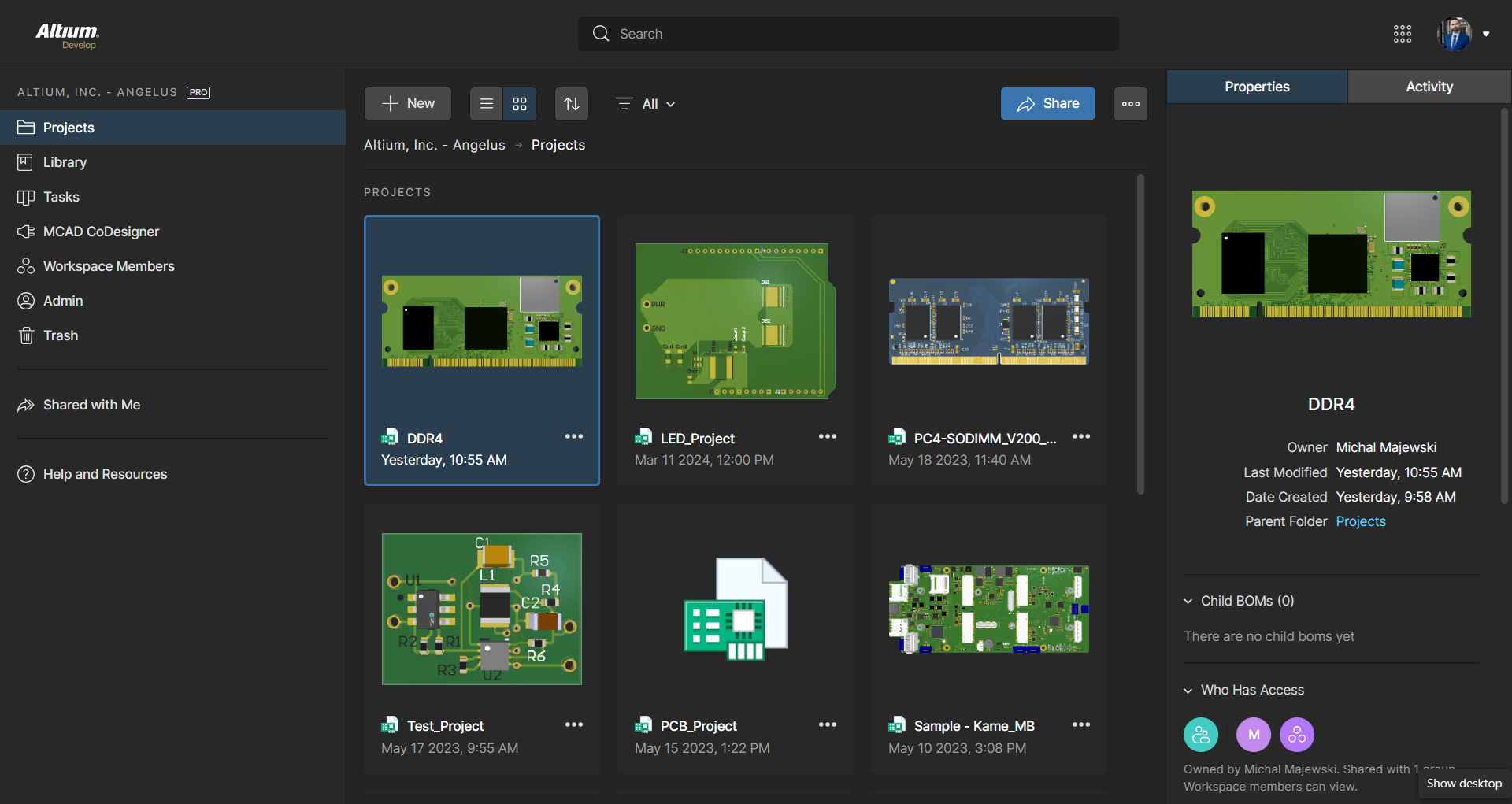
Screenshot of Workspace Projects, which provide a cloud-native, version-controlled hub within Altium Develop that simplifies electronic project management with centralized storage, collaboration, and built-in Git-based version control. This interface enables real-time design navigation (including schematic, 2D/3D PCB, BOM, and Draftsman views), task tracking, release and manufacturing management, historical timeline review, and sharing.
Screenshot of The Requirements Portal, which is a cloud-native, AI‑enhanced requirements engineering platform within Altium Develop that streamlines the definition, breakdown, and management of technical requirements. It supports cross-disciplinary collaboration via live dashboards, version control, parametric requirements, automated verification, system modeling, scripting, and traceable design linkage bridging high-level needs to implementation across designs with full audit readiness.

1 / 7

Screenshot of The 3D View Editor in Altium Develop that transforms the standard 2D PCB workspace into a fully interactive, three‑dimensional design environment. Users can toggle between 2D and 3D modes, then zoom, pan, and rotate the board freely using tools like a directional sphere for precise pivot control and adjust display settings (such as transparency or coloring) via the View Configuration panel to visually explore and inspect PCB layouts in realistic detail.

Who Buys & Uses Altium Develop

Pros

  • Robust component library management for efficient selection and validation
  • Comprehensive PCB design and layout tools with detailed rule implementations
  • Effective schematic design capabilities with integration and automation

Cons

  • Sluggish and inconsistent library management performance
  • Performance and stability issues, including slow responsiveness and occasional crashes
  • Challenging user interface and usability inconsistencies across modules

Altium Develop review.

Use Cases and Deployment Scope

The company was on an Altium Professional license, and we changed to Altium Developer this year as most features in Professional were not being used or required. I am finding that the Altium Develop loading speed is faster than what Altium Professional used to be. Altium Develop is very easy to use, as all the features and commands are located in pretty much the same areas as in Altium Professional. The AD dashboard is very easy to use and intuitive. I like the fact that more seats can be added at any time if necessary. We use AD for Schematic and PCB design, creating documentation using Draftsman, Bill of Materials, and Gerber Files for PCB manufacturing. Having cloud services with version control makes project management much easier and provides the option to revert if needed. There are occasional updates offered for installation, which shows that the software is well maintained. Overall, very happy with Altium Develop.

Pros

  • PCB design.
  • 3D visualization.
  • Draftsman Documentation.
  • Version Control.

Cons

  • Some plugins, like EMI checker, require a license, but that isn't obvious until you try to use them. It would make sense not to include it on the default ribbon unless the license exists.
  • Otherwise, all good, love the tool.

Return on Investment

  • The BomDoc feature is really helpful for estimating component prices, which is a requirement in the early stages of a project.
  • Sped up development time compared to other PCB software that was used before.
  • Improved PCB quality due to better rule checking and tracking features.

Usability

Alternatives Considered

Siemens PADS

Other Software Used

Siemens PADS

Altium Develop Over 8 Years and 3 Companies

Use Cases and Deployment Scope

I use Altium Develop to create custom PCB designs for many types of customers. It is a core part of our business allowing us to provide custom electronics designs, protypes, and test fixtures to customers. Modern features like cloud integration and revision control also make things much easier when managing many different designs across many customers. Cloud features also make it easier to view and share designs with customers without being tied to an individual PC.

Pros

  • Fully Integrated Design Environment
  • 3D Rendering and Modeling
  • Library Management
  • Good Import/Export Options
  • Efficient Manual Routing with Online DRC

Cons

  • New Platform Transition seemed Very Chaotic
  • Part Explorer/Library Management has Always Been Sluggish
  • Component Templates Should be Part of Develop Package
  • Provide a Comparison of What is Actually Included in the Various Platforms
  • API Could be Very Powerful - If There were Any Documentation
  • Improvements Could be Made on Core Functionality for 90% of Users Making 2-4 Layer PCBs over Advanced Simulation, AutoRouter, and Other More Cutting-Edge Features

Return on Investment

  • Fastest Platform from Concept to Layout I've Used
  • Good Value for Features Compared to Others
  • Very Easy to Add Users

Usability

Alternatives Considered

Siemens Xpedition Enterprise, KiCad EDA and OrCAD

Other Software Used

SOLIDWORKS, Microsoft Visual Studio

World Class Electronic Development Environment for Teams.

Use Cases and Deployment Scope

I use it in all electronic device development, combined with either SolidWorks or Fusion, and integrated using Altium Co-Designer. Previously integrated with Arena at a previous job. I find that many reference designs are now being created in Altium, and that it accelerates the design process. Also, the large part library that minimizes PCB footprints saves significant effort. A new user of Altium Develop will have some start-up issues; however, the eventual goal is to use managed components. The existing parts in Altium libraries are not generally set up for this, as symbols like caps and resistors vary greatly, and models seem to come from many sources. The goal is to harmonize all the components, but the tools to do this are somewhat tedious. Another issue I have had is the new browser-based login. As sometimes the internet disappears for a few minutes, the login goes away, and you are locked until you can re-login when it comes back. This needs a better solution. Used to be that when you grabbed a license, you kept it until you logged out or forced a license disconnect. This would be a much better method. I miss some of the flexibility of the enterprise version, but I'm sure Altium Develop will improve. I also use it for simulating real components, PCB impedance, and timing analysis. It's a great tool overall, and I look forward to its continued use.

Pros

  • Schematic PCB integration.
  • Component Libraries.
  • PCB trace analysis and rule base layout including impedance.
  • Mechanical Co-Designer.
  • Web sharing with team.

Cons

  • Component library harmonized symbols and parameters including layers
  • License control under varying internet conditions
  • For develop more flexibility in sharing control for outside team members

Return on Investment

  • At the moment couldn't do without it.

Usability

Other Software Used

Autodesk Fusion, SOLIDWORKS, Atempo Time Navigator (TINA), Microsoft 365 Copilot, Microsoft 365 Business Premium, Google Gemini

Altium

Use Cases and Deployment Scope

We use three licenses for schematic capture and layout.

Pros

  • Link between schematic capture and layout
  • Quick learning curve, very intuitive
  • Provide well documented instruction on how to use Altium

Cons

  • Not releasing features that have significant amount of bugs
  • Not always backwards compatible
  • Altium365 is filled with bugs

Return on Investment

  • Schematic and layout capture is efficient
  • Easy to setup
  • Being pushed into using altium365 licenses versus our perpetual was a negative impact.
  • Altium sales team extremely difficult to work with, id rather work with an AI robot....

Usability

Alternatives Considered

Autodesk Fusion and OrCAD

Other Software Used

SIMULIA

electronics manufacturing

Use Cases and Deployment Scope

We are an electronics design and manufacturing firm, looking to improve our processes as we continue growing year over year. We previously have been using a low cost, simple EDA software for lean projects, however we need a more comprehensive solution for our larger projects. We also plan to use Altium to help with development testing in our CE/FCC lab.

Pros

  • Integration with solidworks and other commonly used design file formats.
  • Providing detailed DRC configurations
  • I really appreciate some of the output file generation configurations

Cons

  • There's way too many features locked in between different licenses, and it's not very clear on Altiums docs.
  • The lack of APIs nor documentation on scripting some of the outjobs
  • The lack of custom configuration on the repository system, library database options, and cloud settings.

Return on Investment

  • We've been able to retain a client that accounts for $200K/year in billable hours.

Usability

Alternatives Considered

KiCad EDA and ExpressPCB

Other Software Used

SOLIDWORKS, KiCad EDA