TrustRadius: an HG Insights company

CrashPlan

Score6.9 out of 10

153 Reviews and Ratings

What is CrashPlan?

CrashPlan® provides secure, scalable, and straightforward endpoint data backup, to help organizations recover from any worst-case scenario, whether it is a disaster, simple human error, a stolen laptop, ransomware, or an as-of-yet-undiscovered calamity.

Media

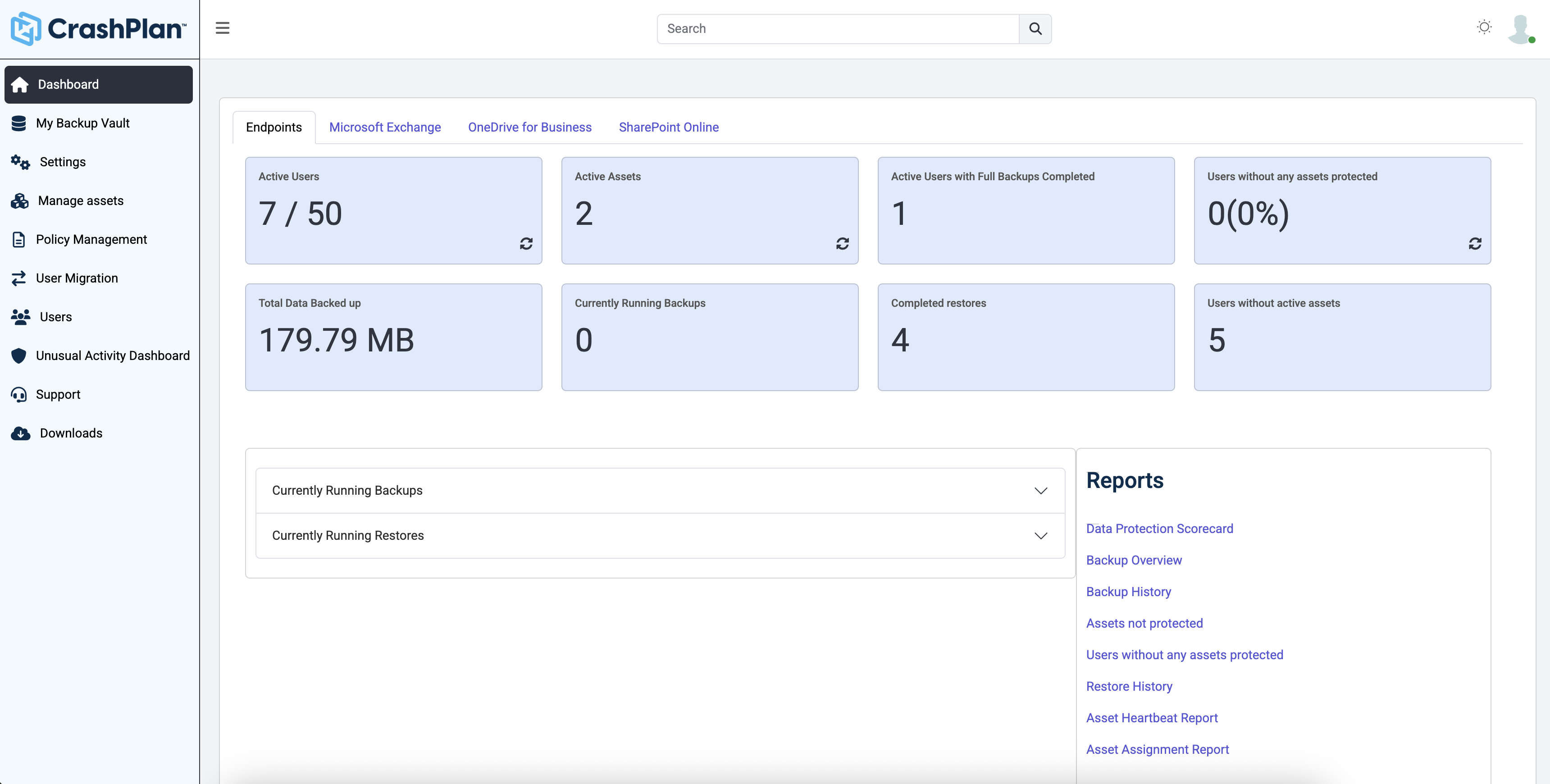
Dashboard – Endpoints Backup, Shows: Active users, assets, completed restores, total data backed up, and users without active assets.
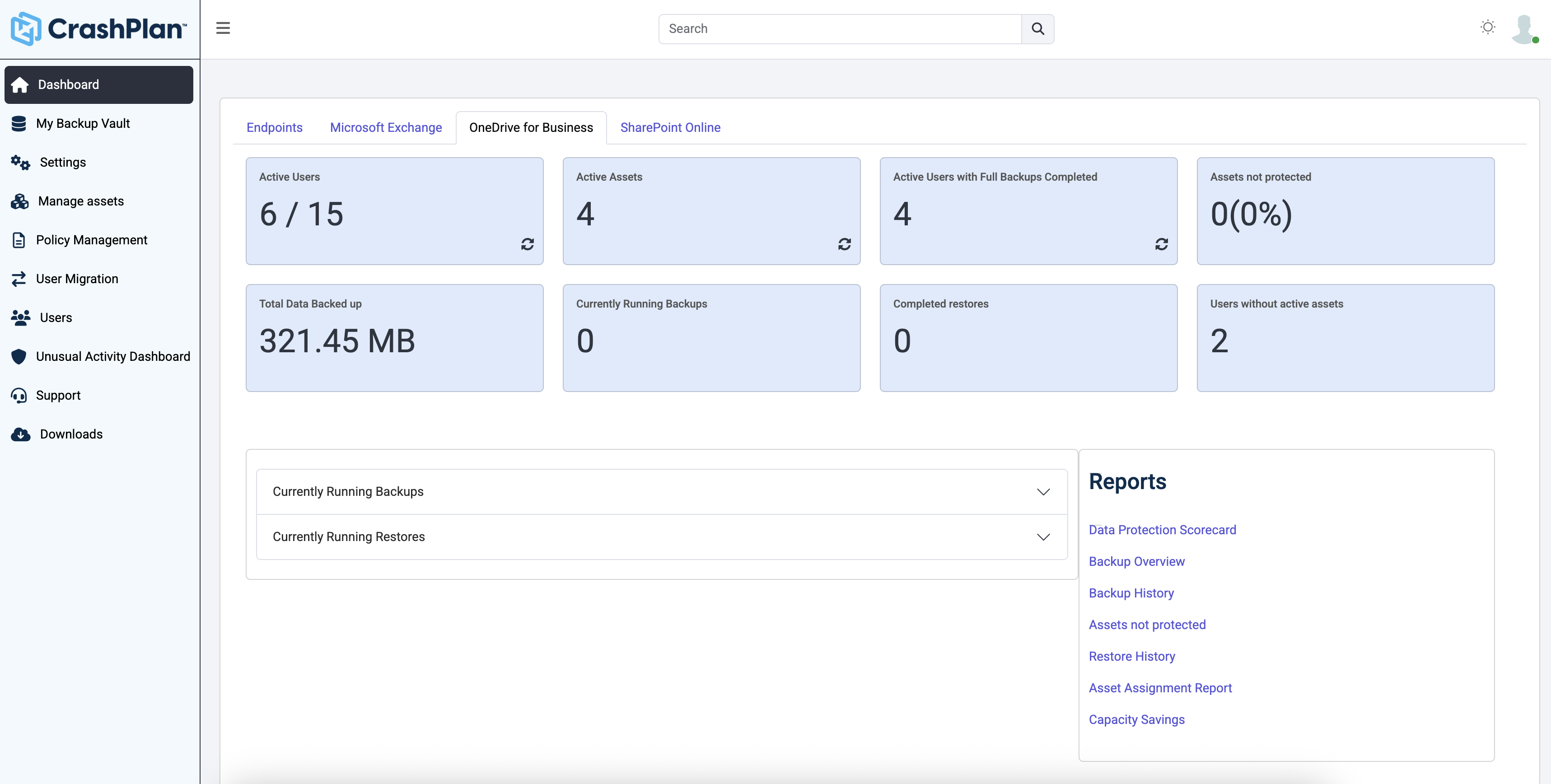
Dashboard – OneDrive for Business
This screen tracks backup performance for OneDrive for Business.
Metrics: Active users, active assets, users with completed backups, assets not protected (0%), and total backup size (321.45 MB).
Reports include Data Protection Scorecard, Asset Assignment, and Capacity Savings.
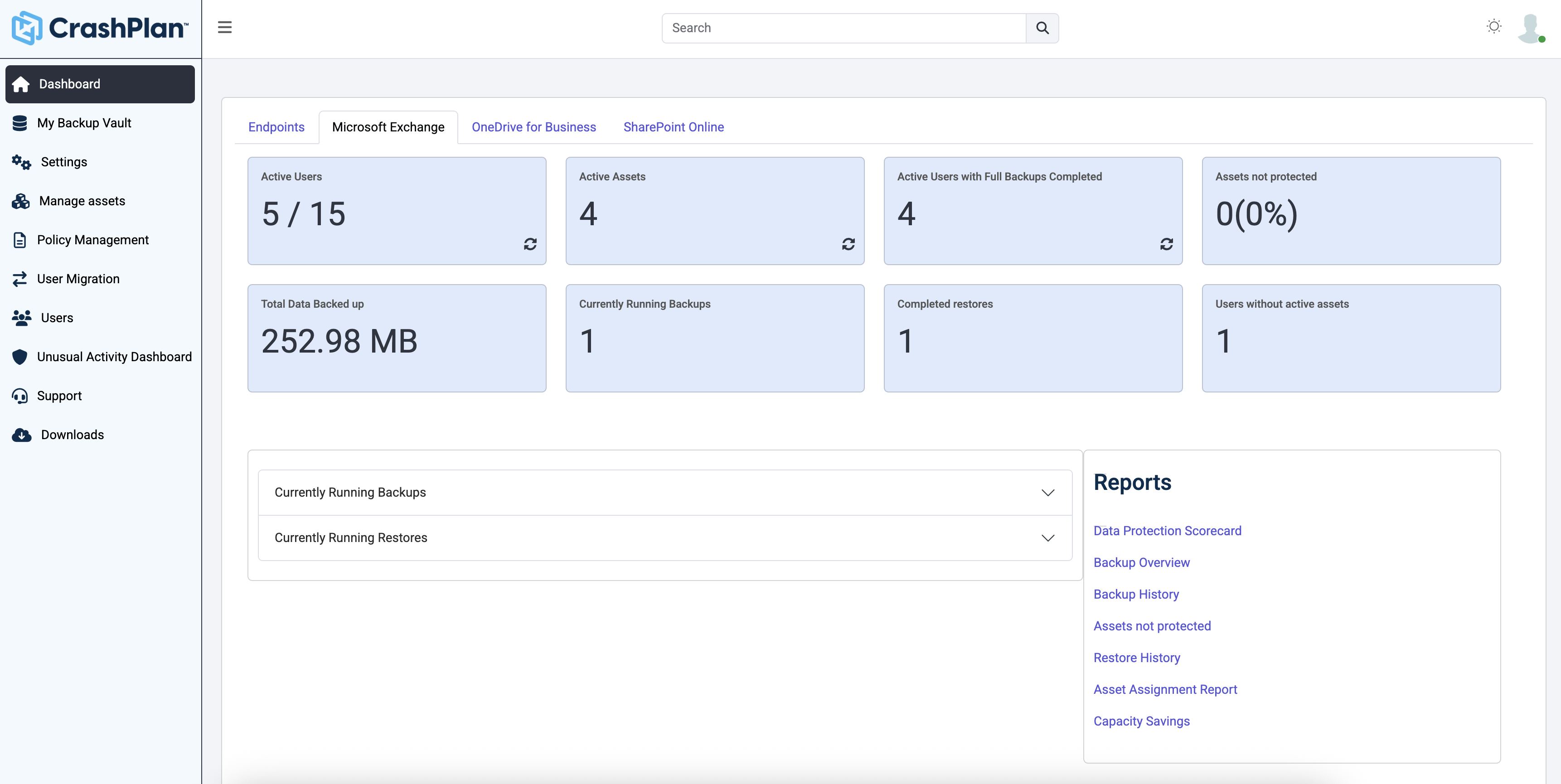
Dashboard – Microsoft Exchange
This screen presents Microsoft Exchange backup overview.
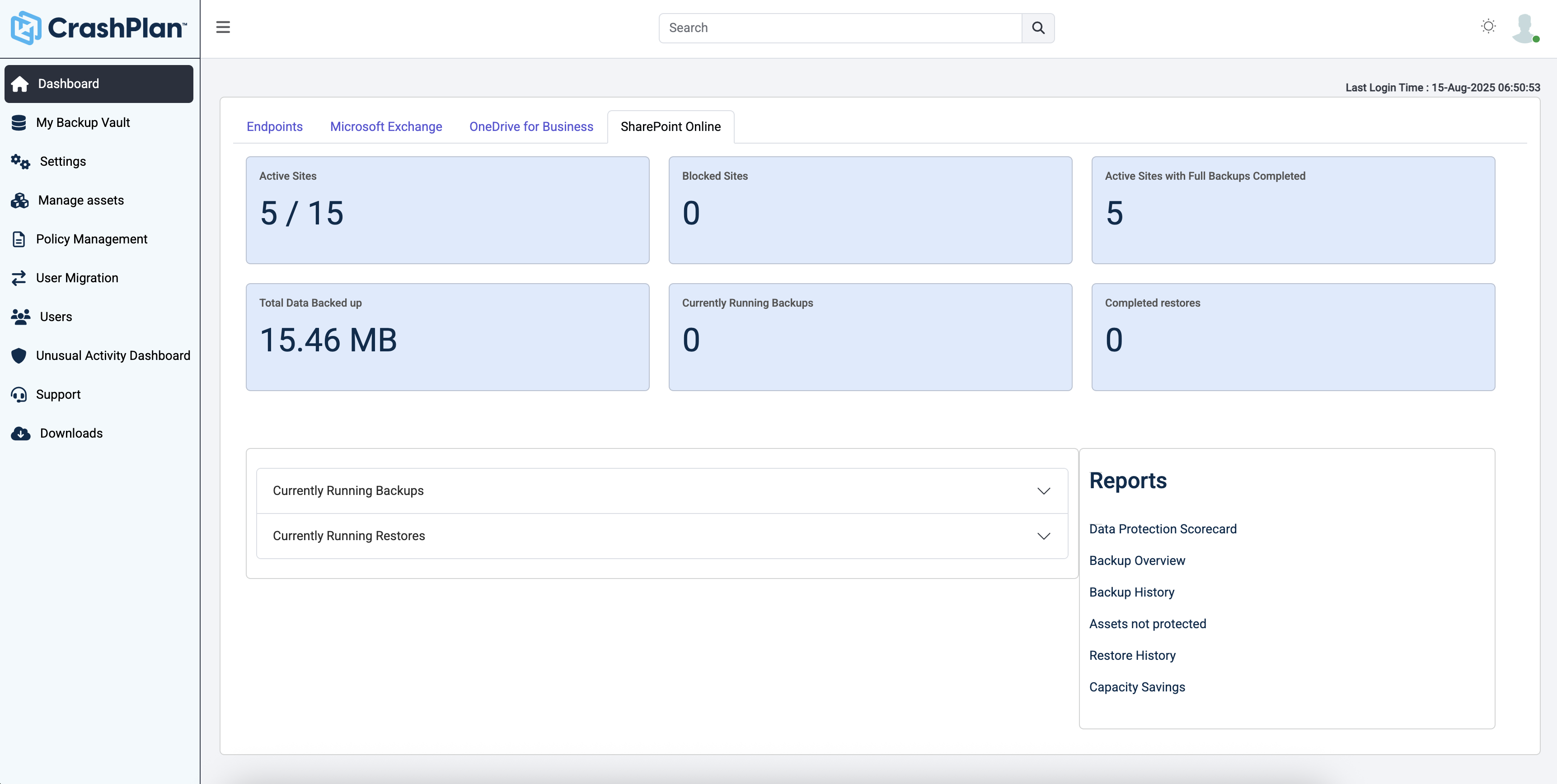
Dashboard – SharePoint Online
This view shows backup activity for SharePoint Online.

1 / 4

Top Performing Features

  • Continuous data protection

    Data is backed up every time a change is made, and the system can be restored to any previous saved version

    Category average: 9.2

  • Universal recovery

    Universal recovery is the ability to restore backups to any machine regardless of the platform

    Category average: 8.6

  • Instant recovery

    Instant recovery is the ability to restore operations very rapidly

    Category average: 8.6

Areas for Improvement

  • Business application protection

    Protection of all applications running in the data center

    Category average: 8.4

  • Incremental backup identification

    Incremental backup identification is the ability to identify incremental changes since last backup

    Category average: 8.9

  • Ransomware Recovery

    The ability to recovery data in a timely manner after a ransomware attack

    Category average: 8.8

CrashPlan for the WIN

Use Cases and Deployment Scope

I use CrashPlan for workstations and server file backups at many of my clients. It solves the issues of lost files and gives peace of mind that files are backed up with a good amount of retention. I manage about 15 different clients, 30 servers, and over 100 workstations.

Pros

  • Automated backup
  • Data retention
  • Ease of installation and management

Cons

  • Longer retention time- would like a year at least.
  • Server support-as of now I believe it i really just file backup.
  • Exchange an SQL backup options.

Most Important Features

  • Ease of use
  • Cost effective
  • Virtually no management

Return on Investment

  • Saved many hours of work recovering deleted files.
  • Piece of mind that files are safe.
  • Easy restoration process.

Alternatives Considered

Carbonite Safe (formerly Mozy), Carbonite Server, Arcserve Business Continuity Cloud and Arcserve UDP

Other Software Used

Splashtop Enterprise, RingCentral Meetings, Microsoft 365 (formerly Office 365)

Code42 CrashPlan is all Plan and no Crash!

Use Cases and Deployment Scope

We currently use CrashPlan on our Marketing server which has files going back 17 years. Using CrashPlan we are able to be safe knowing that our files are backed up and that we can grab any files either deleted or corrupted with ease. The history function allows us to go back quite a bit of time for those much-needed files.

Pros

  • Backs up full File systems
  • Being able to go back in history and grab individual files
  • Small footprint on installs and easy to use software

Cons

  • Everything we've needed it for has been perfect and I don't see a need for improvement for us.

Return on Investment

  • It has saved our Marketing team countless hours of lost or corrupted files being able to be restored over the years.
  • Although the cost has gone up just like any other software, it is still affordable for the amazing tool it is.

Usability

Alternatives Considered

Unitrends and Veeam Backup for Azure

Other Software Used

Veeam Data Cloud for Microsoft 365, Sophos Intercept X

CrashPlan ticks a lot of the boxes but support lets it down.

Use Cases and Deployment Scope

I use CrashPlan as a budget point solution for small businesses and SOHO clients. This is predominantly to provide backup of critical data for individuals, families, or small businesses. It is not to provide system recovery backup but specifically focuses on the critical/important data an individual, family or small business would want to have backed up, off-site. Invariably it is used as the off-site component of a classic 3-2-1 backup plan.

Pros

  • Product is pretty easy to configure (Less than 30 minutes for a single computer)
  • Product generally grinds away without any noticeable issues
  • Regional cloud storage locations are fairly unique for this kind of product at this price point

Cons

  • Technical support
  • Support ticketing and lifecycle
  • Phone support hours
  • I think you should have an idea where the beef is by now

Most Important Features

  • Price
  • General reliability. Although woe is me if/when things to go wrong and I need to get support.
  • Regional/local data storage options

Return on Investment

  • A positive is that it has allowed me to implement a very cost-effective cloud backup point solution for multiple clients
  • A negative is, in case you haven't got it yet... Support is consistently sub-par

Alternatives Considered

Veritas Backup Exec and NAKIVO Backup & Replication

Other Software Used

Microsoft 365, Veritas Backup Exec, ManageEngine Desktop Central, LastPass for Business

CrashPlan delivers piece of mind and speedy recovery

Use Cases and Deployment Scope

We use CrashPlan as a secondary cloud backup in addition to another on-prem Backup solution for a satellite office where a Digital Asset Management Server resides. It is perfectly capable as a primary backup solution, but in our environment, it made a great secondary layer of protection. We also used CrashPlan for certain freelance artists who choose to use Macbook and iMac machines to keep company assets secure. Crashplan has proved to be incredibly intuitive, easy to implement and restore assets with. I have set CrashPlan up at two other organizations with great success as their primary backup solution.

Pros

  • Installation and configuration is very straight forward.
  • Asset recovery is a simple and intuitive process.
  • Shows real time backup results in your server notification window.

Cons

  • Currently the 2FA seems to be a bit more difficult than other applications.
  • Imbedded rules preventing a select few file types from backing up, call support for help if these are required.
  • Differentiating between personal and business accounts is unclear.

Most Important Features

  • Reliability.
  • Cost is low as it is a secondary solution.
  • Ease of data recovery.

Return on Investment

  • The cost is low enough that we can use it as a secondary backup solution without hesitation.
  • Restoration is very easy, especially when a file or folder was deleted mistakenly.
  • Downtime is costly, good backups really save a great deal of money.

Alternatives Considered

Unitrends Data Center Backup and Recovery

Other Software Used

Unitrends Data Center Backup and Recovery, Webroot Antivirus + Internet Security Complete (SecureAnywhere), NCR Counterpoint

Crashplan Business is super simple and effective for our cloud backup strategy

Use Cases and Deployment Scope

I use CrashPlan to constantly backup updated and new files on our backup server, for redundancy. I needed something to add to my backup plan that would present another offsite option that was not tied to my geographic area, and that was also file-oriented as opposed to snapshot-driven.

Pros

  • Constantly monitors our backup server for any file changes.
  • Super-easy monitoring control panel for allowing selections to be added.
  • Allows for backup of mapped drives.

Cons

  • Remote management tool other than web interface.

Most Important Features

  • Consistency of uptime.
  • Flexibility with mapped drives.
  • Restoration of versioned files.

Return on Investment

  • Low cost for peace of mind.
  • The few times I've had to restore files, it would have been a huge deal if I didn't have this tool available to me.

Other Software Used

Trend Micro Worry-Free Services Suite, Microsoft 365 (formerly Office 365), Mortgage Builder Software