

Hyperglance
7 Reviews and Ratings
What is Hyperglance?
Hyperglance helps cloud, FinOps, platform, and security teams understand what is running across AWS, Azure, Google Cloud, Kubernetes, AWS GovCloud, and Azure Government.
Instead of looking at cost, ownership, architecture, and risk in separate tools, teams can use Hyperglance to connect them in one place. See what each resource supports, who owns it, what it costs, how it connects to the rest of your environment, and whether it needs attention.
Hyperglance is built for complex cloud estates where visibility alone isn’t enough. It helps teams find waste, improve tagging, understand cost allocation, investigate risk, and decide what can safely change before action is taken.
Because Hyperglance is self-hosted, teams keep control over deployment, data handling, and access. That makes it a fit for mid-market, enterprise, public sector, regulated, and MSP environments where cloud governance, security, and accountability matter.
Hyperglance is used to:
🔷 See cloud resources and relationships across AWS, Azure, Google Cloud, Kubernetes, GovCloud, and Azure Government
🔷 Connect cloud cost to ownership, architecture, risk, and action
🔷 Find unused, underused, untagged, and misconfigured resources
🔷 Support FinOps, cloud governance, showback, chargeback, and cost allocation
🔷 Give architects, engineers, FinOps teams, and leaders a shared view of the estate
🔷 Run cloud management tooling in an owned environment
Hyperglance helps teams move from “What is this costing us?” to “Who owns it, what does it support, and what should we do next?”
Instead of looking at cost, ownership, architecture, and risk in separate tools, teams can use Hyperglance to connect them in one place. See what each resource supports, who owns it, what it costs, how it connects to the rest of your environment, and whether it needs attention.
Hyperglance is built for complex cloud estates where visibility alone isn’t enough. It helps teams find waste, improve tagging, understand cost allocation, investigate risk, and decide what can safely change before action is taken.
Because Hyperglance is self-hosted, teams keep control over deployment, data handling, and access. That makes it a fit for mid-market, enterprise, public sector, regulated, and MSP environments where cloud governance, security, and accountability matter.
Hyperglance is used to:
🔷 See cloud resources and relationships across AWS, Azure, Google Cloud, Kubernetes, GovCloud, and Azure Government
🔷 Connect cloud cost to ownership, architecture, risk, and action
🔷 Find unused, underused, untagged, and misconfigured resources
🔷 Support FinOps, cloud governance, showback, chargeback, and cost allocation
🔷 Give architects, engineers, FinOps teams, and leaders a shared view of the estate
🔷 Run cloud management tooling in an owned environment
Hyperglance helps teams move from “What is this costing us?” to “Who owns it, what does it support, and what should we do next?”
Categories & Use Cases
Screenshots


1 / 6
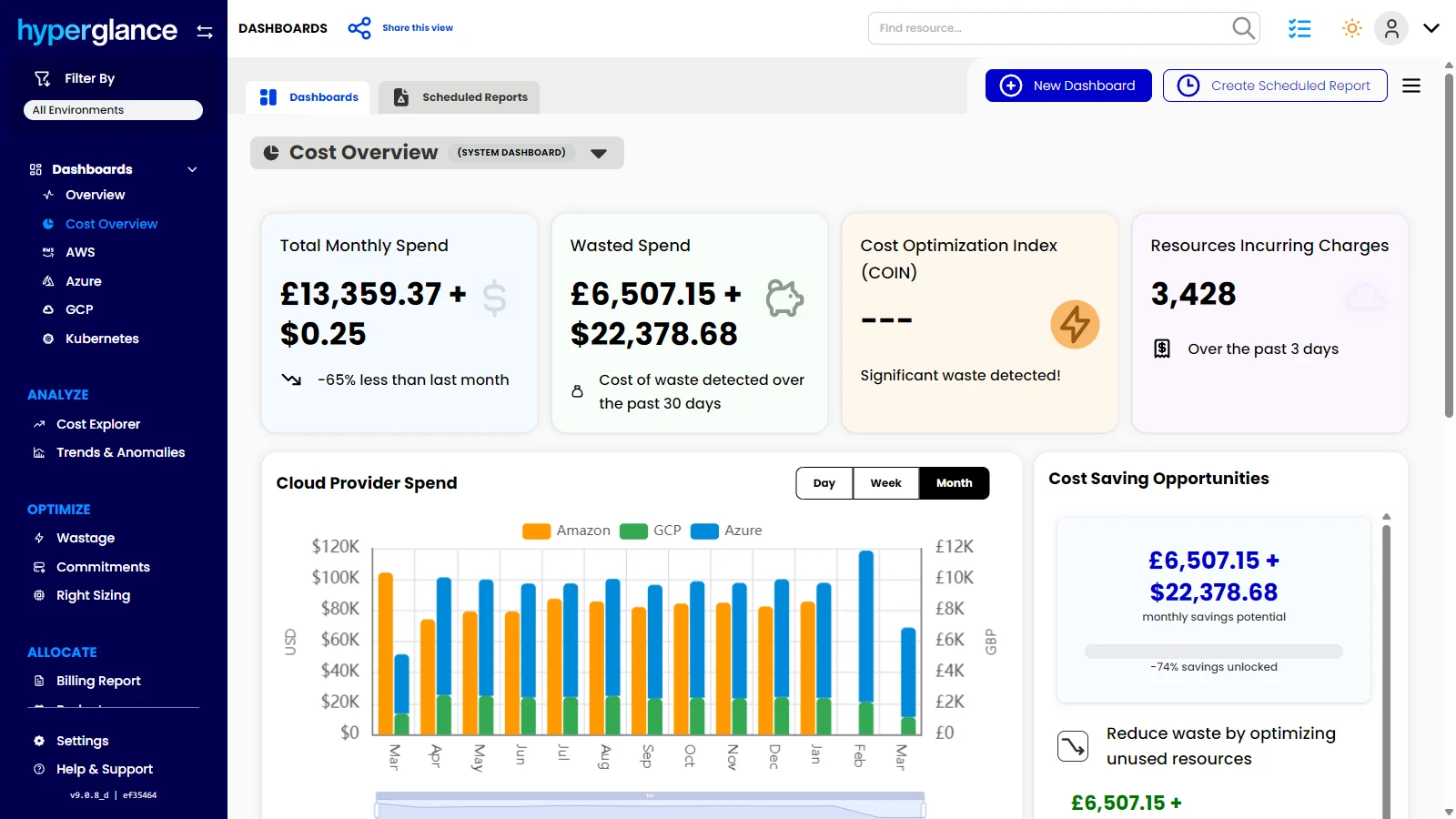
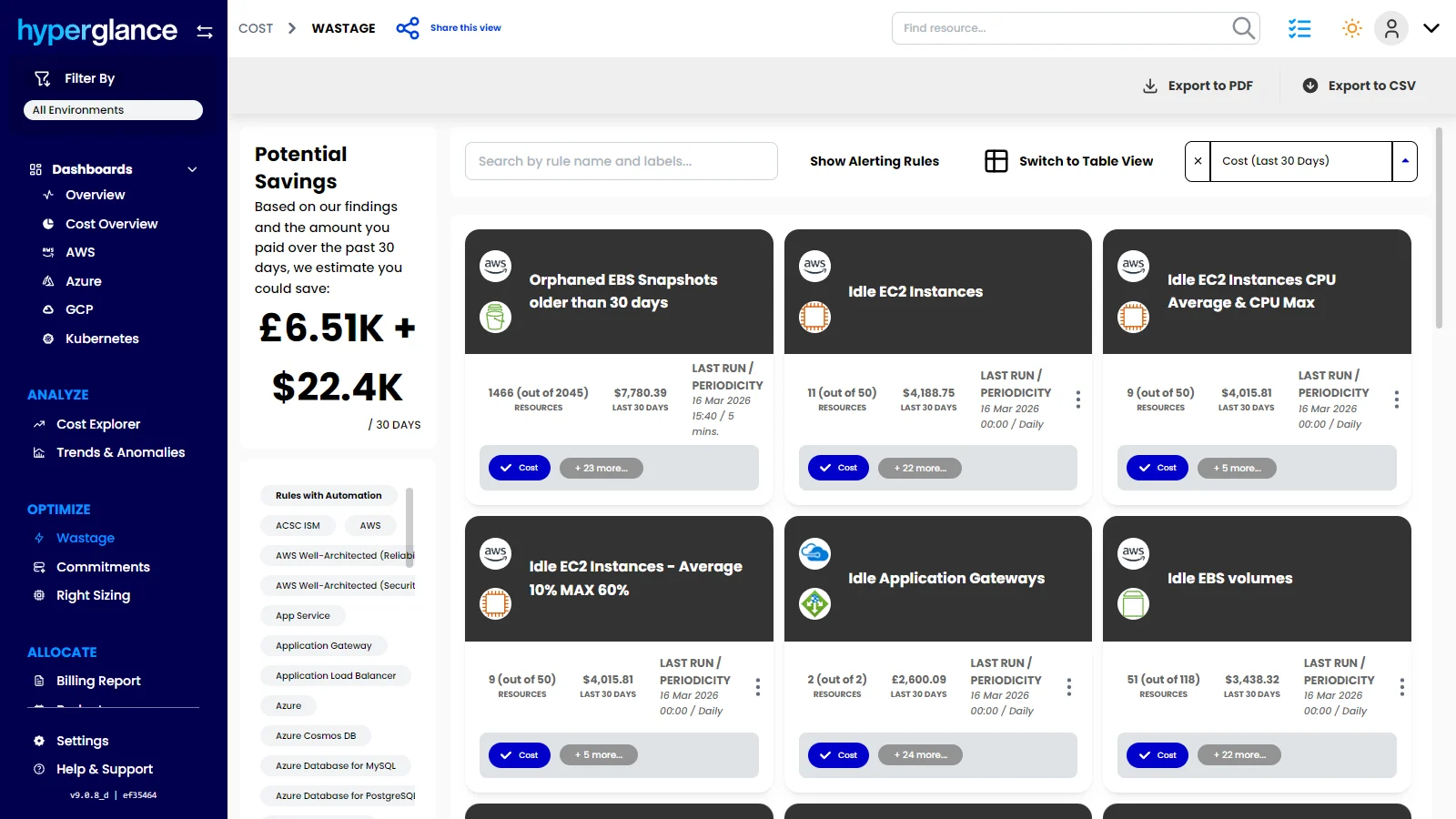
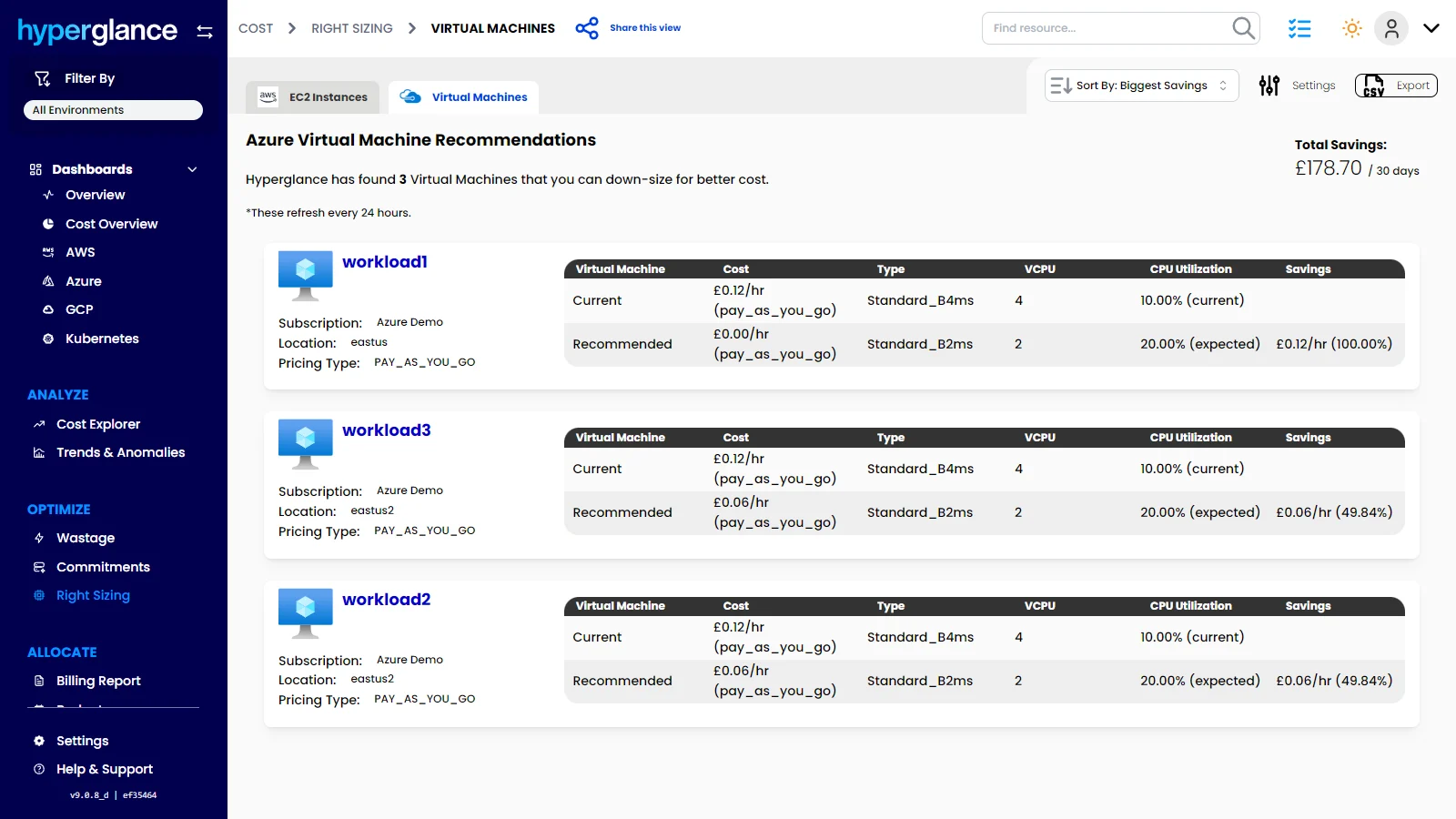
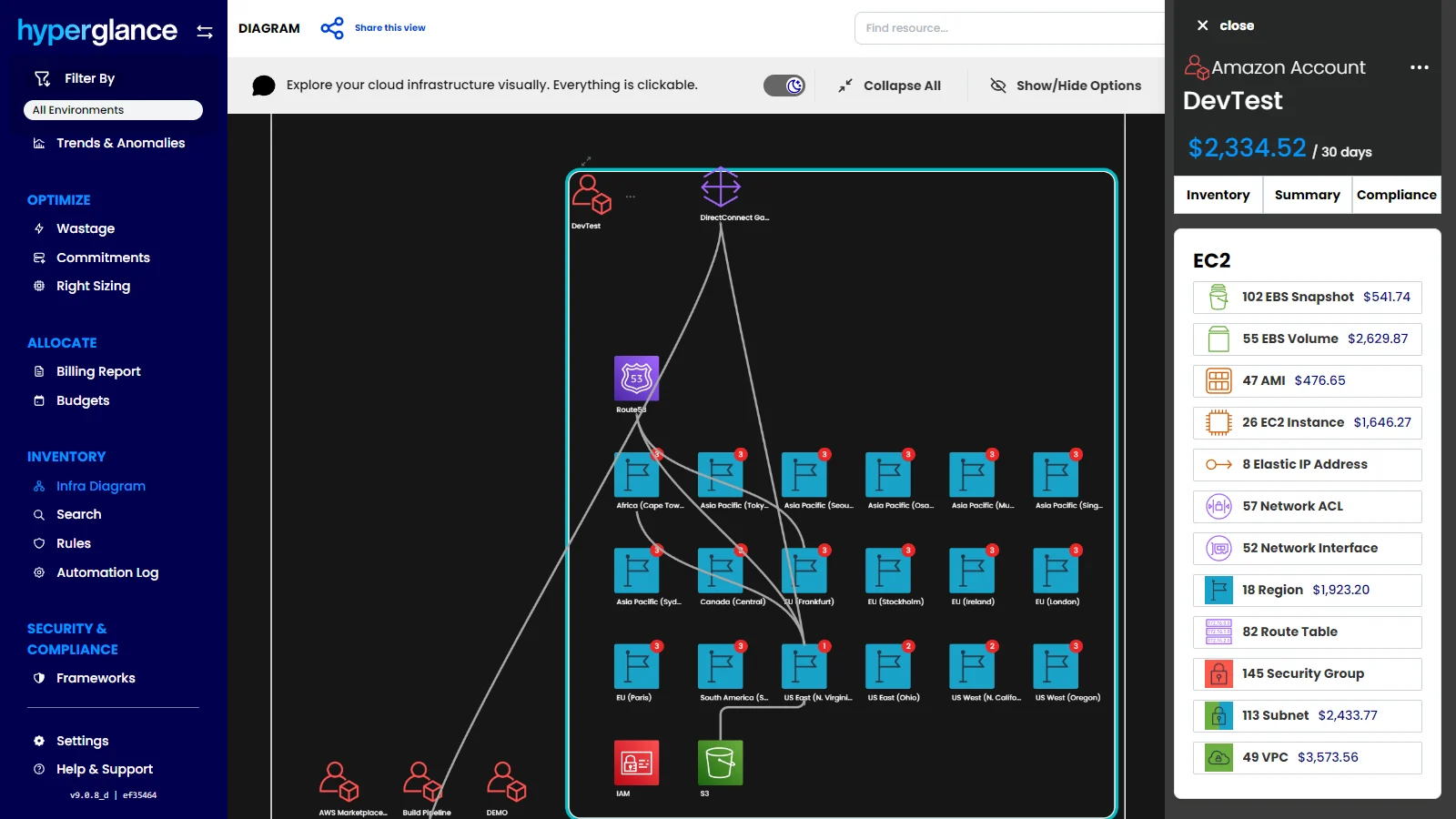
Screenshot of the dashboard that offers a clear view of total cloud spend, wasted spend, savings opportunities, and provider trends. Hyperglance helps teams spot cost issues faster, prioritize optimization work, and turn cloud visibility into measurable savings.
Product Demos
Technical Details
| Deployment Types | SaaS |
|---|---|
| Mobile Application | No |
| Supported Countries | Worldwide |
| Supported Languages | English |
FAQs
What is Hyperglance?
Hyperglance is an enterprise cloud architecture software solution designed to enable users to take control of the enterprise's cloud documentation, cost, security & compliance. Automatic diagrams, cost analysis, security, and compliance across AWS, Azure, and K8s.
How much does Hyperglance cost?
Hyperglance starts at $899.
What are Hyperglance's top competitors?
IBM Cloudability, Flexera Cloud Management Platform, and Spot, now part of Flexera One are common alternatives for Hyperglance.
Who uses Hyperglance?
The most common users of Hyperglance are from Enterprise.