TrustRadius: an HG Insights company

IDERA SQL Safe Backup

Score5.3 out of 10

7 Reviews and Ratings

What is IDERA SQL Safe Backup?

SQL Safe Backup from Houston based software company Idera is a data recovery and protection option.

Categories & Use Cases

Media

SQL Safe Backup

Top Performing Features

  • Instant recovery

    Instant recovery is the ability to restore operations very rapidly

    Category average: 8.6

  • Recovery verification

    Recovery verification is automated testing and verification of backups

    Category average: 8.4

  • Multiple backup destinations

    Multiple backup destinations is the ability to backup data to more than one location

    Category average: 8.5

Areas for Improvement

  • Platform support

    Product supports multiple operating systems and applications

    Category average: 8.7

  • Backup to the cloud

    Ability to store and back up data to the cloud

    Category average: 8.3

  • Snapshots

    Ability to take regular snapshots to ensure that Recovery Point Objective (RPO) is met

    Category average: 8.4

IDERA SQL Safe Backup Review

Use Cases and Deployment Scope

We are using IDERA SQL Safe Backup couple of years new on MS-SQL clusters servers.

The the backup and restore process is cross data centers and cross countries for the QA and prod environment.

We are using the capability of logs, diff and full backups. In some cases with encryption and some without encryption.

Pros

  • History visibility
  • Very intuitive
  • Easy to set up

Cons

  • The UI are old
  • Need to babysitter the system all the time
  • Events not reflecting the reality
  • The support is terrible, in my opinion

Return on Investment

  • cheap price
  • easy to use

Alternatives Considered

Google Cloud SQL, Microsoft SQL Server, Redgate SQL Monitor and Veeam Backup & Replication

Other Software Used

Microsoft SQL Server, Veeam Backup & Replication, Redgate SQL Monitor

This makes SQL disaster recovery a piece of cake

Pros

  • Rather than having to copy scripts between SQL servers when you create a new instance, all I have to do is design a policy that predetermines backup location, what to back up, the schedule, encryption settings, etc and then simply assign instances to it as they come and go. And if I need to pause backups to troubleshoot something I simply go to the policy and disable it. SQL Safe handles the rest. Policy-based management of SQL backups is the way to go.
  • Any good DBA knows that backing up data is important, but that isn't what we're paid to do. We are paid to RESTORE data when needed. And unless you're 100% certain that you can restore any database to an acceptable point in time, then you should rethink your strategy. SQL Safe makes it easy to not only backup the data, but restore it. In addition to vanilla restores, which are amazingly simplified, you can also do test restores without affecting the production load, and even schedule restores to a development (or other) server to keep a test environment refreshed with current data.
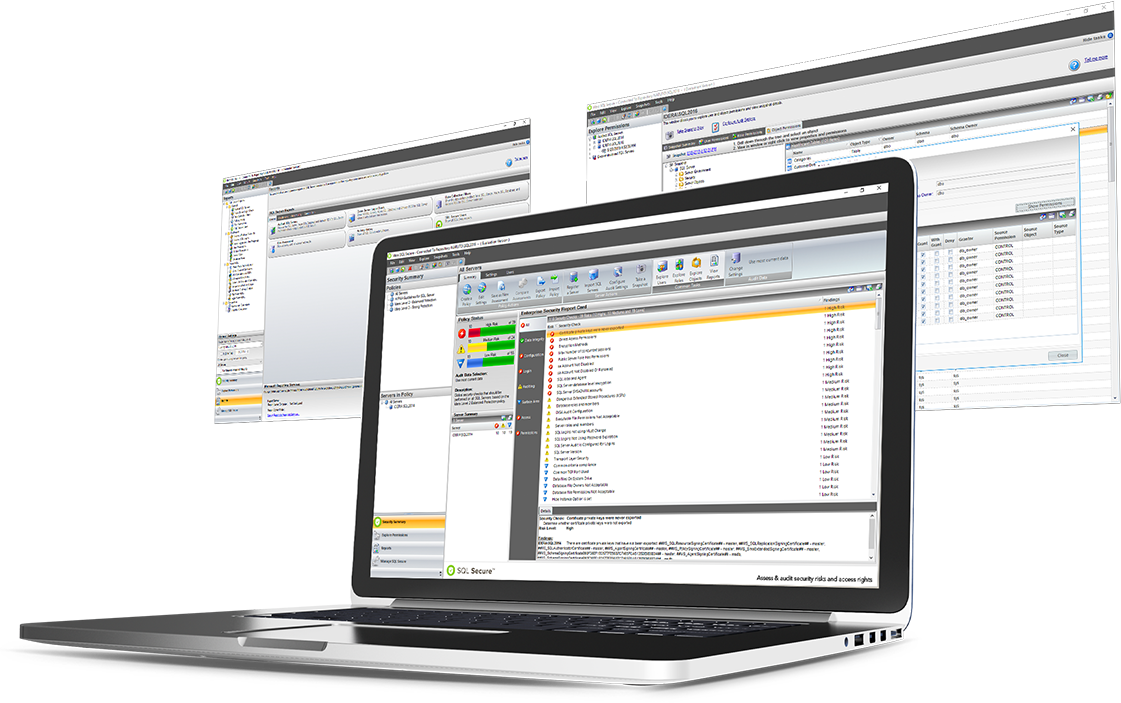
  • If there are failed events, not only does SQL Safe let you know, it provides a very easy way to retry the missed or failed backups. Making sure your environment is okay is a simple as opening the SQL Safe management console and making sure all of the lights are green.
  • I probably know more about SQL backups than most and can easily manage a set of SQL servers without this tool. But it makes it so darn easy! I would venture to say that even people that know nothing about SQL (general sys admins, small business owners, etc) could learn to use this tool without having to know much about SQL or how backups/restores work. The interface is powerful, but very simple to learn.

Cons

  • When you're adding a new SQL server, sometimes the install from the management server to the SQL server will fail. I'm guessing this happens because of some version difference in Windows components or similar. Not a huge deal because you can just copy the agent to the SQL server and install it there, but considering how easy everything else is, I would expect this to be a little more fluid.
  • I ran into a situation where part of our business decided to move their servers to a third-party data center. When they took away a SQL server that I was managing with SQL Safe, anything having to do with that policy took forever. Click. Wait 10 minutes. Window reacts. I'm guessing this is because the Management Console is trying super hard to contact the server in question, but I wish it handled losing a server better than it does.

Return on Investment

  • SQL Safe allows me to spend less time managing my DR plan and still maintain confidence that my backups and restores are solid. Saving my time means saving money.
  • SQL Safe does an amazing job at backup compression over and above SQL's native compression. SQL backups are probably our single largest consumer of network drive space. Any product that helps reduce my network footprint, saves money.