

Paradiso Authoring Tool
What is Paradiso Authoring Tool?
Paradiso Authoring Tool is a Course Authoring platform for creating digital learning content for employee training, compliance, onboarding, customer education, and academic programs. It supports course development from a blank project, reusable templates, or imported training materials.
Key Capabilities
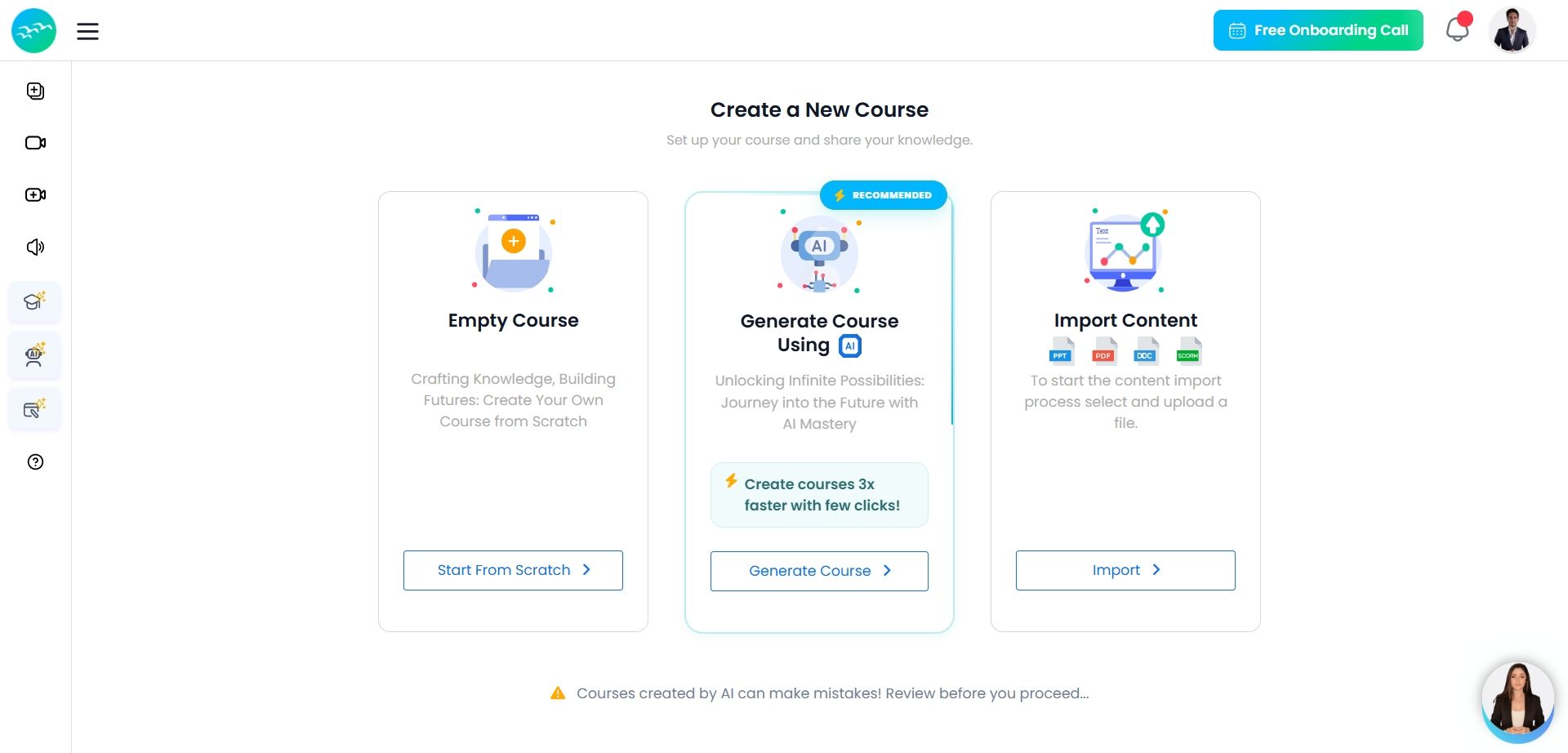
- AI-assisted course development: Course creators can use AI assistance to draft course structures, learning content, assessments, quiz questions, interactive activities, narration, and scenario-based exercises. Generated content remains editable before publication.
- Document conversion: The platform converts PowerPoint, PDF, Word, and video files into editable course content. Authors can add quizzes, interactions, voice-over, branching scenarios, and other learning components before publishing.
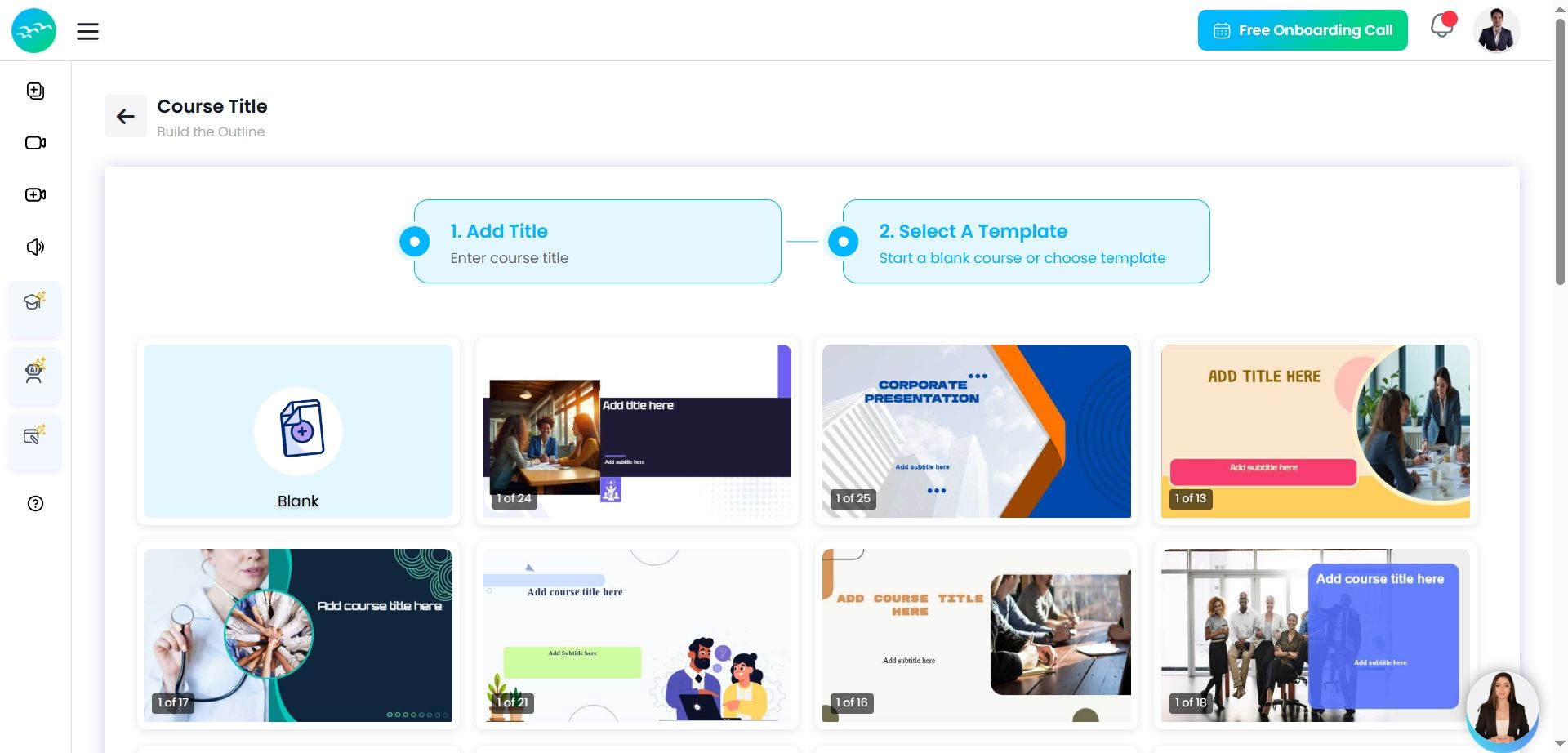
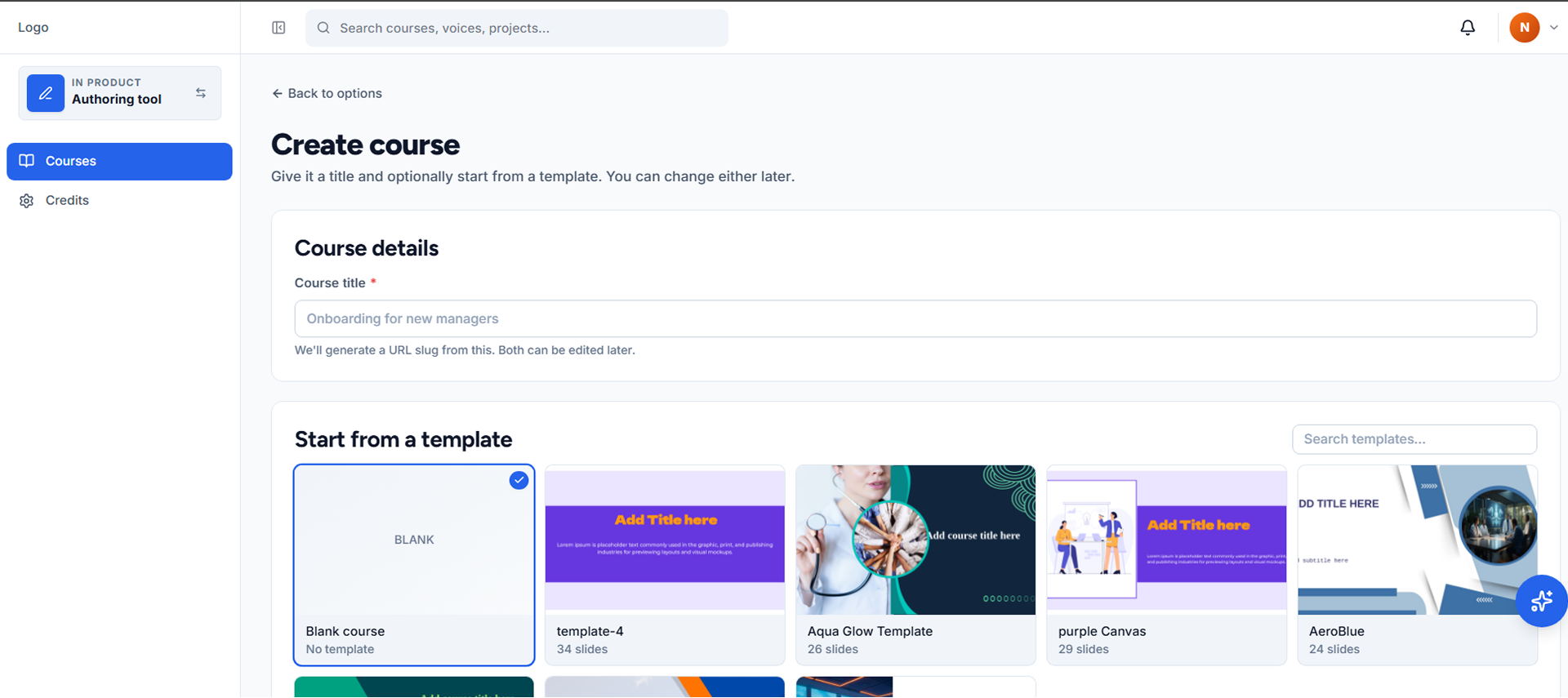
- Templates and multimedia: A template library provides starting structures for lessons, assessments, knowledge checks, scenarios, and multimedia modules. Courses can include text, images, videos, quizzes, simulations, and interactive elements.
- Branding and responsive design: Authors can apply organization-specific colors, logos, and fonts. Published courses are designed for desktop, tablet, and mobile viewing.
- Publishing and learning-system delivery: Paradiso Authoring Tool exports courses in Shareable Content Object Reference Model (SCORM) 1.2 and SCORM 2004 formats. These packages can be uploaded to a compatible learning management system (LMS) for learner delivery, completion tracking, and reporting.
Audience & Use Cases
- Audience: Instructional designers, learning and development teams, subject-matter experts, trainers, educators, and compliance teams.
- Use Case: Paradiso Authoring Tool supports teams that need to create, update, standardize, and distribute interactive training materials while reusing existing documents and course structures.
Technical Specifications
- Input formats: PowerPoint, PDF, Word, and video files.
- Course elements: Quizzes, branching scenarios, interactions, images, video, voice-over, and assessments.
- Publishing standards: SCORM 1.2 and SCORM 2004.
- Delivery: Exports to compatible LMS platforms or publication to Paradiso LMS.
Categories & Use Cases
Videos
Screenshots

1 / 5
Screenshot of Select how you want to build your content here: start from scratch with a blank layout, let our AI generate a course for you, or convert your existing files into interactive modules.
Technical Details
| Deployment Types | On-Premise, SaaS |
|---|---|
| Operating Systems | Windows, Linux, Mac |
| Mobile Application | No |
| Supported Countries | Global |
| Supported Languages | English, Spanish, German, French, Arabic, and many other languages |
FAQs
How much does Paradiso Authoring Tool cost?
Paradiso Authoring Tool starts at $0.
What are Paradiso Authoring Tool's top competitors?
Adobe Captivate and iSpring Suite are common alternatives for Paradiso Authoring Tool.
Who uses Paradiso Authoring Tool?
The most common users of Paradiso Authoring Tool are from B2C.