TrustRadius: an HG Insights company

Read&Write

Score8.6 out of 10

228 Reviews and Ratings

What is Read&Write?

Read&Write is a literacy support tool that helps individuals of all abilities read, write, and express themselves with confidence. For education and the workplace, its assistive features include text-to-speech, word prediction, and research tools for users with diverse learning needs.

Read more details.

Media

Screenshot of the translator
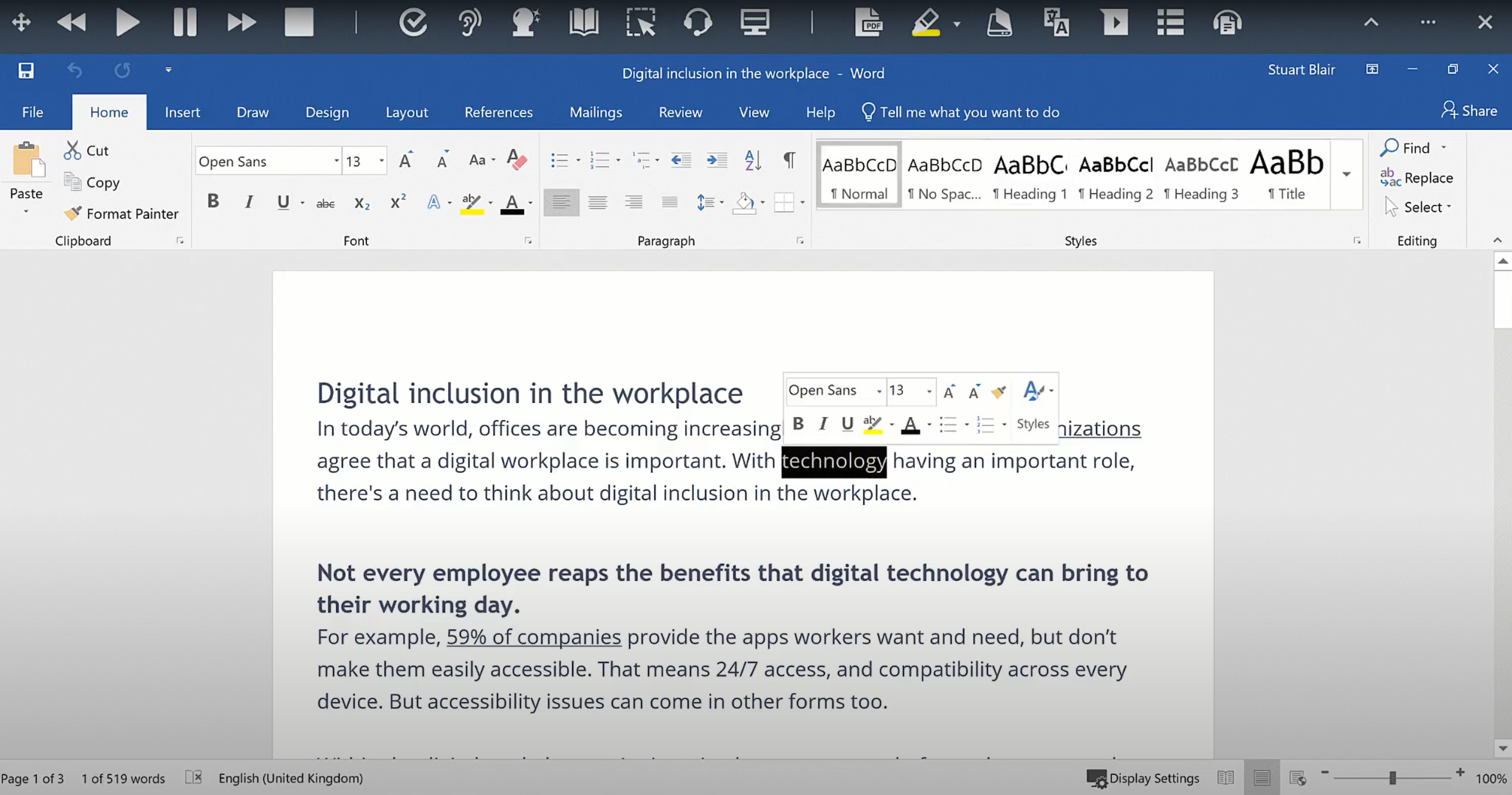
Screenshot of the text-to-speech functionality
Screenshot of the Similar Word Checker
Screenshot of Screen Masking
Screenshot of a scan
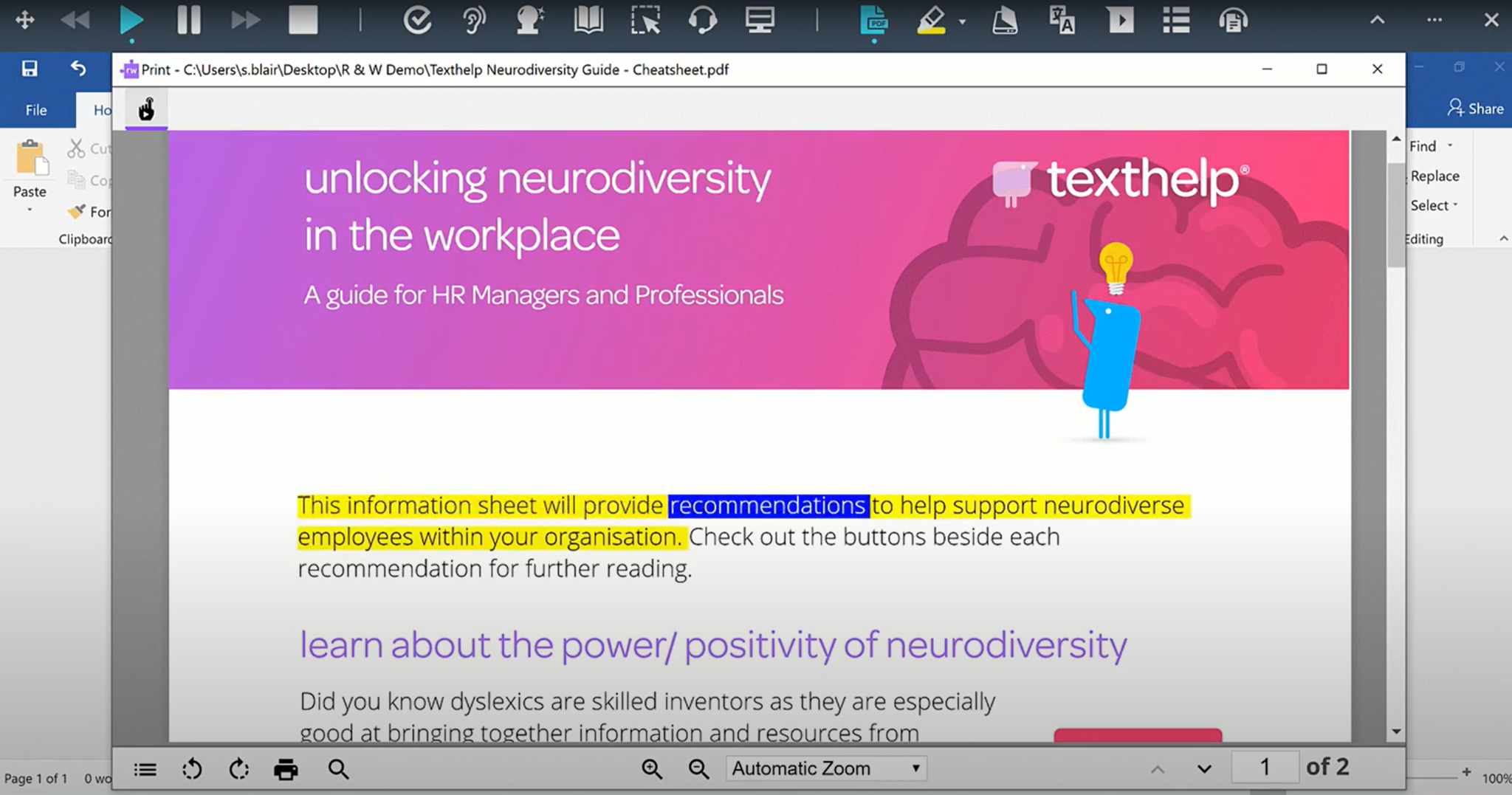
Screenshot of the PDF Reader
Screenshot of the dictionary
Screenshot of the Check It feature

1 / 8

Screenshot of the translator

Top Performing Features

  • Browser extension

    A browser extension is available, allowing the software to check writing and offer suggestions anywhere on the internet.

    Category average: 7.6

  • Speech-to-Text

    Automated text production based on speech.

    Category average: 7.6

  • Highlighters

    A tool that enables users to highlight sections of text for future reference or citation.

    Category average: 7.4

Areas for Improvement

  • Spelling and grammar check

    The software checks writing for spelling and grammar errors and suggests how to fix them.

    Category average: 6.7

  • Machine translation

    The software can automatically translate writing into other languages.

    Category average: 6.2

  • Audio maker

    Converts text to audio files that can be shared and accessed remotely.

    Category average: 5.7

Pros

  • Provides comprehensive reading and writing support for students with diverse needs.
  • Robust text-to-speech functionality aids comprehension and accessibility.
  • Effective word prediction assists in composition and spelling.

Cons

  • Speech-to-text accuracy often requires frequent corrections for punctuation and capitalization.
  • Integration with other platforms can be challenging, sometimes requiring multiple extensions.
  • Voice and speech features lack clarity, volume control, and varied accents.

Educational Aid.

Use Cases and Deployment Scope

Our school district uses the Read&Write extension across all of our K-12 schools. It is a great way for students just starting their literary journey to get additional tools that help them read and write on their devices. This also helps students who need specific tools to complete their work efficiently. Our state purchased a license for our district, and we've used it well ever since. My only complaint would be the customer support timeframe. We have had issues with some students' licensing, and it takes some time to get a response, leaving students without the tool for days.

Pros

  • Allow students to speak instead of typing.
  • Read specific lines of text using the screen masking tool.
  • Highlight specific text and reword it to better understand the subject.
  • Find a dictionary definition of a word or visualize it with the visual dictionary.
  • Read text out loud to help with pronunciation.

Cons

  • Customer Support for licensing issues.
  • Some words not being available in the dictionary or visual dictionary.

Return on Investment

  • Allows students to hear the words on the screen to help with pronunciation.
  • Offers a picture dictionary so students can visualize words instead of relying on standard dictionary definitions.
  • Provides screen masking so students can read paragraphs more easily by focusing on each line individually.

Alternatives Considered

Speechify API

Other Software Used

Clever, Hall Pass, Canva, OPALS

Read&Write works well for us

Use Cases and Deployment Scope

As an assistive technology consultant I use Read&Write when I have students that are struggling with reading as their focus or writing difficulty

Pros

  • Read&Write is easy to use
  • I like how it pops up and prompts the student if they are having difficulty with accessing the tools

Cons

  • The cost can be a little confusing for some of our districts and multiple students how to add it on
  • there was an issue with a size of a laptop screen, and a touchscreen access affected the pinpoint of the system for select/direct selection

Return on Investment

  • I would say increased engagement
  • Removing barriers for some of our students, which is priceless

Classroom Equalizer

Use Cases and Deployment Scope

Our district is very diverse. Our students varying in reading abilities and language abilities. Because I teach upper elementary, those students can sometimes be left our of research projects due to the level of written materials. Read&Write makes these materials, whether it is a website or a teacher created material.

Pros

  • It gives lower readers access to higher-level written websites.
  • It allows every student to take notes and organize those notes during research projects.
  • It can translate for students who speak other languages other than English.
  • It can collect highlighted sentences for students to use in note taking.

Cons

  • I would love the "dashboard" to look sleeker.
  • I wish the free version could do more (the paid version is amazing)
  • Not every PDF or website can use Read&Write (some instances were district-created materials and the format they chose)

Return on Investment

  • increased engagement from struggling learners
  • students produce more writing
  • Students have access to higher-level materials

10/10 for Student Support

Use Cases and Deployment Scope

I am a school-based occupational therapy assistant. I use Read&Write with some of my students. One particular student uses the talk-to-text feature, as they struggle greatly with spelling. We have used other programs in the past, but they do not start sentences with capital letters. This is very important to the student, as they don't always recognize the need or placement of capitals. I find that Read&Write sets my students up for success, where other programs often set them up for failure.

Pros

  • Easy to install
  • Many features to choose from
  • LOVE that it starts sentences with capital letters!!
  • It is easy to use, so students can easily navigate the program.

Cons

  • I currently have none

Return on Investment

  • Decreased student time in class & at home
  • Improved student grades
  • Improved student engagement
  • Improved students' awareness to errors in print

Other Software Used

Google Assistant

Allows for all Students to Access Education.

Use Cases and Deployment Scope

I use Read&Write in my 5th-grade classroom to support students who receive reading accommodations and other literacy supports. The program is primarily used during instruction in reading, writing, science, and social studies to help students access grade-level content independently. Features such as text-to-speech, word prediction, vocabulary support, picture dictionaries, highlighting tools, and speech-to-text allow students to better comprehend text and demonstrate their understanding.

Pros

  • Making grade-level content accessible for students with reading and writing challenges.
  • Using speech-to-text allows students to focus on organizing and communicating their thoughts.
  • Students can independently listen to digital text while following along visually.

Cons

  • Sometimes cannot focus on the picture that is trying to be taken.
  • When it decodes, it doesn't always show up in the correct form.

Return on Investment

  • Increased student independence and engagement by allowing students with reading accommodations to access grade-level content with less reliance on teacher support.
  • Improved learning outcomes and inclusion by helping students participate more successfully in classroom discussions, writing tasks, and digital assessments alongside their peers.

Other Software Used

Nearpod