TrustRadius: an HG Insights company

Unique Learning System

Score8.5 out of 10

376 Reviews and Ratings

What is Unique Learning System?

Unique Learning System (ULS) is a special education solution that supports students with disabilities from Pre-K through transition. It provides differentiated, standards-aligned lessons in ELA, math, science, social studies, and life skills with built-in assessments, progress tracking, and automated differentiation.

Media

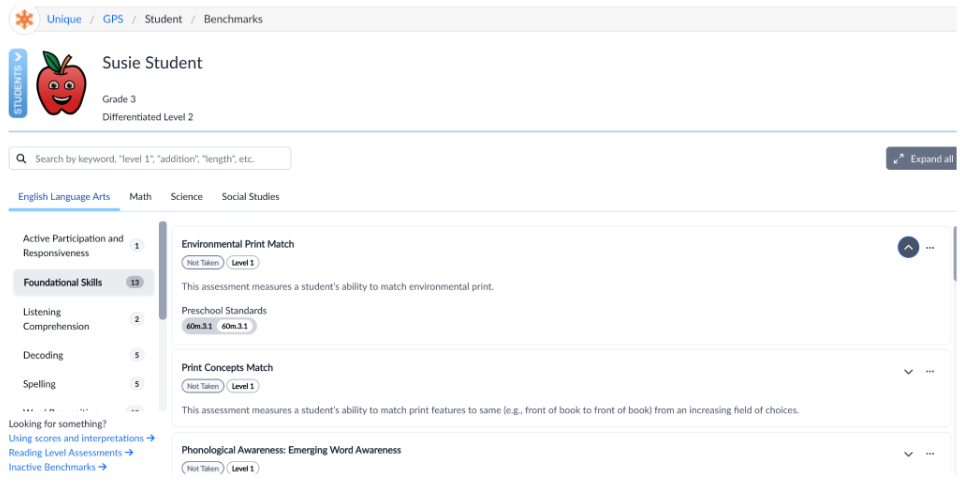
assessments and progress monitoring
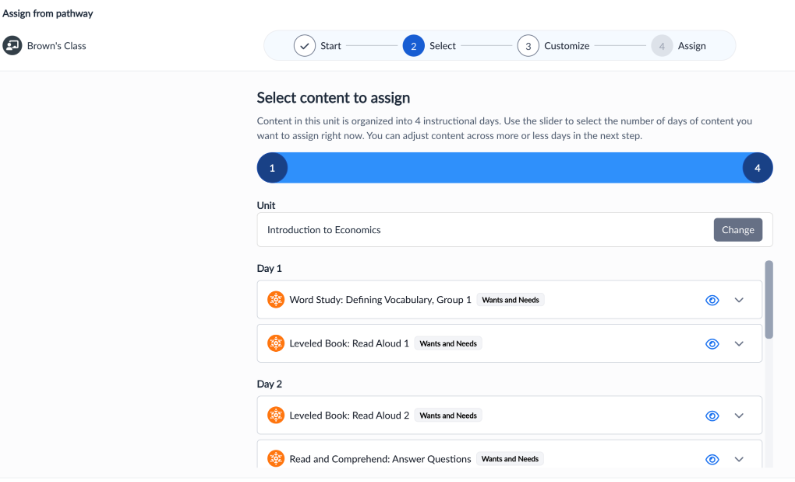
lesson planning
research based content
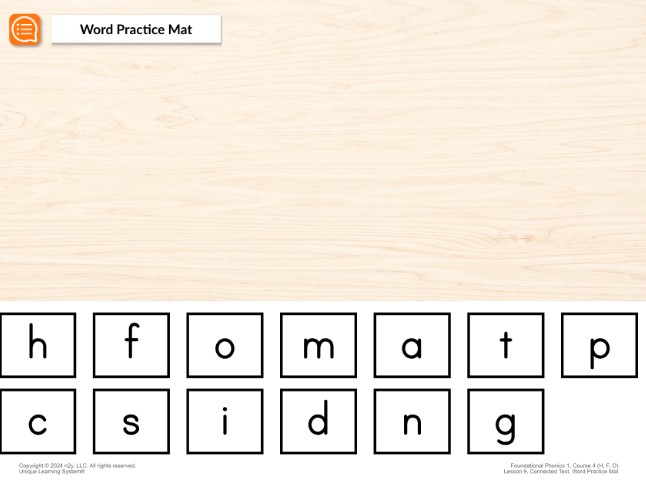
Science of Reading courses
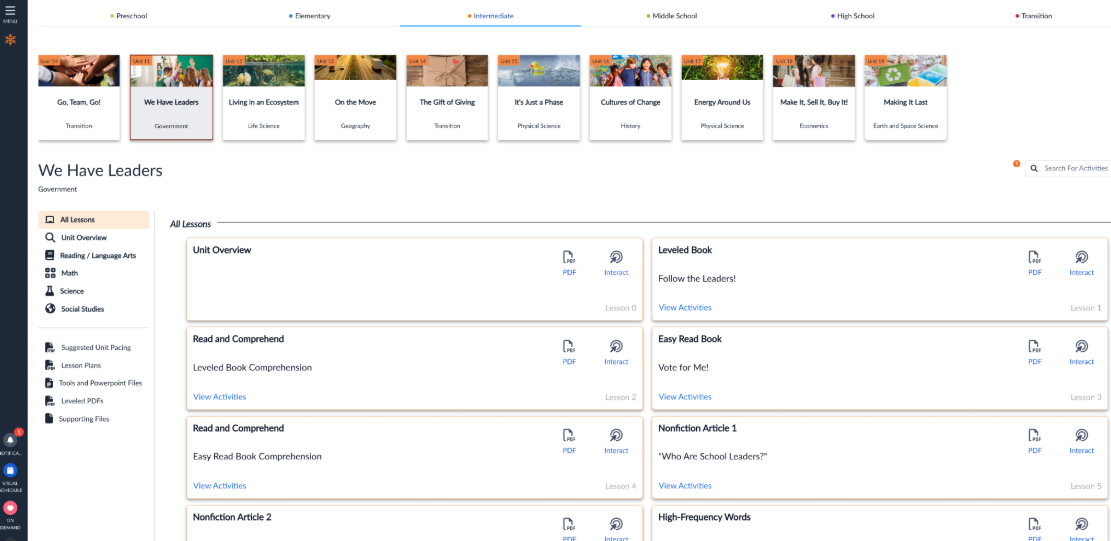
a system overview
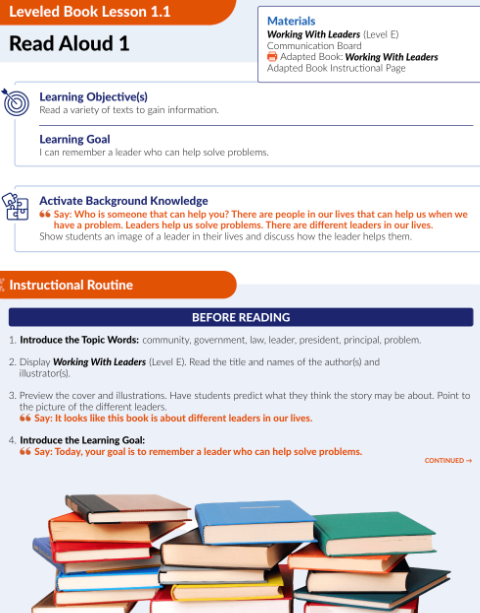
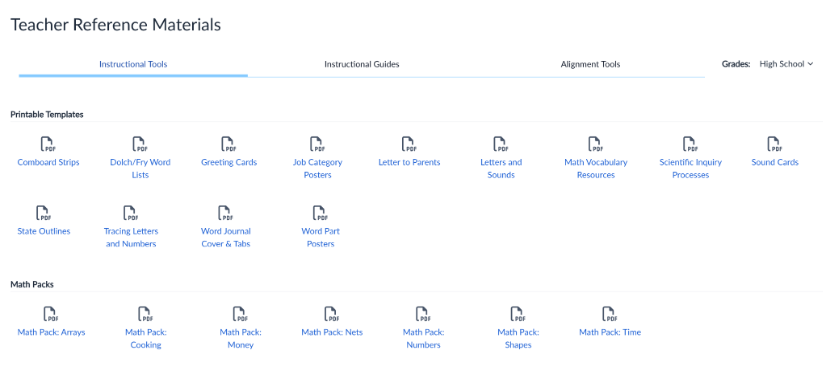
teacher reference materials

1 / 6

Unique Learning System

Use Cases and Deployment Scope

I use Unique Learning System with my classes. I teach students with intellectual disabilities. We are able to differentiate learning with this curriculum so all students have a chance to learn. I have been using Unique Learning System for several years now, almost 10 and each year they get better and better with the learning work pages. The math has made great gains in the different lessons you can teach. The reading passages are strong and while some of the answers are a bit too easy, the advanced questions can really have the students thinking as they are not right there questions.

Pros

  • Math extended lesson
  • Life Skills
  • Reading comprehension questions.

Cons

  • Some of the answer choices are a bit too easy, even for the lower level students
  • The math division questions are a bit confusing at first.
  • The Life Skill lessons are too short.

Return on Investment

  • The program helps my students be successful in learning
  • The program helps with my lesson planning
  • The program is a plus with the curriculum it offers.

Usability

Alternatives Considered

Attainment Company

Other Software Used

News2you

We love Unique Learning System

Use Cases and Deployment Scope

We use Unique Learning System as our low incidence curriculum in our district wide K-12 sped programs. We have a wide range of students needing to be served on a modified curriculum. Unique Learning System resolves that for us and allows us to differentiate for multiple levels across several grade bands, gives us amazing data - especially trackable data for IEPs, and is always increasing their materials and trainings which leads to more effective use and better access to education for our students.

Pros

  • Differentiates for students at 3 different levels
  • Provides trainings and reminders for teachers throughout the year
  • Reaches out to administration about implementation and assistance
  • Responsive to inquiries about assistance needed
  • Paired visuals embedded in their materials is amazing
  • Mirroring formats for STAAR Alt2 on benchmarks are great for practice

Cons

  • Unique Learning System's materials in the science and social studies areas aren't "fluffy" as other areas, but they are continuously adding materials
  • The layout of the website isn't the most user friendly, but most teachers are able to navigate easily after an initial training
  • The administrator side of things isn't super straightforward, reports can be confusing to find/run, but the one on one meetings always provide clarity.

Return on Investment

  • Time saved on planning
  • Data tracking for IEP goals and objectives
  • Evidence of student progress and mastered skills
  • Administration's ability to track staff and student usage

Usability

Alternatives Considered

Vizzle by RethinkEd

Unique Learning System The Pros and Cons

Use Cases and Deployment Scope

We currently use Unique Learning System for our Low Incidence and Low Incidence classrooms as well as in some other classrooms with students that have significant delays. The curriculum provides instruction that is aligned to the SC Alternate Assessment Standards and is aligned to the SC Alternative Assessment.

Pros

  • Unique Learning System aligns to the standards well
  • It provides alternate ways of access including paper based and digital
  • It provides supplemental resources for teachers including a suggested pacing lesson to assist with planning
  • Customer Service is readily available either through our assigned rep or calling the toll free number

Cons

  • Unique Learning System could be improved by providing printable workbooks to accompany the solution instead of having teachers print the materials which consumes time
  • The My Plan/Planner is not really easy to use and requires a lot of clicking back and forth between pages which is not efficient when working with students
  • The Teacher Manual/Instructional Guide could be in printed form for teacher usage

Return on Investment

  • It has assisted teachers with meeting IEP requirements
  • It has assisted us with providing instruction that is aligned to the standards
  • With the exception of planning, it has assisted with planning and following a scope and sequence
  • The program also needs to include the books that are referenced in the guides instead of leaving it to the teachers to go and find

Usability

Other Software Used

TeachTown

Unique Learning System - A Teachers Perspective

Use Cases and Deployment Scope

I am a K-2 Full Time Autistic Support Teacher at a cyber charter school in Pennsylvania. We use Unique Learning System for our replacement curriculum for our learners, to track and analyze student data and create/plan for new goals, provide valuable information regarding student skill levels, needs, and strengths for our IEPs, and for our local assessments through utilizing their benchmark assessments. I utilize Unique Learning System every day in my whole group, small group, and individual sessions with learners. I utilize it on a weekly basis to monitor and analyze data and on a monthly basis with my supervisor to track my progress towards my SPMs.

Pros

  • Data tracking and progress reports - Unique Learning System's Polaris feature is a user-friendly, simple way to track and monitor progress towards learners IEP goals. When creating a roadmap that follows a learner's IEP, you input data such as learning profiles and benchmark assessments and rubrics that then produce goal suggestions. You can craft your own goal, use a suggested goal, or choose a goal from the goal library. It gives you a great idea of what goals to target based on learner needs and progress. Entering data is super easy, just a date and a data point, and a graph generates for you. From there, it will show the data trend and flag it for you when it's at risk. It is also easy to add an intervention. Quarterly, I use the progress report feature to generate a report that provides me with the graphs that I use to put into IEP writer.
  • Curriculum pacing - My school utilizes Unique Learning System for our daily instruction. Unique Learning System provides pacing guides with what to teach and when. Everything is standards aligned and all of the lesson plans have ways that you can differentiate already built into the plans as well as an easy to use, structured/routine based set up that makes daily lessons predictable for learners to increase engagement.
  • N2Y - My learners love News To You! This provides children with access to informational text. We use it as a "fun Friday" read every week. We read the article in class, watch videos, answer questions, and typically do an activity to go along with it. The kids look forward to it every week, and also enjoy the Joey's Locker games that go along with the articles. They have a new feature to be able to assign activities that go along with the article which is really nice because I assign them as supplemental activities to go along with what we are learning about in class!

Cons

  • Benchmark assessments - The assessments are great, as is the variety that are available. I would love to see the benchmark assessments broken down even further, and make some of them shorter. For example, the "Counting and Number ID (0-100)" is a lengthy assessment for young learners and covers a very wide array of skills such as receptive number ID, counting forwards, sequencing numbers inside and outside of a decade, identifying numbers that come before and after, and ordering sets of numbers from least to greatest. There are about three questions of each. I would like to see specific benchmarks that target just one of the skills that are lumped together into one test. Additionally, many learners are not ready for academic skills yet. It would be nice to have more benchmark assessments for emergent learners. Perhaps making some of the rubrics into benchmarks! For example, the motor imitation rubric. The benchmark could have gifs of people doing things with the directive "do this". Or benchmarks that target identifying common objects and more sorting and matching across topics.
  • Goal interventions on Polaris - I like the interventions feature on Polaris but would love to see it show the data prior to the intervention as well. I just feel that the look of the graph changes after the intervention is added in a way that is not helpful.
  • Creating probes based off of the benchmark assessments to utilize - It would be really lovely to see a variety of probes be created to use to collect and monitor data on specific skills within the benchmark assessments.
  • Breaking up the assignments in Unique Learning System phonics courses - I love the phonics courses and assign them regularly. That being said, it is a lot to look at and overwhelming for students and families when they are assignment. It would be nice, for example, if the high frequency words were able to be assigned by word, rather than all in one go.

Return on Investment

  • Time on planning - Unique Learning System provides a great pacing guide and lesson plans to use for all of its content. We have made a pace that makes the most sense for us, but are able to pull from the lesson plans different activities, modifications and accommodations, leveling ideas, resources, communication boards, standards, and objectives to provide to our administration.
  • Data collection for SPMs - As Polaris keeps track of mastered and progressing goals, our administration is able to open our Polaris account and see in one small snapshot how our learners are doing towards our department goals.
  • Quarterly Progress Reports - As all of our data for learners towards their IEP goals are housed in one spot and there is a "progress report" feature embedded within Polaris, it took the job of creating progress reports from taking several days and many hours to 2-3 hours for my roster of 15 learners. It has saved me so much time and energy.

Usability

Other Software Used

Google Classroom, Microsoft Teams, Microsoft 365

Unique Learning System

Use Cases and Deployment Scope

I use Unique Learning System as my curriculum in my special education classroom. This program allows me to teach an alternative curriculum to students who access the general education curriculum through prerequisite skills. I use this program daily to teach whole group lessons, small group lessons, and facilitate independent work on individual computers. The system makes it easy for me to quickly access simple and attainable lessons, and also assess and track progress.

Pros

  • Simple, nondistractive format
  • Differentiated prompting levels that can be aligned to student profile or adjusted manually
  • Short assessments

Cons

  • I would like the lessons that teach calculator use to include an interactive calculator.
  • I would like to see a full record of benchmarks in graph format, beyond just a one-year time frame.
  • Under the recent activity list, I would like the checkpoints to detail which unit they are from and if it is a pre-test or post-test.

Return on Investment

  • I have limited planning time due to the extensive demands on my job, so having plans included saves me approximately 5 hours per week that can be used for IEPs.
  • Reports run by my coach indicate progress from the pre-tests to post-tests. Also, I am able to use post-tests for an authentic major grade for my students.
  • The data reports contain information I use to update IEPs.

Usability

Other Software Used

SymbolStix Prime