
TrustRadius: an HG Insights company

Veeam Data Platform

Score8.9 out of 10

2,149 Reviews and Ratings

What is Veeam Data Platform?

Veeam’s® premier product, Veeam Backup & Replication™, delivers availability for all cloud, virtual, Kubernetes and physical workloads. Through a management console, the software provides backup, archival, recovery and replication capabilities.

Read more details.

Media

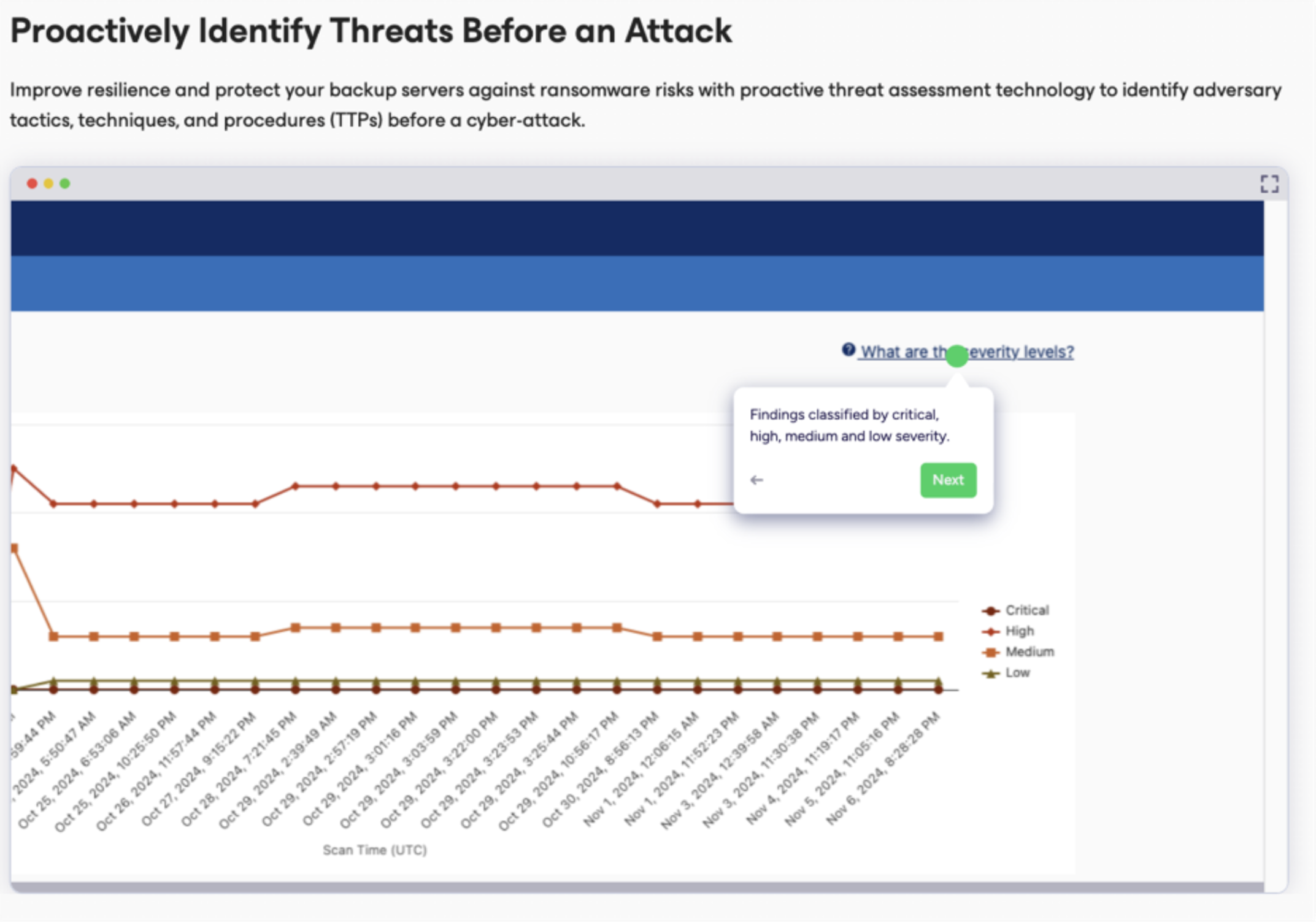
Screenshot of an example of the proactive threat assessment technology used to identify adversary tactics, techniques, and procedures (TTPs) before a cyber-attack.
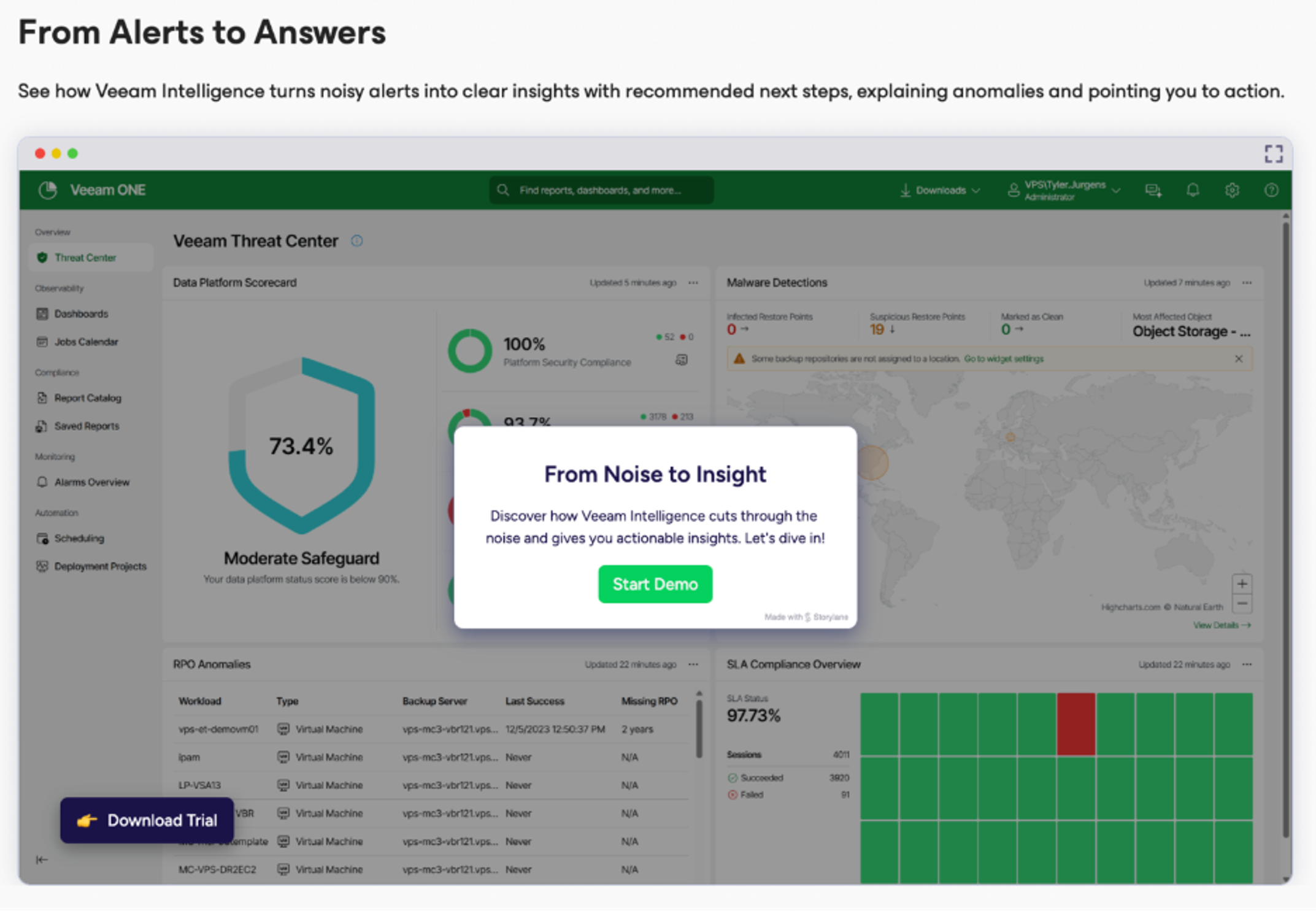
Screenshot of where Veeam Intelligence turns noisy alerts into clear insights with recommended next steps, explaining anomalies and pointing out the next best action.
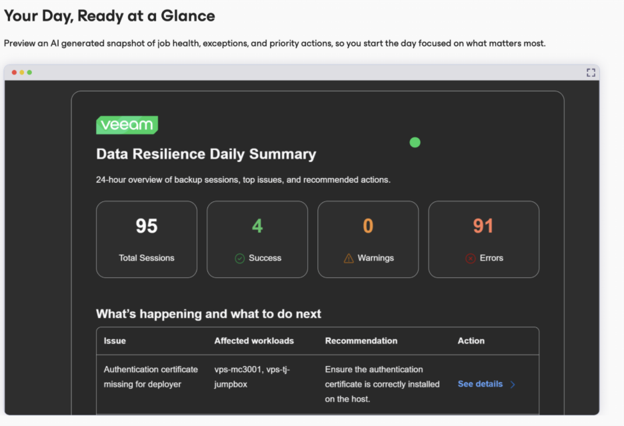
Screenshot of a preview of an AI generated snapshot of job health, exceptions, and priority actions.
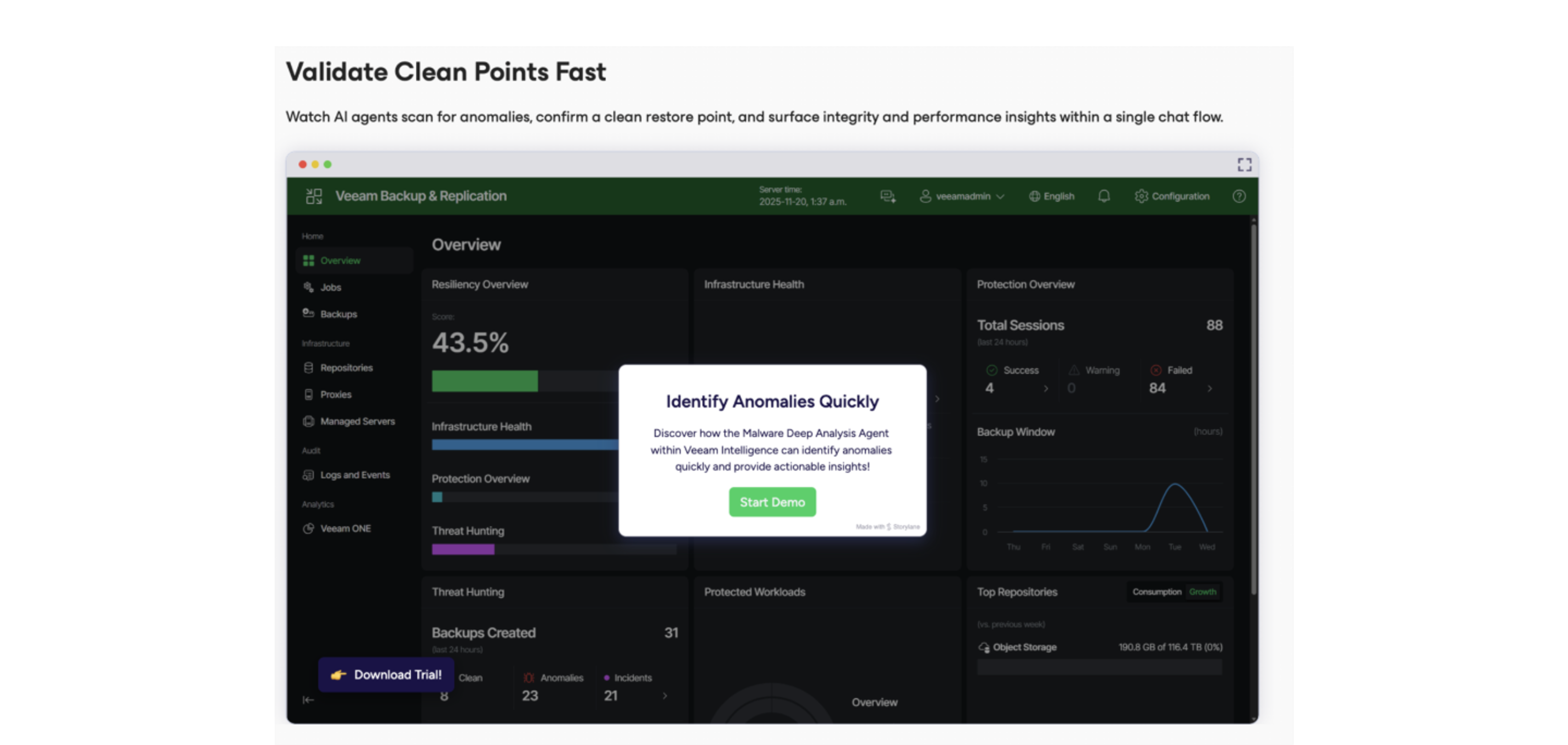
Screenshot of the chat flow to watch AI agents scan for anomalies, confirm a clean restore point, and surface integrity and performance insights.

1 / 4

Screenshot of an example of the proactive threat assessment technology used to identify adversary tactics, techniques, and procedures (TTPs) before a cyber-attack.

Top Performing Features

  • Multiple backup destinations

    Multiple backup destinations is the ability to backup data to more than one location

    Category average: 8.5

  • Incremental backup identification

    Incremental backup identification is the ability to identify incremental changes since last backup

    Category average: 8.7

  • Encryption

    Data encryption to ensure that data is safe while being backed-up

    Category average: 9

Areas for Improvement

  • Platform support

    Product supports multiple operating systems and applications

    Category average: 8.6

  • Flexible deployment

    Deployment on any servers with full support for all applications being used

    Category average: 8.4

  • Management dashboard

    Web-based dashboard allowing configuration and monitoring of all backups

    Category average: 8.3

Who Buys & Uses Veeam Data Platform

Pros

  • Intuitive user interface and straightforward management for daily backup operations.
  • Reliable and efficient backup and granular restore capabilities for diverse workloads.
  • Robust ransomware protection through immutable storage features.

Cons

  • User interface described as clunky, resource-intensive, and lacking a unified experience across modules.
  • Licensing complexity and cost can be challenging, especially for enterprise-scale deployments and renewals.
  • Some users report performance issues, including slow load times and high resource consumption.

Veeam Data Platform

Use Cases and Deployment Scope

It is for my customer, a printing company, use Veeam Data Platform as backup and recovery software for data protection. They need backup for baremetal and virtualized servers, some use linux OS and windows OS. it enable user to comply company and government policy for their data.

Pros

  • Backup baremetal servers
  • Backup VMware servers
  • Restore to HCI servers

Cons

  • simplify deployment, Veeam Data Platform use some component (server, repo, etc)
  • licensing scheme

Return on Investment

  • (-) cost is quite high
  • (-) the deployment and tunning need some time
  • (+) data protection compliance

Alternatives Considered

Vinchin Backup & Recovery

Other Software Used

Rubrik, Vinchin Backup & Recovery

Veeam Data Platform was a game-changer

Use Cases and Deployment Scope

The product is great and reliable, especially in terms of backup time, with an intuitive interface. We back up the entire server infrastructure and also replicate it to the D.R. site. It's not 100% perfect only because of a peculiarity of our environment using SQL Availability Group; we can't use the table restore feature because the database is too large and causes a timeout. And in a country where English is not fluent, it's very difficult to open tickets and communicate when urgent support is needed. Excluding these two points, in my opinion, the product is perfect.

Pros

  • Backup time
  • Intuitive interface
  • Instante recovery

Cons

  • Support in Portuguese for urgent tickets
  • Restore of tables in SQL A.G.
  • VBR running on Linux

Return on Investment

  • Learning curve
  • Tunning

Alternatives Considered

Veeam Backup for Google Cloud Platform, Bacula Enterprise and Proxmox VE

Other Software Used

Microsoft 365, Google Workspace, Tableau Cloud

Class Leading Product.

Use Cases and Deployment Scope

We use Veeam Backup and Recovery to secure our critical data on-prem and to copy it offsite. We also use the platform to validate our backups using the Sure Backup functionality. We use VeeamOne to monitor our virtual environment and generate reports of our backup and infrastructure health.

Pros

  • The UX is very intuitive, which allows quick configuration and deployment of new features and functionality.
  • VeeamOne lets me generate detailed reports on the health of my backups and the overall environment.
  • It reliable backups up my data and gives me the ability to test and validate these backups.

Cons

  • The WebUI is still not feature-complete, forcing a lot of work in the thick client.
  • Currently, copying backups to the cloud must be done on a per-job basis; it would be nice to do it per VM, since retention might differ across VMs in the same backup job.

Return on Investment

  • We have been able to consolidate, stop using multiple other products, and centralize on Veeam, giving us a single pane of glass into our backups and infrastructure health.

Alternatives Considered

NAKIVO Backup & Replication and Rubrik

Other Software Used

VMware vCenter, Microsoft 365, Microsoft Teams

My Veeam Data Platform Protection Review.

Use Cases and Deployment Scope

VDP is the sole data protection solution for our organization. It gives us confidence that we can back up and recover our data in any event.

Pros

  • Backup of entire organization's data and datasets.
  • Reporting of protected data.
  • Monitoring and alerting of any issues.

Cons

  • Perhaps make the VBR interface a little more intuitive.
  • The reporting interface of VeeamOne can maybe also use a facelift.

Return on Investment

  • Positive impact: it "saved our ass" on one occasion. In that particular scenario, we were hit with ransomware.
  • On another occasion, it provided a means of building a staging environment from our production and saved us a significant amount of time from having to build from scratch.

Alternatives Considered

NetBackup from Cohesity

Kevin's Veeam Review

Use Cases and Deployment Scope

We use Veeam to back up several VMWare virtual machines and several file shares. Veeam then sends those backups off-site to a cloud storage provider. This eliminates the need to create a custom backup strategy and protect that system ourselves. This also allows the backups to be handled in an encrypted manner end to end.

Pros

  • Completely automate backups.
  • Encryption for security.
  • log files from every run.

Cons

  • I wish the upgrade process was simpler.
  • Being able to move the backup database after the fact would be nice.

Return on Investment

  • To date we've not faced a real failure that required more than a couple of files be restored, but our tests indicated if it happens it will be a less stressful event because we have Veeam.

Other Software Used

Veeam Data Cloud for Microsoft 365