1Password vs. BrowseControl by CurrentWare

Overview
ProductRatingMost Used ByProduct SummaryStarting Price
1Password
Score 9.2 out of 10
N/A
AgileBits in Toronto offers 1Password, a password manager available to both private individuals and businesses, touting a unique approach to multi-factor authentication to improve security.
$2.99
per month
BrowseControl by CurrentWare
Score 10.0 out of 10
N/A
BrowseControl is a content filtering software for configuring content access to websites and Windows applications based on user, device, department, or other Organizational Unit (OU). BrowseControl's content filtering features allow administrators to configure the internet and application usage permissions of the students, employees, and patrons that use computers within their network. Content filtering policies for websites, applications, and files can be…
$72
per year per user
Pricing
1PasswordBrowseControl by CurrentWare
Editions & Modules
1Password
$2.99
per month
Teams
$3.99
per user/per month
1Password Families
$4.99
per month
Business
$7.99
per user/per month
Enterprise
Custom Pricing
10-99 Users
$6
per month per user
100+ Users
Volume & prepurchase discounts available. Please contact sales for info.
Per User Per Month
Offerings
Pricing Offerings
1PasswordBrowseControl by CurrentWare
Free Trial
NoYes
Free/Freemium Version
NoNo
Premium Consulting/Integration Services
NoNo
Entry-level Setup FeeNo setup feeNo setup fee
Additional DetailsPrice per license is based on purchase volume. There are additional discounts available for educational organizations, non-profits, managed services providers, and for businesses that pre-purchase multiple year plans.
More Pricing Information
Community Pulse
1PasswordBrowseControl by CurrentWare
Best Alternatives
1PasswordBrowseControl by CurrentWare
Small Businesses
RoboForm
RoboForm
Score 8.3 out of 10

No answers on this topic

Medium-sized Companies
Dashlane Password Manager
Score 9.1 out of 10
Quantum Firewalls and Security Gateways
Score 9.1 out of 10
Enterprises
KeePass
KeePass
Score 8.9 out of 10
Quantum Firewalls and Security Gateways
Score 9.1 out of 10
All AlternativesView all alternativesView all alternatives
User Ratings
1PasswordBrowseControl by CurrentWare
Likelihood to Recommend
10.0
(50 ratings)
-
(0 ratings)
Likelihood to Renew
10.0
(4 ratings)
-
(0 ratings)
Usability
10.0
(4 ratings)
-
(0 ratings)
Support Rating
8.8
(17 ratings)
-
(0 ratings)
User Testimonials
1PasswordBrowseControl by CurrentWare
Likelihood to Recommend
1Password (AgileBits, Inc)
1Password is a great tool when it comes to data security and managing your passwords. It is perfect for daily work that requires accessing a lot of different login credentials to different softwares, servers etc., so it is a great tool for all web developers and programmers, but also to project managers and other employees that have to login to multiple different services regularly.
Read full review
CurrentWare Inc.
No answers on this topic
Pros
1Password (AgileBits, Inc)
  • Convenient secure access to my passwords anywhere.
  • Auto-generates secure long random passwords I would never be able to remember with so many I have to keep track of.
  • It's a small thing, but the numbers and punctuation are shown in different colors so you never need to wonder if it's a zero or a capital O.
  • Keywords let me organize my passwords however I want, by client, by function, whatever, the choice is up to me.
  • A handy place to keep contacts and all kinds of other data besides just passwords. Can add any fields I want, even attach files in the secure vault.
Read full review
CurrentWare Inc.
No answers on this topic
Cons
1Password (AgileBits, Inc)
  • 1Password is so secure, that it lacks a self-managed "forget your password" functionality which means that as a manager, I have to approve password resets which may slow down some users.
  • On Chrome, the extension sometimes stops working when the browser is updated.
Read full review
CurrentWare Inc.
No answers on this topic
Likelihood to Renew
1Password (AgileBits, Inc)
1Password is a great password manager and it helps us a lot in our every day duties at the company. Since implementing this solution we also feel way more secure when it comes to our own data or the data of our Clients.
Read full review
CurrentWare Inc.
No answers on this topic
Usability
1Password (AgileBits, Inc)
The 1Password app design is top notch, much better than a couple other password managers I've looked at. The app and service are very flexible, allowing for many different types of data storage. The browser extensions generally work very well, allowing for easy access to login information while using pretty much any modern web browser.
Read full review
CurrentWare Inc.
No answers on this topic
Support Rating
1Password (AgileBits, Inc)
I have never had any issues with 1Password and they have always been able to answer my questions adequately resolve my issues. Furthermore, they have a robust peer forum that can be accessed. They have helpful "Get to know Apps", videos and many articles to assist in the process of using the product.
Read full review
CurrentWare Inc.
No answers on this topic
Alternatives Considered
1Password (AgileBits, Inc)
1Password and LastPass are presently quite comparable in terms of the feature set they offer to their users. Unfortunately, it is their pricing models that differ, and is the only reason we felt the need to switch to LastPass from 1Password. LastPass simply offered better pricing for their business tier k(cheaper by $1/user/month.)
Read full review
CurrentWare Inc.
No answers on this topic
Return on Investment
1Password (AgileBits, Inc)
  • It saves time, and time is a very expensive resource.
  • The account details and the sensitive business information in safe behind the 1Password encoding, while staying accessible to stakeholders
  • The password generation is a secure and quick way to help employees register new services on their own.
Read full review
CurrentWare Inc.
No answers on this topic
ScreenShots

BrowseControl by CurrentWare Screenshots
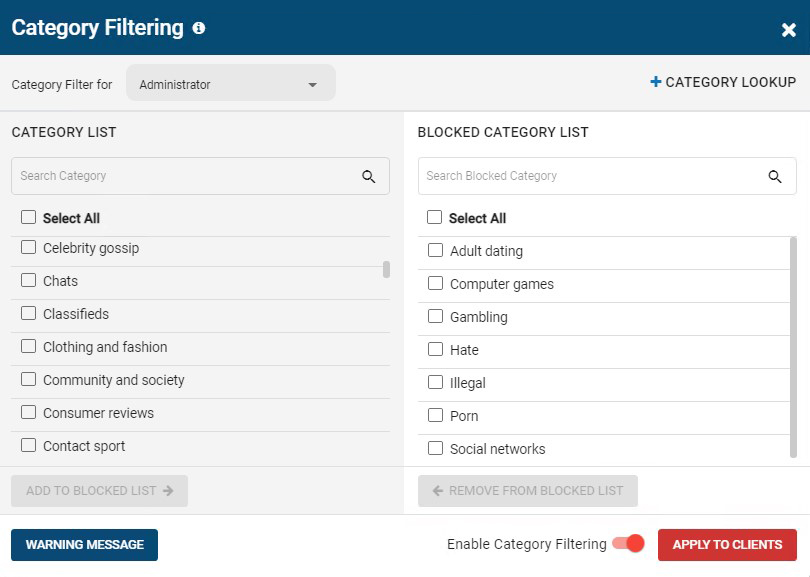
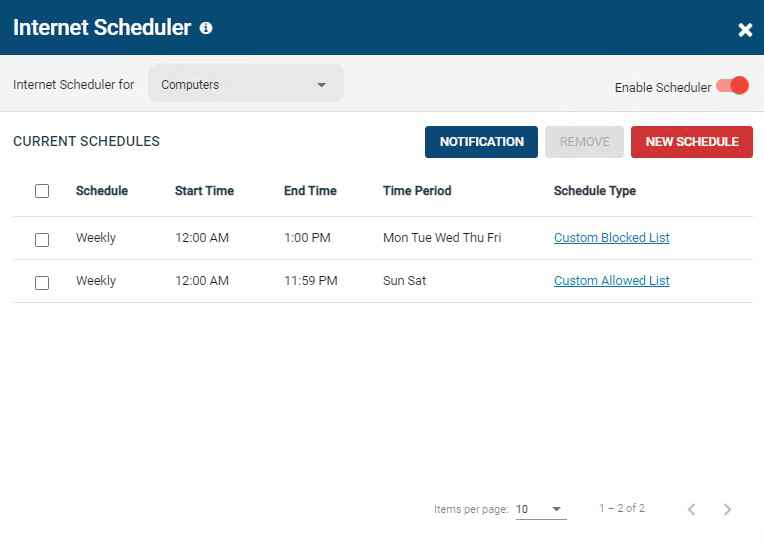
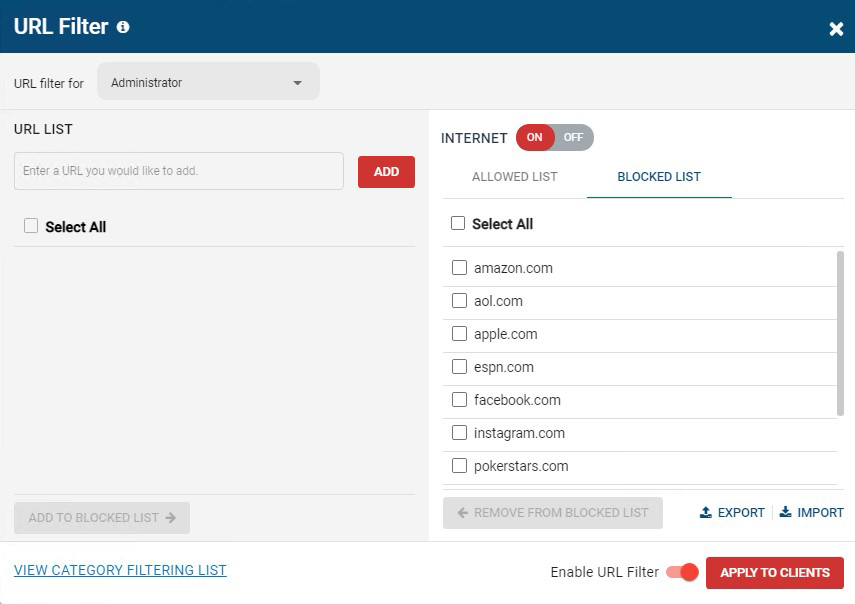
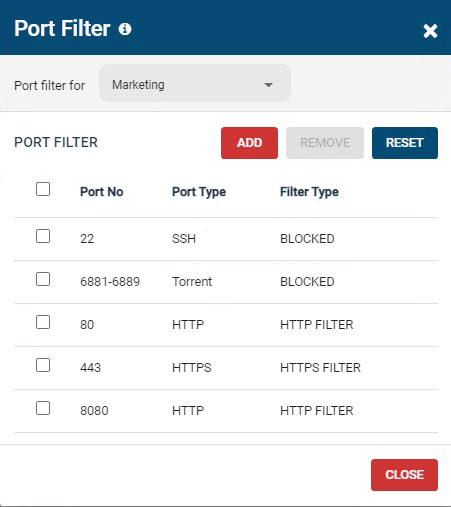
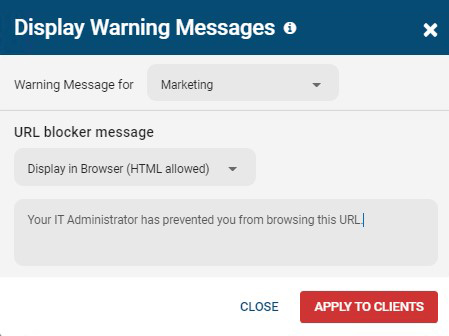
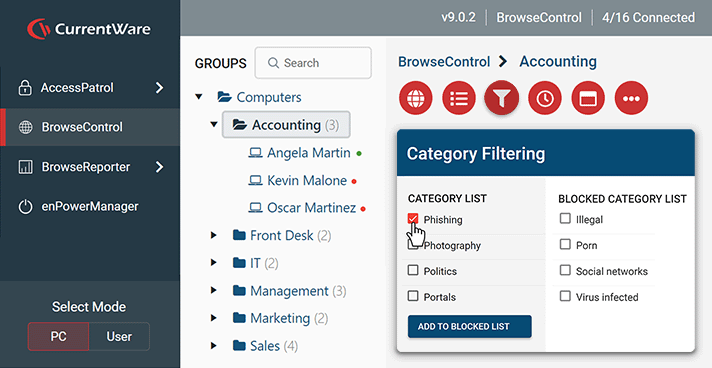
Screenshot of BrowseControl's category filtering feature window. The URL category database is constantly updated with new URLs, making the blocking of porn, malware-infected sites, social media, and other undesirable websites as easy as a few clicks.Screenshot of BrowseControl's internet scheduler feature window. Allowed and block lists can be scheduled to provide unique internet restriction policies for special occasions and breaks.Screenshot of BrowseControl's URL filter. Specific URLs/Domains can be added to the allowed or blocked list for granular control over employee internet use.Screenshot of BrowseControl's port filter. The port filter blocks egress and ingress network traffic based on network port numbers and port ranges. This allows network administrators to block unused ports and reduce the attack surface of their network.Screenshot of BrowseControl's warning message. When a user attempts to access a blocked website they will be presented a warning message. The message can be customized to include links to a company's acceptable use policy, or any other messaging.Screenshot of BrowseControl web console