Aaniie expanded into the childcare space in 2023 with Aaniie Kids. The platform is designed to streamline the care process for agencies, families, and caregivers, Aaniie Kids makes it easier to book sitters and hire nannies. Developed with an understanding of the industry from on-demand, temp, and corporate backup care to permanent placements, Aaniie Kids offers a solution for managing business operations. Featuring embedded tools such as an Applicant Tracking…
N/A
Zoho Calendar
Score 8.6 out of 10
N/A
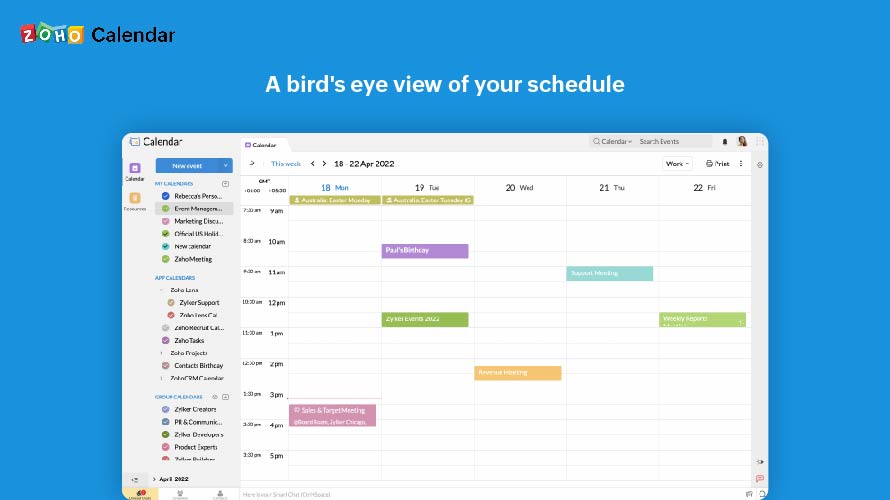
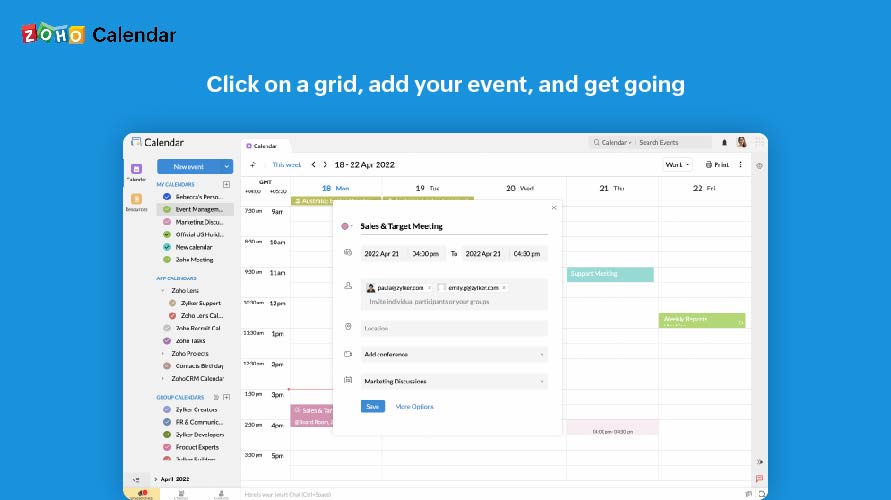
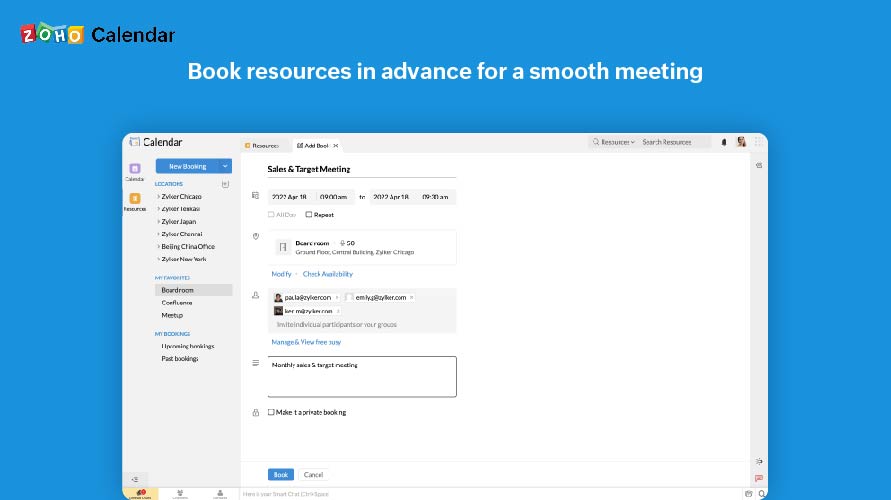
Zoho Calendar is an online business calendar designed to make scheduling easy. It can be used to stay on top of a schedule, or to share scheduled events with peers.
Although the Aaniie Kids team customized some of the system for our use and continues to do so, the team is very hard to work with. In fact, in an early meeting, the CEO stated, "we listen to our users and innovate every day." My experience has been exactly the opposite. When we provide user feedback, we are told that it can't be accomplished.
It is good for office use for keeping track of meetings and various important events. It is very nice to share a calendar with the whole team and the whole team has access to it, everyone can modify and update events. Furthermore, it is less appropriate when you use it on mobile, and it also cannot record the meetings.
The scheduling dashboard is a cluttered mess and not efficient to match a family to a caregiver.
What is called reports are actually data exports without the ability to filter
Reports that pull the same data don't have the same numbers so nothing matches making it very challenging to run a business and hold employees accountable to KPI's.
The user interface of the mobile app is hard to understand and often doesn't permit caregivers to punch in and out of a shift.
The platform causes our email to be marked as spam.
I subscribe to Zoho One so I use many of the modules that come with that single subscription. I've had intermittent issues with scheduled Zoho Meetings through Zoho CRM not appearing in my Zoho Calendar. Zoho has been working on the issue but it will be fixed for a while and then I'll miss a meeting because it wasn't appearing.
We are using the system, so I cannot give it a 1, but boy is it a challenge to accomplish a task. What took a click or two to accomplish a task in our previous system is now 4-6 clicks and necessary to open multiple tabs.
Since there are lots of preference options, it can be a little confusing when setting up. It does integrate with other calendars where you can choose one or two way syncing which is helpful if you keep separate personal and work calendars. You can set your start day of the week which for me I have it set to Monday. There are also time zone options which are great but still a bit confusing to me.
Support has been excellent. As always, they are quickly responsive, and I feel they genuinely wish to address and fix any issues. It's unfortunate that my issues with meetings created in Zoho CRM don't always appear in my Zoho Calendar. While they mostly appear, my confidence level on any given week that I can see what is on my schedule is decidedly lacking.
Zoho calendar allows us to schedule, manage and track your appointment, meetings, birthdays, and other important dates. And also collaborate, share and publish your daily activities. Zoho Calendar also provides you to make it more creative by changing the themes. Event reminders are also available on Zoho Calendar, so we can be reminded either via email or through a pop-up about appointments, dates, milestones, and events. Reminders can pop up as early as 30 days before an event.
Since the rollout we've become less efficient, thus causing the need for additional headcount to accomplish tasks previously handled with technology.
Our main focus has been drawn away from growing the business and towards purchasing other systems to supplement the missing components that we were told existed within the system, increasing our overall tech expenses.
Using disparate systems is not only time consuming, but riddled with bad data.
Once the meeting is created on the Zoho calendar, you don't need to remind invitees to join the meeting at a particular time or day. Zoho calendar does that for you.
If any invitees are unable to join the meeting, they can ask for a different time prior to that meeting.
Sometimes if many meetings are in the pipeline then there can be overlap.