Adobe Acrobat DC is the current version of the well-established document / PDF management solution, part of the Adobe Document Cloud (the other part being Adobe's eSign services based on technology acquired with EchoSign in 2011).
$19.99
per month
Inogic Security Sync
Score 0.0 out of 10
N/A
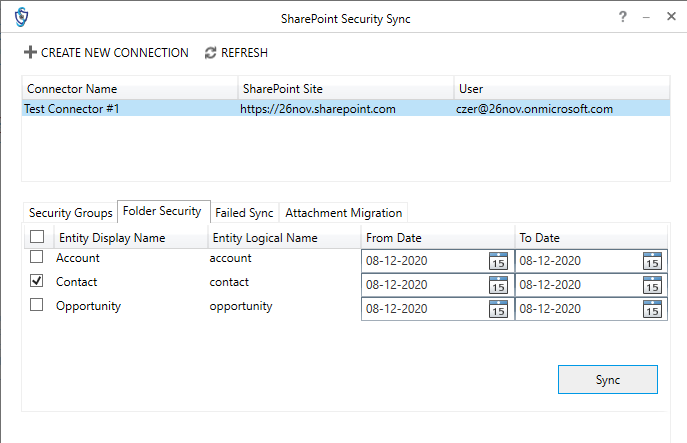
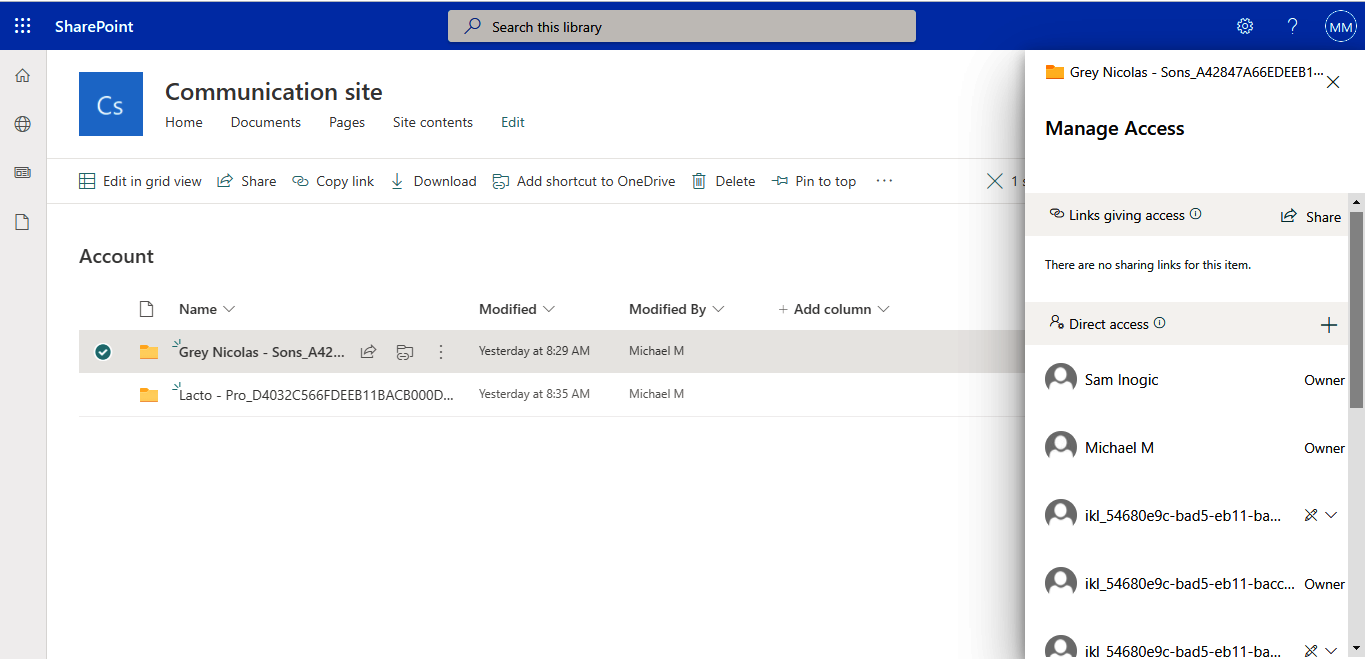
Inogic's SharePoint Security Sync is a solution for integrating Dynamics 365 CRM with SharePoint for document management. It syncs Dynamics 365 CRM and SharePoint security privileges thereby adding another layer of security to the documents/attachments stored in SharePoint. It restricts users’ level of access in SharePoint to the same level that is assigned to them in Dynamics 365 CRM. All in all, the solution aims to provide free storage space + document management + data security.
Adobe Acrobat is far more visual than any other document editor/viewer. As a veteran in the market, it understands its customers' needs well and has managed to stay relevant and keep its tools up-to-date. Furthermore, it maintains a good balance between the number of tools it …
Adobe Acrobat is great for organizations to use, while the other tools are mostly targeted to individual users. We have tried other software, Adobe products with their ecosystem and different products with the same subscription, ended up being more useful than buying different …
I am sure it works fine but I do not have any reason to ever use it instead of or in addition to acrobat. If the software is working fine, has the features you need and is already well known by the staff, it would be foolish to switch to a different software.
I don't know if it's the many years of experience I have using Adobe Acrobat or that they just seem to evolve along with the industry, the other programs I have tried (not by choice) just don't seem to have the abilities I have found and used with Adobe Acrobat.
Adobe Acrobat runs in a parallel way to these other products. Only Illustrator has a function that you can save files as PDF and read them in acrobat Reader. And you can open PDF files and edit them. The thing is that for simple things and simple modifications Adobe Acrobat has …
Adobe Acrobat is far superior to Microsoft Edge's PDF reader. It is far more robust in the features that are offered without sacrificing any user friendliness. Bluebeam offers more detailed editing features, specifically for things like construction documents. However, …
Adobe Acrobat is better for a few reasons: it has more powerful capabilities like editing, it's stable, it's exported files are universally compatible. The two I named above are ok in a pinch, but definitely not something we use if we can avoid it.
Adobe Acrobat is the best tool to be able to view and amend documents especially for accessibility. While some other products might be better for editing the documents Adobe Acrobat will allow you to do a full accessibility report and ensure that the content of the document is …
I have used eCopy Pro before. This, when I used it, was very limited on what I can do with whole pages or electronic signatures. It did not at the time have the function to get an electronic signature directly. It would allow me to erase meta data, but I am not sure that is …
For what we need the application for, Acrobat is the right software. Yes, it is the right tool for the job and for our organization to complete the projects we need it to do and succeed with.
We like the interoperability between Microsoft Word and Adobe Acrobat. Their is native support to export from or to either format, but Adobe Acrobat Reader is free & everyone can view & print PDF documents free of charge.
DocuSign was the main alternative we looked at seriously. The E-Signature side is comparable, but DocuSign does not give you the broader PDF editing and OCR capabilities, so you would still need another tool alongside it. Acrobat made more sense as a single tool that covered …
Adobe Acrobat is an amazing tool. I chose this one because I did not see any others that I had enough knowledge to give a true review. I am more of a creative user when it comes to Adobe. I am new to marketing.
Well, Mac Preview is a default app on the Mac. It just works. It comes pre-installed and it is also used for images and various things. The UI, the graphics, the ux, the functionality all seem seamless. The application also feels very light, works very fast and it is easy to …
When asked, I tend to suggest Adobe Acrobat vs Docusign, it's easier to use, cheaper and has more editing options available. I suggest Adobe Acrobat for many things over other programs, sometimes the only issues is the cost, you need to own Adobe Acrobat to do a lot of things, and the cost can be can an issue for people.
For as amazing as Adobe Acrobat is, a lot of the time it does feel like one of the more clunky and slow Adobe programs.
Ability to edit text! Adobe Acrobat sometimes struggles with fonts and editing the text ends up messing with the text in weird ways.
It would be cool to have multiple versions of the same preflight single fixups! I use the same single fixup but need to adjust it for multiple sizes! I'd like to be able to save another version of it with the different sizes.
Adobe Acrobat works seamlessly with the other Adobe products we use that are industry-standard. We will certainly continue to use Adobe InDesign, Photoshop, and Illustrator, meaning it will always be convenient to work seamlessly with Adobe Acrobat for our organization. We are happy with the performance of Acrobat and it's meets our expectations.
We have not experienced any major problems using Adobe Acrobat within our company. We use a variety of computer devices, and it works well on all machines. The only minor issues we have had occur have been the software getting "hung up" during some printing tasks and conversion tasks, but these sorts of inconveniences have been few and far between.
We have not had availability issues with Adobe Acrobat, or at least none that I am personally aware of. Some may encounter crashes of the software during outages of electricity in their city or neighborhood, which no one can plan for, but with generators in our organization, we have been lucky not to have outages
One of the best features of Adobe Acrobat is its speed and stability. When dealing with massive multi-page files, having to reload a crashed program over and over again would slow down progress unnecessarily. And expanding on that, having the table of contents generated allows me to skip to different pages with ease, a necessary feature with exceptionally long files. word searches are even more helpful with text recognition.
For a while, Acrobat DC crashed pretty frequently. I contacted Adobe Acrobat support about the problem. At first support was unable to provide a solution. After about a month Adobe's software engineers provided a fix. I just wish it had taken less than a month to solve the problem.
I was not involved with the implementation process, so I cannot answer this question. However, when it was installed on my computer system, they did so virtually. I just sat there while they took control of my computer over the network and watch them install it, lickety split
I am sure it works fine but I do not have any reason to ever use it instead of or in addition to acrobat. If the software is working fine, has the features you need and is already well known by the staff, it would be foolish to switch to a different software.
I find that many users aren't aware of many features of the software they use, nor may they be comfortable with learning multiple-step processes. For the simplest of PDF purposes (scanning, downloading, exporting), it gets a thumbs-up. For anything involving electronic signatures, meh--causes eyes to glaze over, or forgetting what all is involved.
Time spent on manual document prep dropped noticeably once OCR became part of the workflow, about roughly 3-4 hours a week across the team, just from not retyping scanned documents.
Fewer errors in documents going out to clients because edits happen in the original file rather than recreating things from scratch.
The pricing is a real negative ROI consideration. At this cost, you expect the performance to be consistently solid, but it isn't always, which makes it harder to fully recommend internally.