TrustRadius: an HG Insights company

Save this comparison

Save this comparison

Add Product

Recommended Comparisons

    Overview
    ProductRatingMost Used ByProduct SummaryStarting Price

    Adobe Firefly

    Score8.5 out of 10
    N/AAdobe's Firefly models and services power generative AI features in Adobe creative apps, with features that can be used in Photoshop, Premiere Pro (beta), and the Firefly web app.

    $9.99

    per month (1 user & 2000 generative credits per month)

    Ayna AI

    N/A
    Mid-Size Companies (51-1,000 employees)
    Ayna is an AI photoshoot, video, and listings engine built for fashion and apparel ecommerce brands. Brands upload a garment photo (flat-lay, hanger, or mannequin shot) and Ayna generates catalog-ready on-model photography in minutes, no studio, models, or logistics required. Teams can choose from 1,000+ AI fashion models across body types, ages, and ethnicities, 500+ backgrounds, and 200+ photoshoot templates. Beyond images, Ayna generates product videos and marketplace-ready listings…

    $14

    per month

    Pricing
    Adobe FireflyAyna AI
    Editions & Modules
    No answers on this topic
    Silver
    $14
    per month
    Gold
    $27
    per month
    Platinum
    $255
    per month
    Offerings
    Pricing Offerings
    Adobe FireflyAyna AI
    Free Trial
    YesYes
    Free/Freemium Version
    NoNo
    Premium Consulting/Integration Services
    NoNo
    Entry-level Setup FeeNo setup feeNo setup fee
    Additional Details—All plans are credit-based subscriptions billed monthly or yearly (yearly is about 17% cheaper per credit). Each plan includes a credit allotment per cycle and unused credits carry forward while the subscription is active. Silver $14/month (200 credits, about 20 on-model images). Gold $27/month (300 credits, native 4K, custom AI models, up to 4 seats). Platinum $255/month (1,500 credits, bulk generation, dedicated account manager, up to 10 seats). Enterprise plans with custom credit volumes and negotiated pricing are available for high-volume teams. New accounts get 120 free credits, no credit card required.
    More Pricing Information
    Community Pulse
    Adobe FireflyAyna AI
    Considered Both Products
    Adobe
    No answer on this topic
    Ayna AI
    No answer on this topic
    Key User Insights
    Would buy again
    93%
    Would buy again
    281 Answers
    No answers on this topic
    Delivers good value for the price
    95%
    Delivers good value for the price
    229 Answers
    No answers on this topic
    Happy with the feature set
    93%
    Happy with the feature set
    280 Answers
    No answers on this topic
    Lived up to sales and marketing promises
    87%
    Lived up to sales and marketing promises
    160 Answers
    No answers on this topic
    Implementation went as expected
    93%
    Implementation went as expected
    202 Answers
    No answers on this topic
    User Ratings
    Adobe FireflyAyna AI
    Likelihood to Recommend
    8.4
    (301 ratings)
    -
    (0 ratings)
    Likelihood to Renew
    8.3
    (7 ratings)
    -
    (0 ratings)
    Usability
    8.1
    (301 ratings)
    -
    (0 ratings)
    Support Rating
    9.5
    (3 ratings)
    -
    (0 ratings)
    Implementation Rating
    7.6
    (3 ratings)
    -
    (0 ratings)
    User Testimonials
    Adobe FireflyAyna AI
    Likelihood to Recommend
    Adobe
    Perfect for tweaking things quickly in images - changing details in the background or adding additional objects. Does well at creating an environment. Don’t reach for it if you need a detailed close-up of a person or extremely specific conditions in your image generation output.
    Incentivized
    Read full review
    Ayna AI
    No answers on this topic
    Pros
    Adobe
    • Works particularly well within Photoshop with Generative Fill and Expand.
    • Low cost relative to the type of one's Adobe Cloud subscription.
    • The advantage of Adobe Firefly's production of multiple results compared to partner models, though with the expectation that edits will sometimes be required.
    • A relatively easy to use user interface.
    Incentivized
    Read full review
    Ayna AI
    No answers on this topic
    Cons
    Adobe
    • Adobe Firefly could add some improvement by making people look more realistic. Some of my prompts resulted in people's faces or body parts being distorted, or missing fingers. When this happens I find that if I resubmit the prompt a couple of times with more direction the final result often comes out better. But it would be nice if I could get a good result with one or two prompts tops.
    Incentivized
    Read full review
    Ayna AI
    No answers on this topic
    Likelihood to Renew
    Adobe
    Because while Adobe Firefly is a good tool (and comes integrated to a certain extent with your Adobe CC subscription) there is still a long way to go before it can have the support to be able to use it outside of the same program subscription.
    Incentivized
    Read full review
    Ayna AI
    No answers on this topic
    Usability
    Adobe
    Firefly is a powerful tool with great potential. The shortcoming is that it can be challenging for users who are weak writers or who can’t think of helpful words to use in prompts. Working with prompt help to get stronger results may be helpful for less experienced AI users.
    Incentivized
    Read full review
    Ayna AI
    No answers on this topic
    Support Rating
    Adobe
    I have never contacted Support for Adobe Firefly.
    Incentivized
    Read full review
    Ayna AI
    No answers on this topic
    Implementation Rating
    Adobe
    As I have noted in previous answers, the integration of Adobe Firefly is already done for you. It is part of the Adobe Suite and works seamlessly with all other Adobe products. If you don't happen to use Adobe products, it works just like any other AI image creation tool in that you can save and download your creations to edit in whatever software tools you prefer.
    Incentivized
    Read full review
    Ayna AI
    No answers on this topic
    Alternatives Considered
    Adobe
    Midjourney was not in this list but that is the most similar to Firefly in my opinion. I find that Adobe Firefly and Midjourney have a lot of overlap. The generative fill options on Photoshop and Illustrator also include very similar use cases with generating photography and extending areas of a photo to imagine outside of the crop.
    Incentivized
    Read full review
    Ayna AI
    No answers on this topic
    Return on Investment
    Adobe
    • Firefly has saved us many hours by being able to generate images that were otherwise hard to find, or images that we'd need to request licenses to use. Those time saving equate to money savings as team members can move on to other paid tasks more quickly.
    • When using the generative fill feature, being able to extend the aspect ratio of images we already have in our library has saved us both time and money.
    • Using Firefly has been a useful part of our strategy to introduce Generative AI to our clients, which helps us stay on the front foot with new developments.
    Incentivized
    Read full review
    Ayna AI
    No answers on this topic
    ScreenShots

    Adobe Firefly Screenshots

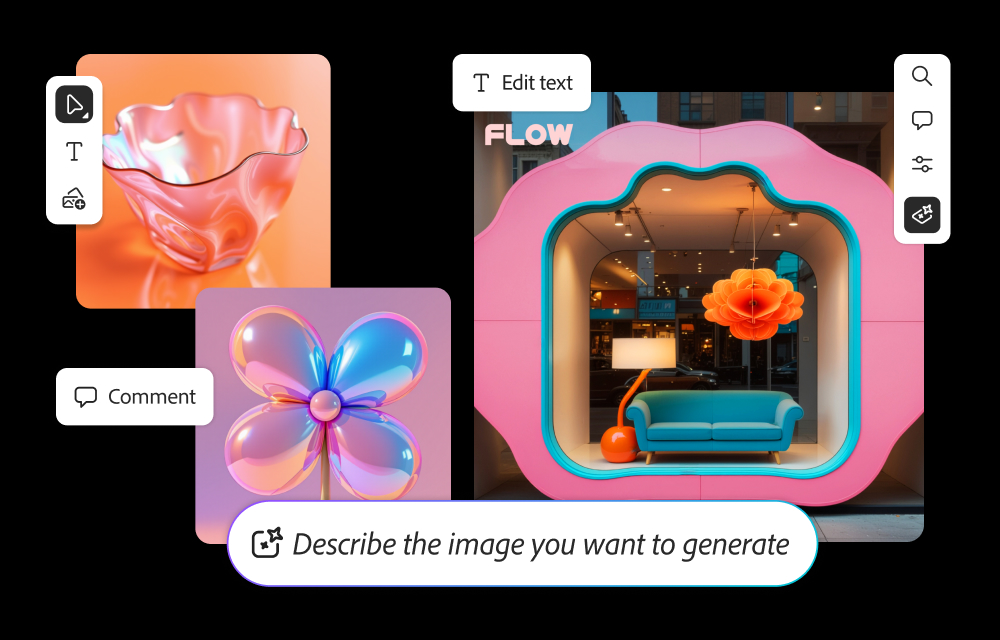
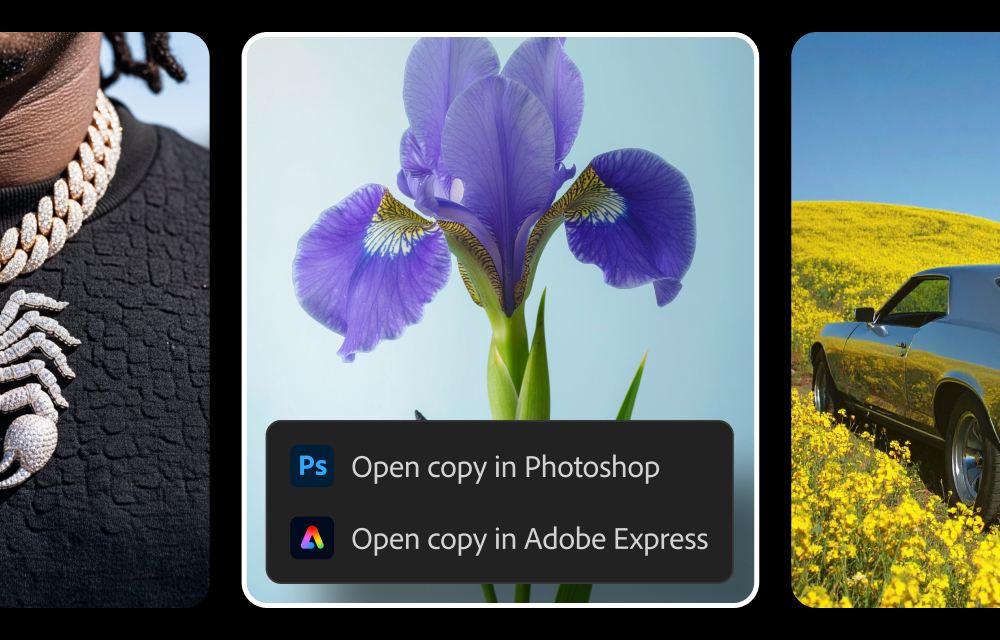
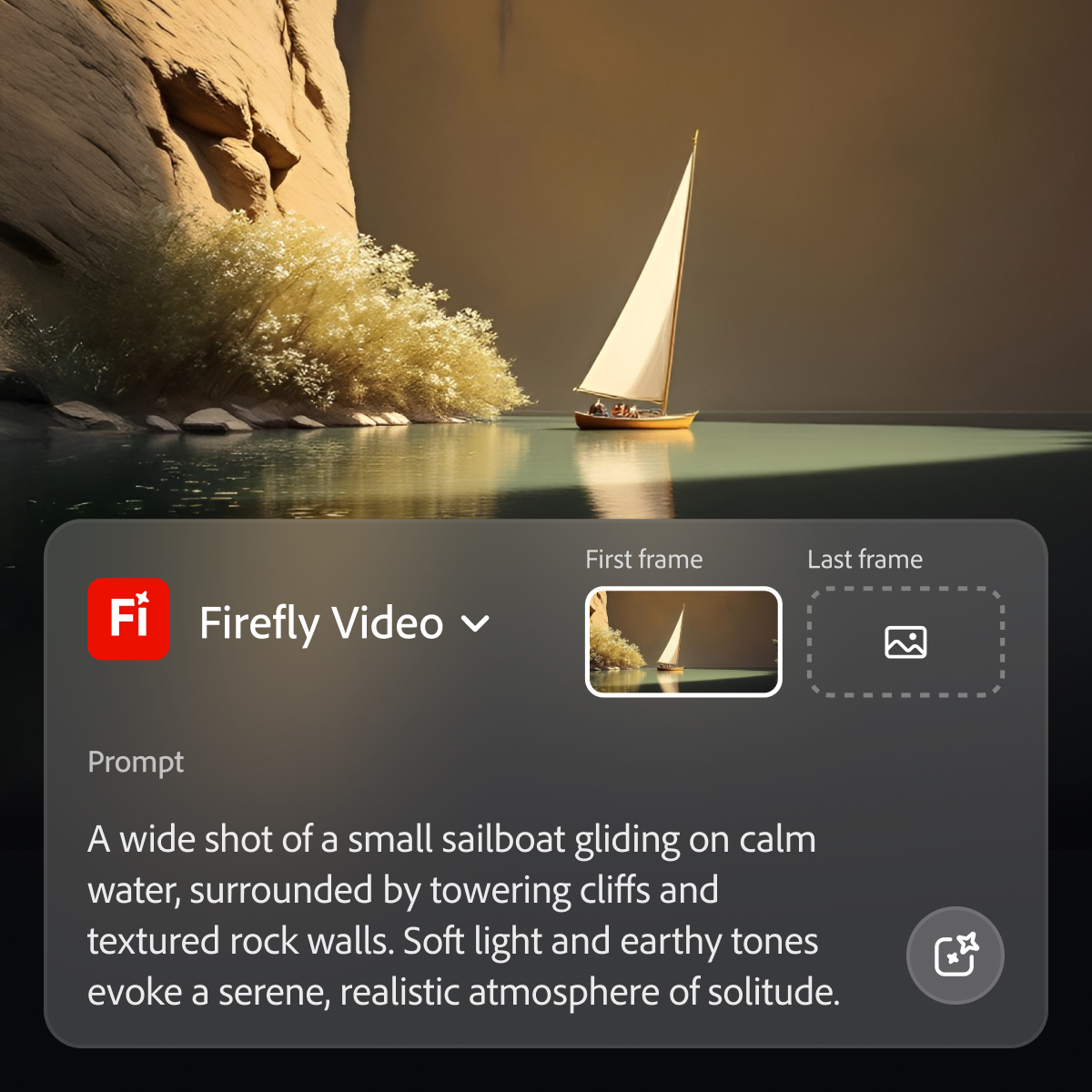
    Screenshot of how to generate images from text prompts and edit them within Firefly.Screenshot of where to send generated images from Firefly to Photoshop and Express.Screenshot of where to generate videos from prompts within Firefly.

    Ayna AI Screenshots

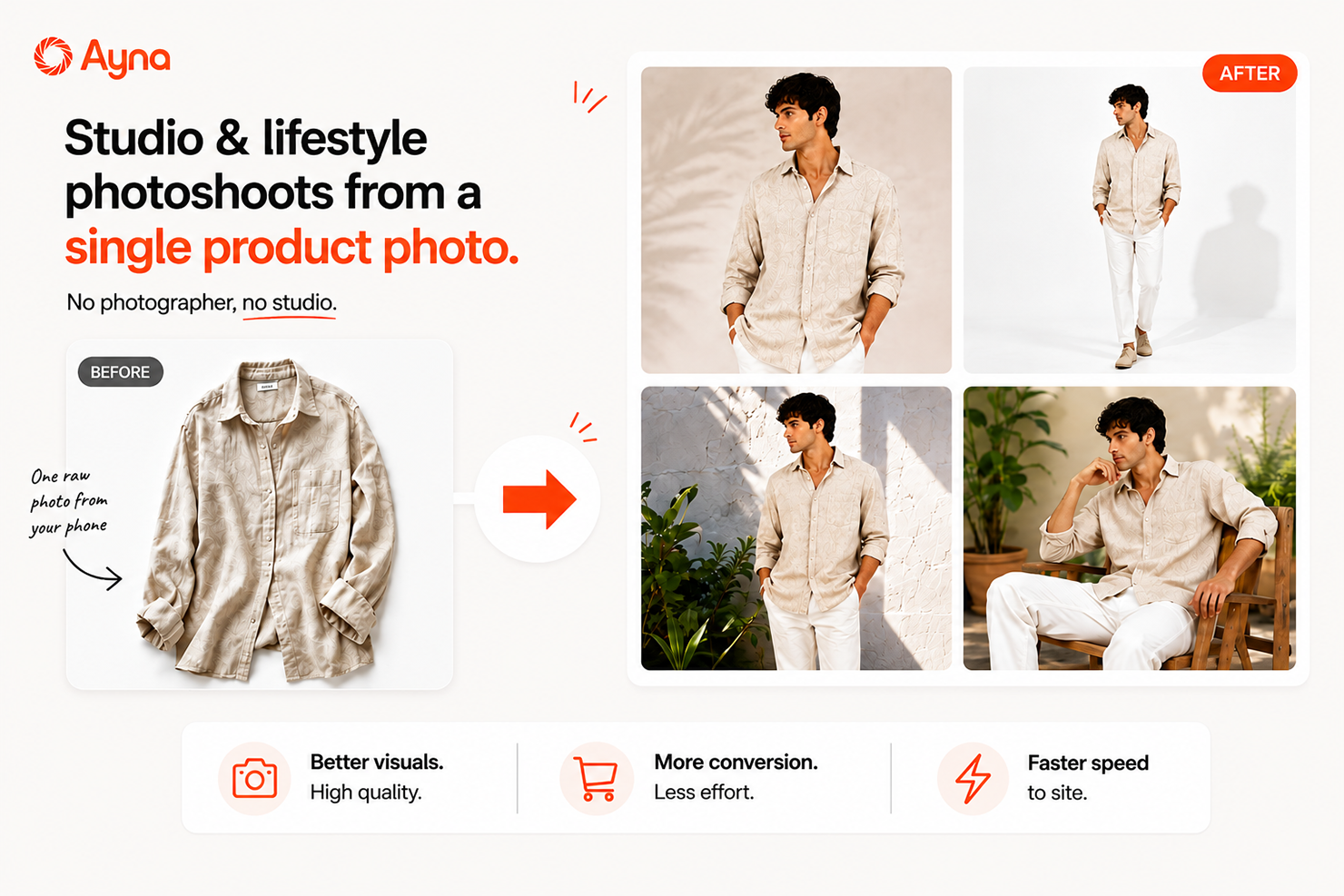
    Screenshot of From a product photo to a live listing everywhere you sell: Ayna turns one garment photo into on-model images, marketplace-ready crops, and listing content for every channel.Screenshot of Studio and lifestyle photoshoots from a single product photo: upload a flat-lay or hanger shot and generate on-model imagery in studio or lifestyle settings, no photographer needed.Screenshot of Your brand, your model, your catalog: pick from 1,000+ AI fashion models across body types, ages, and ethnicities, create custom brand models, and style looks with the accessory library.Screenshot of Any background, any pose, studio to street: 500+ backgrounds and pose presets let the same garment ship in studio, editorial, or lifestyle settings.Screenshot of Set your template once, publish your whole catalog in minutes: reusable photoshoot templates apply the same model, background, and crop rules to every SKU, then publish straight to your store.Screenshot of SEO and AEO-ready titles, descriptions, and tags written for you: Ayna enriches every listing with search-optimized copy alongside the imagery.