TrustRadius: an HG Insights company

Adobe Firefly

Score8.3 out of 10

277 Reviews and Ratings

What is Adobe Firefly?

Adobe's Firefly models and services power generative AI features in Adobe creative apps, with features that can be used in Photoshop, Premiere Pro (beta), and the Firefly web app.

Categories & Use Cases

Media

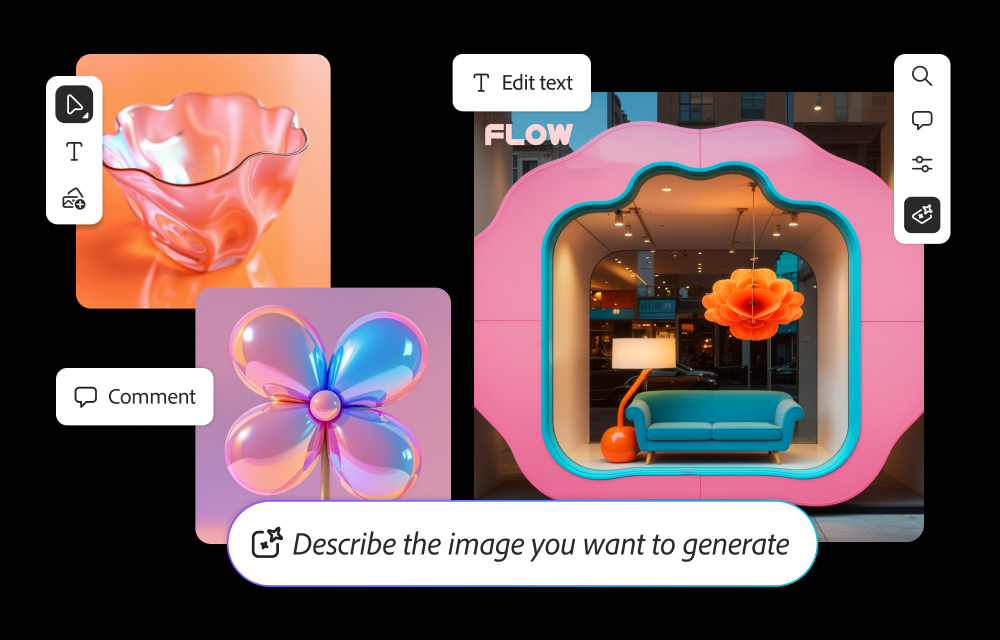
Screenshot of how to generate images from text prompts and edit them within Firefly.
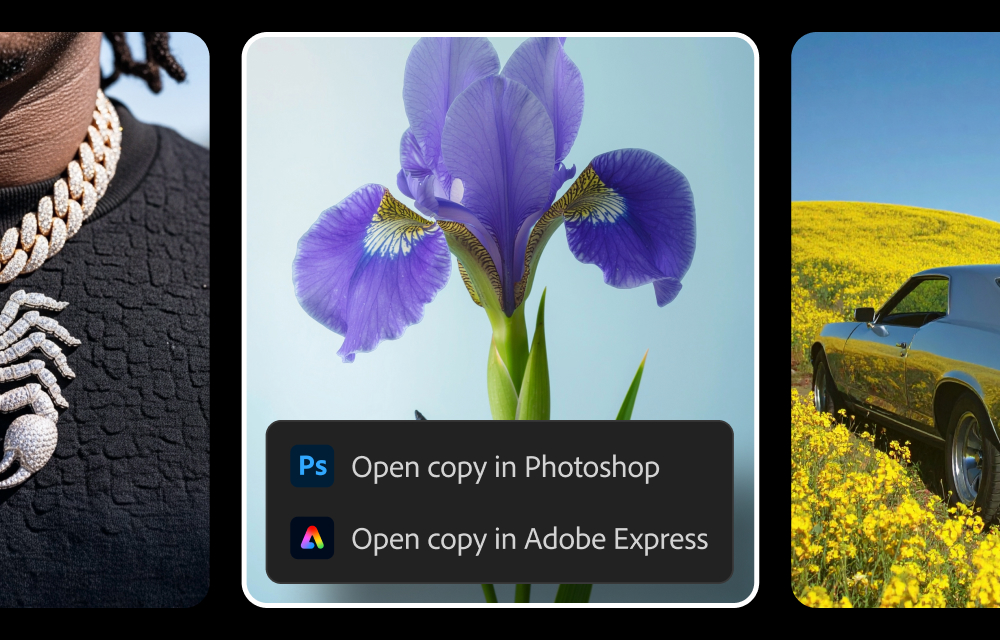
Screenshot of where to send generated images from Firefly to Photoshop and Express.
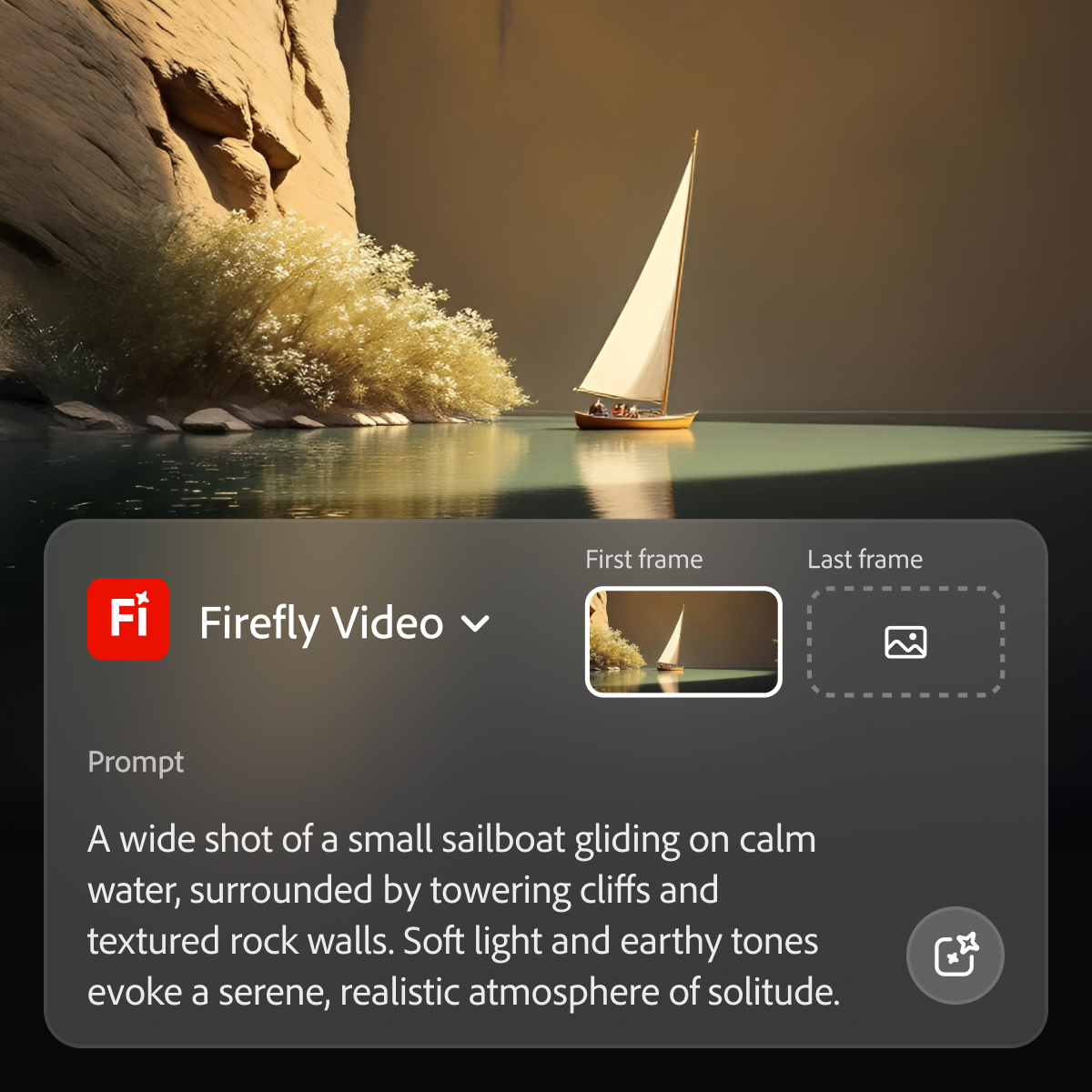
Screenshot of where to generate videos from prompts within Firefly.

1 / 3

Screenshot of how to generate images from text prompts and edit them within Firefly.

A Review of Adobe Firefly

Use Cases and Deployment Scope

I use Adobe Firefly to produce images for sale on Adobe Stock and other stock sites. I use any of the various models available, in addition to a number of the partner models, especially Gemini 2.5 and Gemini 3. I have also used Adobe Firefly to produce a handful of videos that I eventually uploaded to Adobe Stock, each of which met Adobe's quality standards.

Pros

  • Works particularly well within Photoshop with Generative Fill and Expand.
  • Low cost relative to the type of one's Adobe Cloud subscription.
  • The advantage of Adobe Firefly's production of multiple results compared to partner models, though with the expectation that edits will sometimes be required.
  • A relatively easy to use user interface.

Cons

  • Forum posts indicate that individuals new to AI need more clear instruction on how to find tutorials.
  • Recent forum posts indicate a number of users are experiencing bugs, though it is difficult to tell from their posts if they are using Adobe Firefly correctly, given the sparse details they provide.
  • Continued efforts to train Adobe Firefly, particularly with photo realistic images and the human anatomy.

Return on Investment

  • The production of AI can be expensive. As an individual and not part of a team, and in the market of selling stock assets, it is important to keep my costs as low as possible.
  • The built-in features of Adobe Firefly within Photoshop help keep costs (if any, depending on one's Adobe Cloud subscription) to a minimum.
  • I personally prefer a payment structure based on generative minutes, rather than credits, but that issue is subject to one's opinion.

Usability

Other Software Used

Adobe Illustrator CC, Adobe Premiere Pro

Adobe Firefly for Multimedia Design

Use Cases and Deployment Scope

For business purposes, I use Adobe Firefly via the actual Adobe Firefly app, as well as via Adobe Express and Photoshop to help me to speed up the time on basic brainstorming for visual ideas.

Pros

  • In Adobe Premiere Pro, Adobe Firefly does a great job with the Remix Tool which expands the length of an audio music track while matching notes and adding more beats to its length. The transitions are seamless, and after the generation is completed it is difficult to distinguish the new beats apart from the original composition.
  • In the Adobe Firefly, I use the standalone app to create graphic variations and visual concepts for quick mockups to streamline design ideas. This process helps me to speed up the creative process and to work more efficiently. It also presents me with additional creative ideas to incorporate in future ideations.
  • In Adobe Photoshop, Adobe Firefly is wonderful with the 'Generative Fill' which uses prompts to enhance an original image by adding complimentary content, replacing content, or even removing the background or content from an image altogether. The result is extremely realistic and amazing.

Cons

  • Adobe Firefly could add some improvement by making people look more realistic. Some of my prompts resulted in people's faces or body parts being distorted, or missing fingers. When this happens I find that if I resubmit the prompt a couple of times with more direction the final result often comes out better. But it would be nice if I could get a good result with one or two prompts tops.

Return on Investment

  • The best ROI Adobe Firefly has on my overall business objective is its ability to create an abundance of creative concepts based on prompts, which in turn saves me days on doing the process manually. This not only saves me time but also cuts down on the cost to my clients while simultaneously helping me to look extremely proficient.
  • Another Return on Investment with using Adobe Firefly is not needing to purchase access to trademark, patent or copyright material. Adobe Firefly only uses approved Adobe Stock video, images and graphics, which means that I can feel free to create stellar content via Adobe Firefly without worrying about infringing upon someone's intellectual property. This peace of mind is Priceless!

Usability

Other Software Used

Adobe PhotoShop, Adobe Illustrator CC, Adobe Premiere Pro, Adobe Express, Adobe InDesign

Adobe Firefly in Creative workflow

Use Cases and Deployment Scope

We use it for custom image and video generations to be used in various marketing materials. It allows us to create customize content without costly shoots or generic stock imagery. We use it for storyboards and then create stills into custom video to be edited in Premier.

Pros

  • High resolution
  • Multiple AI tools on one platform
  • Integration into other Adobe apps

Cons

  • Better video generation with audio
  • More realistic imagery of people

Return on Investment

  • It's reduced the need for costly subscriptions
  • It's reduced the need for b-roll shoots and live action productions

Usability

Alternatives Considered

Imagen

Other Software Used

Adobe PhotoShop, Adobe InDesign, Adobe Illustrator CC

Adobe Firefly Review

Use Cases and Deployment Scope

We utilize Adobe Firefly for content building in coordination with our media department. We occasionally utilize it in helping us edit in Photoshop as well.

Pros

  • Adobe Firefly works very well at generating images when the prompts are specific

Cons

  • Adobe Firefly sometimes does not accurately listen to the prompts, generating random results that don't represent what we ask for.

Return on Investment

  • It has been mostly positive with a few hiccups that have created delays. It has sped up our delivery times, increasing customer satisfaction

Usability

Excellent generative AI tool

Use Cases and Deployment Scope

Working in the Business Development Services department, we use Adobe Firefly and it's generative AI features across various publications. We use it to generate imagery for our research reports, we use it to enhance photos that were done inhouse, to a professional grade quality. We use it for photo retouching, upscaling, or expanding the existing imagery. All of these tasks can now be done at a significantly cheaper level, by less experienced designers, and allow us to produce higher quality outputs than before, resulting in winning more business for us.

Pros

  • Generative fill
  • Generative expand
  • Image generation

Cons

  • Quality of the ouputs
  • Realism of the outputs
  • Options to adjust the prompt

Return on Investment

  • Extreme time savings resulting in more effiicient work allocation
  • Higher quality ouputs resulting in winning more business

Usability

Alternatives Considered

Google Gemini

Other Software Used

Google Gemini