Anaplan is a scenario planning and analysis platform designed to optimize decision-making in complex business environments so that enterprises can outpace their competition and the market. By building connections and collaboration across organizational silos, the Anaplan platform surfaces key insights.
N/A
DataRobot
Score 8.2 out of 10
N/A
The DataRobot AI Platform is presented as a solution that accelerates and democratizes data science by automating the end-to-end journey from data to value and allows users to deploy AI applications at scale. DataRobot provides a centrally governed platform that gives users AI to drive business outcomes, that is available on the user's cloud platform-of-choice, on-premise, or as a fully-managed service. The solutions include tools providing data preparation enabling users to explore and…
$0
Pricing
Anaplan
DataRobot
Editions & Modules
No answers on this topic
No answers on this topic
Offerings
Pricing Offerings
Anaplan
DataRobot
Free Trial
No
Yes
Free/Freemium Version
No
Yes
Premium Consulting/Integration Services
Yes
Yes
Entry-level Setup Fee
Optional
No setup fee
Additional Details
—
—
More Pricing Information
Community Pulse
Anaplan
DataRobot
Features
Anaplan
DataRobot
BI Standard Reporting
Comparison of BI Standard Reporting features of Product A and Product B
Anaplan
7.2
237 Ratings
5% below category average
DataRobot
-
Ratings
Pixel Perfect reports
6.47 Ratings
00 Ratings
Customizable dashboards
7.4237 Ratings
00 Ratings
Report Formatting Templates
7.96 Ratings
00 Ratings
Ad-hoc Reporting
Comparison of Ad-hoc Reporting features of Product A and Product B
Anaplan
9.1
8 Ratings
16% above category average
DataRobot
-
Ratings
Drill-down analysis
9.18 Ratings
00 Ratings
Formatting capabilities
9.18 Ratings
00 Ratings
Report sharing and collaboration
9.18 Ratings
00 Ratings
Report Output and Scheduling
Comparison of Report Output and Scheduling features of Product A and Product B
Anaplan
8.2
243 Ratings
3% above category average
DataRobot
-
Ratings
Publish to Web
8.67 Ratings
00 Ratings
Publish to PDF
8.1240 Ratings
00 Ratings
Report Versioning
8.1212 Ratings
00 Ratings
Report Delivery Scheduling
7.98 Ratings
00 Ratings
Data Discovery and Visualization
Comparison of Data Discovery and Visualization features of Product A and Product B
With its versions and native time features Anaplan is well suited for all activities around planning in time and scenarios. Tasks involving calculating across multiple dimensions make Anaplan shine - the easiness to build complex calculation and present results on customizable pages. With its access restrictions it's well suited also for working with sensitive data (employee and customers personal data).
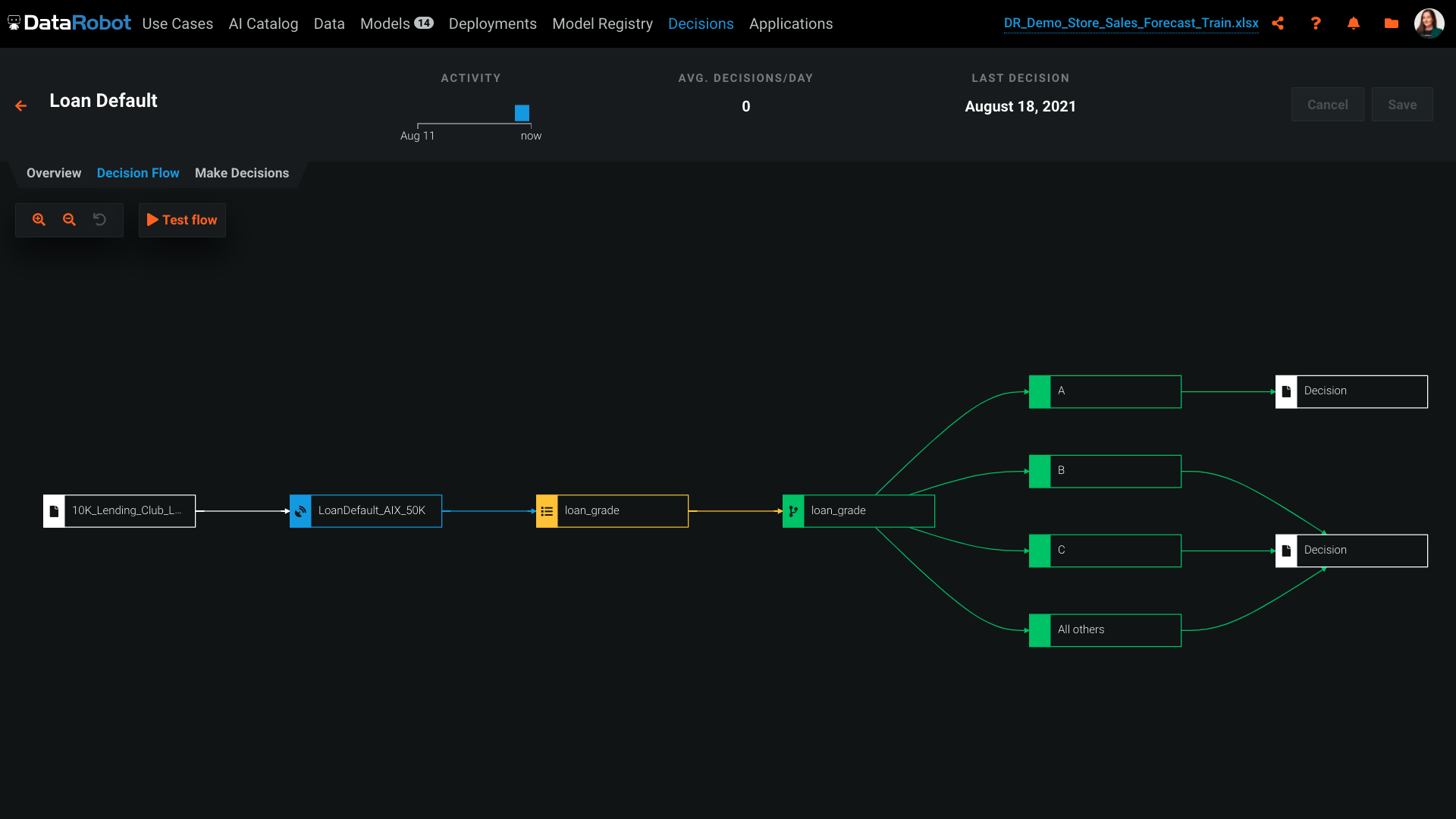
DataRobot can be used for risk assessment, such as predicting the likelihood of loan default. It can handle both classification and regression tasks effectively. It relies on historical data for model training. If you have limited historical data or the data quality is poor, it may not be the best choice as it requires a sufficient amount of high-quality data for accurate model building.
Anaplan removes the time consuming process of integrating the results of individual spreadsheets.
Anaplan facilitates the standardization of assumptions across all sub-processes
Anaplan provides full transparency of the calculations and source inputs
Anaplan allows us to automate certain planning processes that would have been impossible when relying on the computational capabilities of an individual computer.
DataRobot helps, with algorithms, to analyze and decipher numerous machine-learning techniques in order to provide models to assist in company-wide decision making.
Our DataRobot program puts on an "even playing field" the strength of auto-machine learning and allows us to make decisions in an extremely timely manner. The speed is consistent without being offset by errors or false-negatives.
It encompasses many desired techniques that help companies in general, to reconfigure in to artificial intelligence driven firms, with little to no inconvenience.
The platform itself is very complicated. It probably can't function well without being complicated, but there is a big training curve to get over before you can effectively use it. Even I'm not sure if I'm effectively using it now.
The suggested model DataRobot deploys often not the best model for our purposes. We've had to do a lot of testing to make sure what model is the best. For regressive models, DataRobot does give you a MASE score but, for some reason, often doesn't suggest the best MASE score model.
The software will give you errors if output files are not entered correctly but will not exactly tell you how to fix them. Perhaps that is complicated, but being able to download a template with your data for an output file in the correct format would be nice.
Anaplan is a very strong multi-dimensional modeling tool that provides a calculation engine to empower a complex planning process. It is fairly easy to learn for those with experience in similar tools, or excel. It forces structure and auditability that spread sheets do not have, along with extensive security capabilities
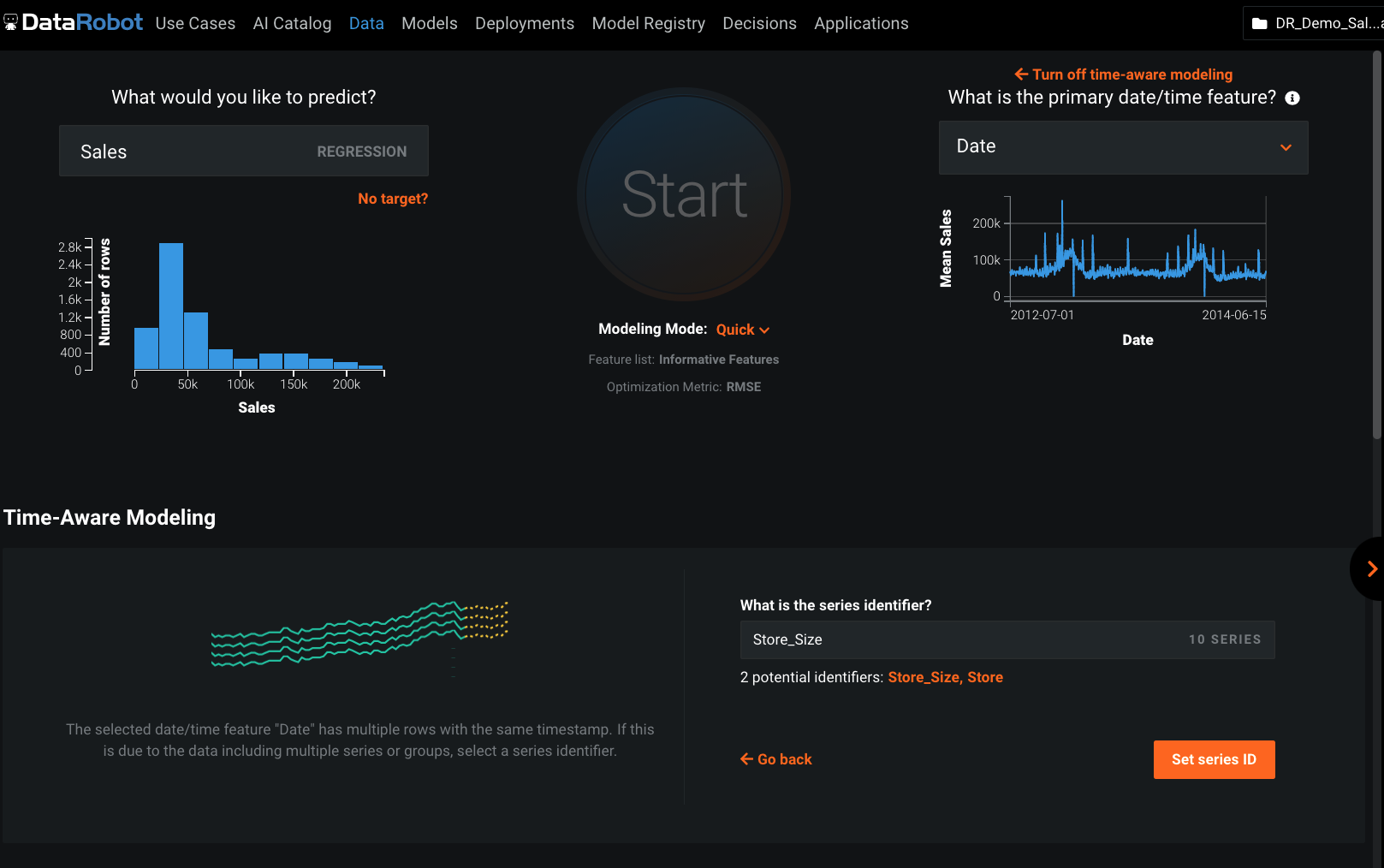
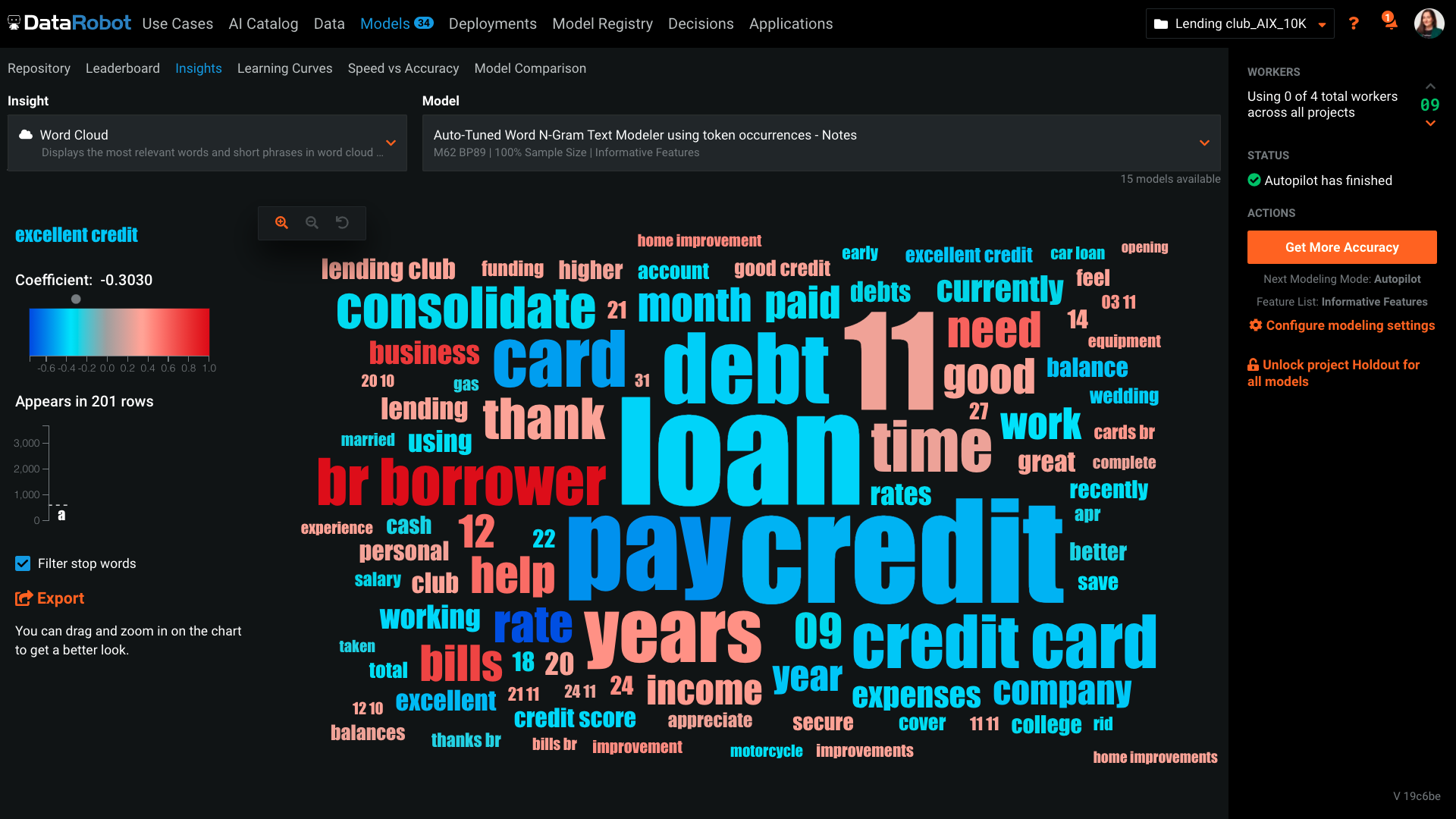
DataRobot presents a machine-learning platform designed by data scientists from an array of backgrounds, to construct and develop precise predictive modeling in a fraction of the time previously taken. The tech invloved addresses the critical shortage of data scientists by changing the speed and economics of predictive analytics. DataRobot utilizes parallel processing to evaluate models in R, Python, Spark MLlib, H2O and other open source databases. It searches for possible permutations and algorithms, features, transformation, processes, steps and tuning to yield the best models for the dataset and predictive goal.
Anaplan's usability is dependent on who is implementing the project and how clear business processes are at the beginning of the implementation. Complex business processes with many inputs and reviews will still be complicated in Anaplan; however, the UX is very flexible in how to help people through the process and there are also other items such as Workflow that can help people move through the system.
There are very few outages. Maintenance is scheduled on two or three Saturdays per month, so as not to affect businesses. When there is an outage, users are kept informed of progress to restore the platform and typically this takes no more than an hour. Anaplan customer support is very responsive if we ever have questions about platform issues
Everything is calculated in memory in the cloud. It's nearly instantaneous updates when you make changes. The only time things get a little slow is when you have a massive model with very intricate calculations...but "slow" for Anaplan is not what I would call "slow" for something like Hyperion. We used to have Hyperion calcs that ran for 60 mins before you could use data. The equivalent would be 60 seconds in Anaplan.
Support quality has dropped since Thoma Bravo has taken over. I think some serious re-focus needs to happen here -- part of the beauty of being in the Anaplan community was how involved you felt in it before. Before I didn't dread sending a support ticket, now I am starting to.
As I am writing this report I am participating with Datarobot Engineers in an complex environment and we have their whole support. We are in Mexico and is not common to have this commitment from companies without expensive contract services. Installing is on premise and the client does not want us to take control and they, the client, is also limited because of internal IT regulations ,,, soo we are just doing magic and everybody is committed.
In my opinion, in-person training is always the best if you have the option to do so. This allows real-time interactions with the instructions, whereas the online training I took required me to write-down questions, email them, and wait for responses. This slows down the process, as you can imagine. That said, in-person training is an extra cost and it likely isn't needed for everyone. I would suggest selecting a small number of people to take in-person training and then having them act as mentors to the rest of your team. That way, as the rest of the team takes the online training, they have a resource to help them in real time.
Anaplan training materials are clear, simple, easy to understand and to follow. Visuals are excellent. The vendor is good at updating training materials in a timely manner and encouraging users and administrators to keep coming back to Academy site for refresher courses or new feature courses. I really like their interactive diagrams
One key insight from implementing Anaplan is that success comes from focusing on designing the process, not just building the model. Anaplan is extremely flexible—there are very few planning scenarios it cannot support—but that flexibility means the project needs strong governance, clear ownership of requirements, and a well-defined data model. When those foundations are in place, implementations are fast, iterations are easy, and users can quickly see value. In our projects, both Financial Planning and Integrated Business Planning models were adopted smoothly because we involved business users early, kept the model design intuitive, and leveraged Anaplan’s Excel-like syntax and user-friendly dashboards. The result was more efficient day-to-day work, reduced manual tasks, and increased collaboration across teams. In short: when you combine Anaplan’s flexibility with a structured implementation approach, adoption and value realization happen quickly.
Anaplan is more powerful than Pigment considering that it is an Enterprise class system and is able to manage bigger data sets. Anaplan allows for advanced scenario modeling and formula capabilities along with custom reporting functionalities. Anaplan has proven its capabilities and stability across various use cases and across bigger enterprises when compared to Pigment which is still in earlier phases of its development
I've done machine learning through python before, however having to code and test each model individually was very time consuming and required a lot of expertise. The data Robot approach, is an excellent way of getting to a well placed starting point. You can then pick up the model from there and fine tune further if you need.
We have managed to leverage Anaplan for financial planning and forecasting across the business. It is now used by almost every department, with more than 50 users (but I know of companies that have hundreds of users) and still the platform is quick and reliable. It is easy to make changes to divisions and departments or add users and apply different user settings - the core part of the model is not affected and end users can continue their work without any disruption
Anaplan's implementation led to a significant reduction in planning cycle errors and bugs, streamlining processes and improving overall accuracy in data inputs
Standardizing the planning process and enabling cross-functional collaboration through Anaplan enhanced our ability to adapt swiftly to changing business needs, resulting in improved agility in decision-making
The platform's capabilities, especially in Demand Planning and Supply Chain, positively impacted our ROI by optimizing resource allocation and solving complex business problems efficiently across multiple functions