
ArCADia BIM vs. CATIA
ArCADia BIM vs. CATIA
| Product | Rating | Most Used By | Product Summary | Starting Price |
|---|---|---|---|---|
 ArCADia BIM | Small Businesses (1-50 employees) | ArCADia BIM enables users to create a complete architectural and construction model of a building, together with internal and external installations as well as terrain modelling. ArCADia software utilizes many solutions that accelerate the design process for the construction industry. By using objects such as doors or windows and multilayer walls, the user can create CAD drawings, without losing anything from the full compatibility of their project with the DWG… | $765 one-time fee per user | |
 CATIA | N/A | CATIA from Dassault Systemes is a 3D product modeling and design tool used across multiple industries. | N/A |
| ArCADia BIM | CATIA | |||||||||||||||
|---|---|---|---|---|---|---|---|---|---|---|---|---|---|---|---|---|
| Editions & Modules |
| No answers on this topic | ||||||||||||||
| Offerings |
| |||||||||||||||
| Entry-level Setup Fee | $1,070 | No setup fee | ||||||||||||||
| Additional Details | Prices per base module to which extra modules can be purchased such as Architecture, Water, Electrical, Sewage, Gas, Heat installations..... FOR A SPECIAL DISCOUNTED PRICE CONTACT RZINS AT ARCADIASOFT DOT EU | — | ||||||||||||||
| More Pricing Information | ||||||||||||||||
| ArCADia BIM | CATIA |
|---|
| ArCADia BIM | CATIA | |||||||||||||||||||||||||||||||||
|---|---|---|---|---|---|---|---|---|---|---|---|---|---|---|---|---|---|---|---|---|---|---|---|---|---|---|---|---|---|---|---|---|---|---|
| Computer-Aided Design Software |
|
| ArCADia BIM | CATIA | |
|---|---|---|
| Small Businesses |  Onshape Score 6.4 out of 10 | Onshape Score 6.4 out of 10 |
| Medium-sized Companies | Onshape Score 6.4 out of 10 | Onshape Score 6.4 out of 10 |
| Enterprises |  Rhino Score 8.7 out of 10 | Rhino Score 8.7 out of 10 |
| All Alternatives | View all alternatives | View all alternatives |
| ArCADia BIM | CATIA | |
|---|---|---|
| Likelihood to Recommend | - (0 ratings) | 7.2 (10 ratings) |
| Usability | - (0 ratings) | 7.2 (2 ratings) |
| Support Rating | - (0 ratings) | 7.8 (3 ratings) |
| ArCADia BIM | CATIA | |
|---|---|---|
| Likelihood to Recommend | ArCADiasoft No answers on this topic |  Dassault Systemes
 Subal Sharma Product Design/Development Engineer |
| Pros | ArCADiasoft No answers on this topic | Dassault Systemes
 Özgür Erkek, MSc, PRINCE2® Exhaust Systems Supervisor |
| Cons | ArCADiasoft No answers on this topic | Dassault Systemes
 Stéfano Bellote Engenheiro de desenvolvimento de produtos Jr |
| Usability | ArCADiasoft No answers on this topic | Dassault Systemes
|
| Support Rating | ArCADiasoft No answers on this topic | Dassault Systemes
 Umurefe Demir D&R Engineer |
| Alternatives Considered | ArCADiasoft No answers on this topic | Dassault Systemes
 Alan Urbina Designer |
| Return on Investment | ArCADiasoft No answers on this topic | Dassault Systemes
 Sailender Naidu Autocad Designer |
| ScreenShots | ArCADia BIM Screenshots   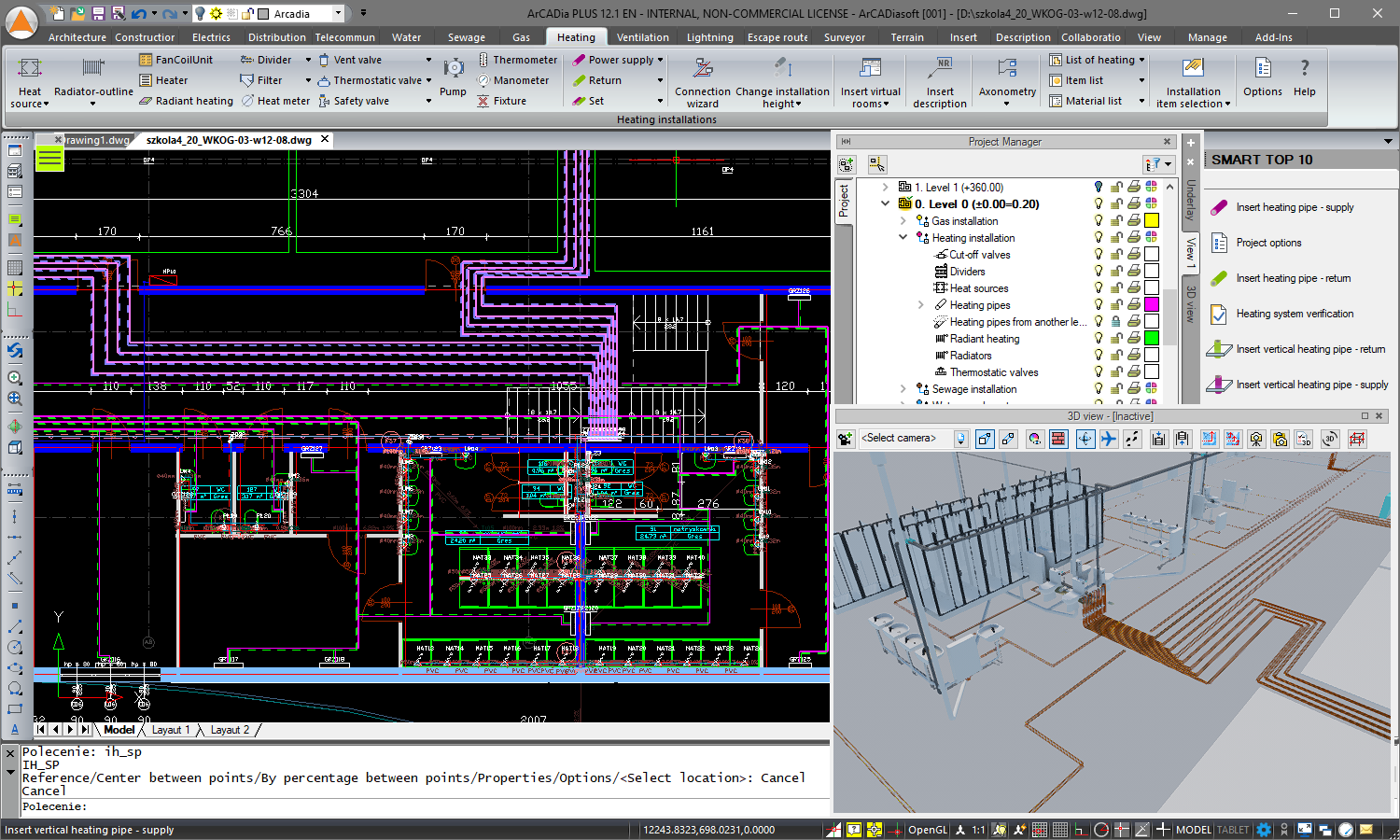 |