AssignmentOS vs. Sage HRMS

Overview
ProductRatingMost Used ByProduct SummaryStarting Price
AssignmentOS
Score 0.0 out of 10
N/A
AssignmentOS is a holistic platform for Higher Education to automate the sending, retrieving, and grading of students’ coding assignments while allowing students to improve their skills with real-world tools & workflows. Coding Bootcamps & Universities can use AssignmentOS to improve the quality and efficiency of the teaching-learning process.
$20
per month per Active Student
Sage HRMS
Score 9.8 out of 10
N/A
Sage HRMS is an HR management solution that integrates payroll, benefits, recruiting, employee self-service, and analytics capabilities.N/A
Pricing
AssignmentOSSage HRMS
Editions & Modules
No answers on this topic
Offerings
Pricing Offerings
AssignmentOSSage HRMS
Free Trial
YesNo
Free/Freemium Version
NoNo
Premium Consulting/Integration Services
NoYes
Entry-level Setup FeeNo setup feeNo setup fee
Additional Details
More Pricing Information
Community Pulse
AssignmentOSSage HRMS
Features
AssignmentOSSage HRMS
Human Resource Management
Comparison of Human Resource Management features of Product A and Product B
AssignmentOS
-
Ratings
Sage HRMS
5.5
9 Ratings
38% below category average
Employee demographic data00 Ratings8.08 Ratings
Employment history00 Ratings8.09 Ratings
Job profiles and administration00 Ratings1.39 Ratings
Workflow for transfers, promotions, pay raises, etc.00 Ratings7.99 Ratings
Organizational charting00 Ratings6.04 Ratings
Organization and location management00 Ratings6.06 Ratings
Compliance data (COBRA, OSHA, etc.)00 Ratings1.27 Ratings
Payroll Management
Comparison of Payroll Management features of Product A and Product B
AssignmentOS
-
Ratings
Sage HRMS
4.8
7 Ratings
51% below category average
Pay calculation00 Ratings6.17 Ratings
Support for external payroll vendors00 Ratings4.04 Ratings
Off-cycle/On-Demand payment00 Ratings6.92 Ratings
Benefit plan administration00 Ratings2.16 Ratings
Direct deposit files00 Ratings8.07 Ratings
Salary revision and increment management00 Ratings3.06 Ratings
Reimbursement management00 Ratings3.27 Ratings
Leave and Attendance Management
Comparison of Leave and Attendance Management features of Product A and Product B
AssignmentOS
-
Ratings
Sage HRMS
1.2
7 Ratings
149% below category average
Approval workflow00 Ratings1.26 Ratings
Balance details00 Ratings1.27 Ratings
Annual carry-forward and encashment00 Ratings1.06 Ratings
Employee Self Service
Comparison of Employee Self Service features of Product A and Product B
AssignmentOS
-
Ratings
Sage HRMS
3.9
8 Ratings
71% below category average
View and generate pay and benefit information00 Ratings4.18 Ratings
Update personal information00 Ratings4.27 Ratings
View company policy documentation00 Ratings1.16 Ratings
Employee recognition00 Ratings6.04 Ratings
View job history00 Ratings4.05 Ratings
Asset Management
Comparison of Asset Management features of Product A and Product B
AssignmentOS
-
Ratings
Sage HRMS
7.0
2 Ratings
14% below category average
Tracking of all physical assets00 Ratings7.02 Ratings
HR Reporting
Comparison of HR Reporting features of Product A and Product B
AssignmentOS
-
Ratings
Sage HRMS
3.7
8 Ratings
69% below category average
Report builder00 Ratings2.07 Ratings
Pre-built reports00 Ratings1.28 Ratings
Ability to combine HR data with external data00 Ratings8.06 Ratings
Onboarding
Comparison of Onboarding features of Product A and Product B
AssignmentOS
-
Ratings
Sage HRMS
7.0
4 Ratings
13% below category average
New hire portal00 Ratings7.04 Ratings
Manager tracking tools00 Ratings7.03 Ratings
Performance and Goals
Comparison of Performance and Goals features of Product A and Product B
AssignmentOS
-
Ratings
Sage HRMS
7.3
2 Ratings
10% below category average
Corporate goal setting00 Ratings8.01 Ratings
Individual goal setting00 Ratings7.02 Ratings
Line-of sight-visibility00 Ratings8.01 Ratings
Performance tracking00 Ratings6.02 Ratings
Performance Management
Comparison of Performance Management features of Product A and Product B
AssignmentOS
-
Ratings
Sage HRMS
7.8
5 Ratings
1% below category average
Performance plans00 Ratings9.03 Ratings
Performance improvement plans00 Ratings8.03 Ratings
Review status tracking00 Ratings7.03 Ratings
Review reminders00 Ratings8.04 Ratings
Multiple review frequency00 Ratings7.03 Ratings
Succession Planning
Comparison of Succession Planning features of Product A and Product B
AssignmentOS
-
Ratings
Sage HRMS
8.5
1 Ratings
8% above category average
Create succession plans/pools00 Ratings9.01 Ratings
Candidate ranking00 Ratings8.01 Ratings
Candidate search00 Ratings8.01 Ratings
Candidate development00 Ratings9.01 Ratings
Recruiting / ATS
Comparison of Recruiting / ATS features of Product A and Product B
AssignmentOS
-
Ratings
Sage HRMS
7.6
3 Ratings
1% below category average
Job Requisition Management00 Ratings5.02 Ratings
Company Website Posting00 Ratings7.23 Ratings
Publish to Social Media00 Ratings9.01 Ratings
Job Search Site Posting00 Ratings7.01 Ratings
Duplicate Candidate Prevention00 Ratings8.01 Ratings
Applicant Tracking00 Ratings8.02 Ratings
Notifications and Alerts00 Ratings9.01 Ratings
Best Alternatives
AssignmentOSSage HRMS
Small Businesses

No answers on this topic

Dayforce Powerpay
Dayforce Powerpay
Score 9.4 out of 10
Medium-sized Companies
Ellucian Banner
Ellucian Banner
Score 5.8 out of 10
Paypro Workforce Management
Score 9.2 out of 10
Enterprises
PeopleAdmin Higher Ed Platform, from Powerschool
Score 7.0 out of 10
PeopleStrong
PeopleStrong
Score 9.9 out of 10
All AlternativesView all alternativesView all alternatives
User Ratings
AssignmentOSSage HRMS
Likelihood to Recommend
-
(0 ratings)
1.2
(10 ratings)
Likelihood to Renew
-
(0 ratings)
8.0
(1 ratings)
User Testimonials
AssignmentOSSage HRMS
Likelihood to Recommend
CodeScreen
No answers on this topic
Sage
Sage HRMS is a software that fits in all organizations whether small or large and this makes it the most suitable HR solution as it will help you manage your workforce even if it may appear small. The software has analytics and reporting tools that are applicable in performance management where you will use them in assessing the productivity of your employees and plan on how to improve further as a workforce. It further helps in employee on-boarding, payroll management, and talent management
Read full review
Pros
CodeScreen
No answers on this topic
Sage
  • Ability to see history (like job history) easily at a glance.
  • Ability to make changes easily.
  • Organizing info in the employee record.
Read full review
Cons
CodeScreen
No answers on this topic
Sage
  • We changed our chart of accounts. The system does not allow you to change the numbering format, so we had to start over with new databases.
  • The tax return portion of the software does not file local taxes. We would definitely like to see this functionality in the future.
  • The payroll piece does not handle complicated move up and move downs for union pay. This could definitely be improved upon.
Read full review
Likelihood to Renew
CodeScreen
No answers on this topic
Sage
I do not work with this software anymore, and I am not involved with the renewal of it. However, if I were, I would still suggest using it unless something better was introduced
Read full review
Alternatives Considered
CodeScreen
No answers on this topic
Sage
Sage HRMS was very cost effective for a non-profit. It does all that we needed as a company and more. It also allows us to handle payroll ourselves instead of outsourcing [it].
Read full review
Return on Investment
CodeScreen
No answers on this topic
Sage
  • there can be a high ROI when processing payroll in house compared to outsourced. Not to mention the flexibility you gain.
Read full review
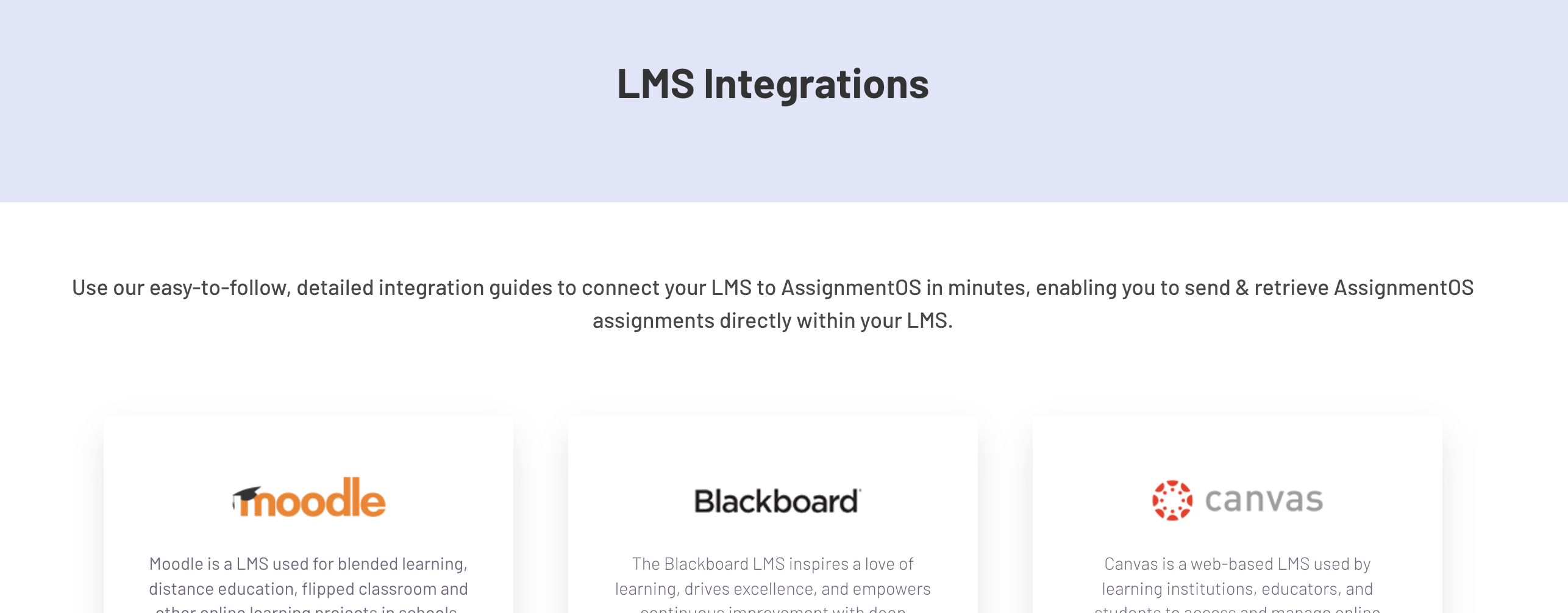
ScreenShots

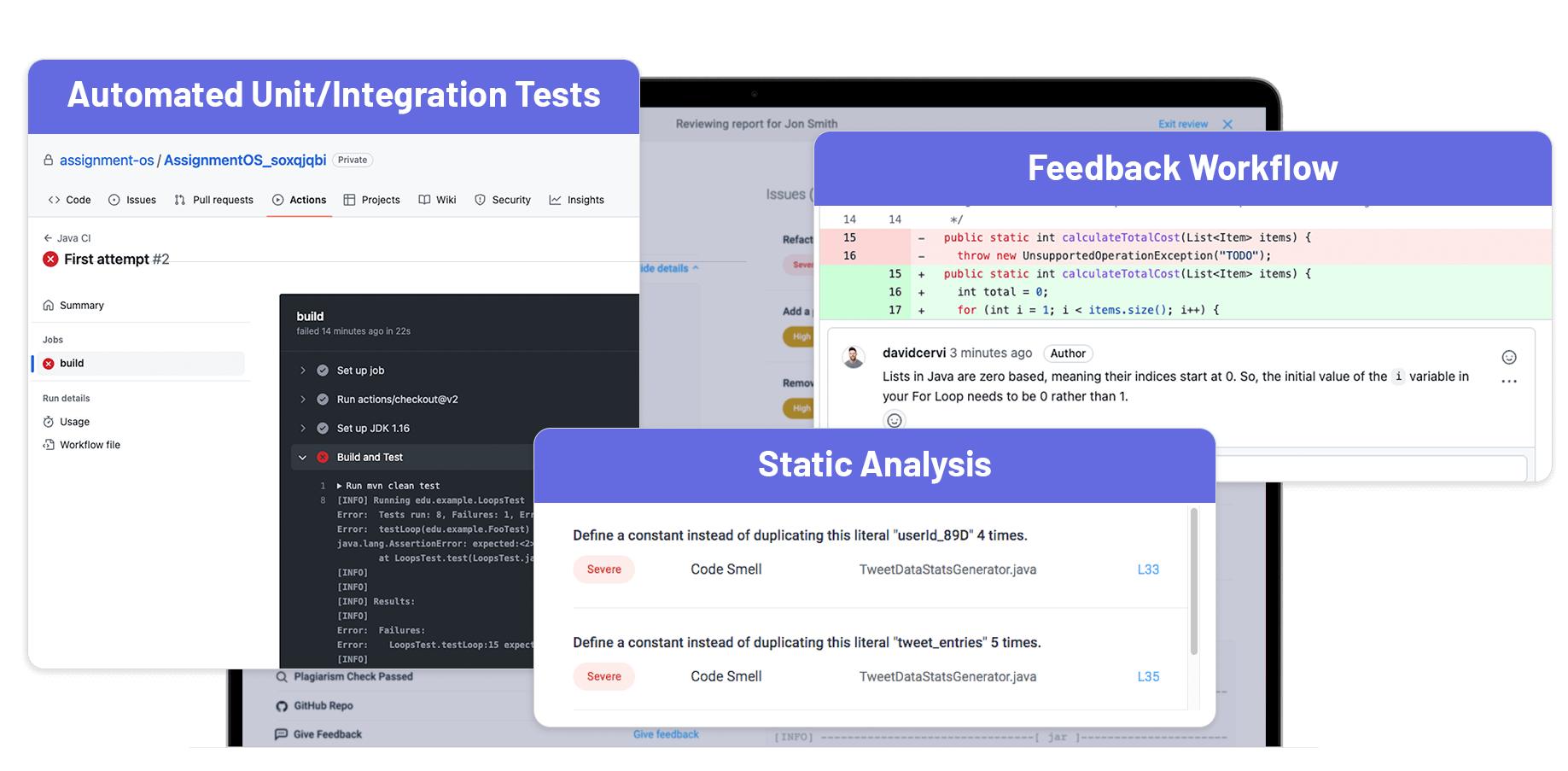
AssignmentOS Screenshots

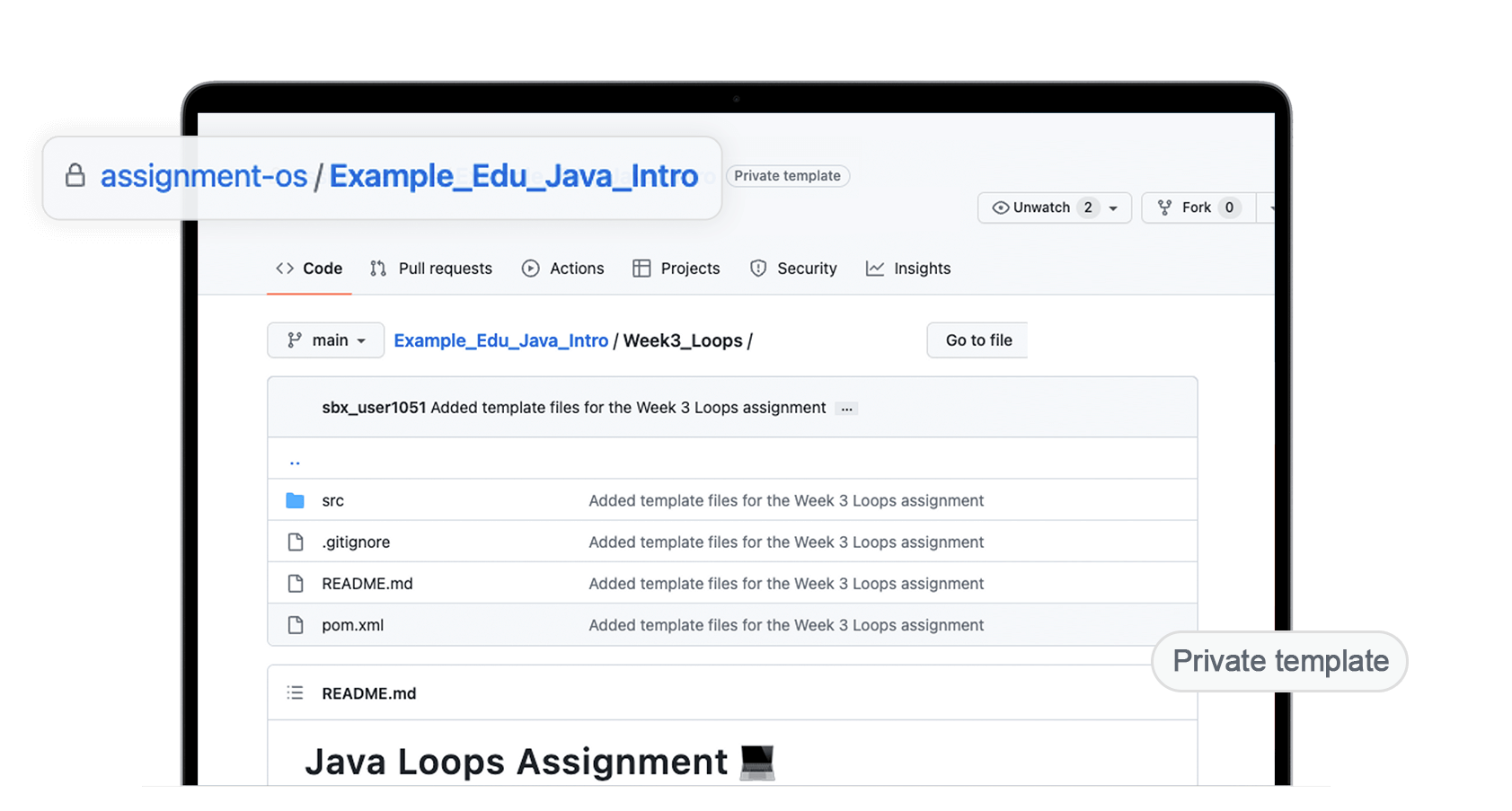
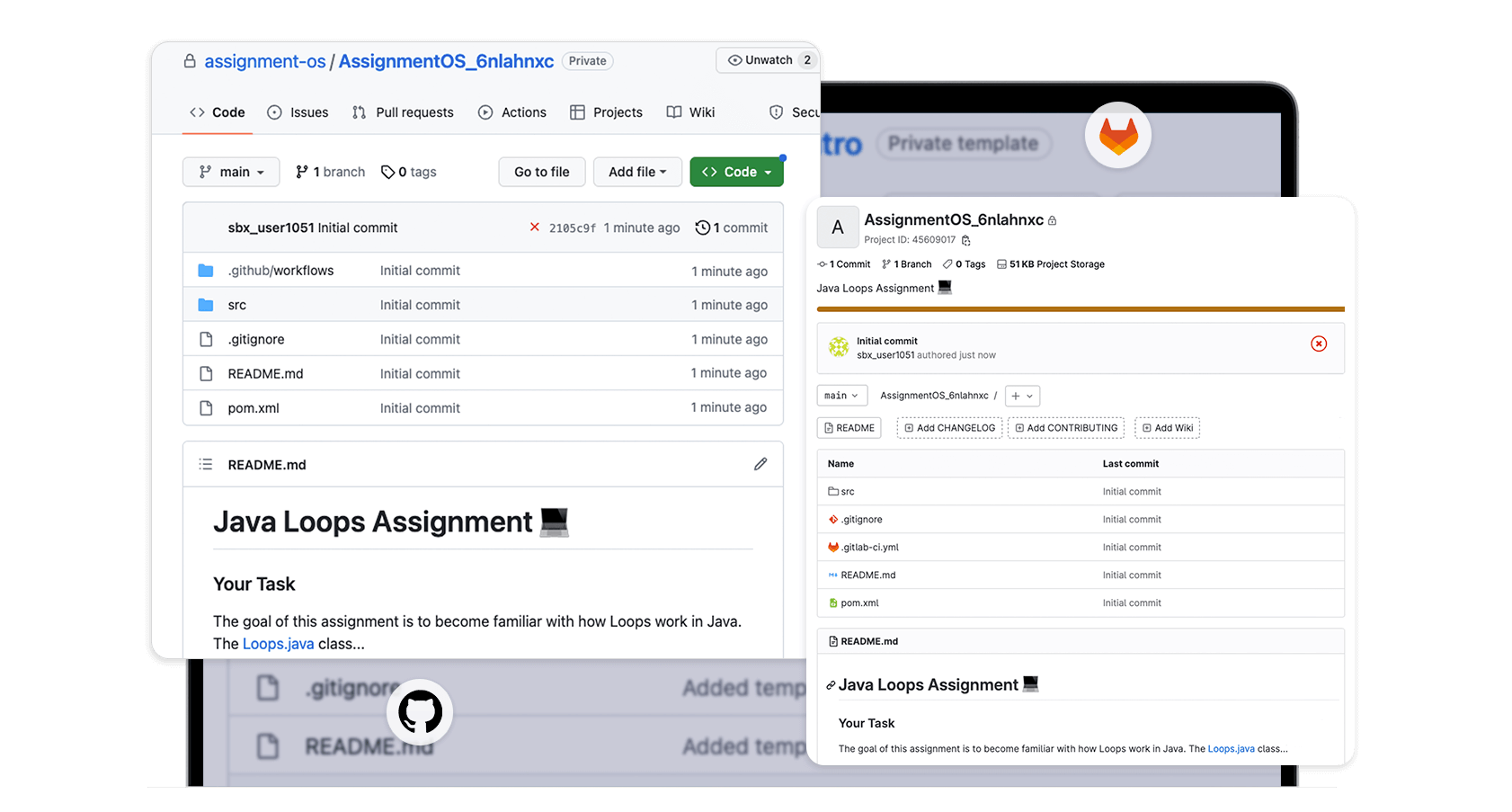
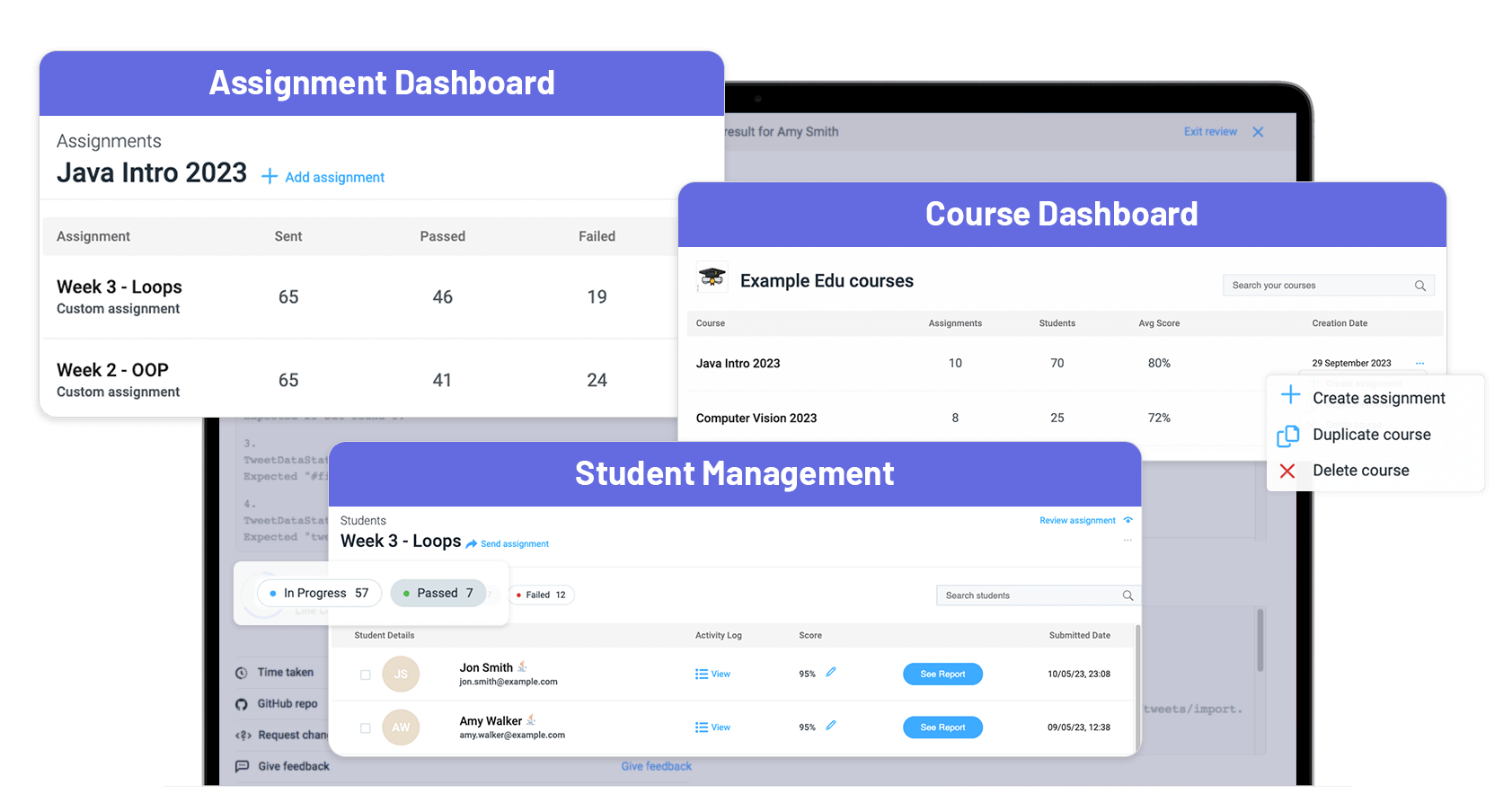
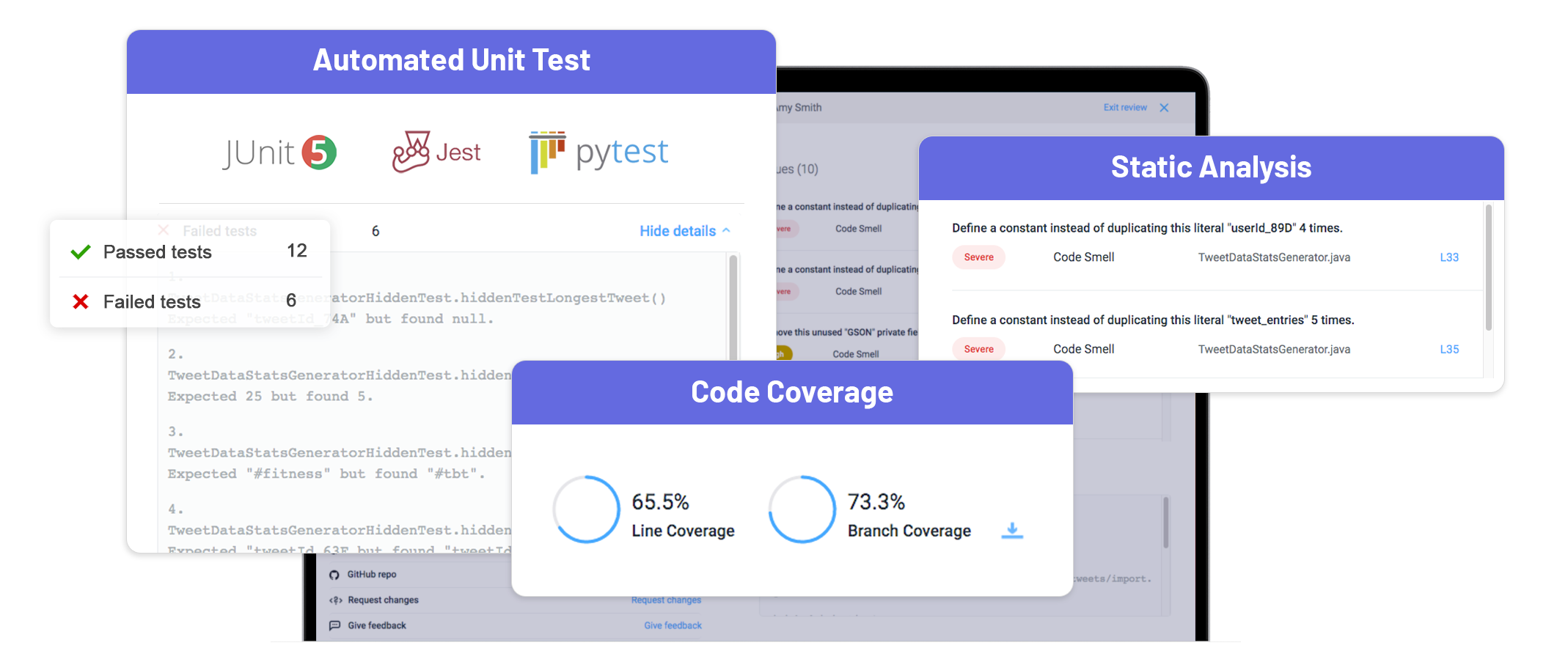
Screenshot of Custom Assignments - Assignments can be customized in 30+ languages & frameworks to continue using existing assignments while leveraging AssignmentOS’s automated workflow.Screenshot of GitHub/GitLab Workflow - Students can work on their assignments like they would develop software in the real world, preparing them well for industry work.Screenshot of Tracking of Assignments & Students - AssignmentOS’s multi-dimensional tracking keeps track of assignments & studentsScreenshot of Automated Grading - AssignmentOS’s Automated Grading (unit/integration tests, static analysis, etc.) removes the manual analysis of the submissions & provides a detailed student analysis report showing how each student performed.Screenshot of LMS Integration - AssignmentOS can be connected to Learning Management Systems, enabling users to send assignments & retrieve submissions directly in an LMS.Screenshot of Multi-dimensional Feedback - AssignmentOS’s multi-dimensional feedback features consists of automated feedback from modern unti/integration tests and a feedback workflow for TAs, to enhance student learning.