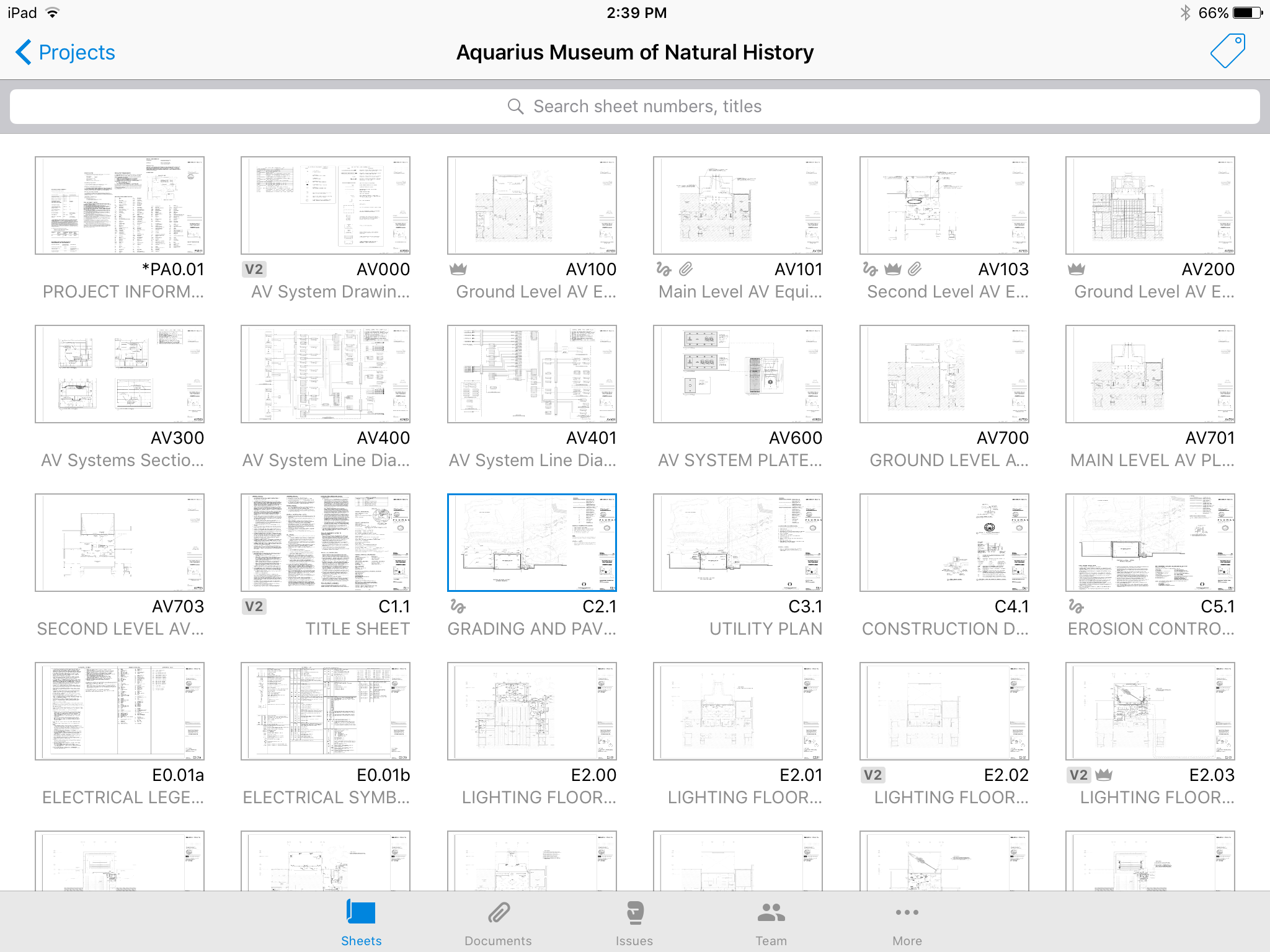
Autodesk Build, based on the former PlanGrid, is construction productivity software. It includes tools to collaborate, collect, and manage project information throughout the project’s construction and operations lifespan. It enables document centralization and tracking.
$39
user per month
Flip PDF Pro for Mac
Score5 out of 10
N/A
Flip PDF for Mac from FlipBuilder is designed to make it fast and easy for Mac users to convert ordinary PDF files into mobile friendly eye-catching brochures or magazines with amazing page-flipping effect. Integrated with hundreds of templates and themes, the Mac program enables you to create an unique and impressive digital magazine, brochure or catalog within minutes.
N/A
Pricing
Autodesk Build
Flip PDF Pro for Mac
Editions & Modules
Nailgun
$39
user per month
Dozer
$59
user per month
Crane
$139
user per month
No answers on this topic
Offerings
Pricing Offerings
Autodesk Build
Flip PDF Pro for Mac
Free Trial
Yes
No
Free/Freemium Version
No
No
Premium Consulting/Integration Services
Yes
No
Entry-level Setup Fee
No setup fee
No setup fee
Additional Details
—
—
More Pricing Information
Features
Autodesk Build
Flip PDF Pro for Mac
Construction Project & Field Management
Comparison of Construction Project & Field Management features of Autodesk Build and Flip PDF Pro for Mac
PlanGrid performs really well in all aspects of construction from the general to the sub/trade. The platform distributes and communicates project documentation in an extremely user-friendly manner. As with most software, it is cheaper the larger the scale of the project. In situations where the project is relatively small, and the trade contracts are also of relatively low dollar value, the product can be cost-prohibitive.
A de minimis incentive was given to thank the reviewer for their time. The incentive was not used to bias or drive a particular response, nor was the incentive contingent on a positive endorsement. More Info
It's great for presentations. It makes even the most drab presentation more interesting, and gives you the ability to add animated elements to your presentation. Everybody uses Microsoft PowerPoint, but for Mac it's a little slow and unresponsive. Flip PDF Pro for Mac kind of solves that issue – you can build your project in InDesign, export it out, then import it into Flip PDF Pro. It sounds like a bit of a process but it's actually very easy. Any designer can pick it up and run with it.
A de minimis incentive was given to thank the reviewer for their time. The incentive was not used to bias or drive a particular response, nor was the incentive contingent on a positive endorsement. More Info
Plangrid is the best SaaS I have seen for ease of uploading construction plans and automated organization of those plans.
For companies that are not using other products for mobile access, the Plangrid mobile apps are perfect to allow people on and off site to share and collaborate in many phases of construction project documentation.
Plangrid has a very responsive technical support team (although it is pretty much email only).
Plangrid's website layout is easy to use and understand and allows new users to jump right in and do basic to moderate tasks without little training.
A de minimis incentive was given to thank the reviewer for their time. The incentive was not used to bias or drive a particular response, nor was the incentive contingent on a positive endorsement. More Info
You can customize or add certain things like your title, logo, toolbar icon appearance, background, fonts, etc. It feels a lot like a design program – which is nice, as a designer.
The program allows you to embed almost any sort of media into your flip book – GIFs are easy to add in and work with, they add a dynamic element to your presentation (which wasn't possible before).
You can create these things called “hot spots” – basically certain trigger areas in your document that can activate something when clicked – like take you to a e-commerce site, for example.
A de minimis incentive was given to thank the reviewer for their time. The incentive was not used to bias or drive a particular response, nor was the incentive contingent on a positive endorsement. More Info
The photo attachment process is a bit complicated. In ProCore (another similar software I've used), you can upload photos directly into RFIs for your reference, or into e-mails. For PlanGrid, you have to first upload the photo into the documents tab, then link them into the RFI. It's not intuitive and can add confusion to the documents tab.
Photos can't be directly uploaded. Between different devices and colleagues, it's possible you'll get an important photo outside of the PlanGrid photo capture feature within its app. Again, it's complicated for users to use.
In their new drawings viewer, the icons for actions do not have icons available. I had to use them all in order to understand what they meant, and I'm fairly tech savvy. I'm not sure if a new person to PlanGrid will pick up on each icon's abilities very easily.
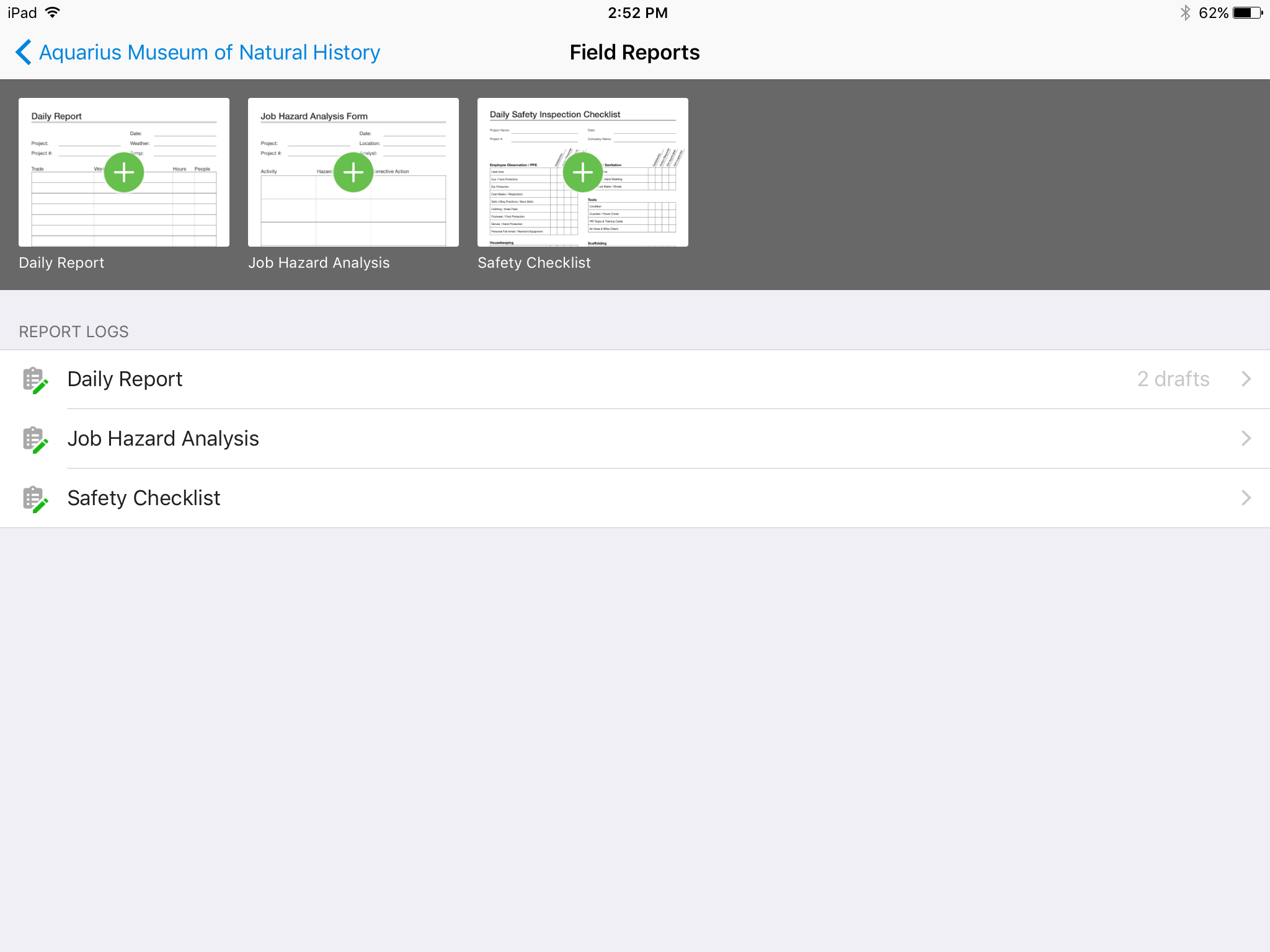
There's no all-in-one solution in CM, but PlanGrid is fairly barebones, and I don't believe it has any ability to connect to other software. There's no ability to take meeting munites; you can hack the field reports feature to accomplish this, but it's clear that was not the intent of the designers.
A de minimis incentive was given to thank the reviewer for their time. The incentive was not used to bias or drive a particular response, nor was the incentive contingent on a positive endorsement. More Info
My documents sometimes had a problem with import and output – sometimes it would take a substansial amount of time to export something.
In their mulit-lingual version, our freelance linguist caught some mistakes, some words were not translated or translated into other languages – which can make us look pretty bad.
There's a limit on audio you can output for each page in your document – it had to be "one audio for two pages".
A de minimis incentive was given to thank the reviewer for their time. The incentive was not used to bias or drive a particular response, nor was the incentive contingent on a positive endorsement. More Info
We are at the point where we have shown our teams what is possible with this software. We cannot take it away and go back to the way we used to do things. I think that they would push back on us to give them access to something electronic. It is a good program that we will continue to use
A de minimis incentive was given to thank the reviewer for their time. The incentive was not used to bias or drive a particular response, nor was the incentive contingent on a positive endorsement. More Info
Hard to get the hang of this software, but with time it become very repetitive and easier to navigate. I have used this software for over a year now and the constant updates by Autodesk have made the software better and better to use at work. This allows me to use this tool more effectively
A de minimis incentive was given to thank the reviewer for their time. The incentive was not used to bias or drive a particular response, nor was the incentive contingent on a positive endorsement. More Info
Online chat during business hours is extremely helpful. The Plangrid staff has gone above and beyond many times to help us. One time they even offered to completely rebuild our 900+ sheet project so I could slip sheet a few old drawing revisions! This undoubtedly would have taken hours on Plangrid's end. They are always responsive and are continually improving, listening to user feedback.
A de minimis incentive was given to thank the reviewer for their time. The incentive was not used to bias or drive a particular response, nor was the incentive contingent on a positive endorsement. More Info
Plangrid, while not serving the external document distribution function, is unrivaled for internal document distribution and sharing in the construction industry. The speed at which documents are navigatable, the ability to download your projects for viewing without an internet connection, and the document mark-up and photo tools place it head and shoulders above the competition.
A de minimis incentive was given to thank the reviewer for their time. The incentive was not used to bias or drive a particular response, nor was the incentive contingent on a positive endorsement. More Info
There are several PDF conversion programs out there, but really Flip PDF Pro for Mac is probably the best one that I've encountered. The amount of versatility in the program really sells it to me. It works just like a design program, but as a customizable PDF, and it's easy-to-use interface really helps speed things up with our workflow and process. There's a lot of competitors out there, but none of them really stack up.
A de minimis incentive was given to thank the reviewer for their time. The incentive was not used to bias or drive a particular response, nor was the incentive contingent on a positive endorsement. More Info
It helped us "wow" a joint commission survey in 2016 and have a successful survey because he loved how we could access plans on an iPad, check suite sizes, and didn't have to carry around huge, heavy sets of life safety plans.
A de minimis incentive was given to thank the reviewer for their time. The incentive was not used to bias or drive a particular response, nor was the incentive contingent on a positive endorsement. More Info
A de minimis incentive was given to thank the reviewer for their time. The incentive was not used to bias or drive a particular response, nor was the incentive contingent on a positive endorsement. More Info