TrustRadius: an HG Insights company

Autodesk Build

Score8.1 out of 10

152 Reviews and Ratings

What is Autodesk Build?

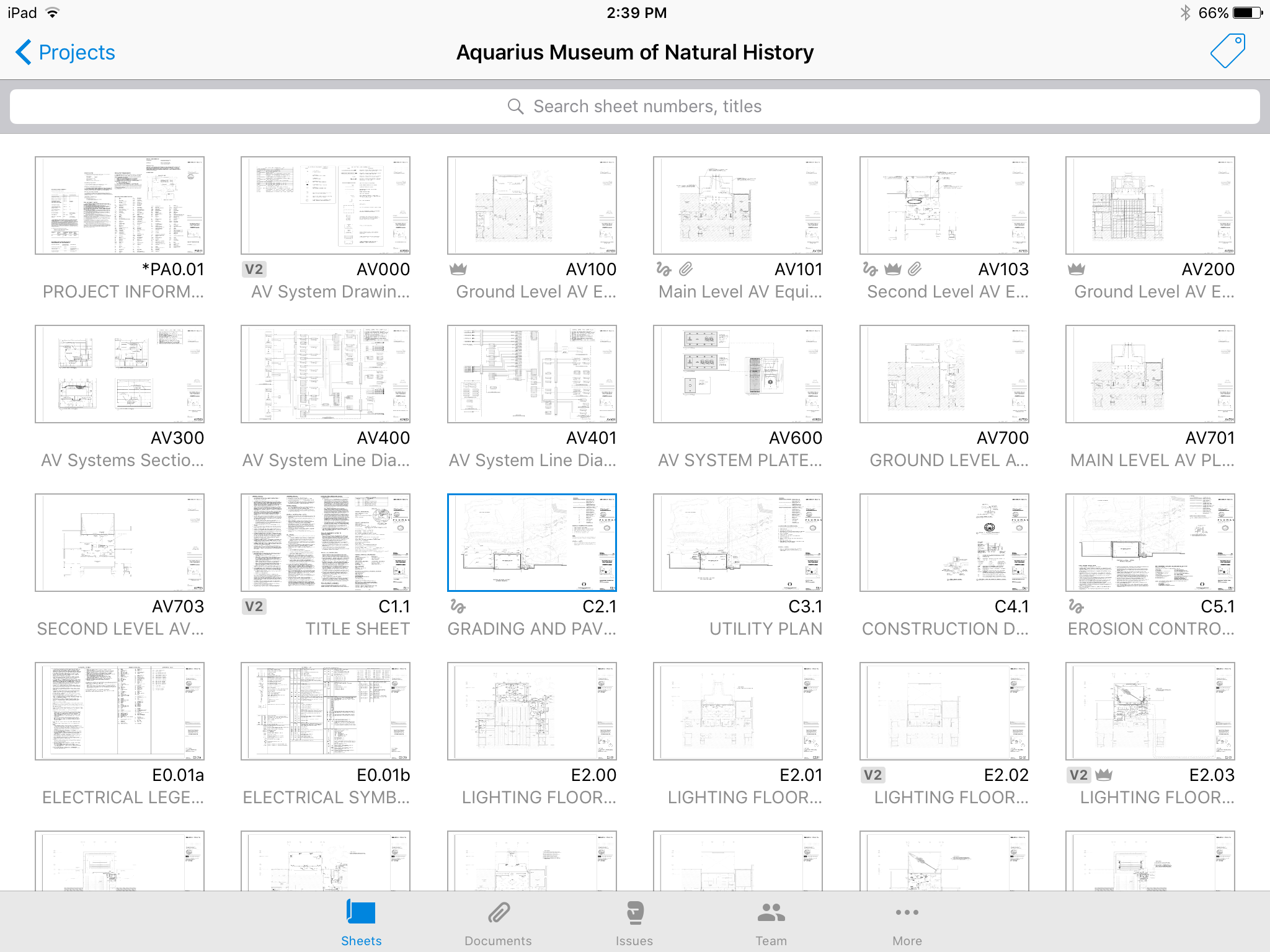
Autodesk Build, based on the former PlanGrid, is construction productivity software. It includes tools to collaborate, collect, and manage project information throughout the project’s construction and operations lifespan. It enables document centralization and tracking.

Media

No confusing folders - all your plans at your fingertips.
Easy overlay to visually detect changes or clashes.
Track issues directly on the plan, including descriptions, photos, cost, and schedule impacts.
Mark up plans for instant communication between field and office.
Attach any kind of construction documents to your plans, including 360 photos.
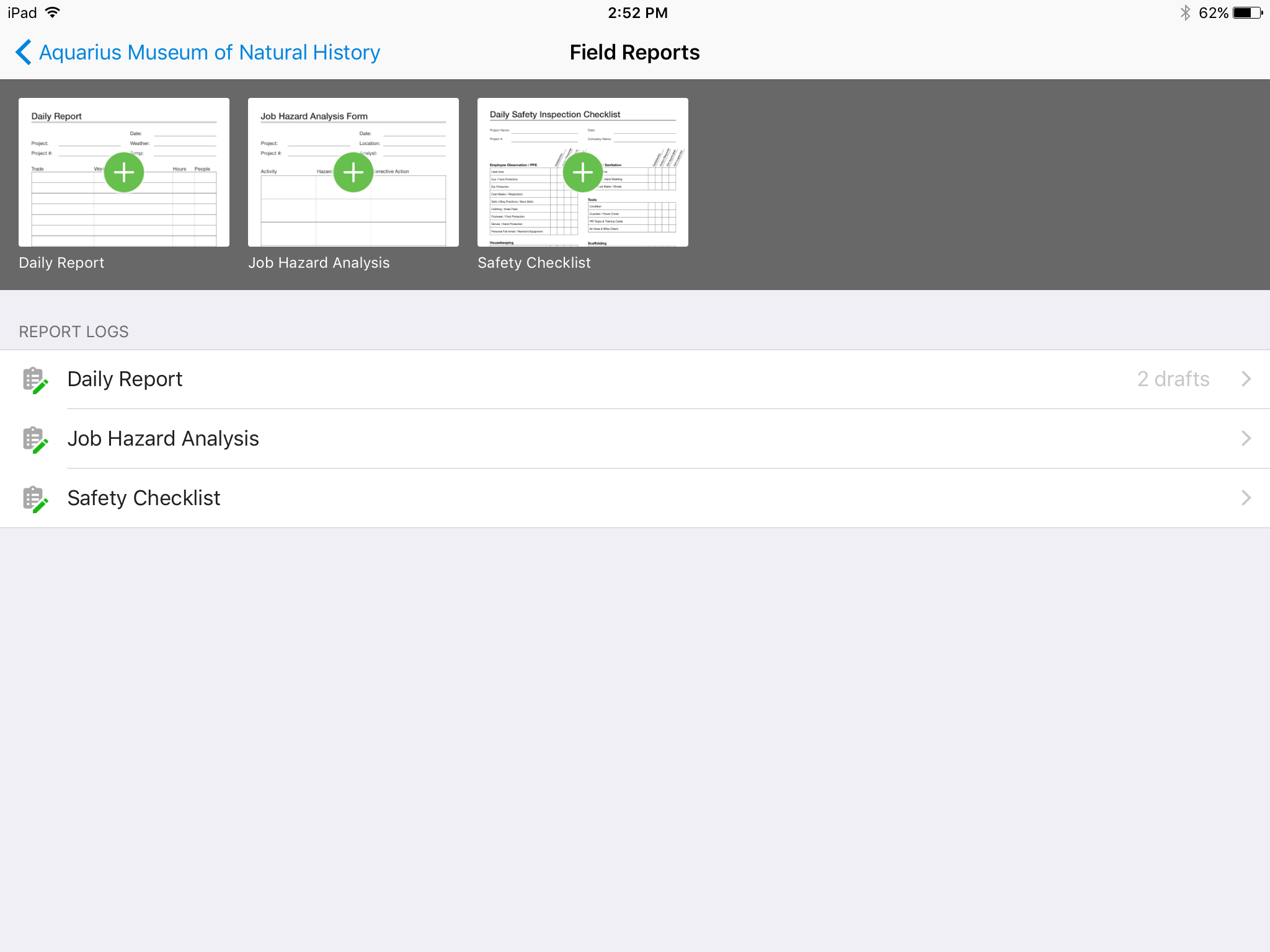
Track, review, and submit all your field reports on a mobile device.

1 / 6

Top Performing Features

  • Photo documentation

    Users can document construction progress and/or issues by uploading photos from the field.

    Category average: 8.3

  • Jobsite reports

    Users can create and share reports on jobsite safety, daily progress, etc.

    Category average: 8.2

  • Document sharing

    Users can share/attach other documents related to construction projects, such as specifications, contracts, drawings, etc.

    Category average: 8.3

Areas for Improvement

  • RFI tools

    Users can create, send, receive, and archive Requests for Information (RFIs), to record exchanges with subcontractors, vendors, and other suppliers.

    Category average: 8.3

  • As-built drawings

    Users can generate as-built drawings upon project completion, to reflect the exact dimensions and materials of the final work, including any changes made to the initial plans during the construction process.

    Category average: 7.8

  • Mobile app

    Users can easily access the system from the field on mobile devices such as phones and tablets.

    Category average: 7.6

Autodesk Build Review

Use Cases and Deployment Scope

Autodesk Build is the home of all our files and BIM sheets. Constant site monitoring reports are used on the build page such as forms, meetings, reports, sheets, schedule, files, and photos. Autodesk Build allows us to have all of our files for specific project, all easily accessible in one online cloud platform.

Pros

  • File management
  • Collaboration
  • Time saving

Cons

  • Files, making the files system easier to navigate and find files.
  • More ability to alter meeting templates to be used in multiple ways.
  • The sheets tool - has a hard time loading large sheet packages, and scrolling between sheets or files is not possible making review online harder then downloading a pdf.

Return on Investment

  • Autodesk Build increases time saved on modest tasks
  • Allows workers to focus on larger tasks now that admin work can be sorted out by Autodesk Build
  • Autodesk Build allows us to manage more projects and increase work load without increasing employees

Usability

Alternatives Considered

Procore

Other Software Used

monday.com, Adobe Acrobat, Collage HR, DocuSign, QuickBooks Online, Miro

Nothing for Something

Pros

  • [In my opinion] sell their product.
  • [In my experience] invoice for a product you don't use

Cons

  • Make product more user friendly.
  • Get rid of shady billing practices.

Return on Investment

  • We were unable to place this into operation at our business so no ROI

Other Software Used

QuickBooks Online, WinZip

Choose Plangrid and your users will love you.

Pros

  • Plangrid is the best SaaS I have seen for ease of uploading construction plans and automated organization of those plans.
  • For companies that are not using other products for mobile access, the Plangrid mobile apps are perfect to allow people on and off site to share and collaborate in many phases of construction project documentation.
  • Plangrid has a very responsive technical support team (although it is pretty much email only).
  • Plangrid's website layout is easy to use and understand and allows new users to jump right in and do basic to moderate tasks without little training.

Cons

  • Plangrid is in the process of adding enhanced construction documentation such as better Submittal, RFI, and Field Reporting modules, but the ones in place right now will not be up to par for some people used to more full-featured applications such as Sage or Procore.
  • Like other SaaS Construction applications, Plangrid is very expensive. Too expensive in my opinion. They should find ways to offer more tiers of cost so smaller companies can use the application is a limited manner and not have to pay the same cost as the larger companies which may get more use out of advanced features.
  • On the same theme of cost, many of Plangrids collaboration features require all collaborators to have a license. Try telling all 30 subs on your project that they have to run out and pay an extra $50-$100/MO per employee to collaborate with you. Does not always go over well.
  • Plangrids Field Report, Submittal and RFI modules are still a bit of a work in progress.

Return on Investment

  • Plangrid saves a tremendous amount of time when it comes to onsite plan viewing. With a tablet, someone can walk the site and have all plans at their fingertips without the need to return to a trailer for reviewing plans or markups. This frees up onsite personnel for other duties and in some cases saves money by requiring less people on the job.
  • Their punch-list/issues feature is another big time and money saver by making the entry and distribution of punch-lists much easier than more archaic methods. Users have the ability to create reports by sub/trade and send the sub a punch-list with just their specific issues on it.
  • Despite their RFI and Submittal features still being a work in progress they too speed up turn around time and entry time vs. older methods. This frees up POM's for other tasks and again, in some cases, allows a great ROI with less manpower needs.

Alternatives Considered

Procore and Sage 300 Construction and Real Estate

PlanGrid is great

Pros

  • One of the things that we like about Plan Grid is when we receive an updated plan sheet we can upload it and have a record of the changes that have been made along the way.
  • Information can be shared in real time.
  • Our field team has all of the information that they need at their fingertips.

Cons

  • Uploading revised plans is a little cumbersome. It would be nice if you didn't have to add a new version every time you updated a sheet.
  • Sometimes the sheet number and name recognition does not work properly when adding a new job or updating sheets. There is a workaround but it would be nice if it was more consistent.
  • The cost seems a little high. It would be nice if they increased the plan limit for each pricing tier.
  • They got rid of their free version, 50 sheet limit. We used to have our estimators use this option, but now we have to pay for a subscription for a service that is only used once in a while.

Return on Investment

  • I am not sure if the subscription cost per user is a cheaper option than paper, but it certainly saves us the hassle of getting documents printed, updated, delivered, etc.
  • The timeliness of the information being shared does certainly help us avoid rework. We seem to have fewer communication problems now.
  • It is nice to have all of the information in one program. The teams seem to like it better. However, with anything, new some prefer paper over an iPad.

Alternatives Considered

Bluebeam Revu

Other Software Used

Bluebeam Revu, Procore, Microsoft Office 365

Expanding Use of PlanGrid Features

Pros

  • Reliability
  • Progress Photos
  • IssuesLog

Cons

  • Sharing access with non-users

Return on Investment

  • Improved Coordination
  • Issues in one place

Alternatives Considered

Asana, Bluebeam Revu and Adobe Acrobat DC