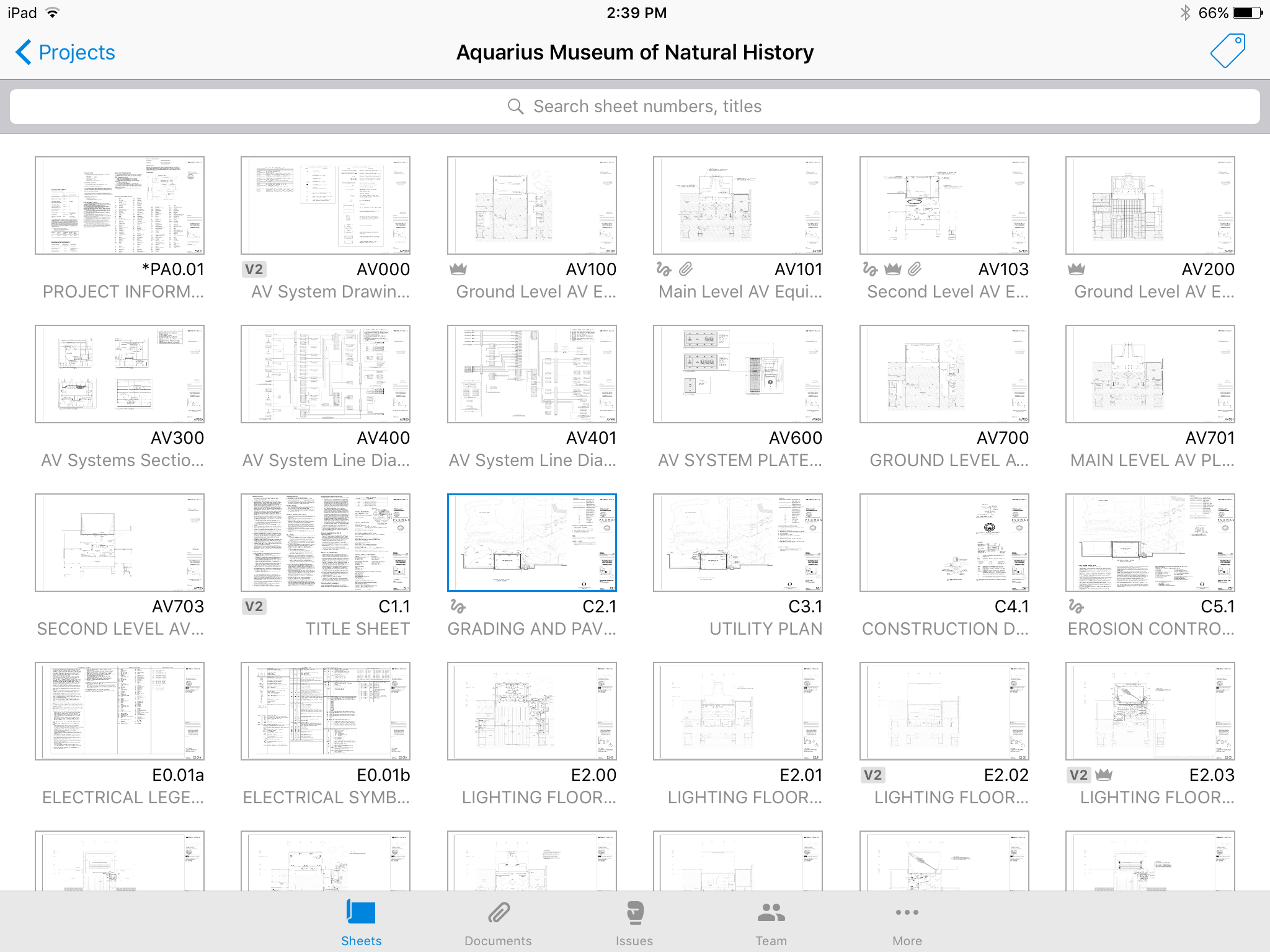
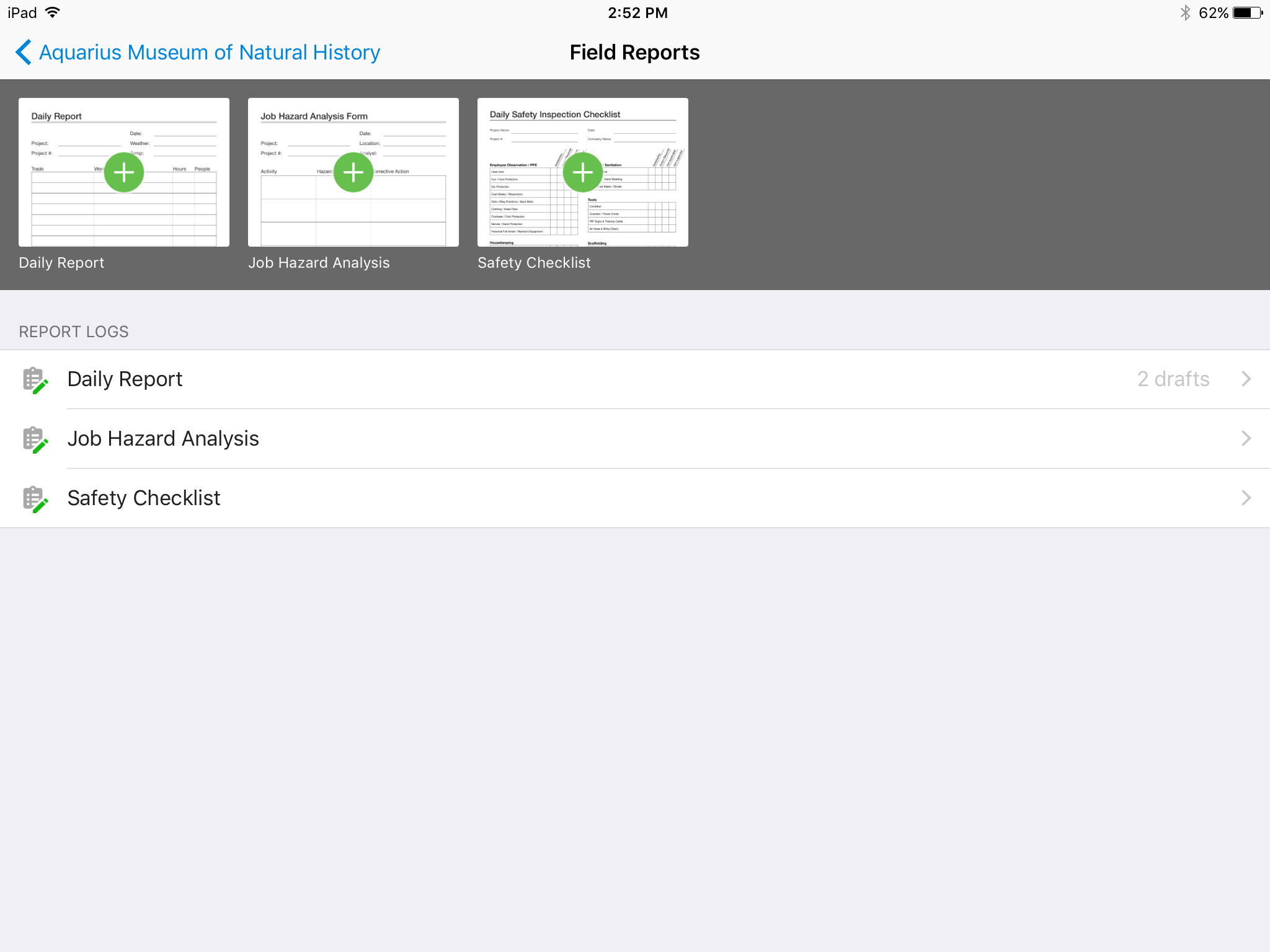
Autodesk Forma Build, previously known as Autodesk Build and originally based on PlanGrid, is a Construction Management and Job Site Management application within the Autodesk Forma suite. It provides contractors, owners, and subcontractors with a unified platform for project collaboration and information management across the construction and operations lifecycle.
$100
per month
FollowUp CRM
Score1.1 out of 10
N/A
FollowUp Power CRM for Construction is a CRM system for the construction industry. Features include lead tracking, sales pipeline analysis, closing ratios, quota management, project management, and dashboards. It can integrate with other marketing and accounting products.
Well Suited: Autodesk Construction Cloud is cost effective, user friendly, and robust. They aren't nickel and diming you for use of each module. Once users are on-board with the system it creates an ecosystem that all users "go to first" for an answer. Less Appropriate: As a Developer, there are some hiccups as it is designed more for the GC (general contractor). A template option that is Developer forward would an improvement.
A de minimis incentive was given to thank the reviewer for their time. The incentive was not used to bias or drive a particular response, nor was the incentive contingent on a positive endorsement. More Info
One of the best things about FollowUp Power is that we can mark things for follow-up several months down the line, which we frequently have a need for since many of our clients are seasonal. For example, we'll get started working with them while they're here in Florida for the winter, then they'll head back north in the spring and not want to hear from us again until they return in the fall. With FollowUp Power, we can then mark them for follow up in the future rather than to have to somehow remember to contact them in the future.
A de minimis incentive was given to thank the reviewer for their time. The incentive was not used to bias or drive a particular response, nor was the incentive contingent on a positive endorsement. More Info
The user interface is extremely easy to use for both the advanced and not-so-advanced computer users. This is huge in an industry that has a high diversity of computer skills among end-users of technology.
Rendering speed of documents is extremely quick on every device/platform.
The application can be used on every platform from Windows/iOS/Andriod (mobile or desktop) as well as the web, without diluting platform features.
The ability to import 3D models and maintain accompanying metadata is extremely beneficial.
A de minimis incentive was given to thank the reviewer for their time. The incentive was not used to bias or drive a particular response, nor was the incentive contingent on a positive endorsement. More Info
We love the dashboard feature. This is where we spend the majority of our time. The dashboard helps us avoid missing bid dates and deadlines.
The system is very intuitive and a new user will be up to speed within one hour after they start using the system. There is only one place to enter all data. This allows for ease of use and minimizes data entry mistakes.
Every task is date stamped to insure proper work flow and holds the team accountable to each other.
Plangrid is in the process of adding enhanced construction documentation such as better Submittal, RFI, and Field Reporting modules, but the ones in place right now will not be up to par for some people used to more full-featured applications such as Sage or Procore.
Like other SaaS Construction applications, Plangrid is very expensive. Too expensive in my opinion. They should find ways to offer more tiers of cost so smaller companies can use the application is a limited manner and not have to pay the same cost as the larger companies which may get more use out of advanced features.
On the same theme of cost, many of Plangrids collaboration features require all collaborators to have a license. Try telling all 30 subs on your project that they have to run out and pay an extra $50-$100/MO per employee to collaborate with you. Does not always go over well.
Plangrids Field Report, Submittal and RFI modules are still a bit of a work in progress.
A de minimis incentive was given to thank the reviewer for their time. The incentive was not used to bias or drive a particular response, nor was the incentive contingent on a positive endorsement. More Info
It really needs to have the capability of listing numerous phone #s with a note beside each one ("his cell#", "her work#", "do not call before 9a.m.", etc.).
It really needs to have the capability of listing numerous e-mail addresses ("hers", "his", "her email address at work", etc.).
It would be nice to have a separate general information box where we could put comments in that would show every time we bring up the account (such as "her nickname is Bobbi", "their dogs name is Fido, "their son is currently stationed in France", "husband is going through chemotherapy", etc.), which would help us to remember personal details that are important to our clients.
A de minimis incentive was given to thank the reviewer for their time. The incentive was not used to bias or drive a particular response, nor was the incentive contingent on a positive endorsement. More Info
We are at the point where we have shown our teams what is possible with this software. We cannot take it away and go back to the way we used to do things. I think that they would push back on us to give them access to something electronic. It is a good program that we will continue to use
A de minimis incentive was given to thank the reviewer for their time. The incentive was not used to bias or drive a particular response, nor was the incentive contingent on a positive endorsement. More Info
Because it is very user friendly and it also adapts the software to the device... For example , iPads are more Superintendent friendly and the desktop version is more useful for PM and Project Engineers. I also like that theres versions of the software that are on our desktop or ipad, so when we have a network failure we are still able to do the majority of our work
A de minimis incentive was given to thank the reviewer for their time. The incentive was not used to bias or drive a particular response, nor was the incentive contingent on a positive endorsement. More Info
I haven't used PlanGrid support much, because I'm getting used to it. But the few times I have, they seem very good. A rep has reached out to me for help, scheduling a demo, etc. Once I get my team on board to buy the software we will use the video and web demos more often and I'd imagine they could be quite useful.
A de minimis incentive was given to thank the reviewer for their time. The incentive was not used to bias or drive a particular response, nor was the incentive contingent on a positive endorsement. More Info
Plangrid, while not serving the external document distribution function, is unrivaled for internal document distribution and sharing in the construction industry. The speed at which documents are navigatable, the ability to download your projects for viewing without an internet connection, and the document mark-up and photo tools place it head and shoulders above the competition.
A de minimis incentive was given to thank the reviewer for their time. The incentive was not used to bias or drive a particular response, nor was the incentive contingent on a positive endorsement. More Info
My company had already implemented FollowUp Power CRM for Construction before I arrived. I have used other CRM programs in the past, and FollowUp Power is much more user friendly, and I have already seen a direct increase in my lead to customer conversion ratio as well as increased sales
It helped us "wow" a joint commission survey in 2016 and have a successful survey because he loved how we could access plans on an iPad, check suite sizes, and didn't have to carry around huge, heavy sets of life safety plans.
A de minimis incentive was given to thank the reviewer for their time. The incentive was not used to bias or drive a particular response, nor was the incentive contingent on a positive endorsement. More Info
I have seen a lot better tracking on my jobs when it comes to scheduling and staying on top of my jobs.
The dashboard is part of my daily routine it tells me exactly what I need to follow up on weather it is calling the customer or checking on the customer.
Payments or what the current status of the job is.
A de minimis incentive was given to thank the reviewer for their time. The incentive was not used to bias or drive a particular response, nor was the incentive contingent on a positive endorsement. TR verified that a representative sample of customers was invited. More Info